CP43维护手册.pdf.pdf - 第109页
10 – 9 V ersion 7.0 Chapter 10 Cam Box 10.4 Adjusting the T ension on the Timing Belt The following tensions are measur ed by placing a push-pull gauge in the center of the belt, as shown in table 10-1 and figure 10-1 1.…

Chapter 10 Cam Box
(9) Place a hex wrench on the bolt in the center of cam axis B, and while
watching the dial gauge, turn the handle until station 7's cam nozzle
vertical cam lever stops. While doing this, make sure that cam axis A
does not turn. See figure 10-10 for more details.
(10)Retighten the six span ring bolts. Tighten them in the correct
direction. When retightening the bolts, make sure that there is any
shift in cam axis A or B.
(11)Manually turn the cam axis, when the dial gauge indicator on cam
axis B stops moving, check that the cam angle is 175°. If the cam angle
is not 175° then repeat steps 8 thru 11.
Note: Cam axis A and B should be synchronized to within 2 to 3°.
10 – 8
Version 7.0
CP IV-3 Maintenance
10 – 9
Version 7.0
Chapter 10 Cam Box
10.4Adjusting the Tension on the Timing Belt
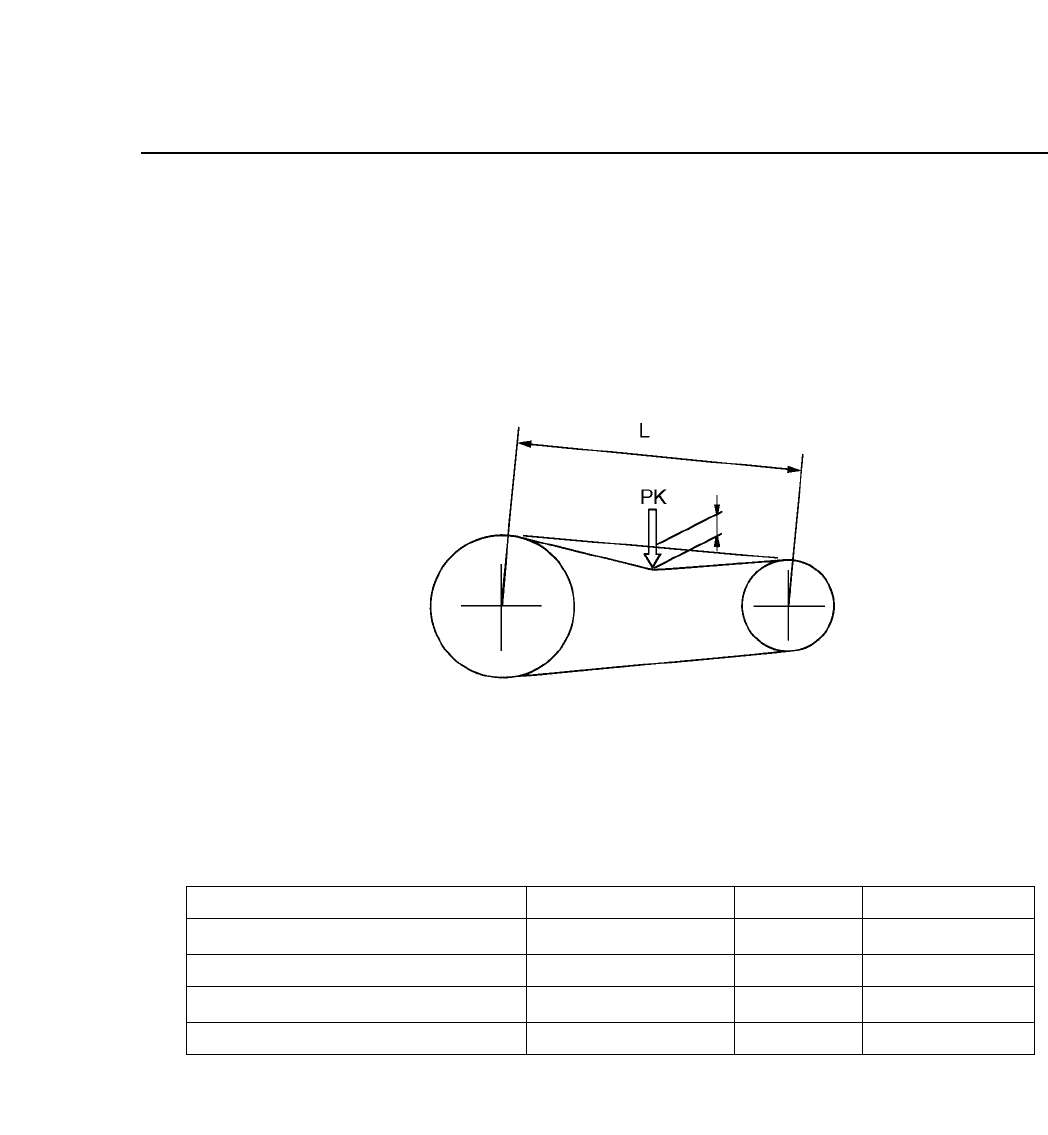
The following tensions are measured by placing a push-pull gauge in the
center of the belt, as shown in table 10-1 and figure 10-11.
Alternately, use a tension meter to adjust the tension to a suitable
frequency .
Fig. 10-11 Timing Belt Tension Adjustment
Table 10-1 Timing Belt Displacements
Note: Since two belts are used for Central axis and cam axis A and Cam axis A
and cam axis B, take the average of the two values.
Cam motor axis and central axis
Central axis and cam axis switch
Central axis and cam axis A
Cam axis A and cam axis B
Between Axis
Displacement (mm)
Frequency (Hz)
2.2
1.5
3.9
4.0
2.7
0.3
1.8
1.8
140 ± 5
235 ± 5
91 ± 5
89 ± 5
Force. (kgf)
CP IV-3 Maintenance
Chapter 10 Cam Box
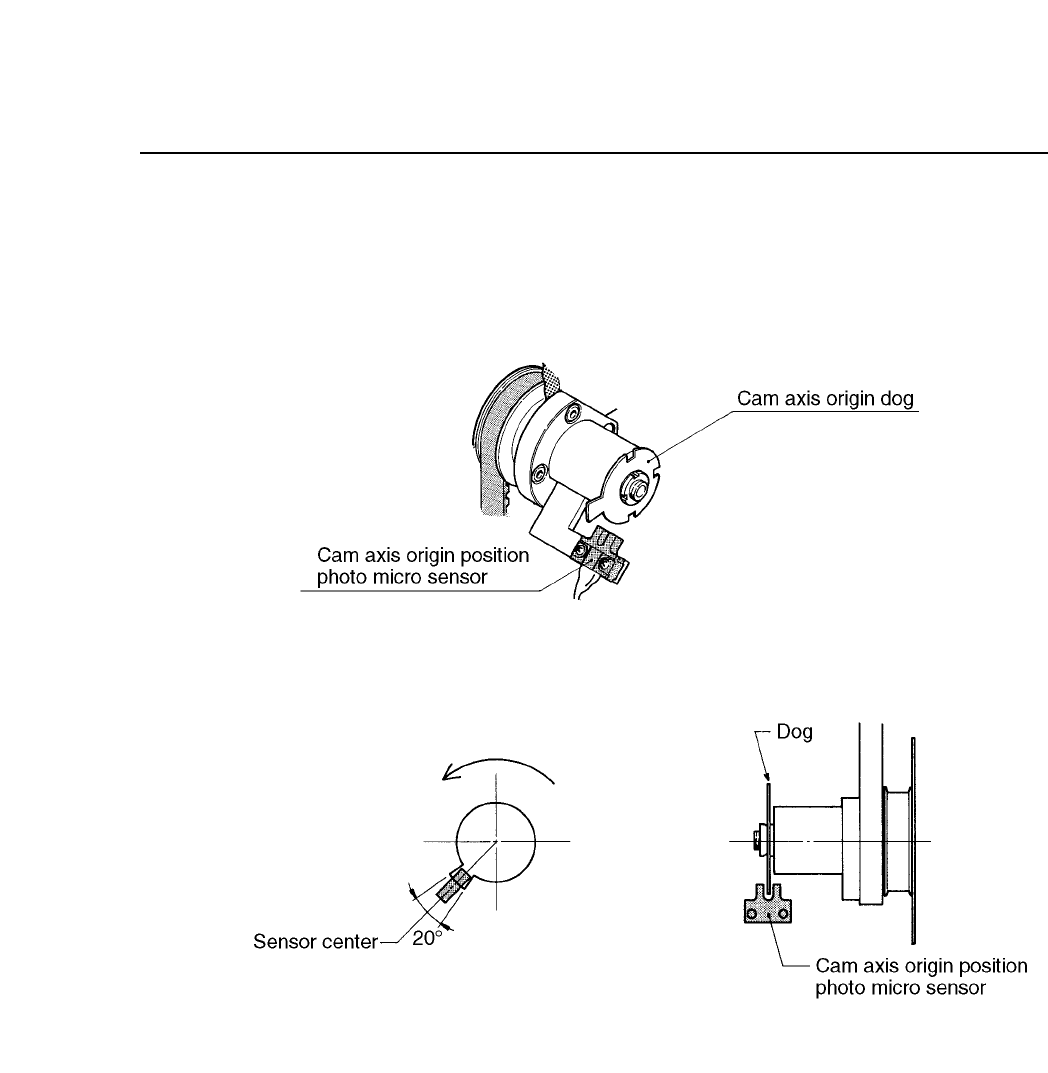
10.5Adjusting the Dogs in the Cam Box
There is a cam axis origin dog in the cam box. With the cam angle at 0°,
match the center of the dog with the center of the sensor.
Fig. 10-12 Cam Axis Origin Point
10 – 10
Version 7.0
CP IV-3 Maintenance