CP43维护手册.pdf.pdf - 第131页
14 – 5 V ersion 8.0 Chapter 14 Replacing Consumable Parts (4) Make sure the new filter does not pr otrude fr om its position on the valve casing. Use your finger to push the filter into place if it is protr uding from th…
Chapter 14 Replacing Consumable Parts
14.5Valve Replacement
During automatic production, a nozzle sometimes produces repeated
errors. If the cause appears to be blockage or bends in the nozzle, the
spool valve may be deformed or O ring damage may have caused a
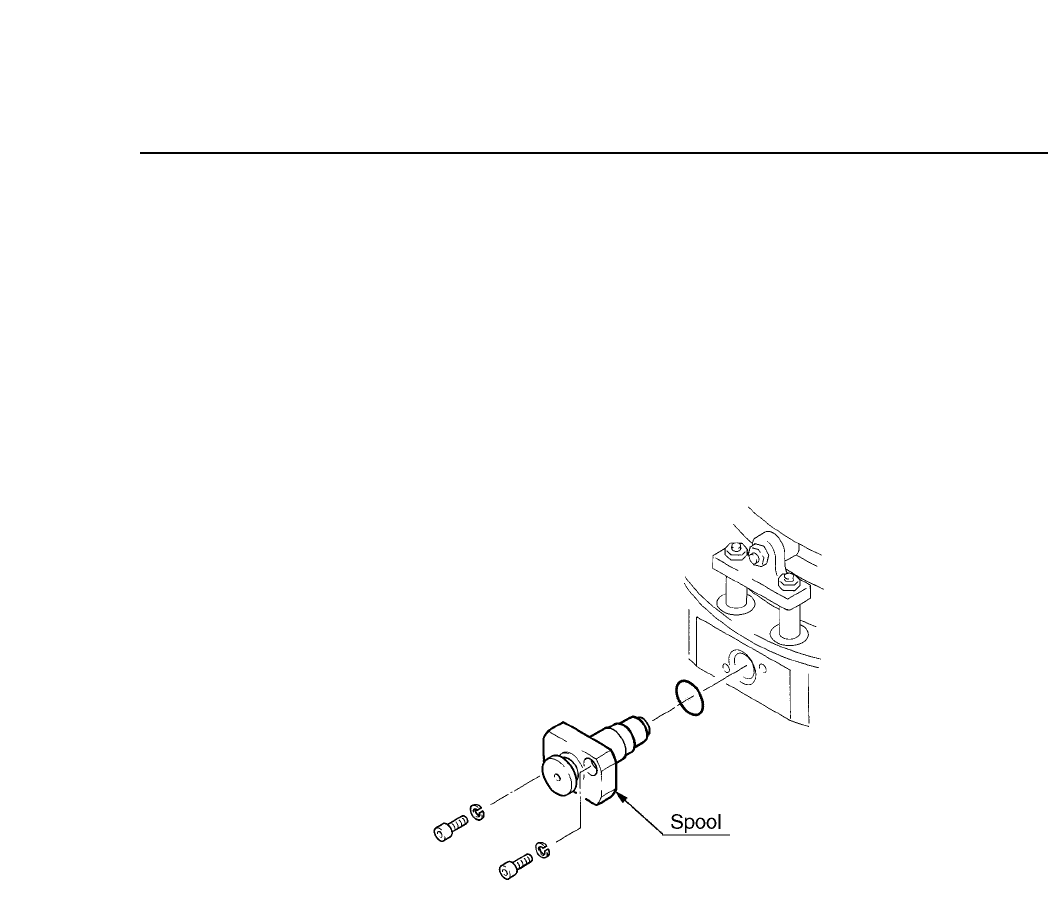
vacuum leak. The O ring is attached to the spool valve. Replace the spool
valve if necessary.
To remove the spool valve or O ring, unscrew the two bolts shown below.
Be careful not to break the O ring, as it is thin and fragile.
Fig.14-4 Spool Valve Assembly
14.6Changing the Mechanical Valve Filter
It is necessary to periodically clean the head spools (refer to section 15.10
for further details). When the spools are being cleaned, if the mechanical
valve filter is found to be dirty or damaged, promptly replace it with a
new one.
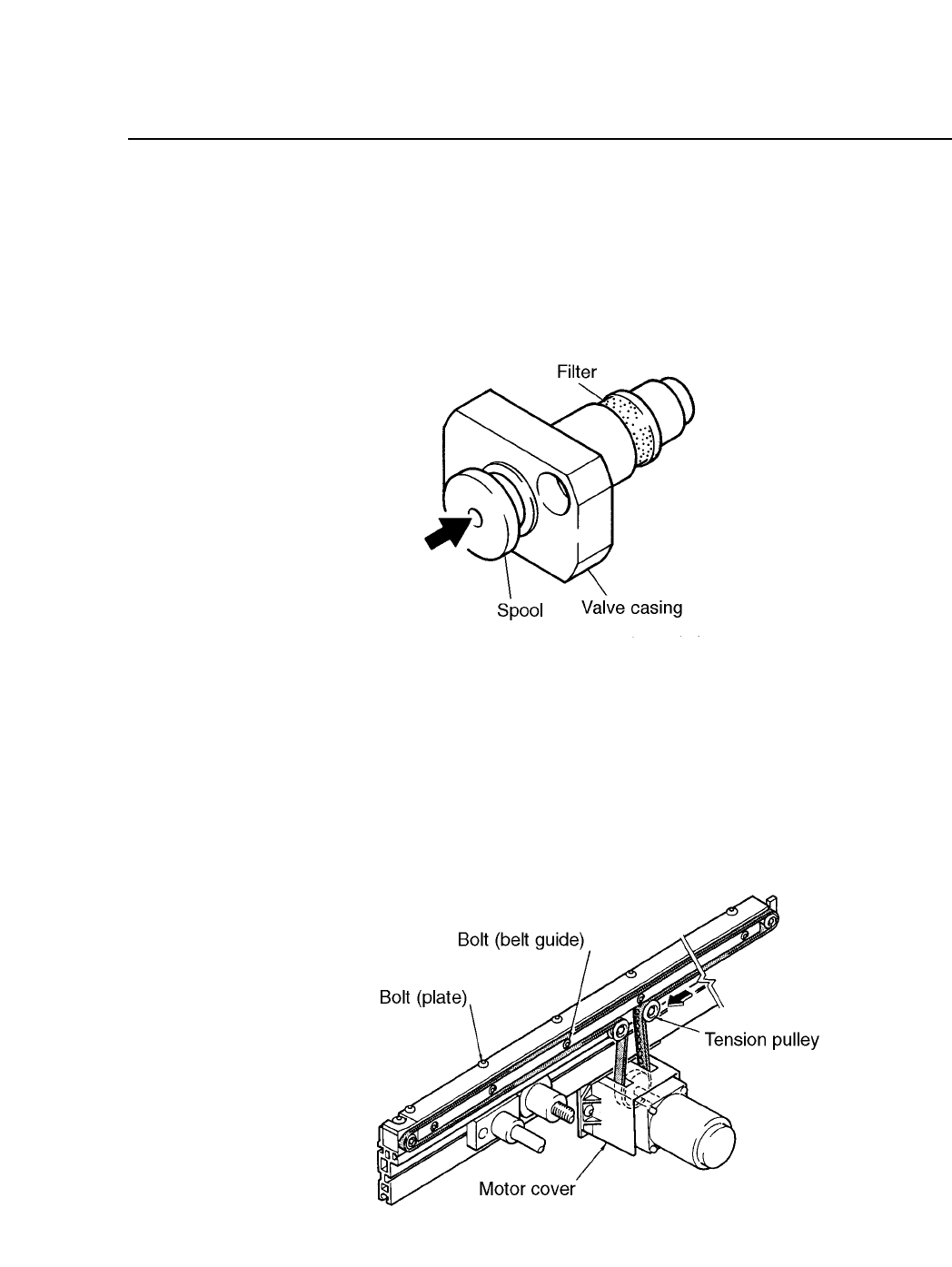
(1) Remove the filter from the valve casing. Tweezers can be used to
remove the filter.
Note: Ensure no refuse from the filter remains in the valve.
(2) Clear any refuse from the spool hole (indicated by the arrow in the
diagram below) using an air gun.
(3) Insert the new filter on the valve casing, ensuring the filter remains
round in shape.
14 – 4
Version 8.0
CP IV-3 Maintenance
14 – 5
Version 8.0
Chapter 14 Replacing Consumable Parts
(4) Make sure the new filter does not protrude from its position on the
valve casing. Use your finger to push the filter into place if it is
protruding from the valve casing. The mechanical valve unit can be
replaced once this is complete.
Fig. 14-5 Mechanical Valve Unit
14.7Conveyor Belt Replacement
The CP IV-2 employs a rubber T-type conveyor belt. The procedures for
changing the conveyor belt are listed on the following page.
Fig. 14-6 Conveyor Belt Replacement
CP IV-3 Maintenance

Chapter 14 Replacing Consumable Parts
(1) Remove the motor cover.
(2) Loosen the fixed bolt on the tension pulley to loosen the belt tension.
(3) Loosen the belt guide bolts.
(4) Replace the rubber belt.
(5) Insert a 0.3 mm thick thickness gauge between the plate and the top of
the belt, and tighten the guide belt bolts, while maintaining this 0.3
mm gap.
(6) Adjust the strength of the pulley tension to 1 to 1.5 kg, and tighten the
tension pulley bolts. Refer to the arrows in figure 14-6 for the
direction in which the tension pulley should be moved to increase the
tension. If possible, use a tension gauge to confirm the 1 to 1.5 kg
while fixing the tension pulley. If a tension gauge is not used, tighten
the tension pulley bolts while pressing the tension pulley 1 to 2 mm,
when the rubber belt does not have any slack. (1 to 1.5 kg for the
pulley strength is approximately 1 to 2 mm.)
Note: The plate shown in figure 14-6, is adjusted so that there is 3 mm of dead
space beneath the board when the board is being transported, so when
removing the conveyor belt do not loosen these bolts.
14 – 6
Version 7.0
CP IV-3 Maintenance