CP43维护手册.pdf.pdf - 第139页
15 – 1 V ersion 7.0 Chapter 15 Routine Inspections and Maintenance 15. Routine Inspections and Maintenance This chapter describes parts of the machine that must be cleaned relatively frequently . If cleaning is neglected…
Chapter 14 Replacing Consumable Parts
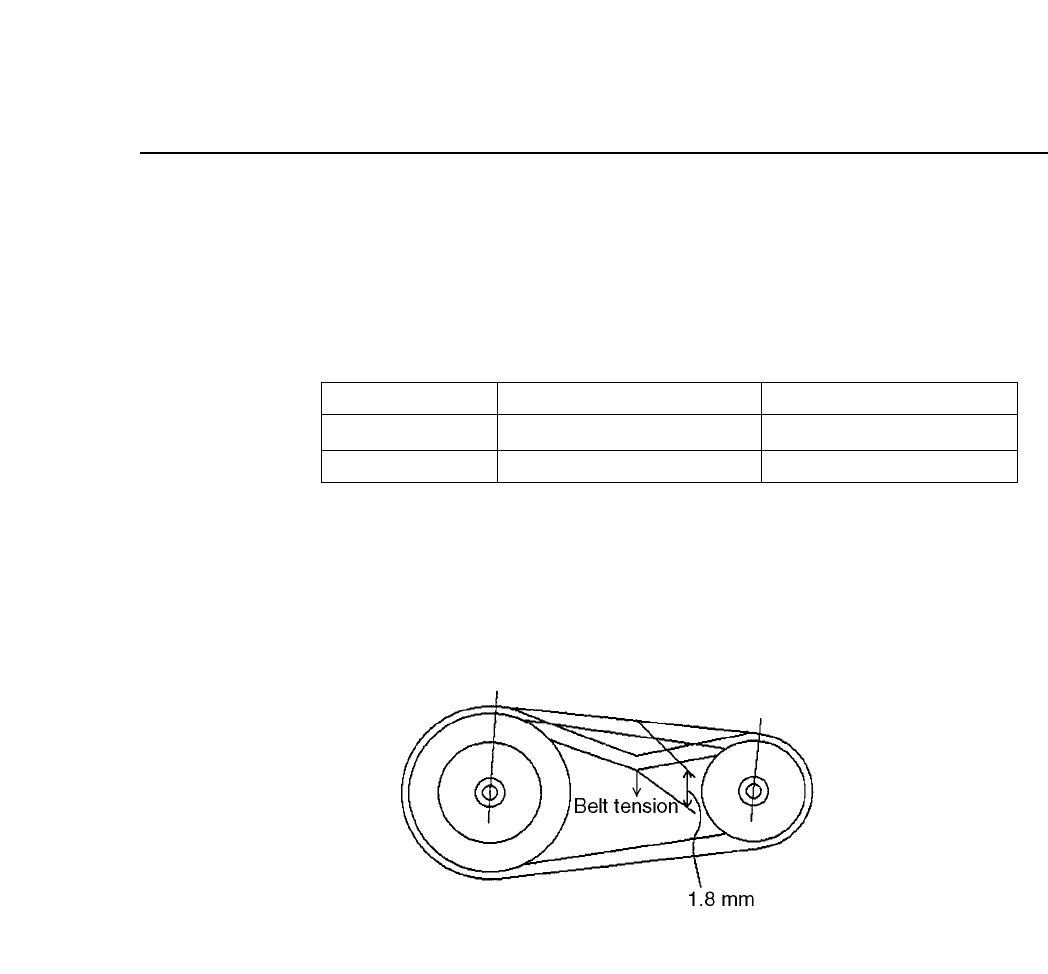
(3) Hang the belt. Check to see that the value of the tension is
within the specified range. If it is not in the range, remove the
belt, and rehang the belt so that there is a 0.1 mm leeway for
each belt for the l dimension.
Table 14-4 Belt Tension
Note: The tension meter that is used is the Gates Polyflex Tension
Meter-7M.
Fig. 14-11 Belt Tension
Slack - Load
Tension Meter
In Use
0.50 - 0.60 kg : 1.8 mm
28 - 34 lb
New Belt
0.38 - 0.46 kg : 1.8 mm
20 - 26 lb
14 – 12
Version 7.0
CP IV-3 Maintenance
15 – 1
Version 7.0
Chapter 15 Routine Inspections and Maintenance
15.Routine Inspections and Maintenance
This chapter describes parts of the machine that must be cleaned relatively
frequently. If cleaning is neglected, machine operation will be impaired and
placing performance will drop.
15.1Cleaning the Nozzles
The vacuum nozzles draw in air. Nozzle blockage occurs when particles
of dust, glue, and solder paste are drawn in and solidify.
If this blockage is not corrected, pick-up errors will occur and placing
performance will drop. If a certain nozzle consistently causes pickup
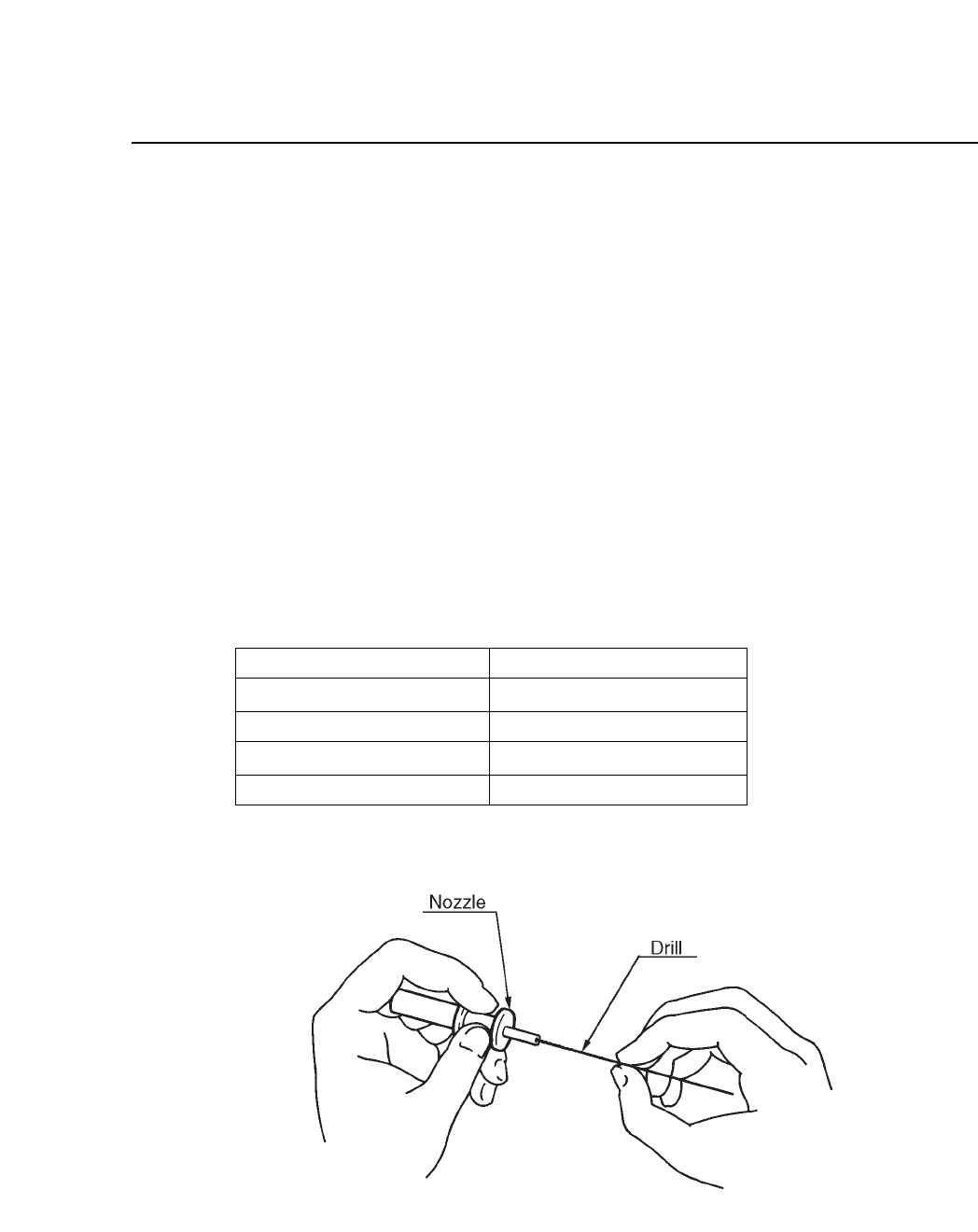
errors, clean it out by inserting and turning a drill bit as shown in the
illustration below.
Table 15-1 Nozzle Diameters
Fig. 15-1 Cleaning Nozzle with Drill Bit
0.7 mm
1.0 mm
1.3 mm
1.8 mm
Outer diameter of nozzle
Inner diameter of nozzle
0.4 mm
0.7 mm
1.0 mm
1.45 mm
CP IV-3 Maintenance
Chapter 15 Routine Inspections and Maintenance
15.2Cleaning the Fluorescent Disk (Once a Month)
If dust or other fine particles build up on the fluorescent disk, the
percentage of UV light reflection from the station 4 UV lamp will be
reduced. If this reflected light is insufficient, a proper image can not be
captured during vision processing. Vision processing errors thus occur
and placing performance drops. If a certain nozzle consistently causes
pickup errors, clean its fluorescent disk with a soft brush (the type of
brush used for cleaning a camera lens is best). Do not rub the fluorescent
disk with a rag. Rubbing the fluorescent disk makes grime cohere to the
sheet, which causes vision processing problems.
If grime cannot be removed, replace the fluorescent disk.
15.3Cleaning the Shaft (Once a Month)
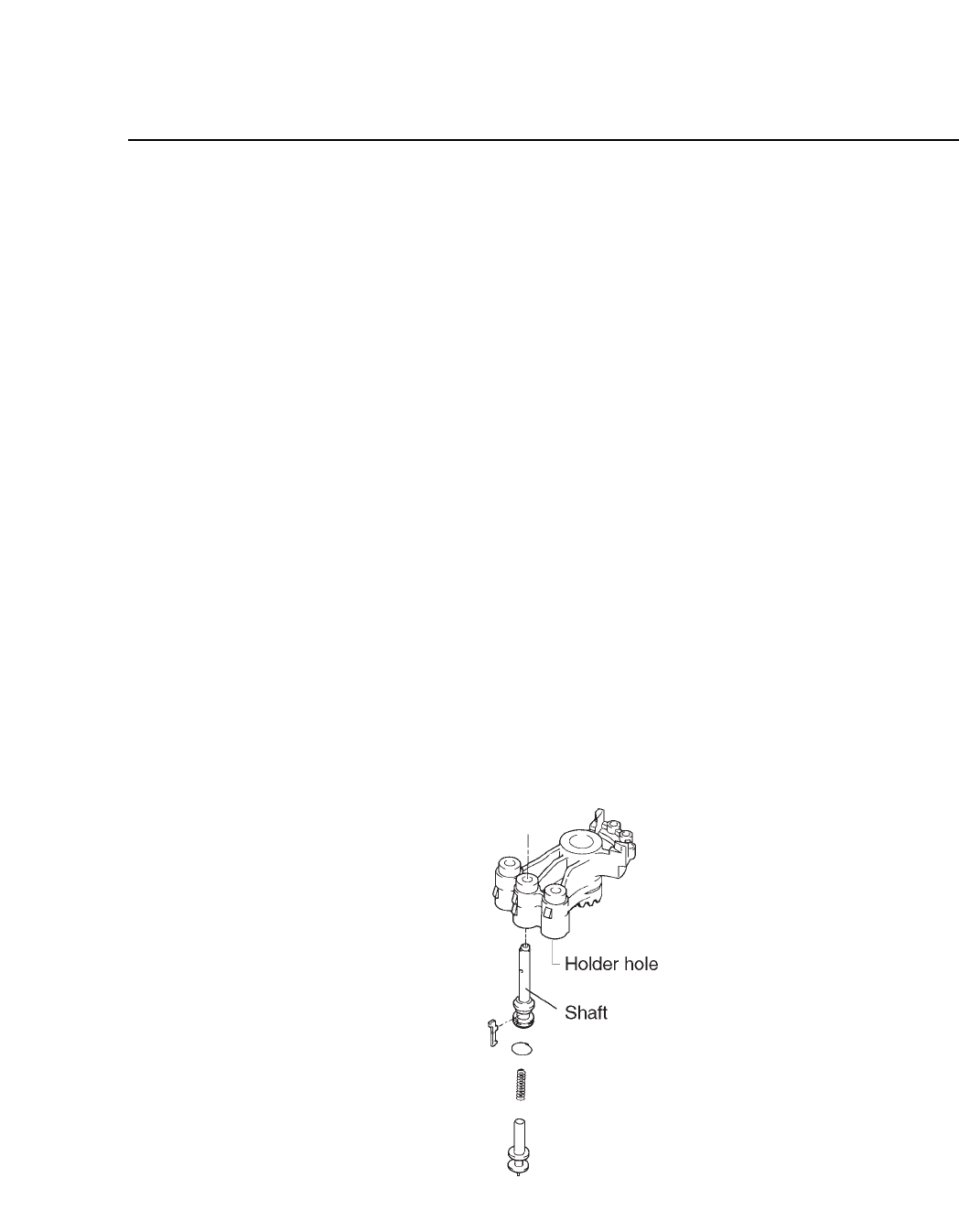
Shaft movement slows if grime and lubricant collects on it. If the shaft
does not move fast enough, vertical movement during the placing
operation is adversely affected and placing performance drops. Clean the
shaft and holder with a dry cloth. Refer to figure 15-2 below.
Note: Do not use kerosene, thinner or alcohol based solvents as these will damage
the holder.
Fig. 15-2 Shaft Assembly
15 – 2
Version 7.0
CP IV-3 Maintenance