CP43维护手册.pdf.pdf - 第146页
Chapter 15 Routine Inspections and Maintenance 15 – 8 V ersion 8.2 CP IV -3 Maintenance
15 – 7
Version 8.2
Chapter 15 Routine Inspections and Maintenance
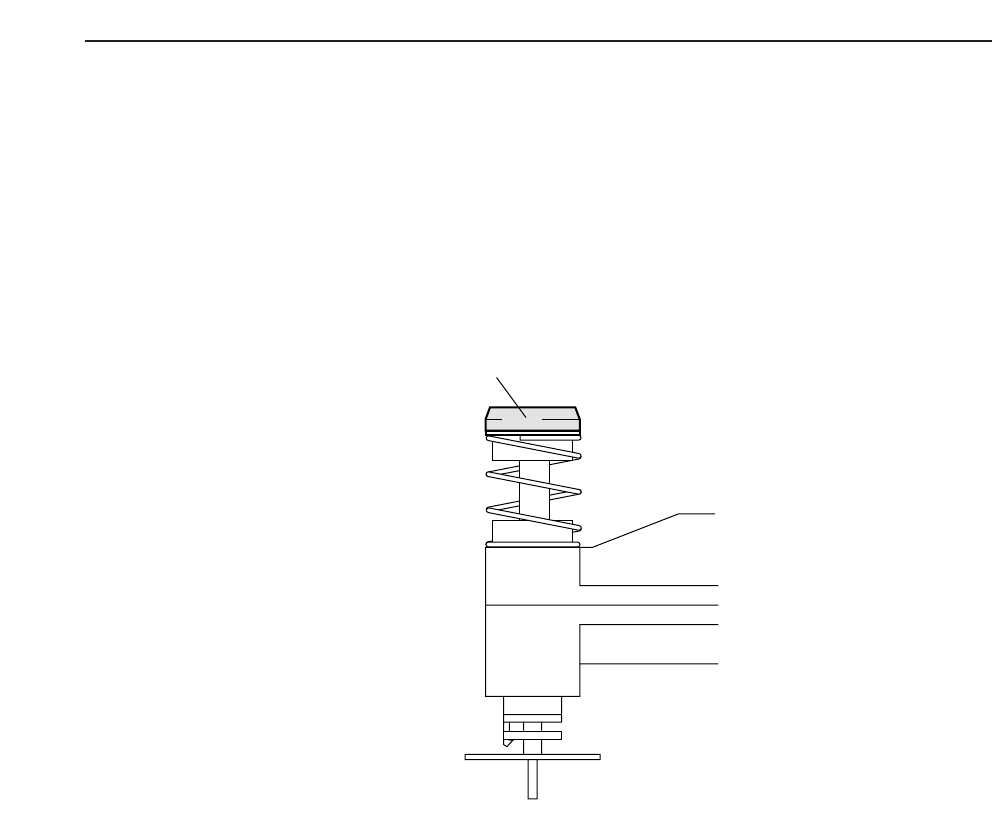
15.10Cleaning the Nozzle Clutch (Monthly)
To prevent slippage caused by grease that has adhered to the clutch,
cleaning should be performed at regular intervals.
Wipe the nozzle clutch with a dry cloth. If this is not sufficient to get all
the grease off, apply a small amount of alcohol based detergent to the
cloth, but in this case, a dry cloth should also be used afterwards to wipe
away any residue.
Note: The polyester based rubber used on the clutch does not stand up well
to cleaning liquids or moisture, and care should be taken to avoid
contact with these areas.
Nozzle clutch
CP IV-3 Maintenance

Chapter 15 Routine Inspections and Maintenance
15 – 8
Version 8.2
CP IV-3 Maintenance

16 – 1
Version 7.0
Chapter 16 Upgrading the Software
16.Upgrading the Software
Upgrading is done when additional functions are being added, or to correct
bugs in the previous version. There are two types of upgrade: the control
program upgrade and the vision processing upgrade.
16.1Upgrading the Control Program Software
The control program software is upgraded by replacing the memory card
in the MP board. The replacement procedure is as follows:
(1) Cut the power and turn off the main breaker.
(2) Put on the wristband to protect the electronic components from static
electricity.
(3) Remove the memory card in the MP board. Insert the new memory
card completely (so that the eject button sticks out), taking care to
insert it in the proper direction.
(4) Take off the wristband and return it to its proper place.
(5) After turning the main breaker on, perform the reset-start operation.
(6) The message “Memory Backup NG” is displayed on the color display.
Transmit the Proper data, Status data, and program data from the
MCS to the machine.
(7) Turn off the power.
16.2Upgrading the Vision Processing Software
The vision processing software is upgraded by replacing the ROM
memory card in the SCSI board. The replacement procedure is as follows:
(1) Cut the power and turn the main breaker off.
(2) Put on the wristband to protect the electronic components from static
electricity.
(3) Remove the memory card in the SCSI board. Insert the new memory
card completely (so that the eject button sticks out), taking care to
insert it in the proper direction.
(4) Take off the wristband and return it to its proper place.
(5) After turning the main breaker on, engage the power. The reset-start
operation need not be performed.
CP IV-3 Maintenance