CP43维护手册.pdf.pdf - 第152页
Chapter 17 Lubrication 17 – 4 V ersion 8.1 CP IV -3 Maintenance
17 – 3
Version 8.1
Chapter 17 Lubrication
Apply a small amount of Biral T& D to the joints of the feeder sproket
rotation portion, the linking axis mechanism and the portions that move.
If too much lubrication is applied to station 6's gears, it may spurt onto
other parts when rotating. If any grease gets on the fine-theta clutch at
station 6, it may cause some slippage affecting the accuracy of part
placement. Take care not to apply too much grease to station 6's gears.
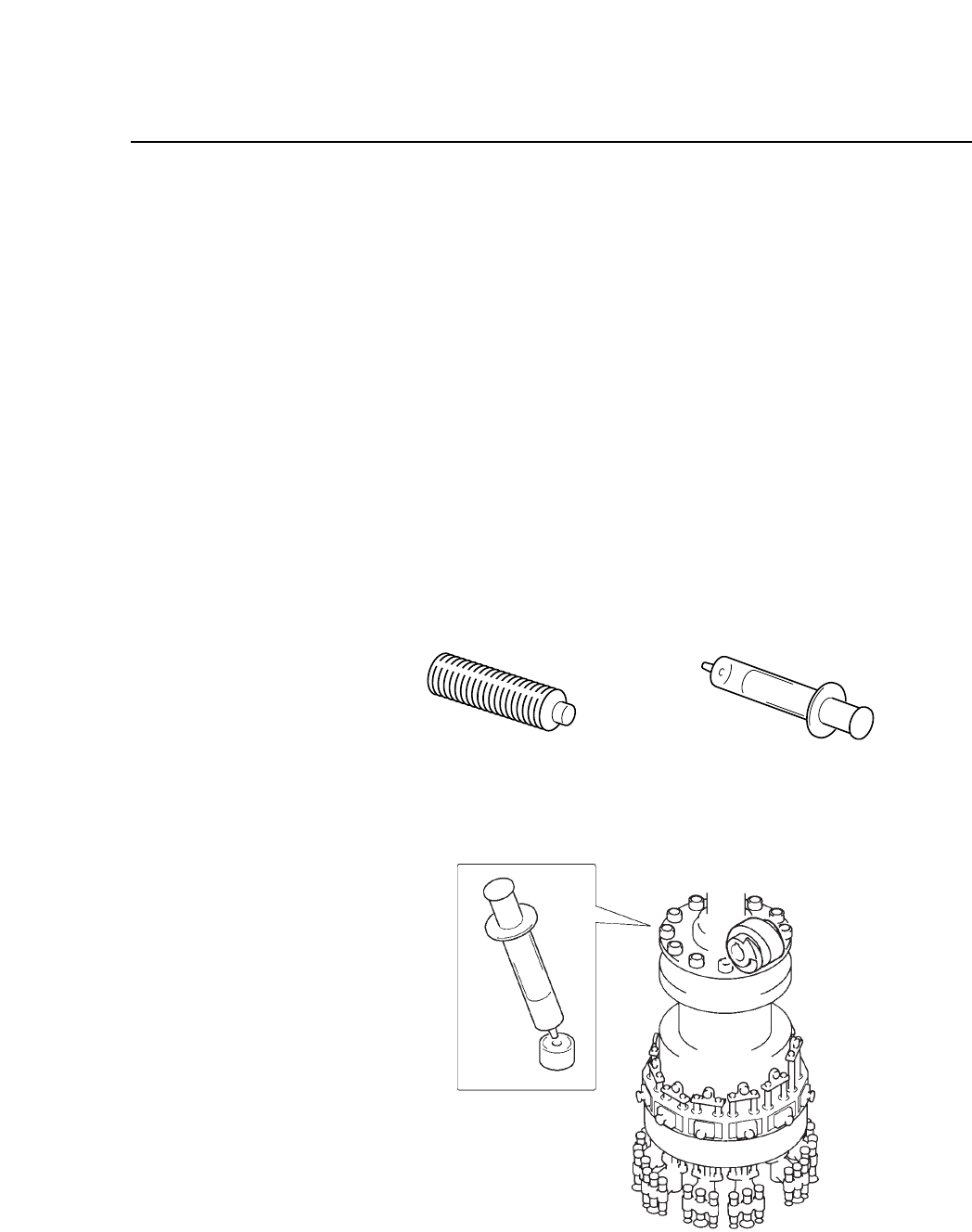
Indexing Cam Follower Lubrication
Use AFC grease on the new cam followers, or AFB grease on the
old cam followers as specified in the lubricant table. A special
syringe is necessary to apply the grease. Insert the grease tube in
the syringe and apply the grease to the holes in the cam follower as
is shown in the figure below.
Fig. 17-1 Cam follower grease application
Fig. 17-2 Cam follower lubrication
Grease tube Oil application syringe
CP IV-3 Maintenance

Chapter 17 Lubrication
17 – 4
Version 8.1
CP IV-3 Maintenance

18 – 1
Version 7.0
Chapter 18 Camera Proper Data Backup Procedure
18.Camera Proper Data Backup Procedure
When the machine measures camera Proper data, it stores the data in RAM on
the SCSI memory board. If the board’s backup battery fails, or if the board is
damaged, the stored data will be lost, and camera Proper data must be
remeasured before the machine can operate. Fuji strongly advises the user to
make a backup copy of camera Proper data on an SRAM memory card
immediately after the data is measured. If the Proper data in RAM is
subsequently lost, it can then be reloaded from the card instead of remeasured.
Follow the steps below to measure camera Proper data, copy it, and check the
copy.
(1) Measure Proper data for the mark camera and the parts camera(s).
(2) Save a copy of the camera Proper data on SRAM memory card (see section
18.1).
(3) Load the camera Proper data back into RAM from the SRAM memory card
to confirm that the data on the card is valid (see section 18.2).
(4) If the data does NOT load successfully from the SRAM card, determine the
cause of the problem and take the appropriate measures to fix it (see section
18.3). Repeat steps (1) through (3).
Note: The best time for the user to copy the camera Proper data to SRAM memory
card is immediately after the data is measured, while the Proper data
measurement jigs are still in position in the machine. Then Proper data can be
remeasured with a minimum of inconvenience if step (3) above fails.
CP IV-3 Maintenance