CP43维护手册.pdf.pdf - 第154页
Chapter 18 Camera Proper Data Backup Procedure 18.1 Saving Camera Proper Data (1) T urn ON the power and boot up the machine. Delete all pr oduction programs fr om machine memory using the MCS “Delete M/C program” comman…

18 – 1
Version 7.0
Chapter 18 Camera Proper Data Backup Procedure
18.Camera Proper Data Backup Procedure
When the machine measures camera Proper data, it stores the data in RAM on
the SCSI memory board. If the board’s backup battery fails, or if the board is
damaged, the stored data will be lost, and camera Proper data must be
remeasured before the machine can operate. Fuji strongly advises the user to
make a backup copy of camera Proper data on an SRAM memory card
immediately after the data is measured. If the Proper data in RAM is
subsequently lost, it can then be reloaded from the card instead of remeasured.
Follow the steps below to measure camera Proper data, copy it, and check the
copy.
(1) Measure Proper data for the mark camera and the parts camera(s).
(2) Save a copy of the camera Proper data on SRAM memory card (see section
18.1).
(3) Load the camera Proper data back into RAM from the SRAM memory card
to confirm that the data on the card is valid (see section 18.2).
(4) If the data does NOT load successfully from the SRAM card, determine the
cause of the problem and take the appropriate measures to fix it (see section
18.3). Repeat steps (1) through (3).
Note: The best time for the user to copy the camera Proper data to SRAM memory
card is immediately after the data is measured, while the Proper data
measurement jigs are still in position in the machine. Then Proper data can be
remeasured with a minimum of inconvenience if step (3) above fails.
CP IV-3 Maintenance
Chapter 18 Camera Proper Data Backup Procedure
18.1Saving Camera Proper Data
(1) Turn ON the power and boot up the machine. Delete all production
programs from machine memory using the MCS “Delete M/C
program” command in the Transmission menu.
Note: Refer to the MCS/2 System Instruction Manual, Part 3, for a
detailed explanation of the “Delete M/C program” command.
(2) If camera Proper data has not been measured, measure it.
(3) Press [SET], [MANUAL] and [VISION]. An ID code must be entered
to access vision commands.
(4) Press [BACKUP].
(5) To save camera Proper data, press [SAVE DATA].
(6) Open the control box and put on the anti-static wristband.
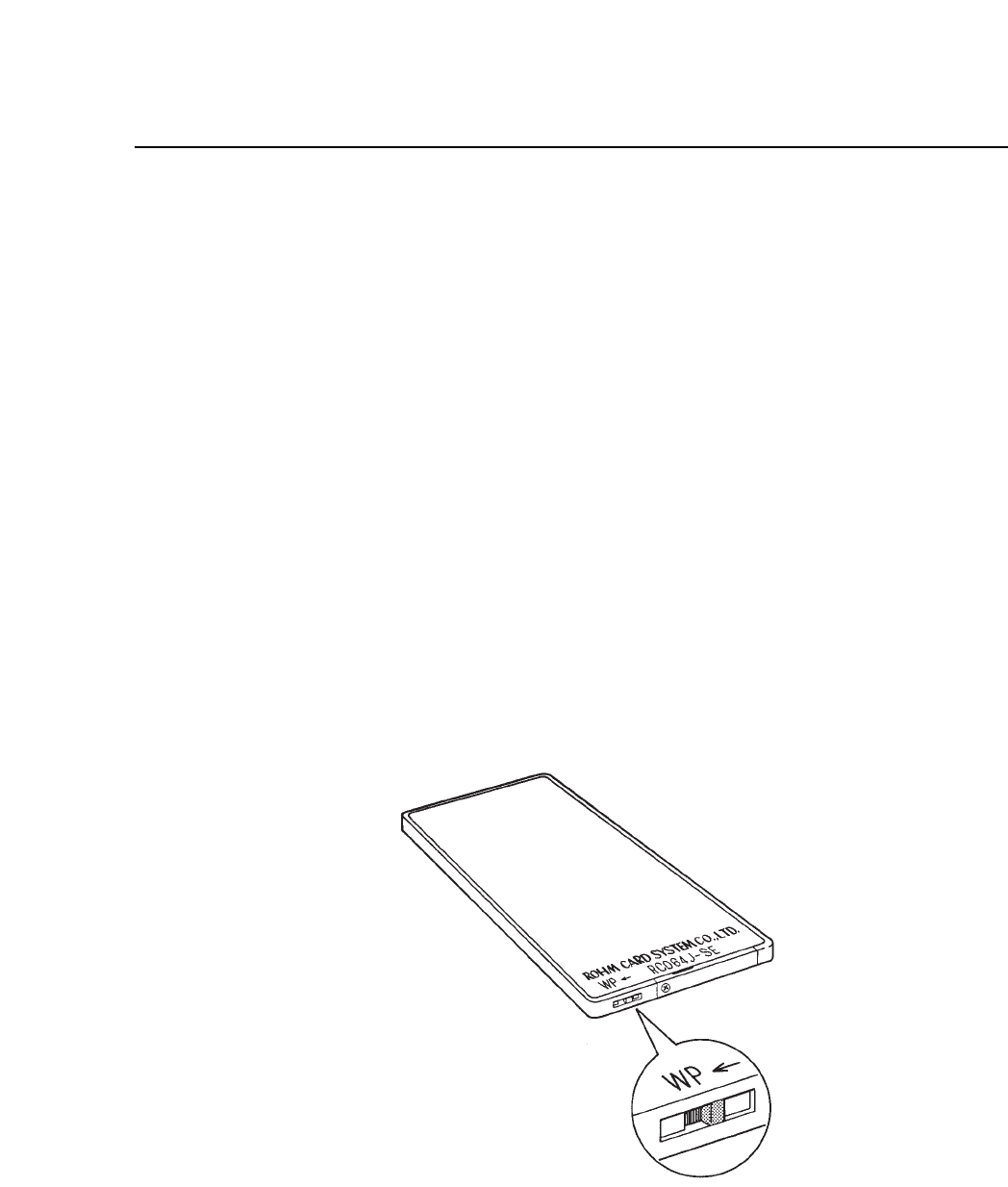
(7) Make sure that the SRAM card is NOT write-protected. The write-
protection switch is located on the edge of the card. The arrow
indicates that the SRAM card is write-protected when the switch is
pushed to the left.
Fig. 18-1 Write-protect Switch
18 – 2
Version 7.0
CP IV-3 Maintenance
18 – 3
Version 7.0
Chapter 18 Camera Proper Data Backup Procedure
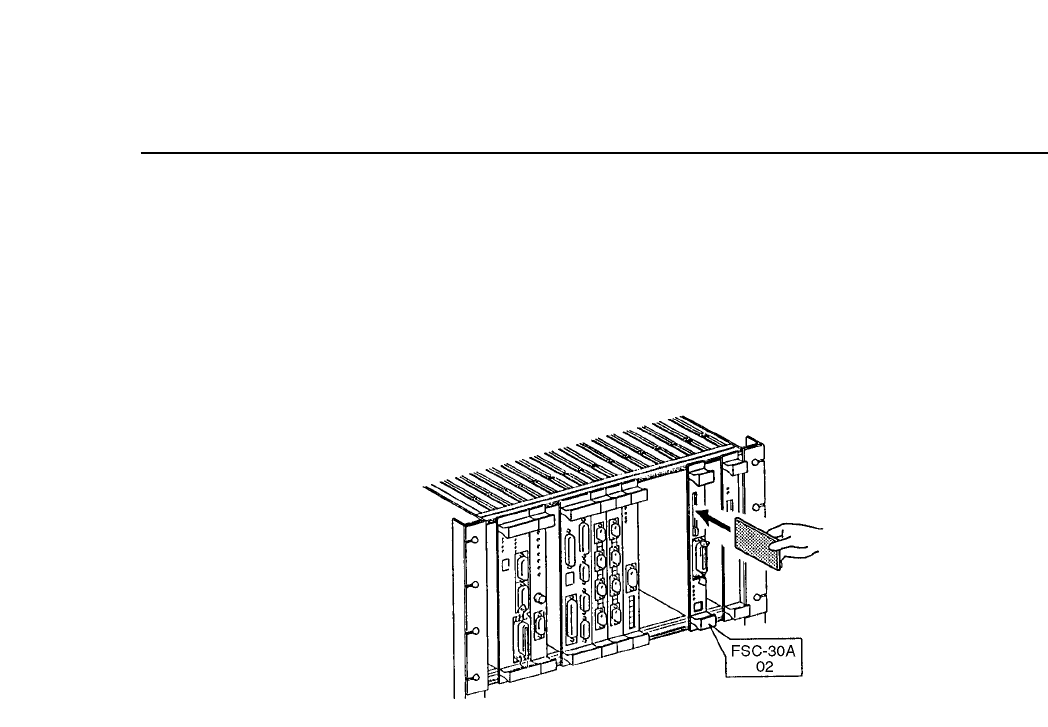
(8) Remove the ROM memory card from the memory board by pressing
the eject button, as shown in the illustration below. Insert the SRAM
memory card until the eject button sticks out. Be sure that the button
sticks out, since the system cannot save Proper data if the SRAM
memory card is not inserted correctly.
Fig. 18-2 Changing the ROM and SRAM Cards
(9) Press the [START] button. The system initializes the SRAM memory
card, then saves camera Proper data on it. (The system also deletes all
nozzle measurement data and device descriptions from memory
board RAM.)
(10)Remove the SRAM memory card from the memory board and insert
the original ROM memory card.
(11)Turn off the power, then turn it back ON and boot up the machine.
(12)Transmit a program from MCS to the machine and measure nozzle
centers.
CP IV-3 Maintenance