CP43维护手册.pdf.pdf - 第59页
5 – 17 V ersion 6.0 Chapter 5 The T welve Stations (7) Return the cam angle to 0°. Confirm that the gap between the pusher and the top of the nozzle is about 1 mm. Fig. 5-18 Gap Between Nozzle and Pusher (Cam Angle 0°) C…
Chapter 5 The Twelve Stations
Follow the procedure below to adjust the up/down stroke of the
nozzle.
(1) Set an 8 mm paper tape feeder on D1 (or any other device
position). Paper tape need not be in the feeder.
(2) Press [POSITION], [D.AXIS], then input “1” from the numerical
input keypad. Press [CR] and then [START] to move the
placing head to Station 1.
(3) Press [SET], [MANUAL], [I/O] and [EMERGENCY STOP] to
cut the 200V power supply but still leaving the 100V power
supply on.
(4) Enter the I/O map and press [OUT], [+Page]; then use the ▼ or
▲ key to move the cursor to the item titled “Y020 PICKUP SOL
ON”. Using the [ON/OFF] button change the displayed “X” to
“O”. This operation turns off station 1’s solenoid stopper. If
the solenoid is not turned off, adjustment is impossible.
(5) Attach the cam handle to the handle shaft. Turn the handle
until the cam angle indicator reads 230°.
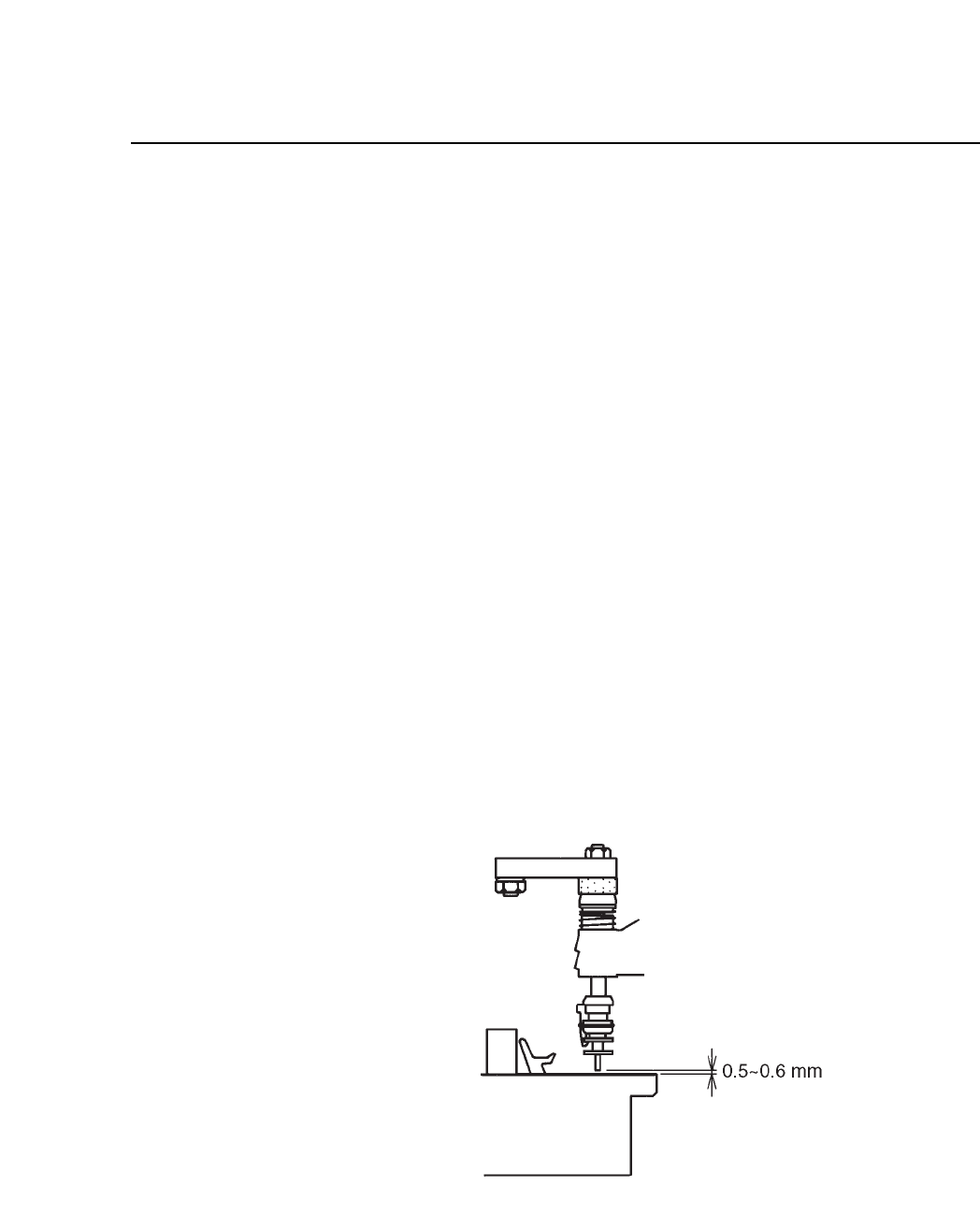
(6) With the cam angle at 230°, adjust the adjusting rod so that the
gap between the the tip of the nozzle and the pusher is between
0.5 to 0.6 mm.
Fig. 5-17 Gap Between Nozzle and Pusher (Cam Angle 230°)
5 – 16
Version 6.0
CP IV-3 Maintenance
5 – 17
Version 6.0
Chapter 5 The Twelve Stations
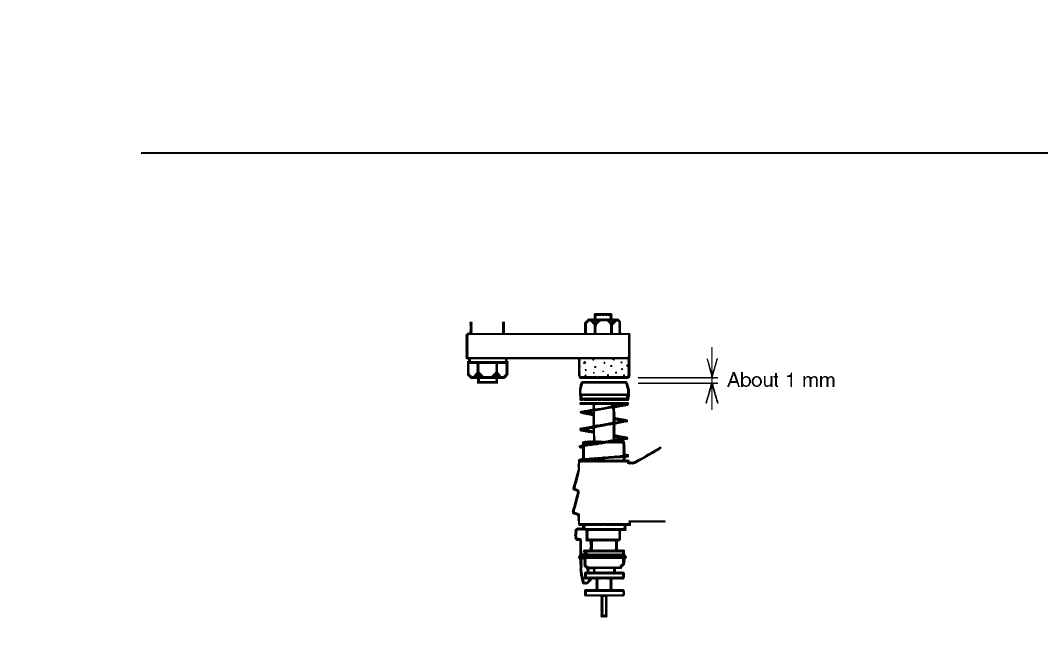
(7) Return the cam angle to 0°. Confirm that the gap between the
pusher and the top of the nozzle is about 1 mm.
Fig. 5-18 Gap Between Nozzle and Pusher (Cam Angle 0°)
CP IV-3 Maintenance
Chapter 5 The Twelve Stations
5.1.8 Turning the Nozzle Vacuum Valve ON
By activating the valve switch at station 1, the vacuum within the
nozzle switches from off to on (the spool is pulled out).
When the valve is turned on the inside of the nozzle becomes a
vacuum which enables the nozzle to pick up a part.
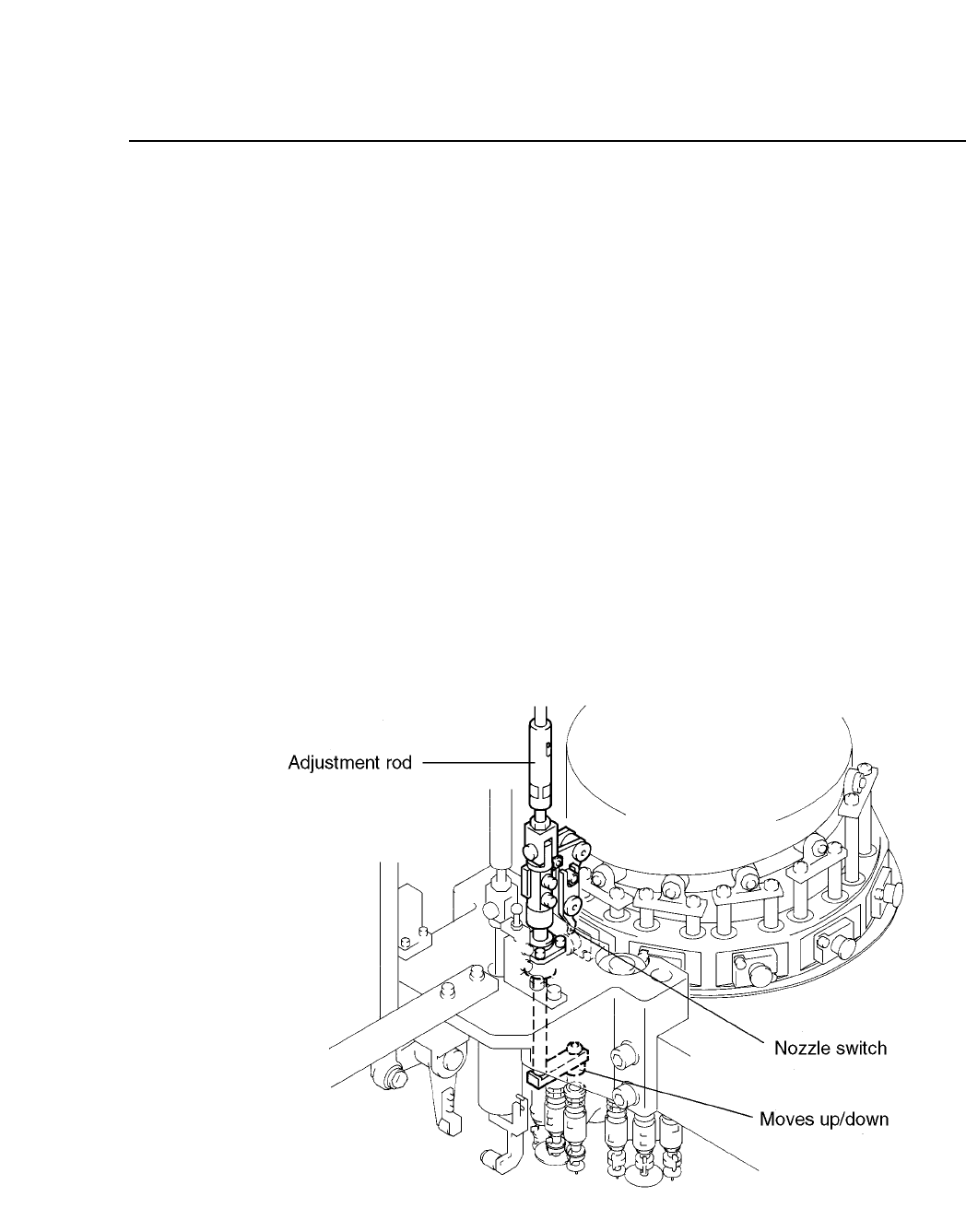
The adjustment rod, besides triggering the valve switch, also drives
the nozzle upward and downward stroke (see illustration below).
Thus after adjusting the nozzle upward and downward stroke or
the valve switch, confirm that the adjustment made to one of these
two settings has not affected the other setting. If this confirmation
is neglected, machine damage may result.
The valve activation operation is driven by a cam mechanism. The
cam drives a lever, which drives a rod, which drives a lever, which
drives the spool.
The stroke of the rod is a fixed value determined by the curve of the
cam.
Fig.5-19 Valve Switching Mechanism at Station 1
5 – 18
Version 6.0
CP IV-3 Maintenance