00197463-03_SM_CPP_Customer_EN.pdf - 第100页
8 Screwed joint, silencer and holding circuit 8.3 Silencer 100 Service Manual SIPLACE Multistar (CPP / CPP M) 02/2018 Installation Fig.169: Attaching the retaining clips Two-part silencer only: ► Fasten the new silencer…
8 Screwed joint, silencer and holding circuit
8.3 Silencer
Service Manual SIPLACE Multistar (CPP / CPP M) 02/2018 99
Replacement of two-part silencers
► Continue with the following additional steps for two-part silencers.
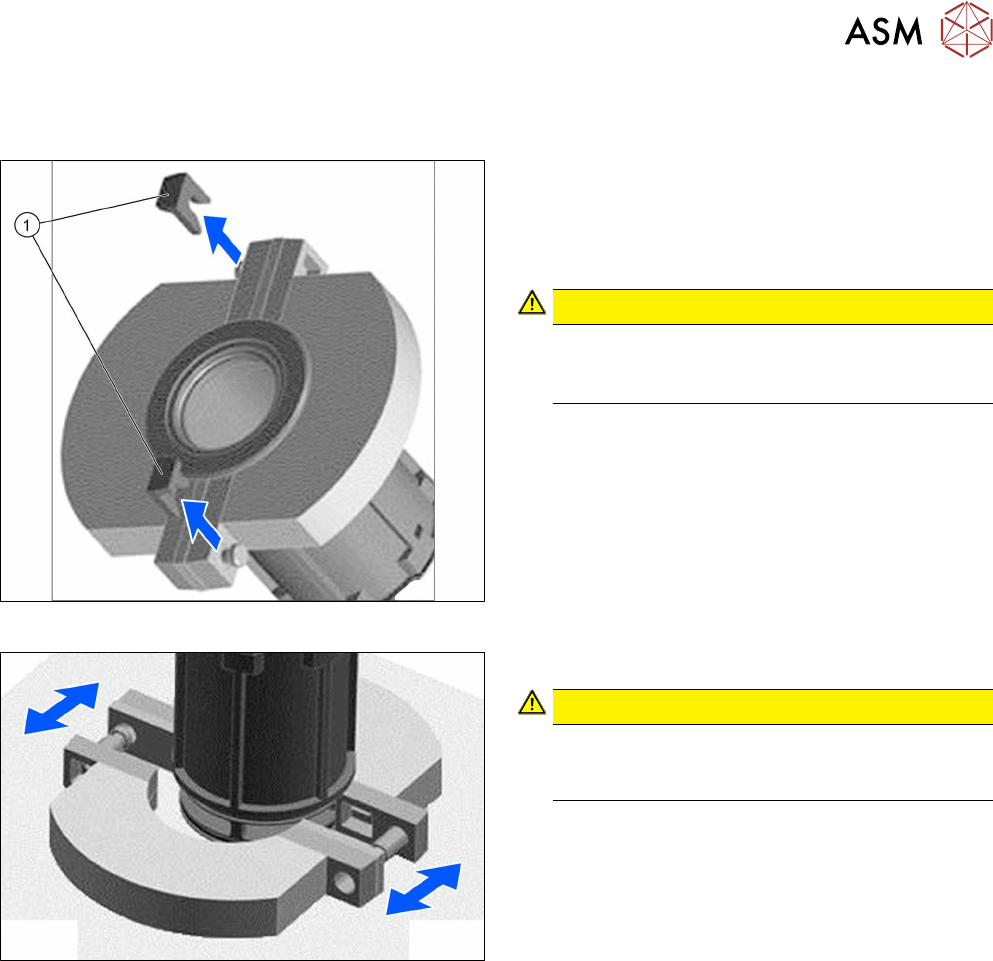
Fig.167: Removing the retaining clips
► Carefully remove the two retaining clips (1) on
the left and right of the silencer. When removing
the retaining clips, you will need to support the
tab on the silencer with your fingers. This pre-
vents the tab from breaking off.
CAUTION!
Make sure that you do not bend the silencer!
Always open both retaining clips to remove the
silencer!
.
Fig.168: Pulling the silencer parts apart
► Pull the two silencer halves apart.
CAUTION!
If more force is required, only exert this against
the plastic parts! The silencer might break other-
wise.
.
► Remove the silencer.
8 Screwed joint, silencer and holding circuit
8.3 Silencer
100 Service Manual SIPLACE Multistar (CPP / CPP M) 02/2018
Installation
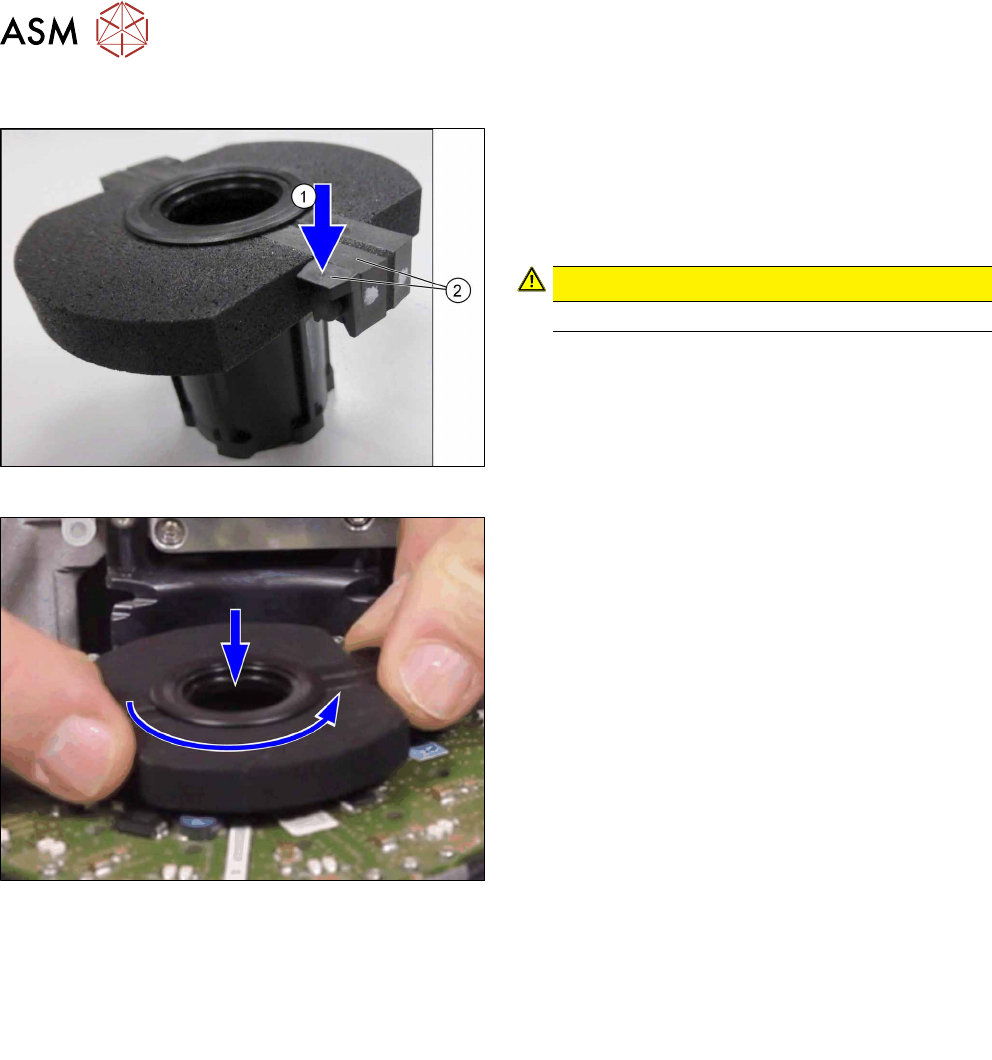
Fig.169: Attaching the retaining clips
Two-part silencer only:
► Fasten the new silencer with two retaining clips.
Always fit the retaining clips from above(1).
Make sure that the retaining clips and the plastic
part of the silencer are flush with one another(2).
CAUTION!
Only fit the silencer when it has been removed.
.
Fig.170: Inserting the silencer with holding circuit housing
► Insert the silencer together with the holding circuit
housing into the start and rotate this until the
holding circuit housing visibly engages in the
holding circuit below.
► Check: if you hold the silencer tight and turn the
star, the holding circuit housing inside the silen-
cer should also turn.
► Follow the removal instructions in reverse order for further installation.
Also observe the installation instructions in the following sections:
8.2 "Replacing the screwed joint" [}94]
5.1 "Replacing the front plate [03061102-xx]" [}35]
► Observe in particular the torques specified!
8 Screwed joint, silencer and holding circuit
8.4 Replacing the holding circuit
Service Manual SIPLACE Multistar (CPP / CPP M) 02/2018 101
8.4 Replacing the holding circuit
NOTICE
Observe the head version
Different holding circuits are used for the SIPLACE CPP heads up to version 04 and those
from version 05 onwards.
Relevant differences for removal and installation work will be mentioned.
Parts, equipment and tools
●
Select the required holding circuit:
– Up to version 04: holding circuit assembly CPP [03055424‑xx]
– From version 05: holding circuit assembly CPP [03081381‑xx] (with integrated silencer)
Replace any defective seals, where required:
●
Seal kit for holding circuit / CPP [03095007‑xx]
Keep any seals which are not needed.
Overview
► Observe the following section:
8.1 "Overview of screwed joint, holding circuit and seals" [}93]
Preparation
► Remove the head from the machine. For details about removing and fitting the placement
head, refer to the service manual for your machine.
fit the head on the head mount [03056231‑xx].
► Make sure that the component sensor protective cap is fitted.
1.1.3 "Protecting the component sensor" [}8]
Removal
► If required, dismantle the front plate.
5.1 "Replacing the front plate [03061102-xx]" [}35]
► Remove the screwed joint.
8.2 "Replacing the screwed joint" [}94]
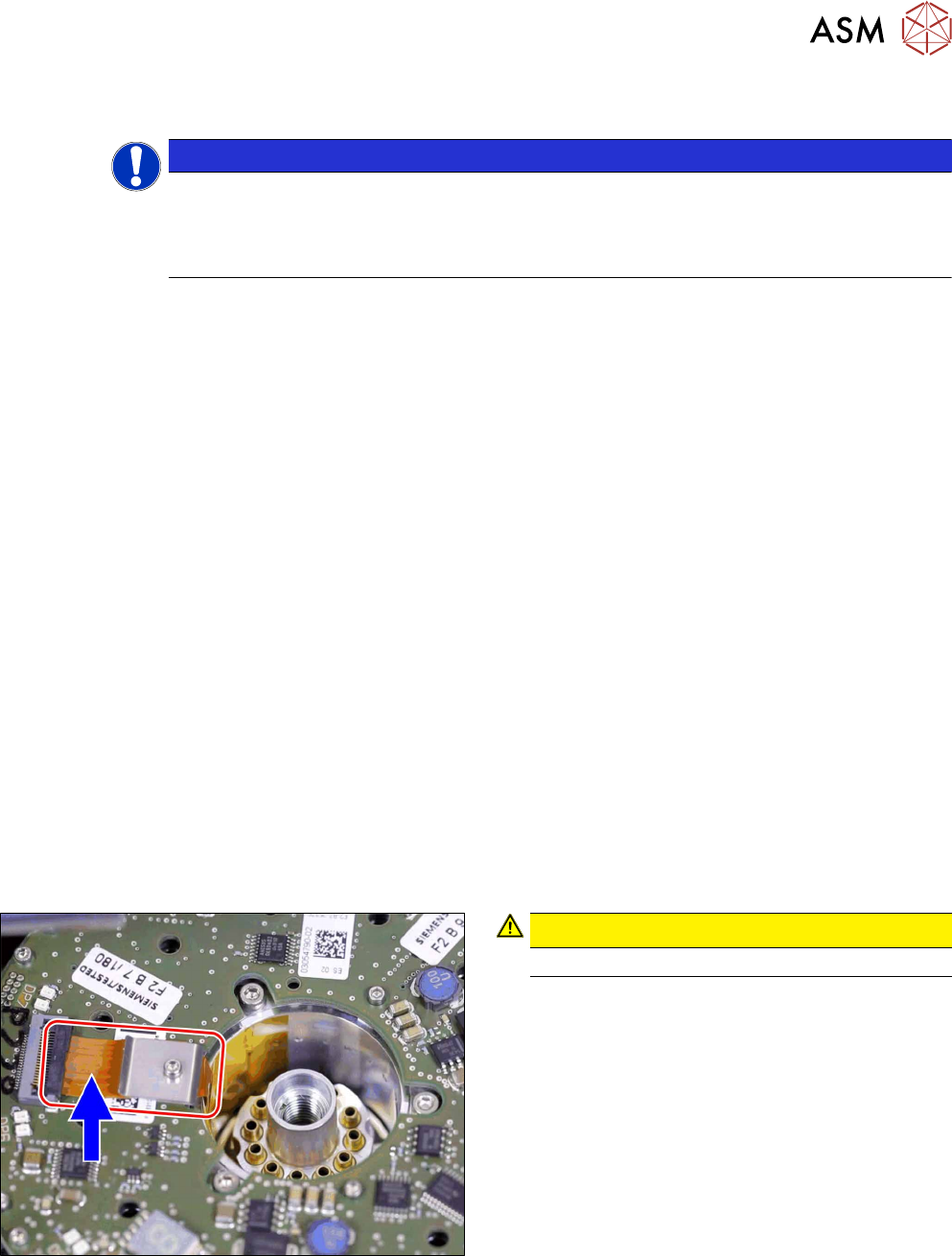
Fig.171: Flexprint cable
CAUTION!
Take care not to damage the Flexprint cable.
.