00197463-03_SM_CPP_Customer_EN.pdf - 第77页
6 DP drives 6.4 Calibrating the segment offset Service Manual SIPLACE Multistar (CPP / CPP M) 02/2018 77 Possible points of rubbing Fig.119: Check possible points of rubbing ► Make sure that the hose is run without obst…
6 DP drives
6.3 Replacing the DP Drive Hose [03015920Sxx]
76 Service Manual SIPLACE Multistar (CPP / CPP M) 02/2018
Installation
► Follow the removal instructions in reverse order for installation. Also observe the following in-
structions:
CAUTION
Installation instructions
► Take particular care when replacing the vacuum hoses and check how the hoses are
run after they have been replaced.
► Connect the hose first to the star carrier and then to the DP drive.
Use the tweezers to push the hose onto the connections.
Take care not to damage the hose!
You can coat the hose with a little ethanol or isopropyl so that it can be pushed more
easily onto the connections.
► Pay attention to how the hoses are run and to any potential points at which rubbing
could occur (see following diagrams).
► Observe the installation instructions in the following section:
5.1 "Replacing the front plate [03061102-xx]" [}35]
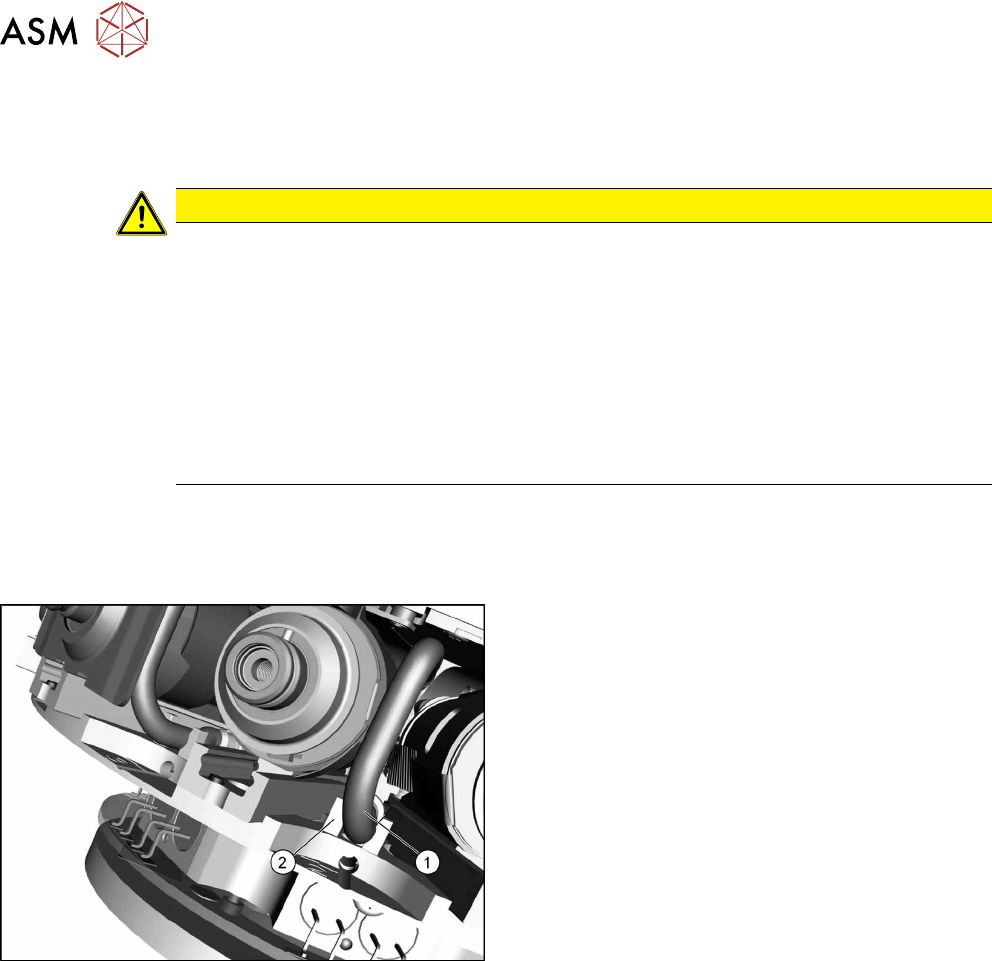
Hose guide
Fig.118: Guidance
1. Hose
2. Guidance
► Press the hose into the guide (if present).
6 DP drives
6.4 Calibrating the segment offset
Service Manual SIPLACE Multistar (CPP / CPP M) 02/2018 77
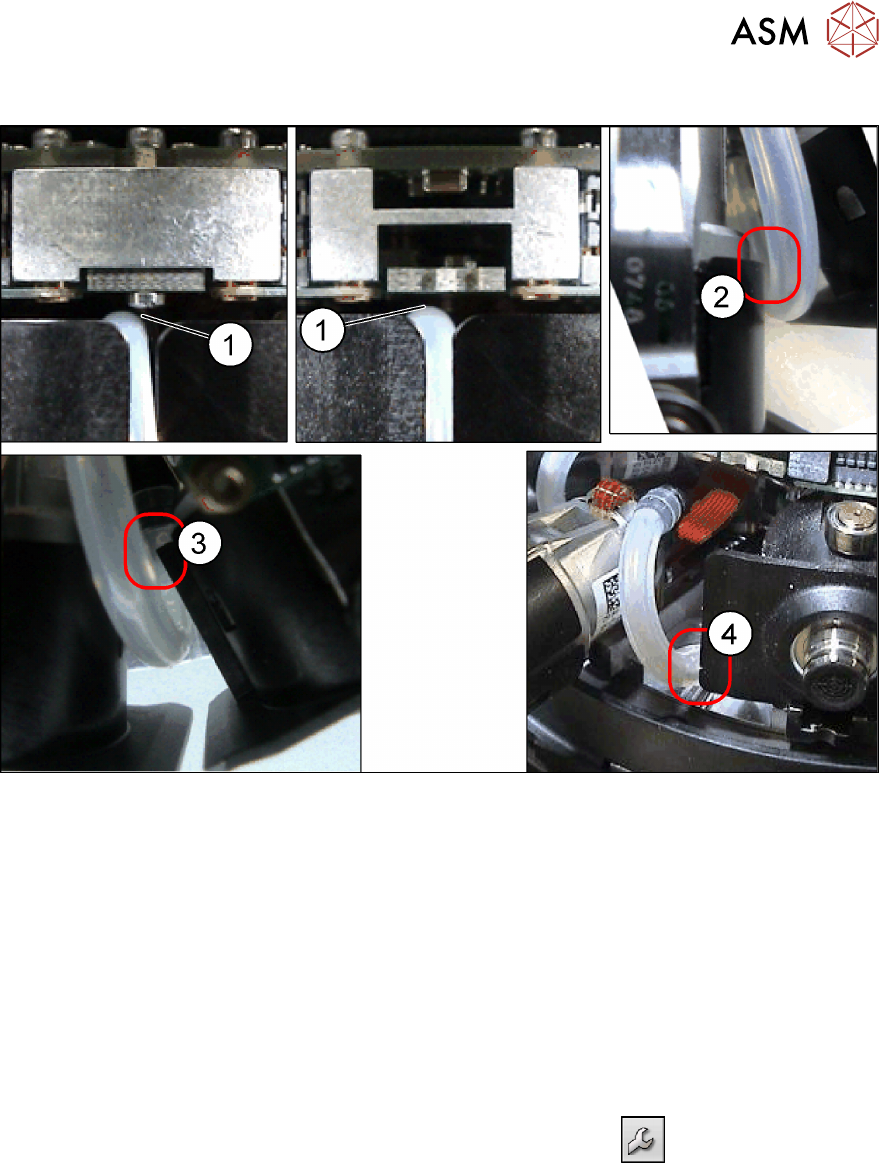
Possible points of rubbing
Fig.119: Check possible points of rubbing
► Make sure that the hose is run without obstructions. Check in particular the possible points of
rubbing described.
Check how the hose is run by moving out the entire DP drive.
If the vacuum hose rubs at any of the points described (1) to (4), turn the hose accordingly at
the star carrier or DP drive.
See also
2 6.1 "Replacing the DP drives" [}71]
6.4 Calibrating the segment offset
► Switch over to operator level SIPLACE (customer).
► Select Service (configure, update and calibrate the machine)
.
► Select Single calibration.
► Select Head calibration.
► Select Calibrate segments...
► Select the segments to be calibrated and then click on Start calibration.

6 DP drives
6.4 Calibrating the segment offset
78 Service Manual SIPLACE Multistar (CPP / CPP M) 02/2018