00197463-03_SM_CPP_Customer_EN.pdf - 第81页
7 Pressure control valve (PRV) 7.1 Replacing the PRV [03072785‑xx] Service Manual SIPLACE Multistar (CPP / CPP M) 02/2018 81 Fig.125: Unplug the connector ► Press on the two side clips and pull off the con- nector. Inst…
7 Pressure control valve (PRV)
7.1 Replacing the PRV [03072785‑xx]
80 Service Manual SIPLACE Multistar (CPP / CPP M) 02/2018
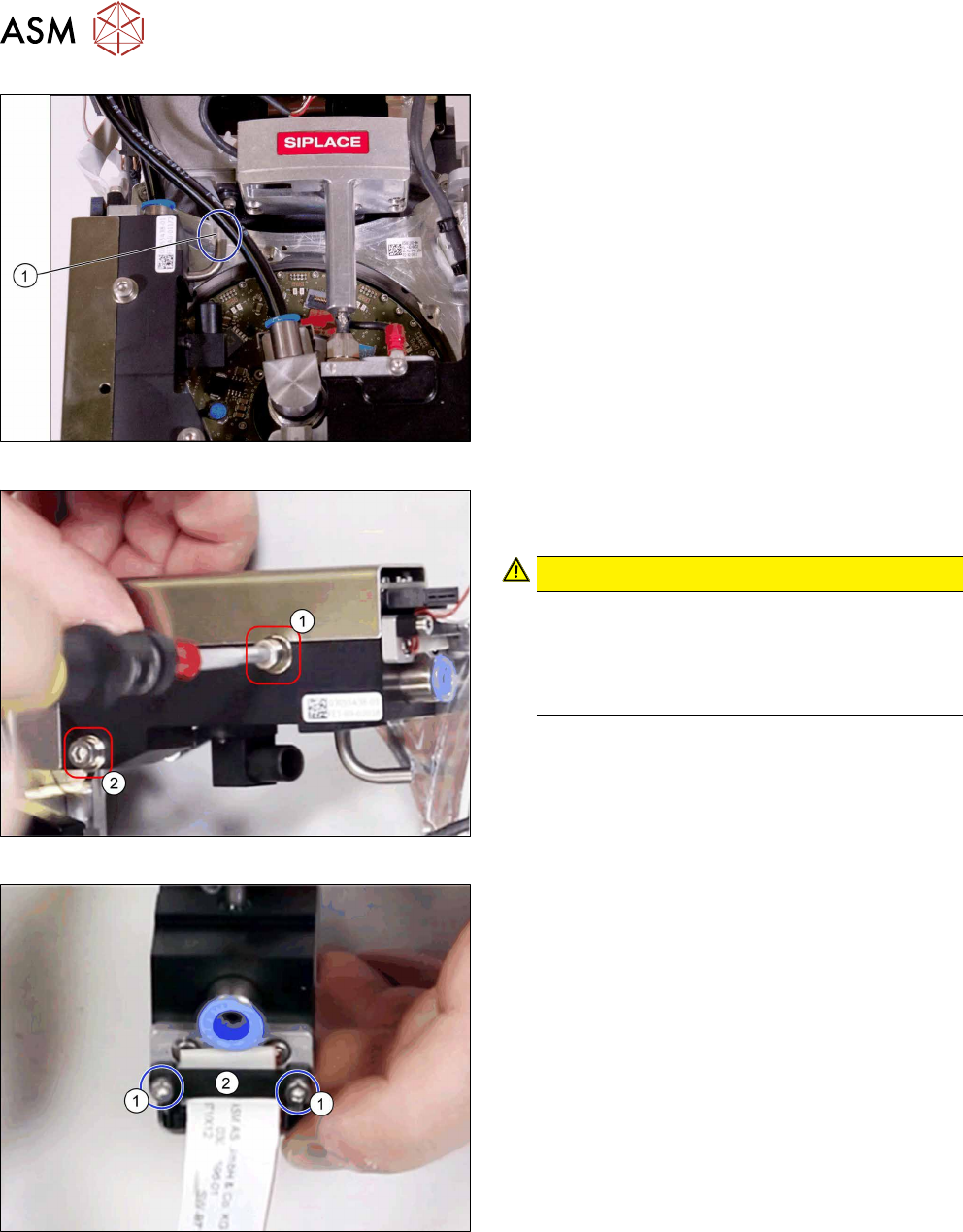
Fig.122: Hoses 2
► Pull off the hose(1) for vacuum/blast air outlet.
Fig.123: Fastening screws
1. Top fastening screw M4x35
2. Bottom fastening screw M4x30
CAUTION!
Different lengths
The two fastening screws have a different
length.
Make sure that the two screws are not confused
by mistake.
.
► Remove the two screws fastening the PRV and
then remove the PRV.
Fig.124: Cable clamp
► Remove the two screws(1) fastening the cable
clamp (2) and then remove the clamp.
7 Pressure control valve (PRV)
7.1 Replacing the PRV [03072785‑xx]
Service Manual SIPLACE Multistar (CPP / CPP M) 02/2018 81
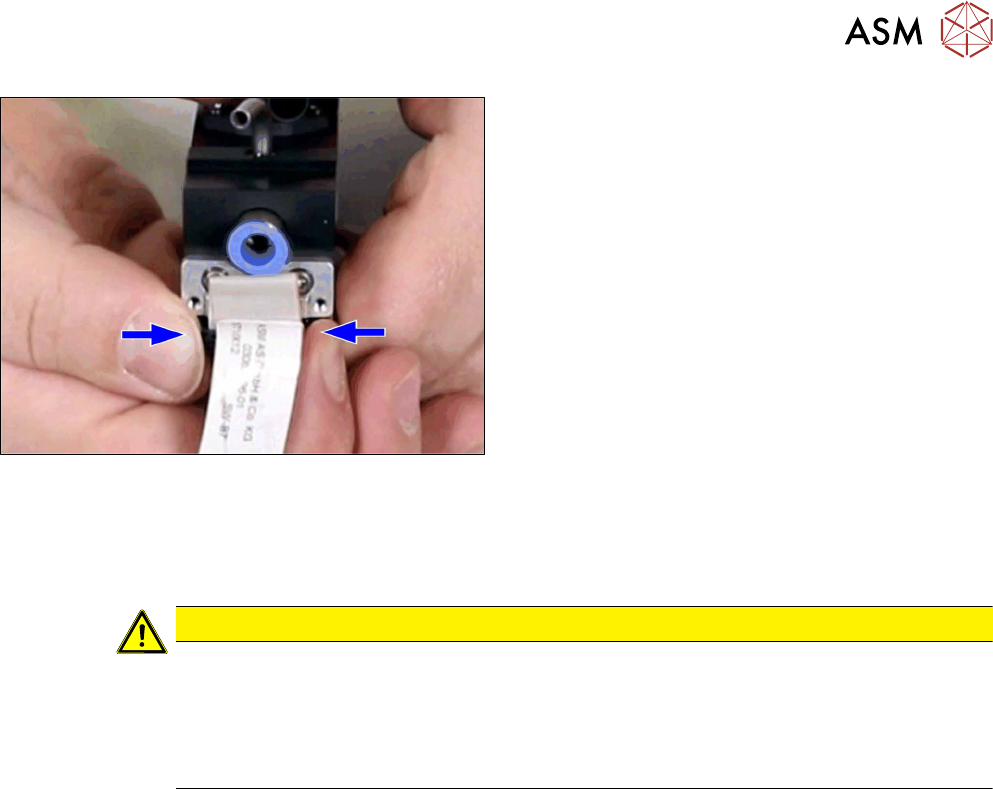
Fig.125: Unplug the connector
► Press on the two side clips and pull off the con-
nector.
Installation
► Follow the removal instructions in reverse order for installation. Also observe the following in-
structions:
CAUTION
Installation instructions
► Take care that the connector for the flat ribbon cable is not damaged. Press the two
side clips also when you attach it.
► Tighten the two fastening screws with a torque of 0.9Nm.
► After installation, perform a zero point calibration of the PRV.
7 Pressure control valve (PRV)
7.2 Calibrating the digital PRV
82 Service Manual SIPLACE Multistar (CPP / CPP M) 02/2018
7.2 Calibrating the digital PRV
The digital PRV is part of the placement head and generates the vacuum and the blast air for the
pickup and placement process. The zero point calibration of the digital PRV must be performed on
initial startup by the customer and then checked again after replacement of the digital PRV or the
placement head and recalibrated if necessary.
The zero point calibration is used to set the motor in the digital PRV into a neutral or central posi-
tion so that there is no vacuum or air blast at the nozzle.
7.2.1 Zero Point Calibration of Pressure Control Valve
NOTICE
From SW706 this function is performed automatically (automatic calibration menu).
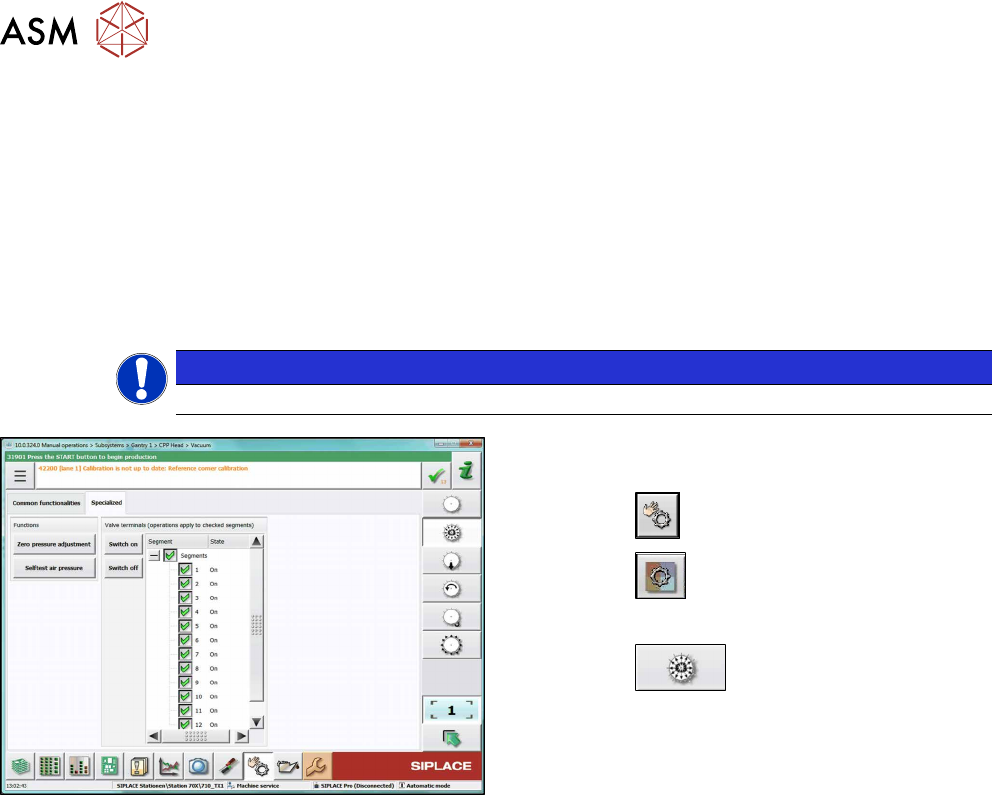
Fig.126: Set pressure to zero (SW710, example of SIPLACE
CPP)
► Switch over to operator level SIPLACE (cus-
tomer).
► Click the
button.
► Click the
button.
► Select the placement head.
► Click the
button.
► Go to the Specializedtab.
► Click on the Zero pressure adjustmentbutton.