80S-2080F480F5.pdf - 第112页
2 Introduction and Ba sic Concepts SIPLACE 80S-20/F4/F5 User Manual 2.3 Overview of the User I nterface and Menu Functions 05/99 Is sue from Software Version SR.405.xx 2 - 28 Fig. 2.3.7 Flowchart for the Options menu - p…
SIPLACE 80S-20/F4/F5 User Manual 2 Introduction and Basic Concepts
05/99 Issue from Software Version SR.405.xx 2.3 Overview of the User Interface and Menu Functions
2 - 27
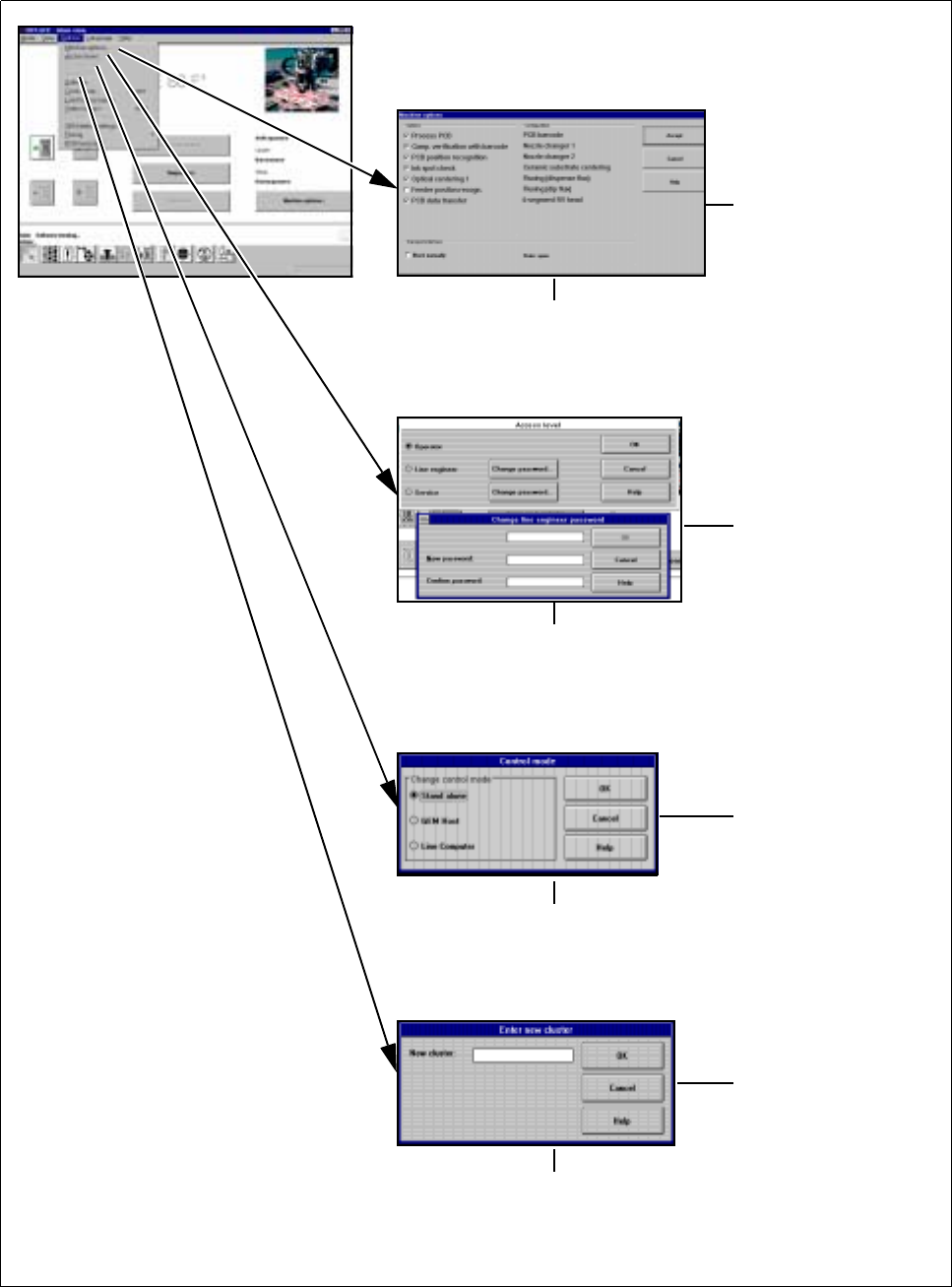
2.3.3 Flow Chart for the "Options" Menu
Fig. 2.3.6 Flowchart for the Options menu - part 1
See
Section 2.4.4.3
See
Section 2.4.4.4
See
Section 2.4.4.2
See
Section 2.4.4.1
➩ Displays the configured machine options
➩ Operator can only query
➩ Line engineer can activate / deactivate
➩ Allocate
operator control level and
passwords for
operator, line engineer
or service technician
➩ The operating mode can be either
Stand-alone (for service purposes only)
or GEM host (only available as an option).
➩ The default is line computer
➩ In Stand-alone operating mode,
a cluster can be loaded from the
hard disk for service purposes
2 Introduction and Basic Concepts SIPLACE 80S-20/F4/F5 User Manual
2.3 Overview of the User Interface and Menu Functions 05/99 Issue from Software Version SR.405.xx
2 - 28
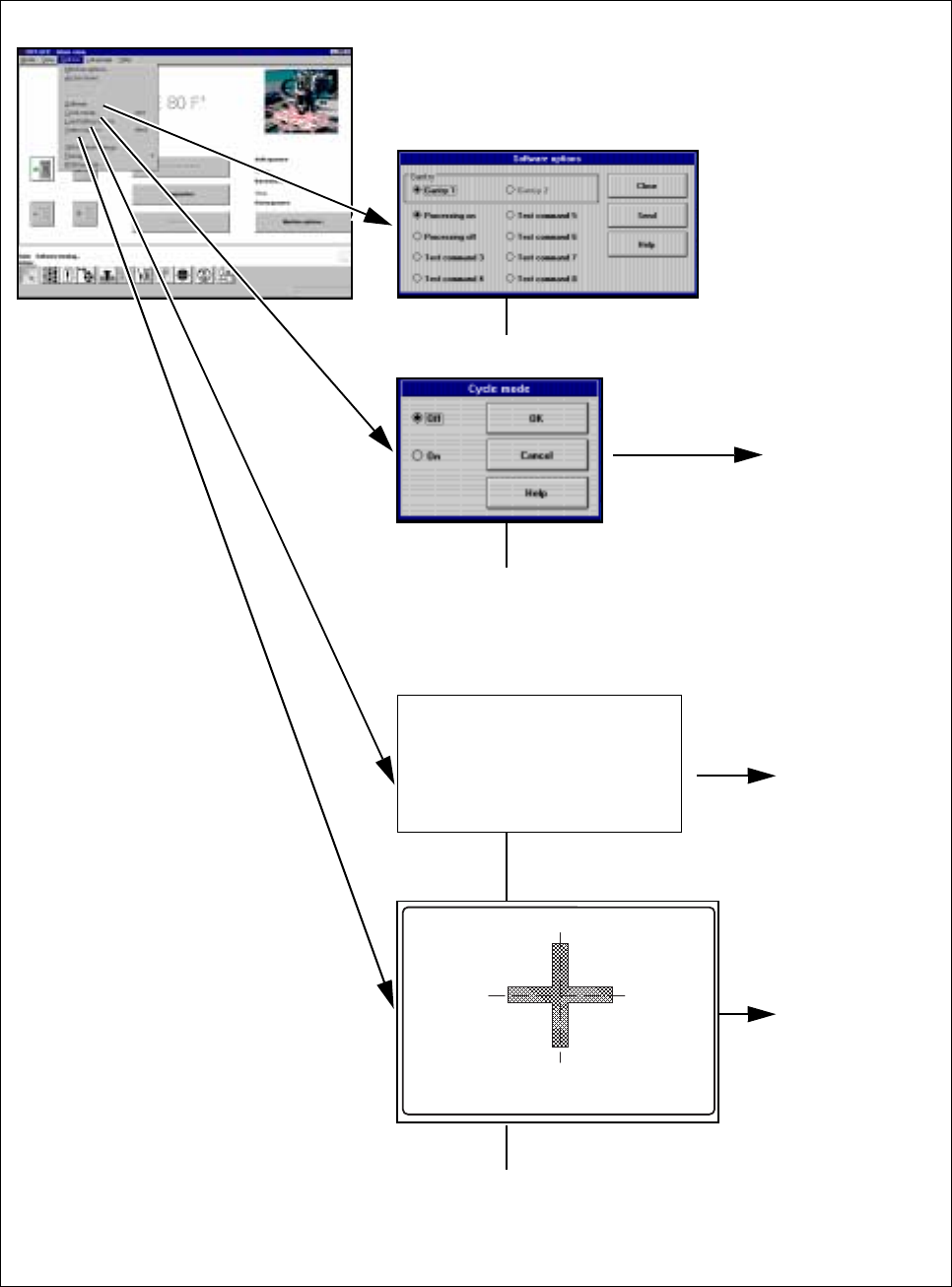
Fig. 2.3.7 Flowchart for the Options menu - part 2
➩ For service technicians only
See
Section 2.4.4.8
See
Section 2.4.4.6
See
Section 2.4.4.7
➩ Cycle mode ON can be activated
in order to localize errors
➩ The start button must be pressed for
every placement step
➩ Load table program:
Loading the program
for the table
program control
➩ Switching to the camera
image of the MVS system
(vision evaluation unit)
➩ Press the ESC key to exit
SIPLACE 80S-20/F4/F5 User Manual 2 Introduction and Basic Concepts
05/99 Issue from Software Version SR.405.xx 2.3 Overview of the User Interface and Menu Functions
2 - 29
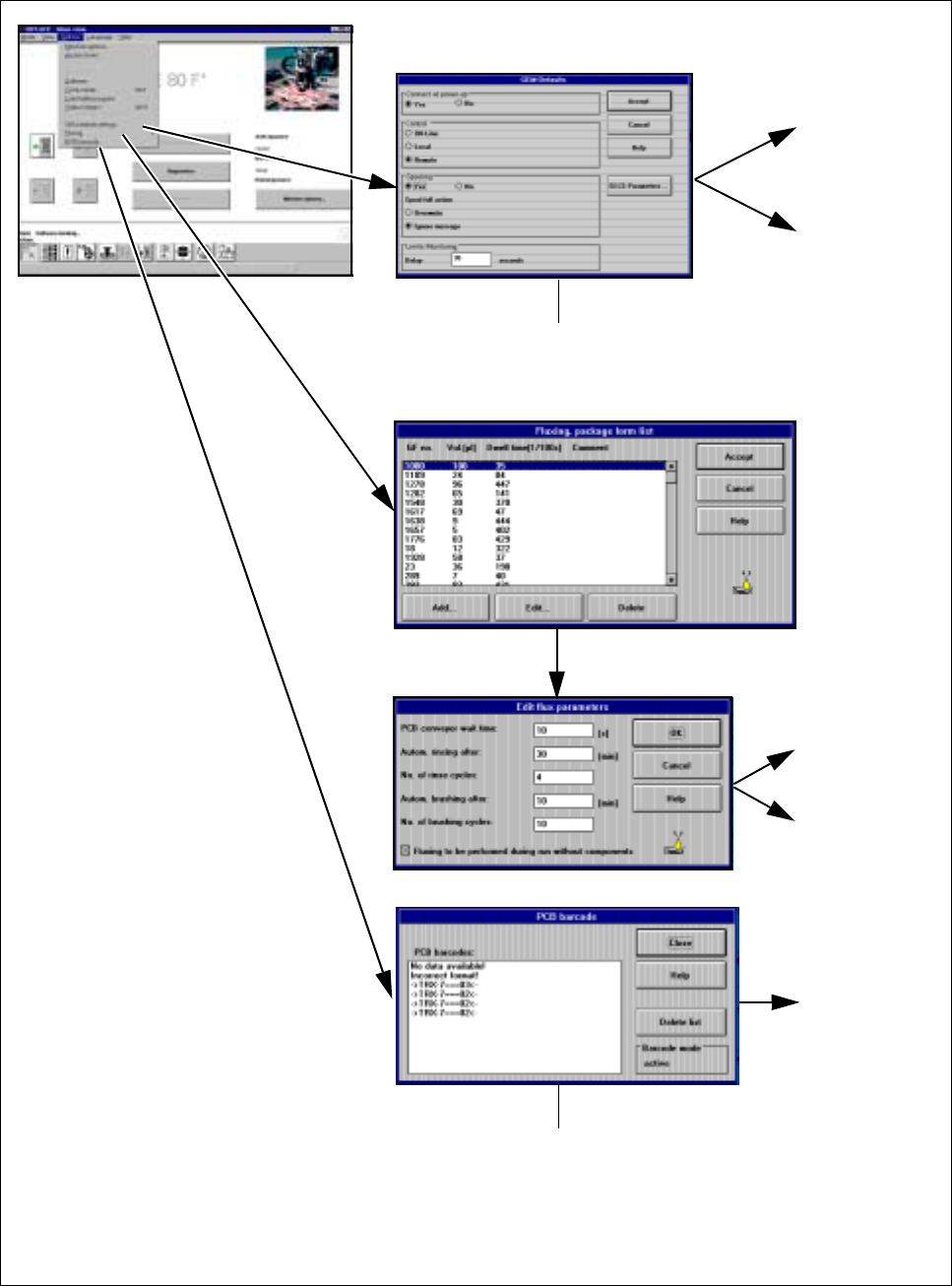
Fig. 2.3.8 Flowchart for the Options menu - part 3
See
Section 11.9
See
Section
2.4.4.11
See Section
2.4.4.9
See Section
2.4.4.10
See
Chapter 11
➩ Displays any barcodes
read incorrectly, etc
➩ These are the default
settings for the
GEM option