80S-2080F480F5.pdf - 第114页
2 Introduction and Ba sic Concepts SIPLACE 80S-20/F4/F5 User Manual 2.3 Overview of the User I nterface and Menu Functions 05/99 Is sue from Software Version SR.405.xx 2 - 30
SIPLACE 80S-20/F4/F5 User Manual 2 Introduction and Basic Concepts
05/99 Issue from Software Version SR.405.xx 2.3 Overview of the User Interface and Menu Functions
2 - 29
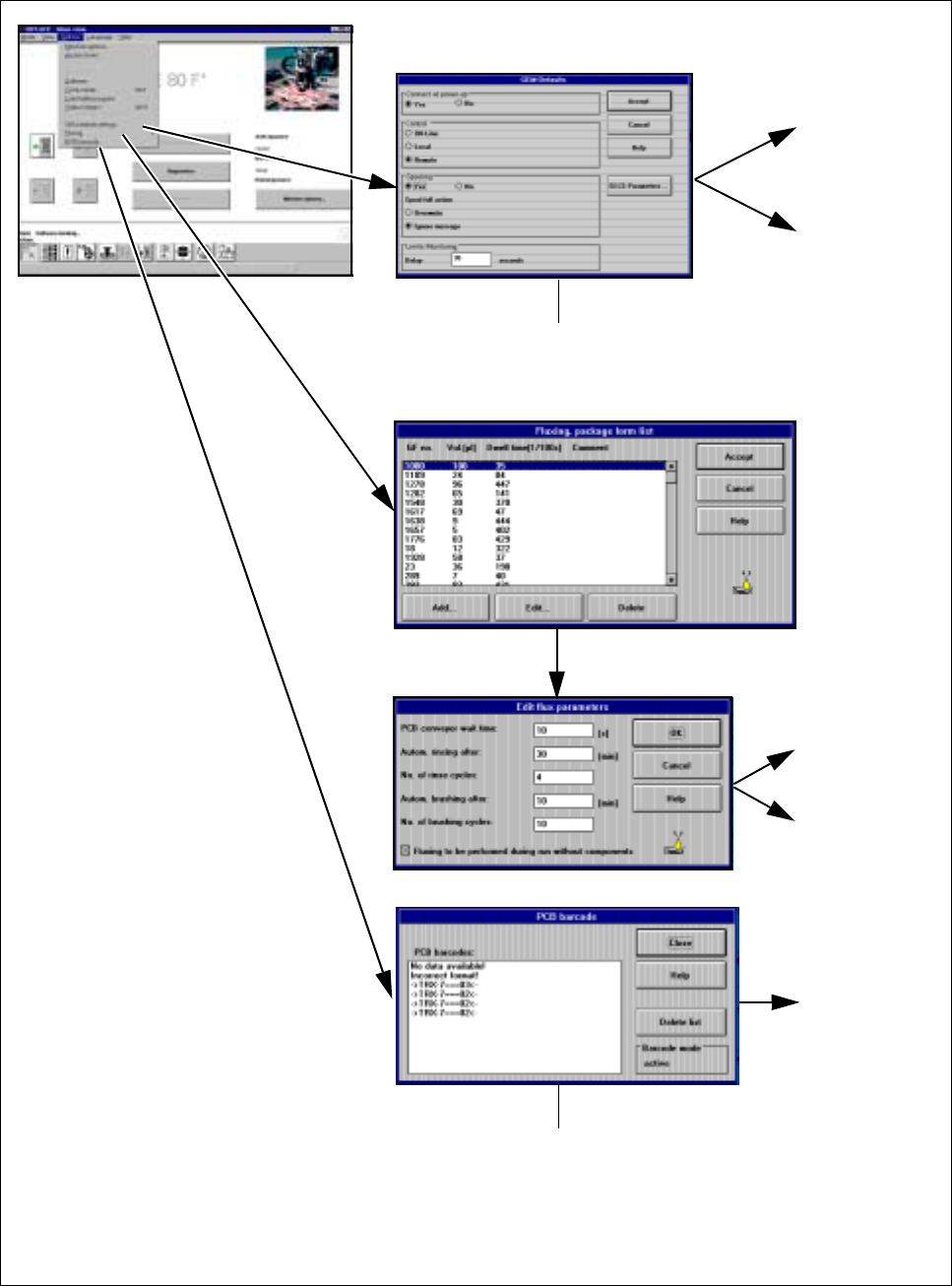
Fig. 2.3.8 Flowchart for the Options menu - part 3
See
Section 11.9
See
Section
2.4.4.11
See Section
2.4.4.9
See Section
2.4.4.10
See
Chapter 11
➩ Displays any barcodes
read incorrectly, etc
➩ These are the default
settings for the
GEM option
2 Introduction and Basic Concepts SIPLACE 80S-20/F4/F5 User Manual
2.3 Overview of the User Interface and Menu Functions 05/99 Issue from Software Version SR.405.xx
2 - 30
SIPLACE 80S-20/F4/F5 User Manual 2 Introduction and Basic Concepts
05/99 Issue from Software Version SR.405.xx 2.4 Brief Description and Principles of the User Interface
2 - 31
2.4 Brief Description and Principles of the
User Interface
2.4.1 Main View
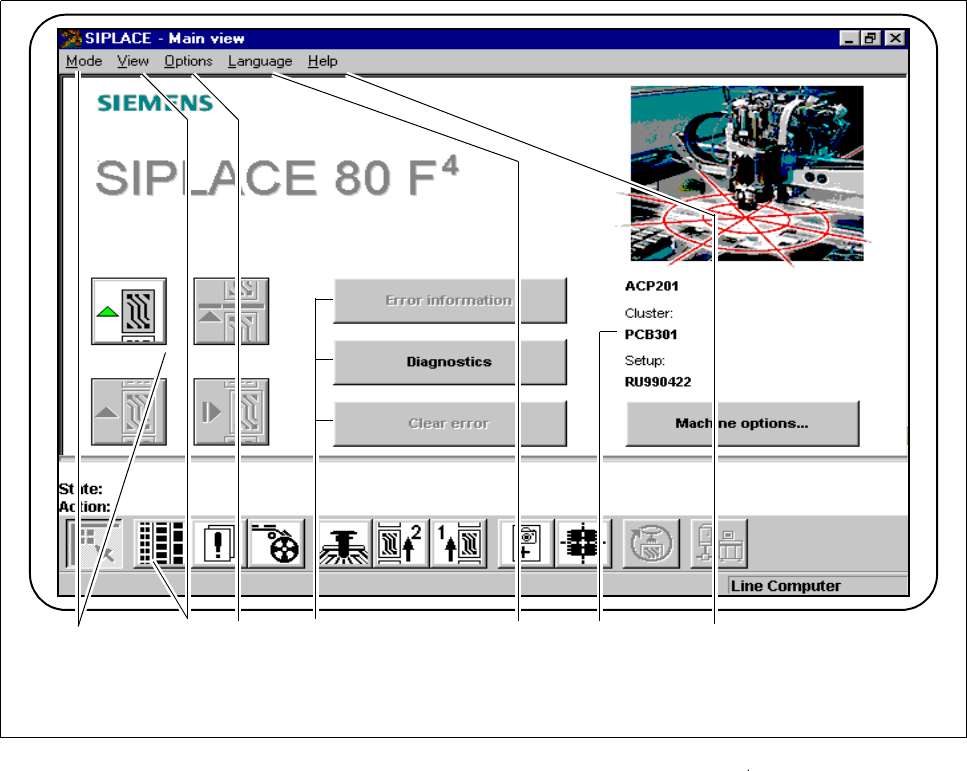
The main view displays to the operator operating states, central settings and options of the machine. From the
main view the operator can control the basic functions of the machine (see Fig. 2.4.1). Central settings, func-
tions and options can be processed or implemented, depending on the user’s authorization level. You can
return directly to the main view from any other view.
Fig. 2.4.1 Main view
- Key to Fig. 2.4.1
1 The Mode menu 2 The View menu with button bar
3 The Options menu 4 Troubleshooting and Diagnostics buttons
5 The Language menu 6 Display box
7 The Help menu
1 3 2 5 4 6
7