80S-2080F480F5.pdf - 第126页
2 Introduction and Ba sic Concepts SIPLACE 80S-20/F4/F5 User Manual 2.4 Brief Description and Principles of the User Interface 05/99 I ssue from Software Version SR.405.xx 2 - 42 2.4.4.3 Control M ode The SIPLA CE ca n b…
SIPLACE 80S-20/F4/F5 User Manual 2 Introduction and Basic Concepts
05/99 Issue from Software Version SR.405.xx 2.4 Brief Description and Principles of the User Interface
2 - 41
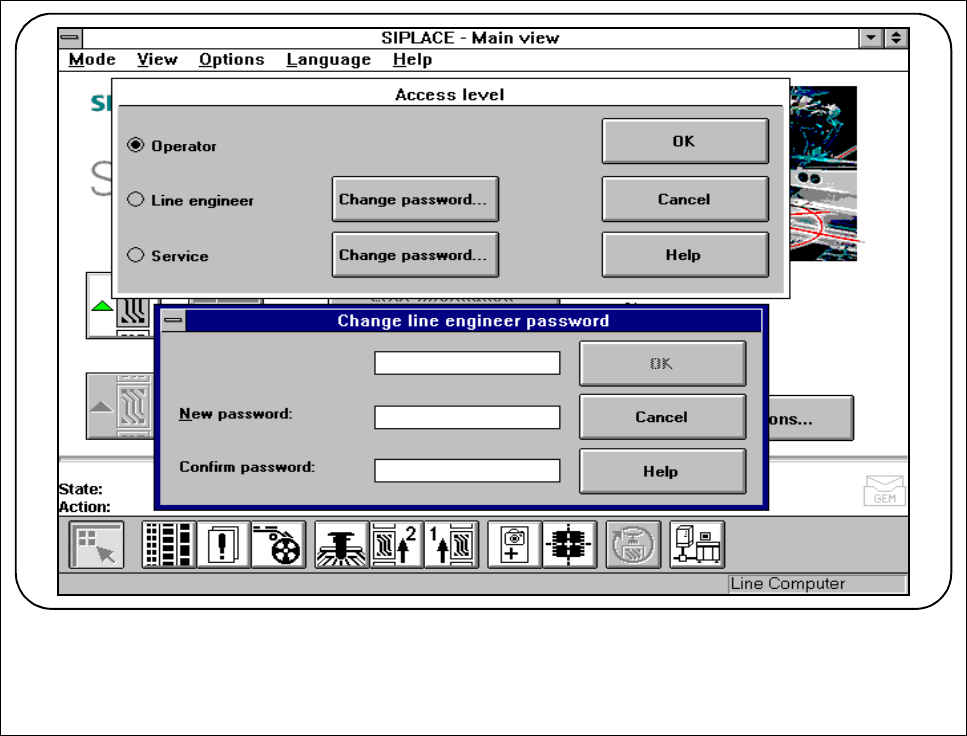
2.4.4.2 Operator Control Level
Three different operator control levels can be allocated:
Operator, Line engineer and Service technician.
Passwords may be allocated for the Line engineer and Service technician operator control levels (see Fig.
2.4.6). Functions that cannot be accessed at a particular operator control level are grayed out and cannot be
selected or used.
Fig. 2.4.6 Operator control level and code word
2 Introduction and Basic Concepts SIPLACE 80S-20/F4/F5 User Manual
2.4 Brief Description and Principles of the User Interface 05/99 Issue from Software Version SR.405.xx
2 - 42
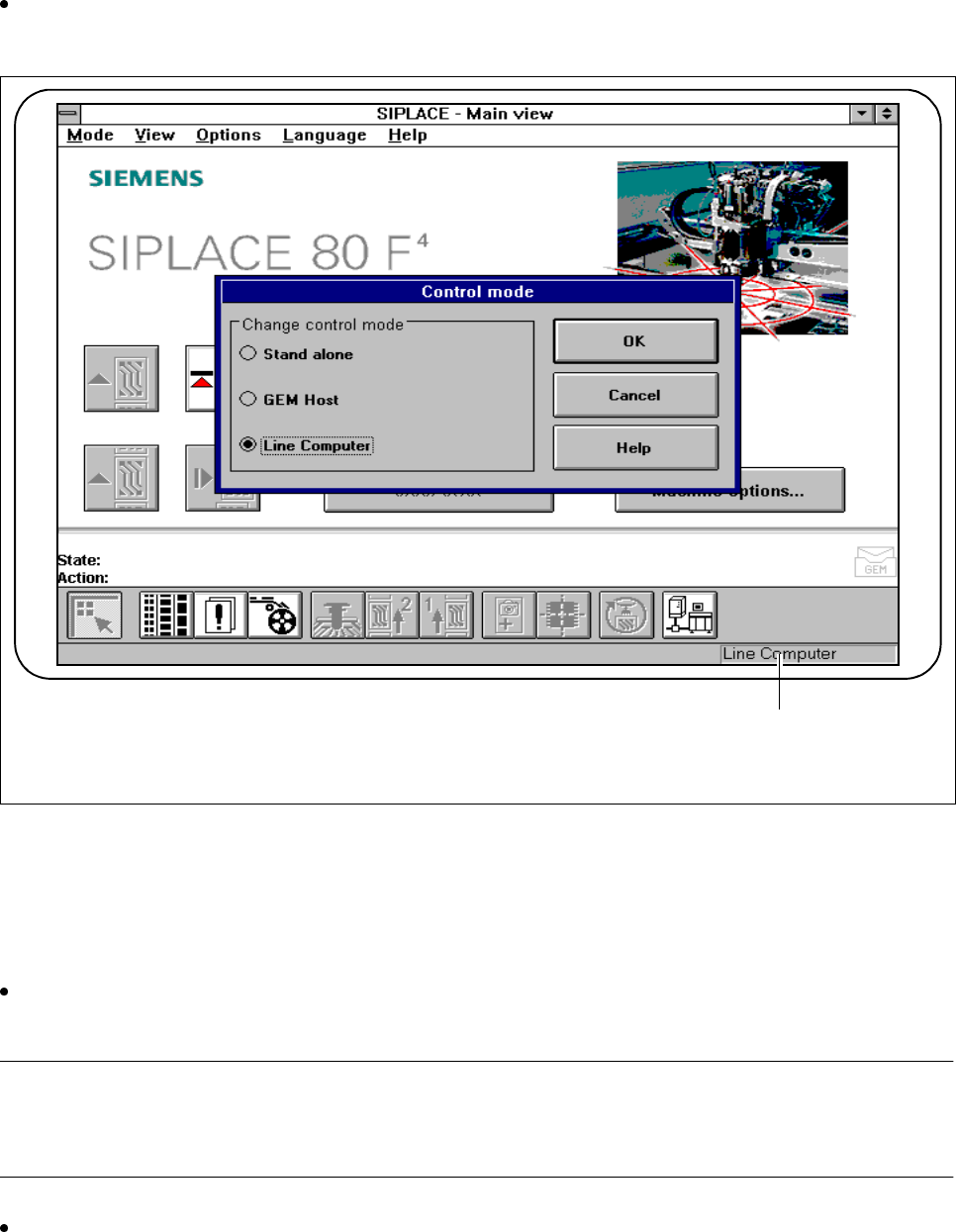
2.4.4.3 Control Mode
The SIPLACE can be supplied with data and operated in three different control modes.
Click on the
Control mode
option in the
Options
menu to change the control mode on the station com-
puter.
Fig. 2.4.7 Control mode
- Key to Fig. 2.4.7
1 The control mode currently set is displayed
l With line computer
Select Line computer control mode if cluster data was preset by the line computer. The station computer
will then expect the line computer to specify a cluster.
PLEASE NOTE
Clusters and the set-up should only be specified by the line computer. Stand-alone mode can be used in con-
junction with "New cluster" for testing and service purposes.
Enter the cluster and set-up on the line computer (see the "UNIX line computer" User Manual).
1

SIPLACE 80S-20/F4/F5 User Manual 2 Introduction and Basic Concepts
05/99 Issue from Software Version SR.405.xx 2.4 Brief Description and Principles of the User Interface
2 - 43
PLEASE NOTE
If the line computer is shut down, the stations will have to be rebooted when the line is started again.
l Stand-alone (line engineer)
From the Options menu, a cluster can be loaded from the hard disk of the station computer for testing without
the line computer. All the data must be present on the hard disk of the station computer.
PLEASE NOTE
Stand-alone
must have been set as the control mode.
l GEM host (option)
This control mode must be set in order to run the automatic placement machine from another host via the
GEM interface.
See also Section 11.9 GEM interface of this User Manual.