80S-2080F480F5.pdf - 第145页
SIPLACE 80S-20/F4/F5 User M anual 3 Placement Functions 05/99 Issue from Software Version SR.405.xx 3.2 Set-Up 3 - 5 3.2 Set-Up If the cl uster wi th its cor responding set-up h as been s pecifie d, the set- up for ever …
3 Placement Functions SIPLACE 80S-20/F4/F5 User Manual
3.1 Overview 05/99 Issue from Software Version SR.405.xx
3 - 4
3.1.1 General
The placement functions of the SIPLACE 80F
4
or F
5
are identical to those of the SIPLACE80S-20. On the
SIPLACE 80F
4
the only additional functions for the wafflepack changer are those that are described in this
User Manual. Accordingly, Chapter 3 ’Placement Functions’, of the User’s Manual, 05/99 issue, will apply to
both machine types. However, the screen will show the actual designation of the machine. In the case of addi-
tional functions or differences in the functions of the SIPLACE 80S-20 the corresponding section will include
the additional information.
If at a later point in time there are further functional changes or additions which differ from the SIPLACE
80S-20, Chapter 3 ’Placement Functions’
,
will be revised accordingly.
SIPLACE 80S-20/F4/F5 User Manual 3 Placement Functions
05/99 Issue from Software Version SR.405.xx 3.2 Set-Up
3 - 5
3.2 Set-Up
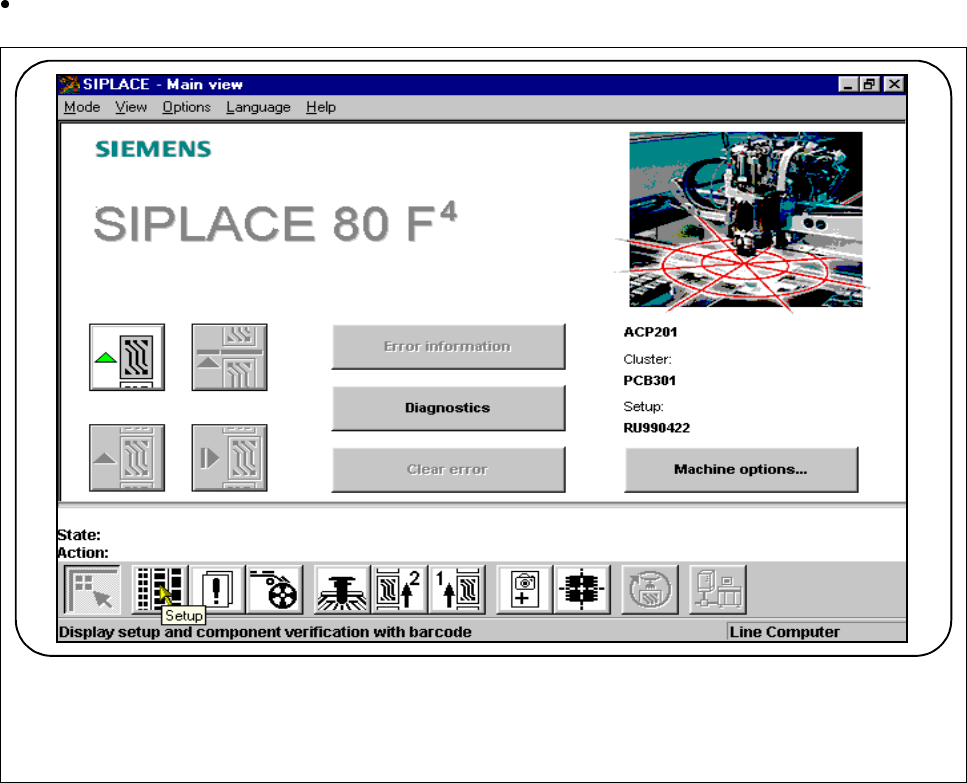
If the cluster with its corresponding set-up has been specified, the set-up for every location can be displayed
in this menu.
Click on the
Set-up
button in the Main view.
Fig. 3.2.1 Display set-up
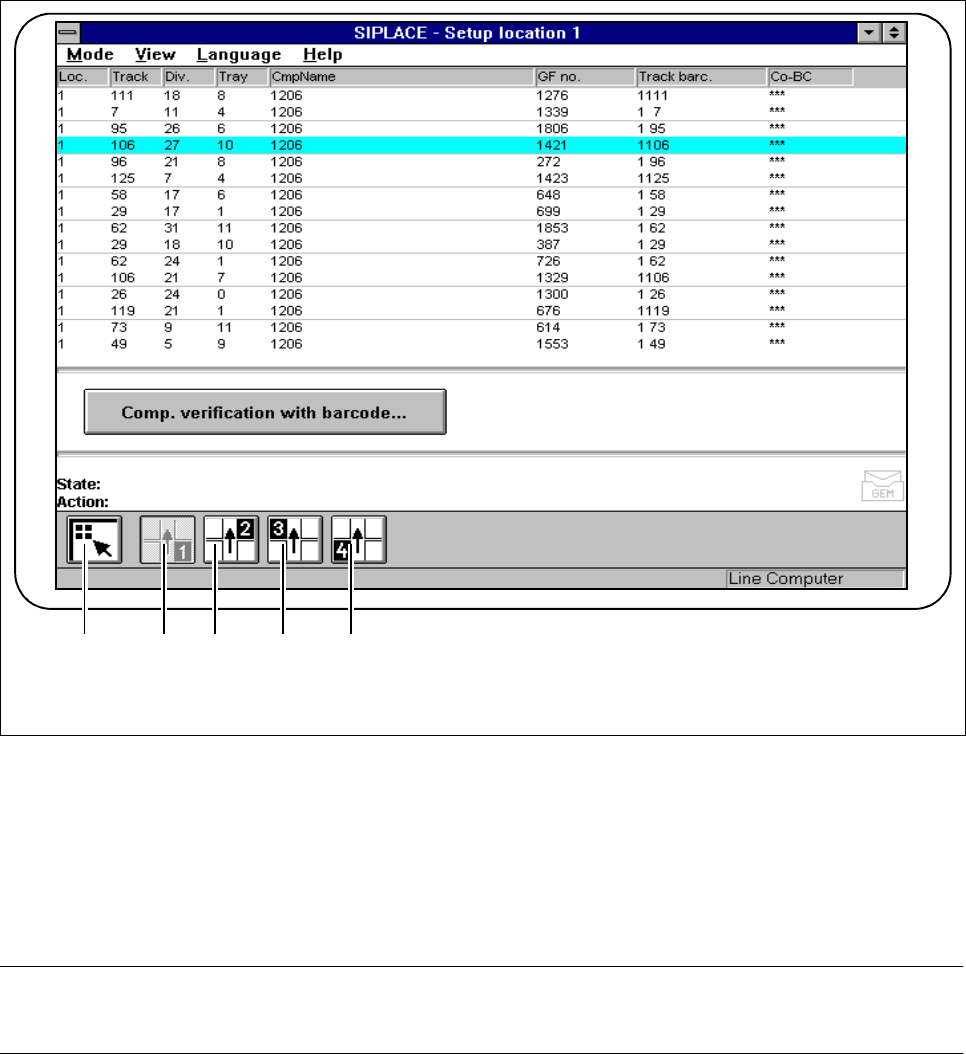
The following window will open:
F
3 Placement Functions SIPLACE 80S-20/F4/F5 User Manual
3.2 Set-Up 05/99 Issue from Software Version SR.405.xx
3 - 6
Fig. 3.2.2 Set-up 1-4 menu window
- Key to Fig. 3.2.2
1 To the Main view 2 Display set-up for location 1
3 Display set-up for location 2 4 Display set-up for location 3
5 Display set-up for location 4
PLEASE NOTE
The set-up windows are the same for each location (1-4).
1 2 3 4 5 1 2 3 4 5