80S-2080F480F5.pdf - 第152页
3 Placement Functions SIPLACE 80S-20/F4 /F5 User Manual 3.2 Set-Up 05/99 Issue f rom Software Version SR.405.xx 3 - 12
SIPLACE 80S-20/F4/F5 User Manual 3 Placement Functions
05/99 Issue from Software Version SR.405.xx 3.2 Set-Up
3 - 11
If the bar code comparison shows agreement and the track is empty, click on the
Refill track
button or
read in the return bar code on the track bar code strip.
3.2.2.2 Manual input
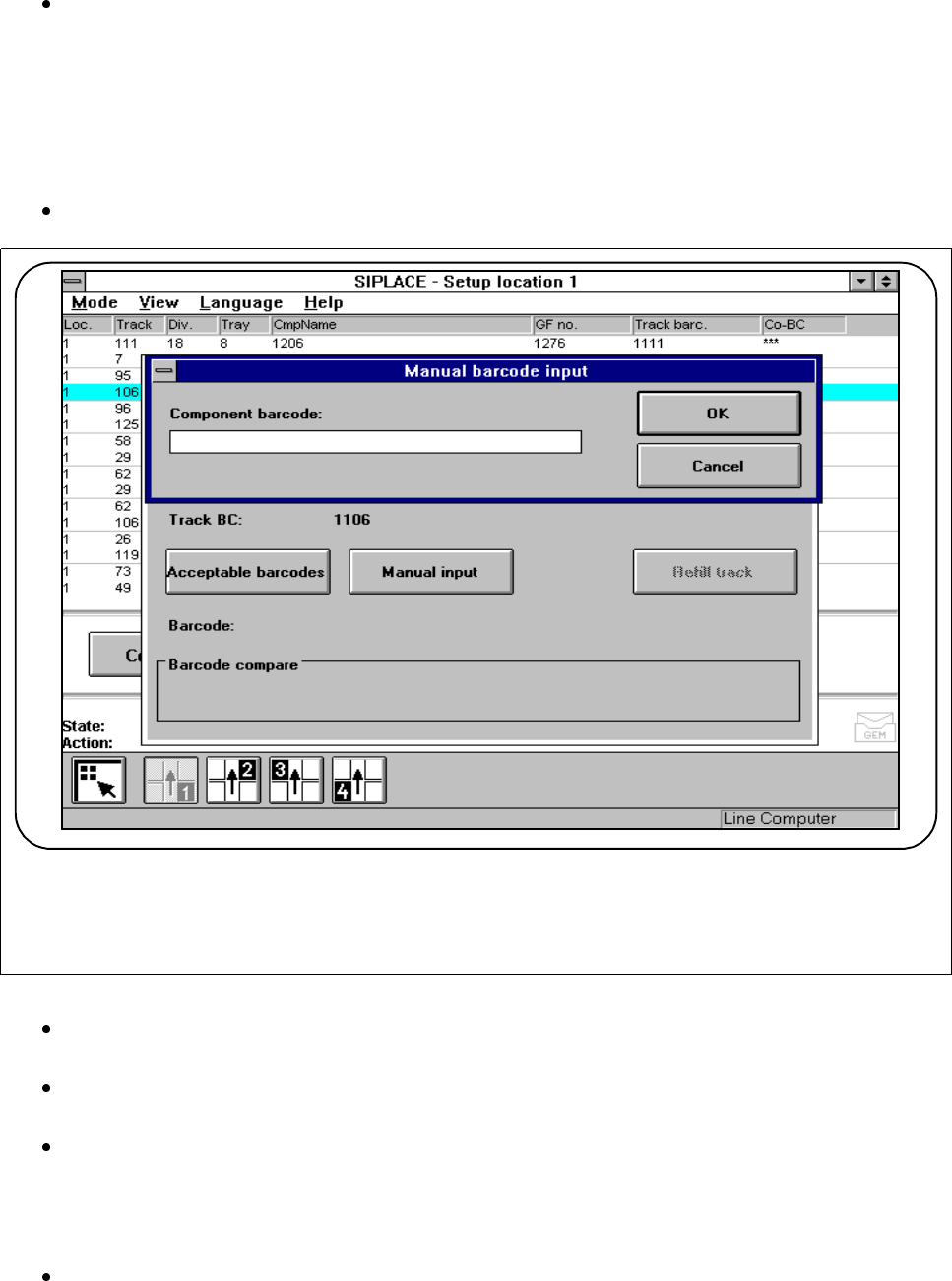
If the component bar code cannot be read in from the reel, you can enter the bar code by hand.
Click on the
Manual input
button to enter the bar code by hand.
Fig. 3.2.6 Manual input
Read off the bar code from the components reel and enter this bar code into the input field. Press the
OK
button to confirm.
The read-in bar code is compared with the bar code actually required. During this comparison, preset
filters are ignored.
The results of the bar code comparison will be displayed in the Bar code comparison display win-
dow.
Check the results:
Same: The bar codes are identical.
Not the same: The bar codes are not identical.
If the bar code comparison shows agreement and the track is empty, click on the Refill track button or
read in the return bar code on the track bar code strip.
3 Placement Functions SIPLACE 80S-20/F4/F5 User Manual
3.2 Set-Up 05/99 Issue from Software Version SR.405.xx
3 - 12
SIPLACE 80S-20/F4/F5 User Manual 3 Placement Functions
05/99 Issue from Software Version SR.405.xx 3.3 Error
3 - 13
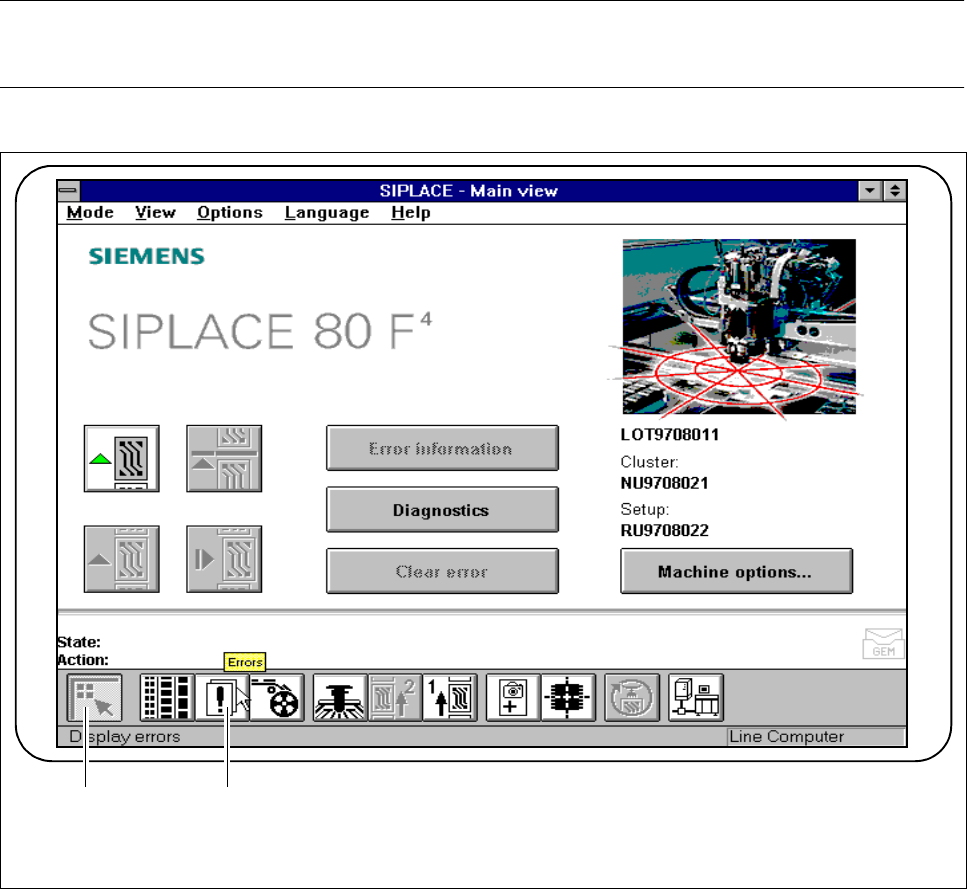
3.3 Error
The "Error“ menu is used to display lists of various error types.
Error information and a fault diagnosis of the corresponding error type can be accessed.
NOTE
The error which occurred last will always appear at the top of the list.
Fig. 3.3.1 Errors
- Key to Fig. 3.3.1
1 Main view 2 Display errors
1 2