80S-2080F480F5.pdf - 第168页
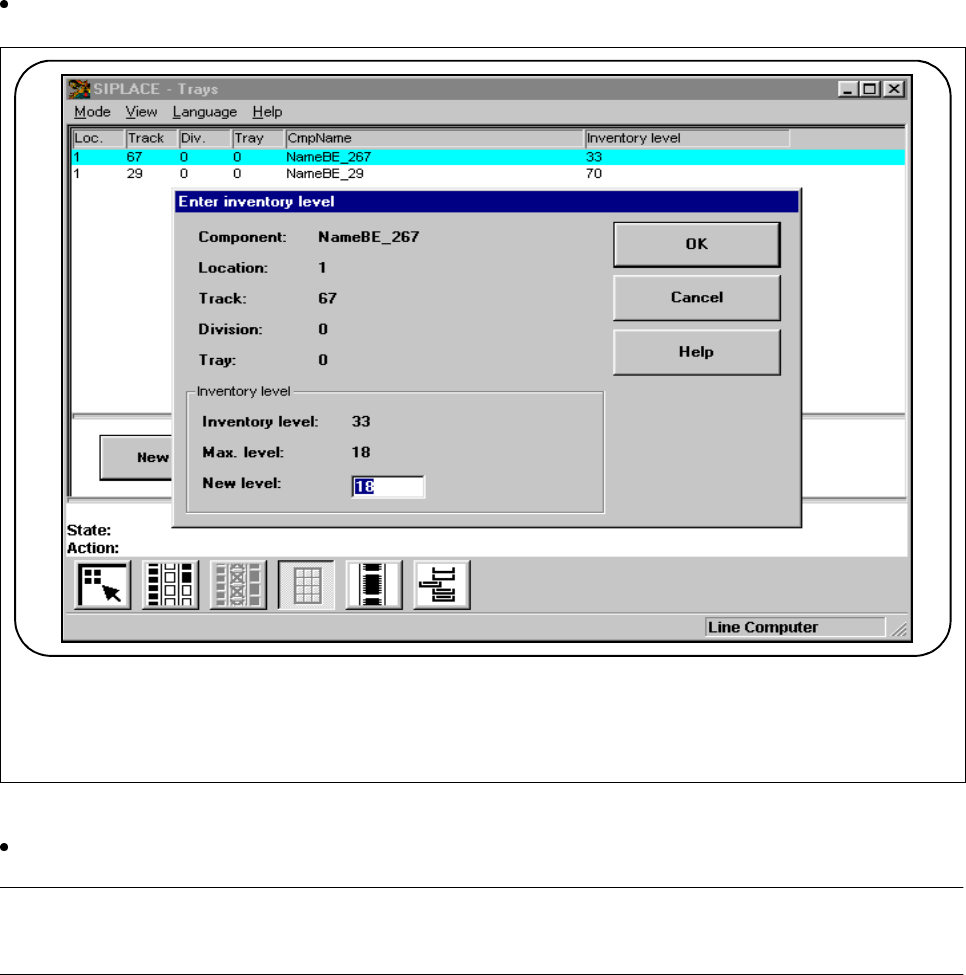
3 Placement Functions SIPLACE 80S-20/F4 /F5 User Manual 3.4 Feeders 05/99 Issue from Software Version SR.405.xx 3 - 28 Click on the New inve ntory level button i f you want to enter a new i nventory l evel for this track…
SIPLACE 80S-20/F4/F5 User Manual 3 Placement Functions
05/99 Issue from Software Version SR.405.xx 3.4 Feeders
3 - 27
3.4.3 Display Trays and Changing Inventory Levels (Siplace 80F
4
)
In the
Trays
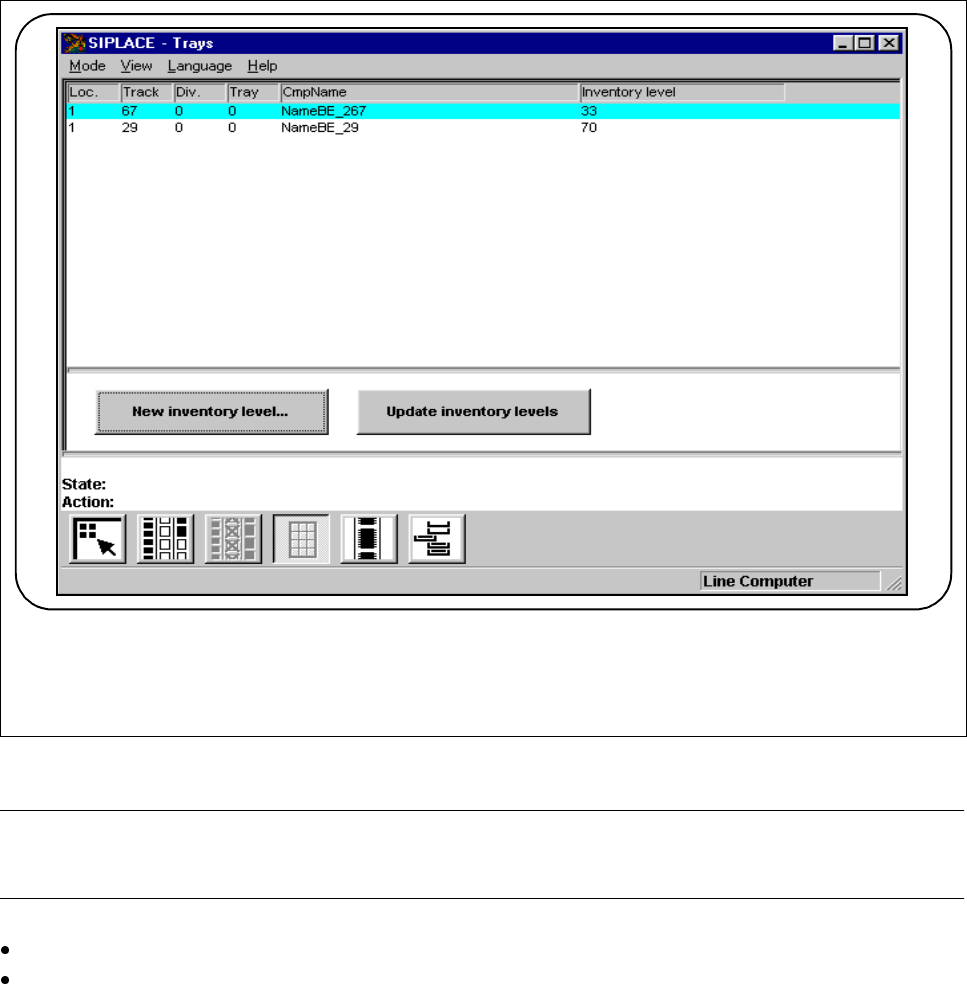
menu you can process inventory levels of the flatpack magazines which have been brought up.
Fig. 3.4.5 Display trays and changing inventory levels
NOTE
Inventory levels are not updated while placement is actually going on.
Click on the
Update inventory levels
button. The current state of the machine will be displayed.
Mark a track.
F
3 Placement Functions SIPLACE 80S-20/F4/F5 User Manual
3.4 Feeders 05/99 Issue from Software Version SR.405.xx
3 - 28
Click on the
New inventory level
button if you want to enter a new inventory level for this track.
Fig. 3.4.6 New inventory level
Type the quantity of components which you have set up into the
New inventory level
input field.
NOTE
The maximum inventory level will be specified in the input field.
The track or tray is switched off when the fill level is 0 ("Track emptied by operator“).
If "Fill“ is selected from the Empty tracks menu, the operation will continue once the previous fill level is
reached.
F
SIPLACE 80S-20/F4/F5 User Manual 3 Placement Functions
05/99 Issue from Software Version SR.405.xx 3.4 Feeders
3 - 29
3.4.4 Display and Vibrate Linear Feeder
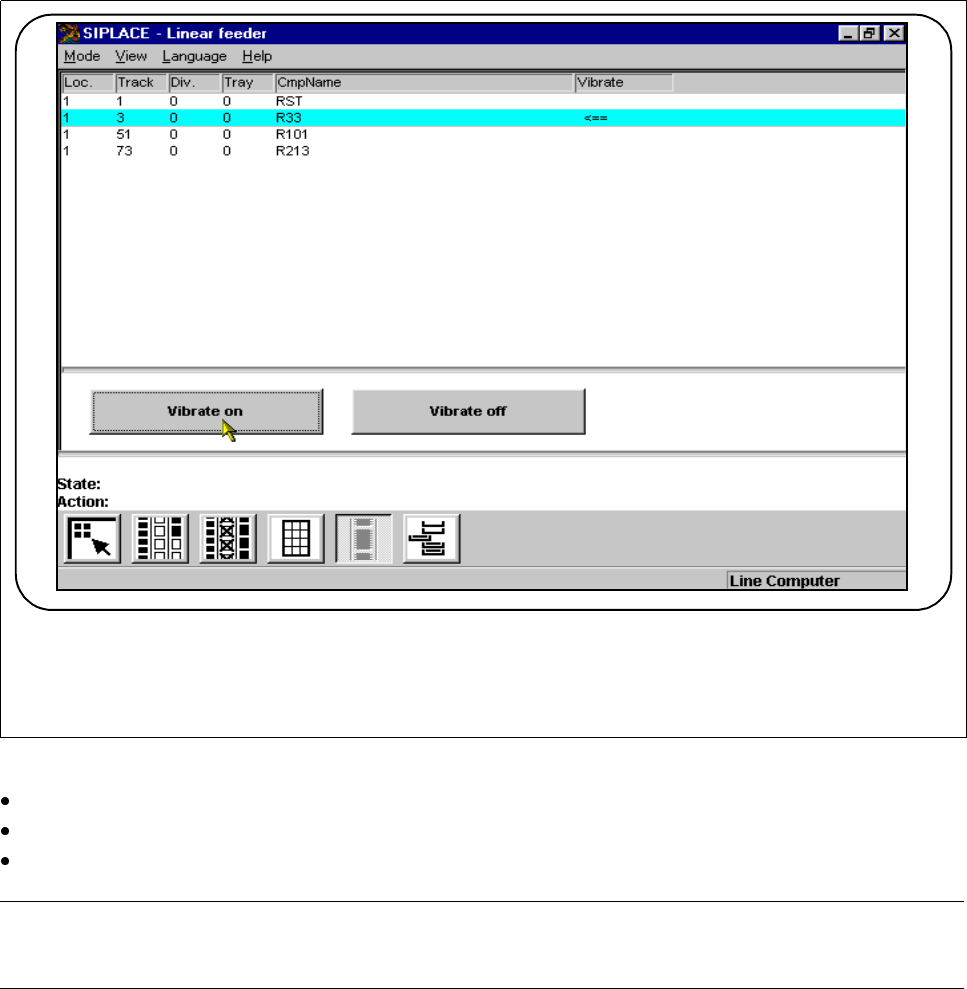
When refilling linear feeders you can select and vibrate the feeders in question.
Fig. 3.4.7 Vibrating the linear feeder
Mark the track in question (it will then appear against a light-blue bar).
Click on the
Vibrate on
button. The linear feeder on this track will vibrate.
Click on the
Vibrate off
button to switch off vibration.
NOTE
The arrow <== on the bar indicates whether the selected track is vibrating.
- Vibration stops when you quit this menu.
F