80S-2080F480F5.pdf - 第191页
SIPLACE 80S-20/F4/F5 User M anual 4 Single Functions 05/99 Issue from Software Version SR.405.xx 4.2 Single Functions, Gantry with 12x Revolver Head 4 - 15 4.2.5 Nozzle Offs et, 12x Revolver Head This fu nction i s used …
4 Single Functions SIPLACE 80S-20/F4/F5 User Manual
4.2 Single Functions, Gantry with 12x Revolver Head 05/99 Issue from Software Version SR.405.xx
4 - 14
4.2.4 Vacuum Test, 12x Revolver Head
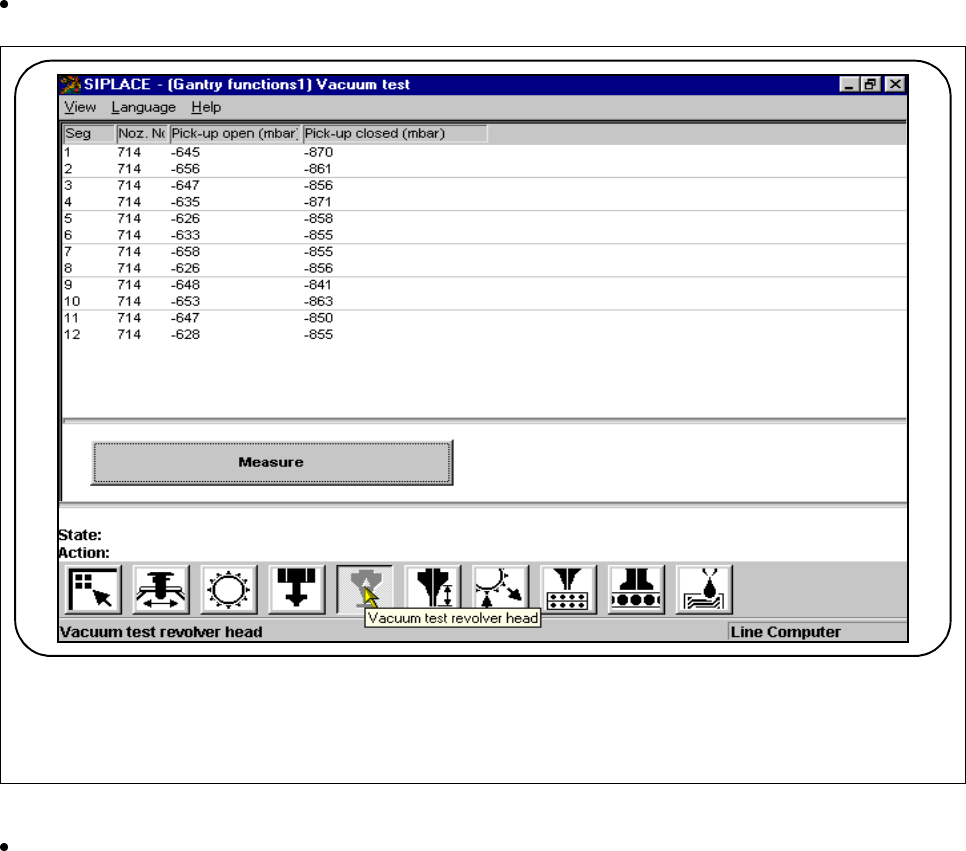
If all nozzles are at the star, when this function is activated the nozzles will be checked regarding their vacuum
values in the pick-up position.
In the
Gantry functions
menu click on the symbol button for
Vacuum test revolver head.
Fig. 4.2.6 Vacuum test 12x revolver head
Click on the
Measure
button. A head reference run will be carried out and the vacuum values at the pick-
up position measured for all nozzles. The measured values for the open and closed pick-up positions are
displayed.
F
SIPLACE 80S-20/F4/F5 User Manual 4 Single Functions
05/99 Issue from Software Version SR.405.xx 4.2 Single Functions, Gantry with 12x Revolver Head
4 - 15
4.2.5 Nozzle Offset, 12x Revolver Head
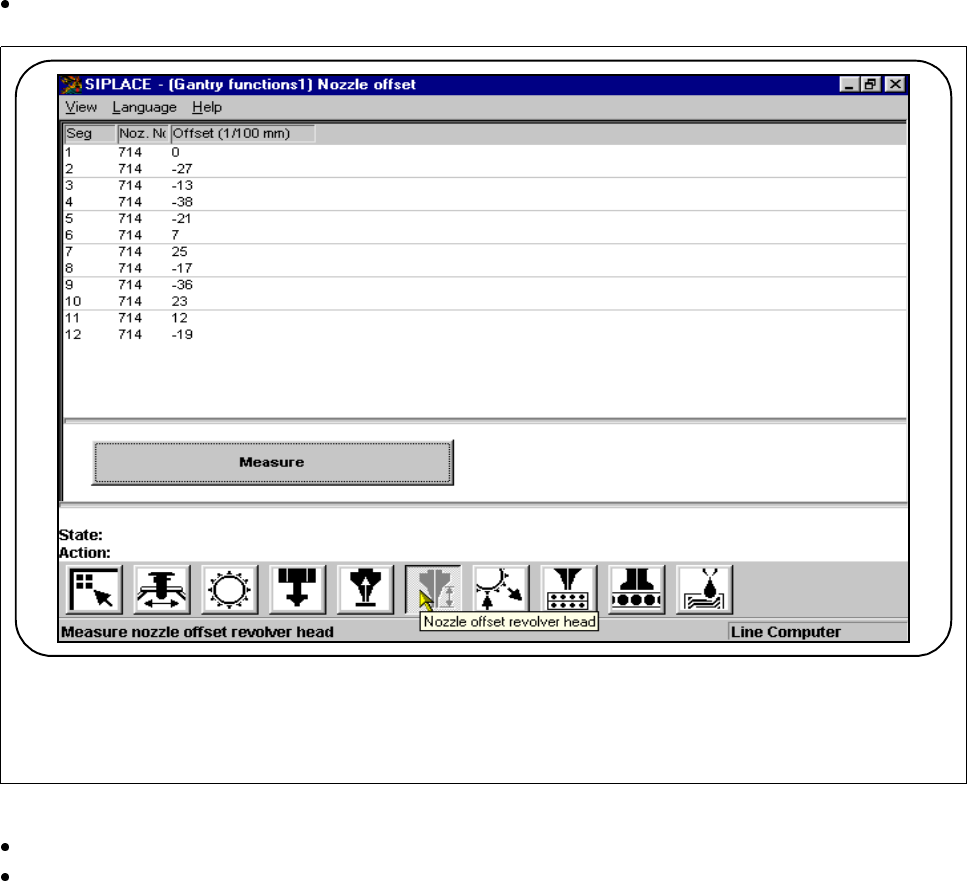
This function is used for determining the nozzle height of all segments. If all segments are in the star the value
found here will refer to Segment 1.
In the In the
Gantry functions
menu click on the symbol button for
Nozzle offset
revolver head
.
Fig. 4.2.7 Nozzle offset 12x revolver head
Click on the
Measure
button.
Press the
Start
button when you are asked to do so on the screen. The active gantry will move to a defined
position above the board conveyor and there carry out measurement of the z height with all segments.
Once measurement is finished the gantry will return to its starting position. The measured nozzle heights
will now be displayed.
F
4 Single Functions SIPLACE 80S-20/F4/F5 User Manual
4.2 Single Functions, Gantry with 12x Revolver Head 05/99 Issue from Software Version SR.405.xx
4 - 16
4.2.6 Nozzle Configuration 12x Revolver Head
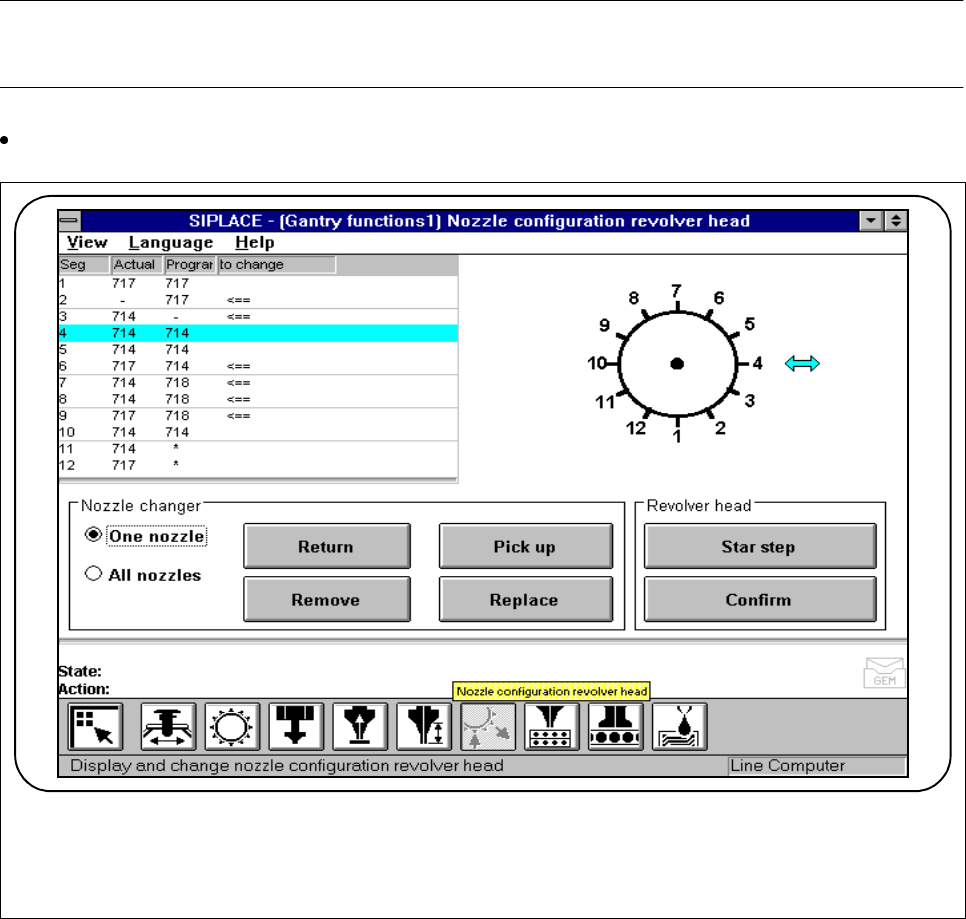
This function is used for displaying, checking and changing the nozzle sizes of the nozzles at the placement
head.
NOTE
Editing or confirming the sizes is only possible with the specified clusters and set-up.
In the
Gantry functions
menu click on the symbol button for
Nozzle configuration revolver head.
Fig. 4.2.8 12x revolver head nozzle configuration
F