80S-2080F480F5.pdf - 第563页
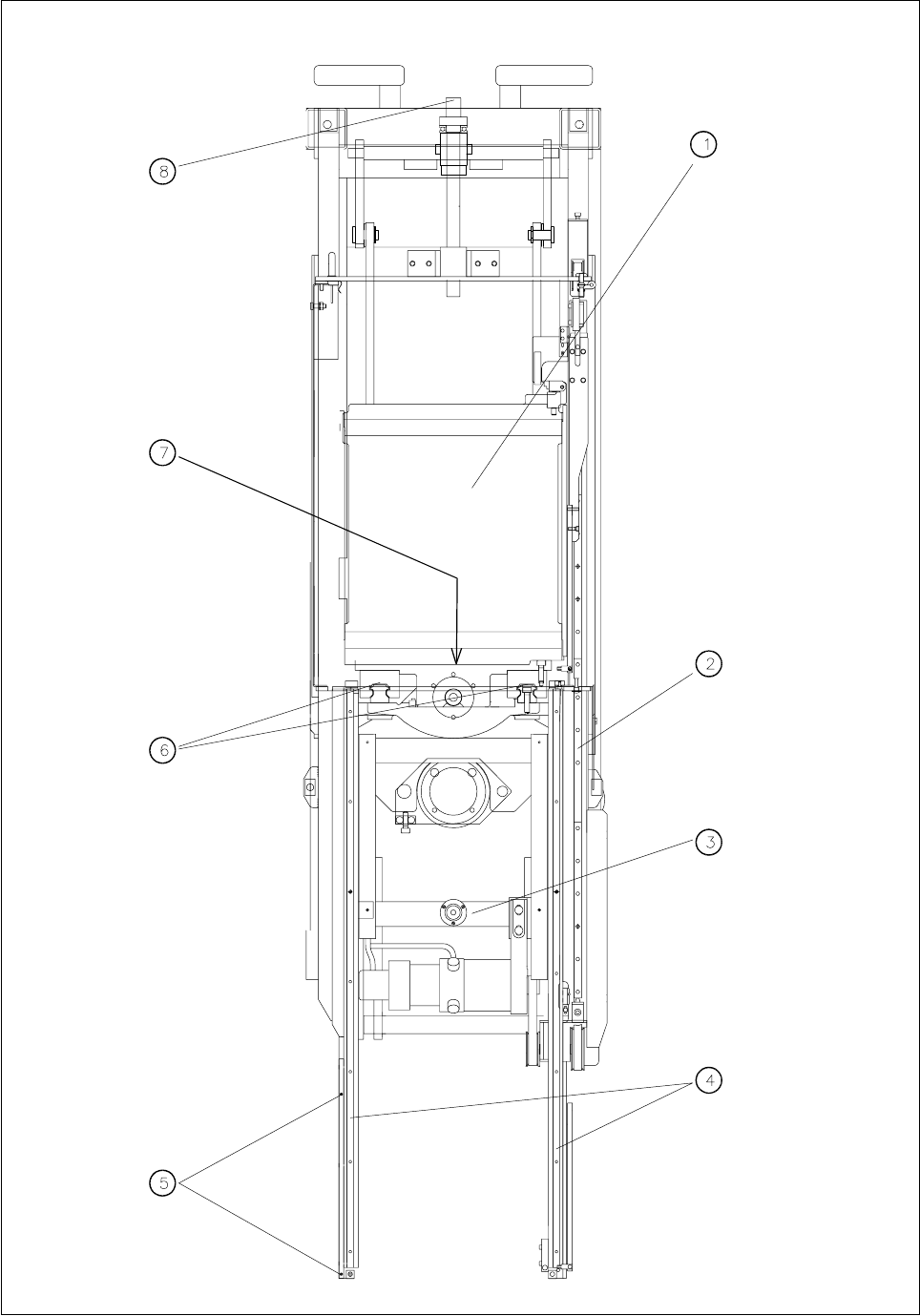
SIPLACE 80S-20/F4/F5 User M anual 9 Maintenance 05/99 Issue from Software Vers ion SR.405.xx 9.8 Wafflepack Changer 9 - 97 - Key to Fig. 9.8.3 1 Holding plate fo r trays 2 Guide ra il for carriage 3 Mac hine sp irit leve…
9 Maintenance SIPLACE 80S-20/F4/F5 User Manual
9.8 Wafflepack Changer 05/99 Issue from Software Version SR.405.xx
9 - 96
Fig. 9.8.3 Maintenance of the guide rails and z-lift axis of the wafflepack changer

SIPLACE 80S-20/F4/F5 User Manual 9 Maintenance
05/99 Issue from Software Version SR.405.xx 9.8 Wafflepack Changer
9 - 97
- Key to Fig. 9.8.3
1 Holding plate for trays
2 Guide rail for carriage
3 Machine spirit level
4 Guide rail for tray rest
5 Reference fiducials
6 Guide rails of the z-lift axis
7 Lubrication nipple for lift axis
8 Lift / lower
9.8.6 Concluding Work
Replace the wafflepack changer back in the machine using the lifting device as described in the Section
Components supply
.
Check next the spirit level on the wafflepack changer.
If necessary slide the trays including magazines back into the correct track.
Make sure that the trays have been restored in their correct places.
NOTE
When you refit the trays, note that magazine No. 1 must be replaced in its previous rotational position in
track 1 ( magazine 2 in track 2, and so on). If you do not do this, when you begin placement again there
will be an undefined state which can lead to errors in picking up components from the wafflepack changer.
For this reason it is not enough simply to check only the component allocations to the tracks of the waf-
flepack changer with the help of the ACTUAL display of the wafflepack changer set-up in the
Single
functions
menu.
Plug the interface and power supply plugs back into the machine base.
After the start of a placement program which also picks up components from the wafflepack changer, the
PCB camera will travel automatically over the fiducial on the wafflepack changer and registers its position.
9 Maintenance SIPLACE 80S-20/F4/F5 User Manual
9.8 Wafflepack Changer 05/99 Issue from Software Version SR.405.xx
9 - 98