80S-2080F480F5.pdf - 第583页
SIPLACE 80 S20/F4/F5 User Manual 10 Component Handling 05/99 Issue from Software Version SR .405.xx 10.3 Component table, mobile 10 - 11 10.3 Component t able, mobile 10.3.1 Safety instructions for docking and undo cking…
10 Component Handling SIPLACE 80 S20/F4/F5 User Manual
10.2 Installation - General Information 05/99 Issue from Software Version SR.405.xx
10 - 10
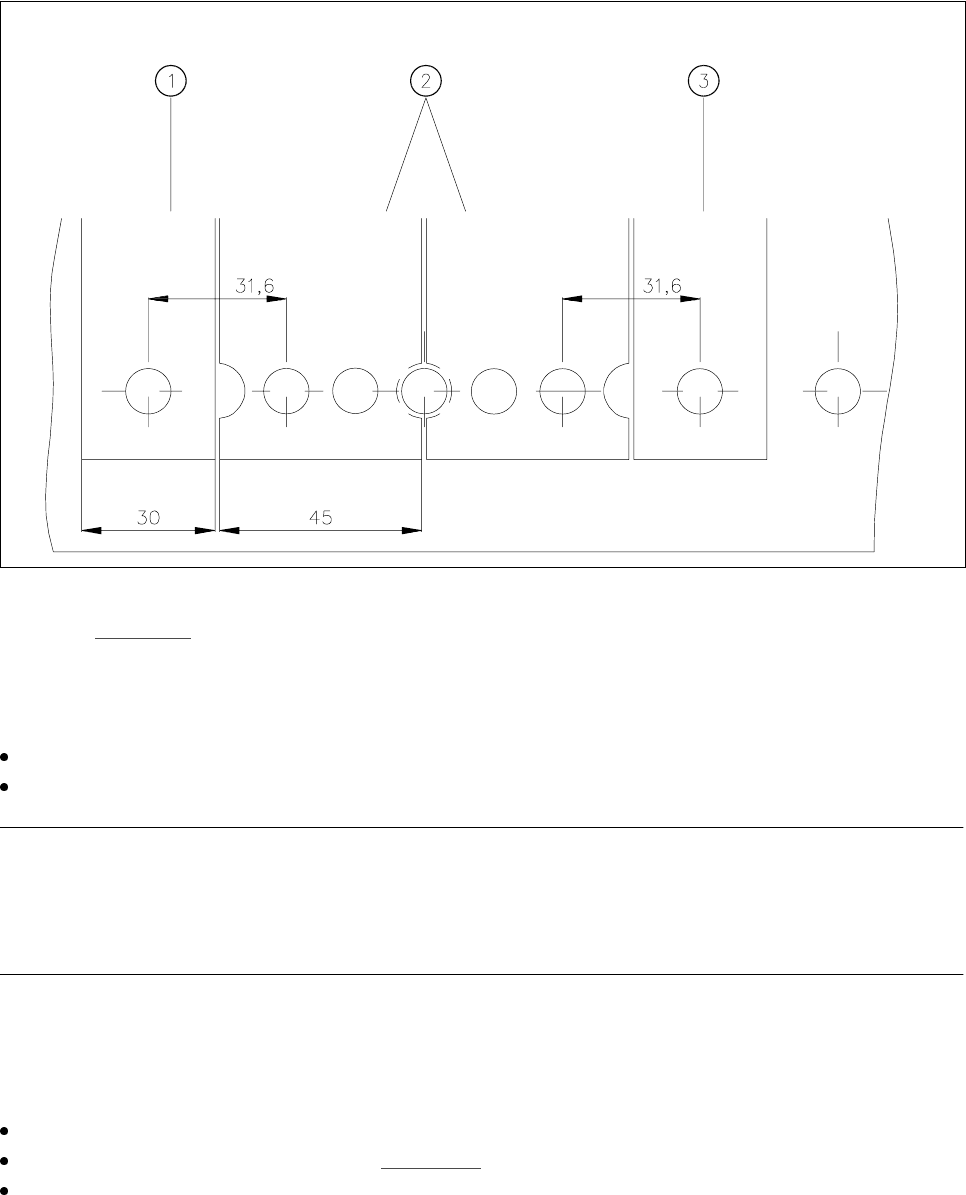
Fig. 10.2.2 Installation of modules with width 45 mm
-Key to Fig. 10.2.2
1 Feeder module width 30 mm 2 Feeder module width 45 mm
3 Feeder module width 30 mm
Make sure that the module is seated securely on the component table.
Plug the module plug into the socket which is located under the parking location
NOTE
Make sure that you do not fail to use the socket outlet which belongs to the parking location for plugging in the
module since control pulses for some modules are transmitted via this socket. If this is not observed, the
feeder may not work properly due to the wrong socket being used.
10.2.1.3 Final Activities
Close the covers and switch the control unit back on.
If applicable, perform a refill check (see Section 3.4).
Proceed with placement.
SIPLACE 80 S20/F4/F5 User Manual 10 Component Handling
05/99 Issue from Software Version SR.405.xx 10.3 Component table, mobile
10 - 11
10.3 Component table, mobile
10.3.1 Safety instructions for docking and undocking the mobile com-
ponent table
WARNING
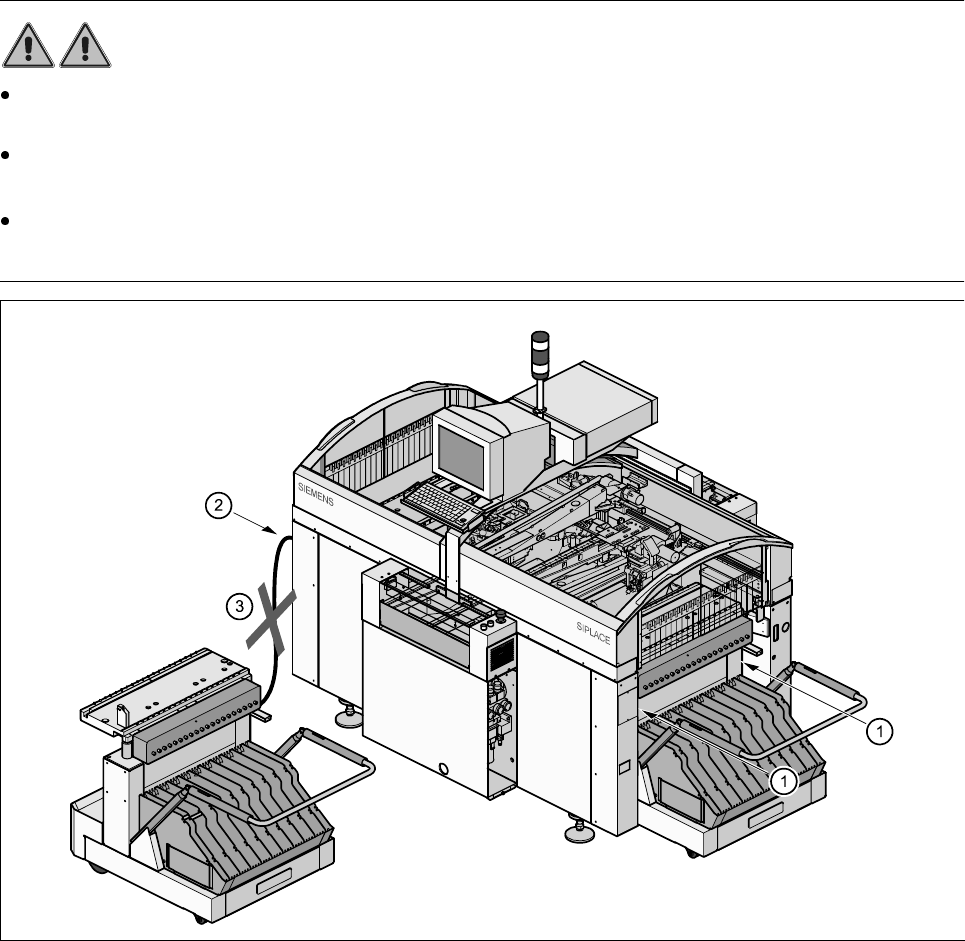
Never reach into the gap between the component tables and the placement system frame while the
machine is running (item 1).
Always check that the component table is docked on the placement system before connecting or discon-
necting the component table power cable at the socket on the placement system (item 2).
NEVER connect the component table connecting cable to the socket on the placement system and then
operate the component table via the external compressed air control unit (item 3).
Fig. 10.3.1 Safety instructions for the mobile component table
10 Component Handling SIPLACE 80 S20/F4/F5 User Manual
10.3 Component table, mobile 05/99 Issue from Software Version SR.405.xx
10 - 12
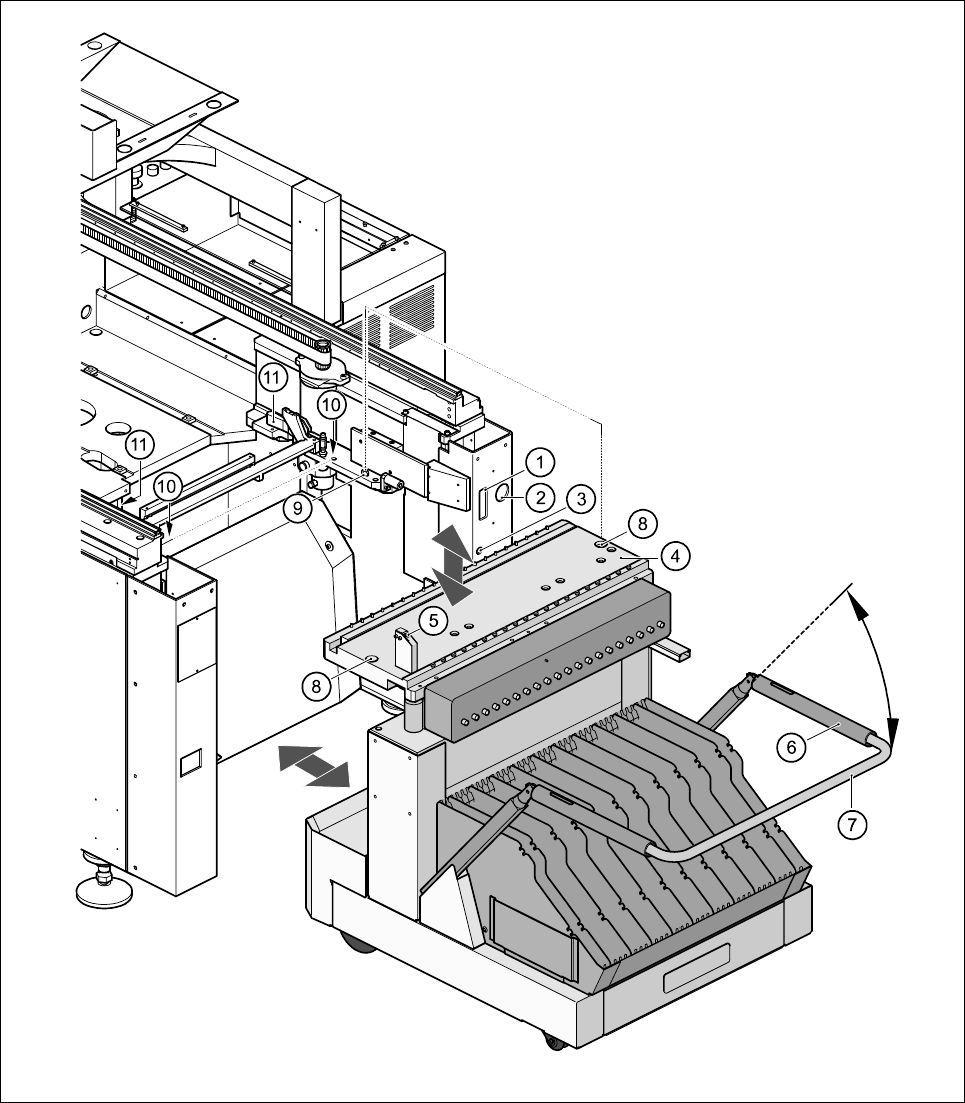
10.3.2 Undocking the component table
Fig. 10.3.2 Undocking the mobile component