80S-2080F480F5.pdf - 第677页
SIPLACE 80S-20/F4/F5 User M anual 11 Station Extensions/Options 05/99 Issue from Software Version SR.405.xx 11.9 GEM Interface 11 - 61 1 1 .9.2.2 Control Mode The contr ol mode specifi es who is supplying the statio n wi…
11 Station Extensions/Options SIPLACE 80S-20/F4/F5 User Manual
11.9 GEM Interface 05/99 Issue from Software Version SR.405.xx
11 - 60
11.9.2 Operation
11.9.2.1 Main Menu with GEM Interface Option
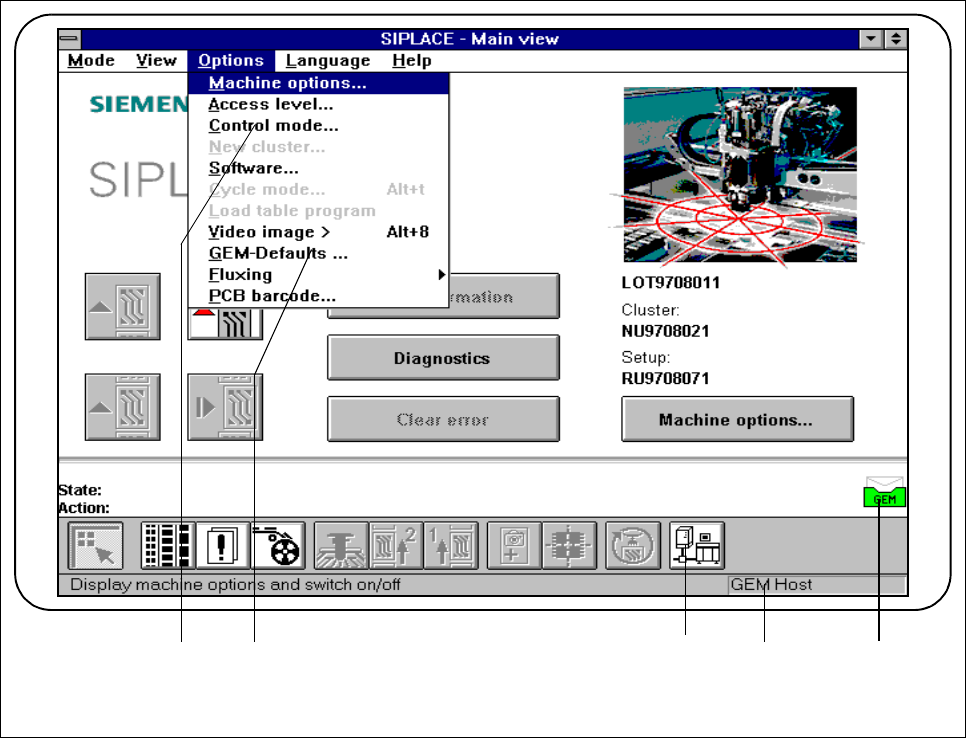
Fig. 11.9.2 Main view with GEM interface option
- Key to Fig. 11.9.2
1 To the
Control mode
menu 2 To the
GEM defaults
menu
3 To the
GEM interface
menus 4 The current control mode is displayed here.
5 GEM status display
2 31 4 5
SIPLACE 80S-20/F4/F5 User Manual 11 Station Extensions/Options
05/99 Issue from Software Version SR.405.xx 11.9 GEM Interface
11 - 61
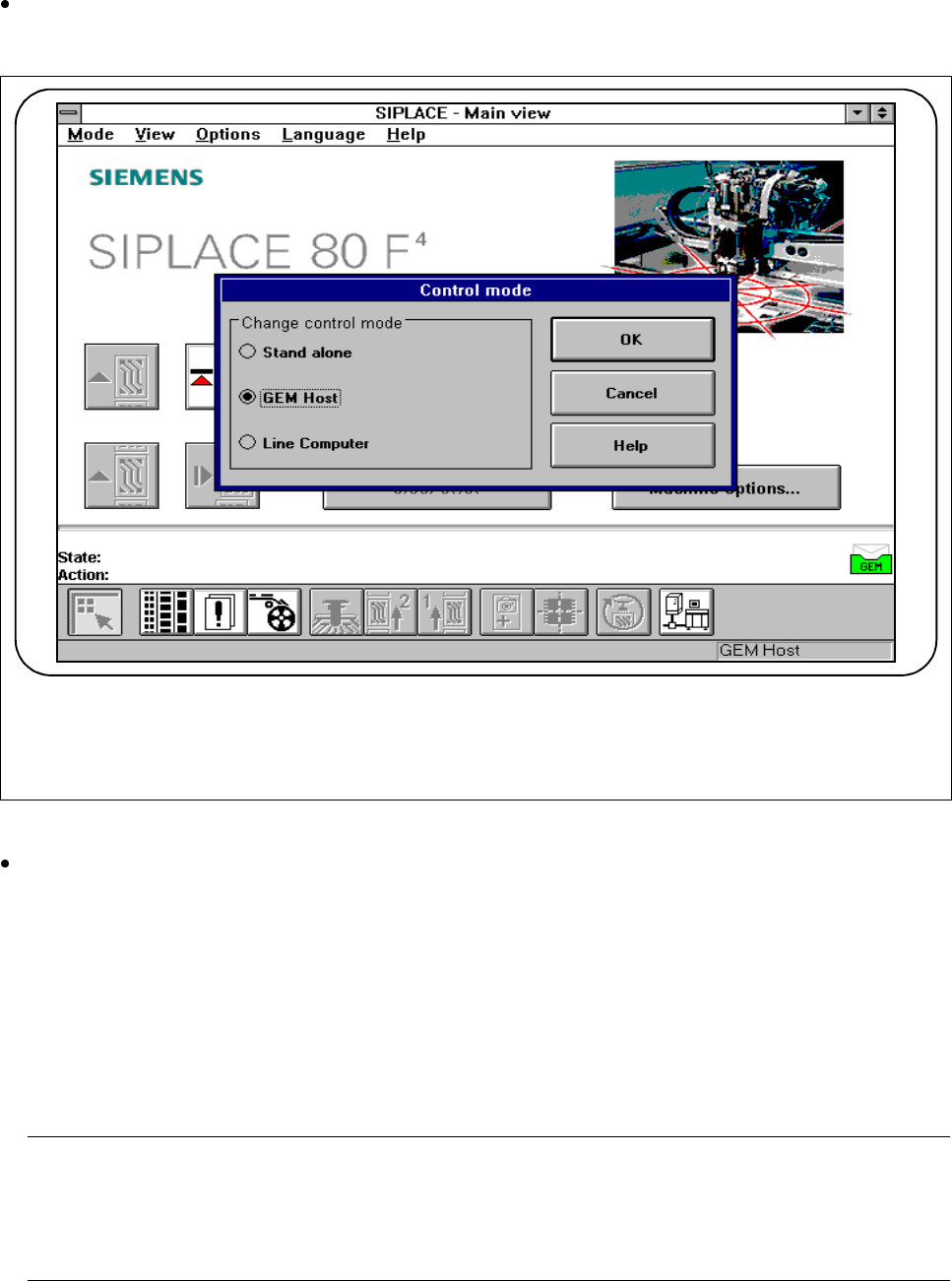
11.9.2.2 Control Mode
The control mode specifies who is supplying the station with the placement data it requires.
In the main view, select the
Options
menu and then click on
Control mode
.
The following selection box appears.
Fig. 11.9.3 Control mode
Save what you have entered by pressing the
OK
button.
l Stand-alone (for testing only)
If a cluster is specified at the SIPLACE station, all necessary data will be loaded from the hard disk of the
station computer.
All of the data required must be located on the station computer‘s hard disk.
l GEM host
In this control mode only the host can specify the placement programs.
All of the data required must be located on the host computer.
NOTE
This setting must be set if you wish to load placement programs from the host onto the station computer
under the Load placement program menu. In this connection, see Section 11.9.2.7 "Load Placement
Program"
11 Station Extensions/Options SIPLACE 80S-20/F4/F5 User Manual
11.9 GEM Interface 05/99 Issue from Software Version SR.405.xx
11 - 62
l Line computer
If a cluster is specified at the SIPLACE station, all necessary data will be loaded from the line computer. All
of the data required must be located in the line computer.
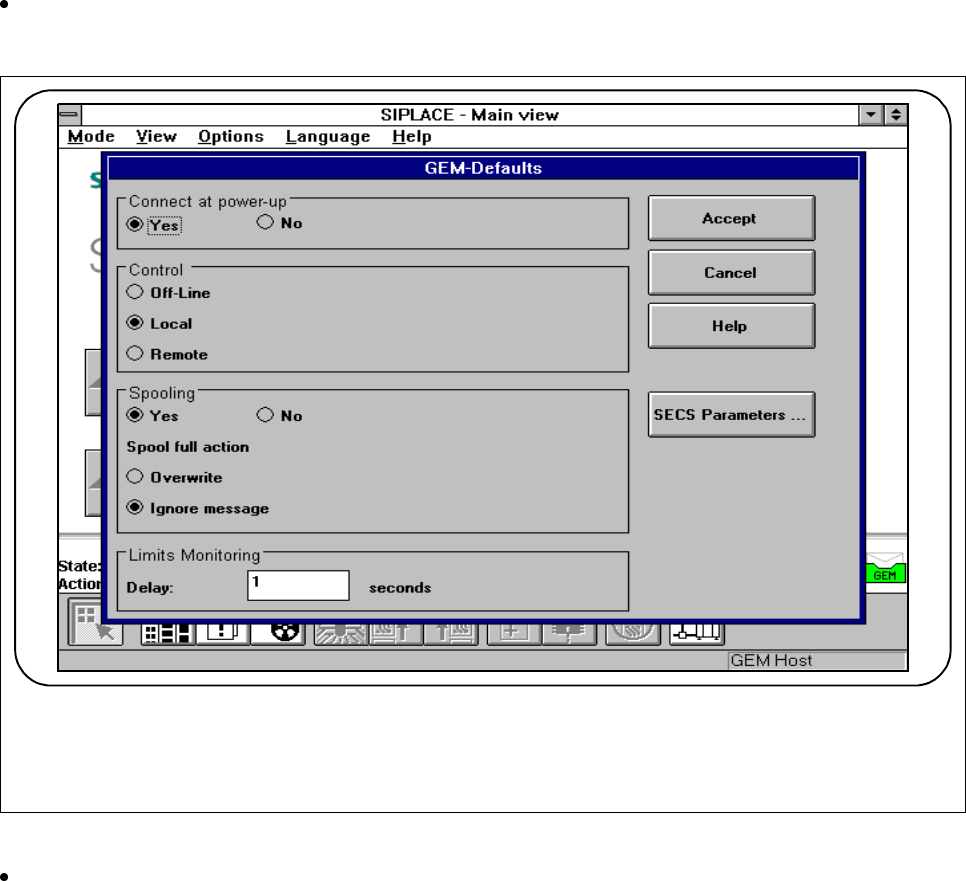
11.9.2.3 GEM Default Settings
In this menu you can make various settings which will be used at power-up as default parameters for the
SIPLACE station.
In the main view select the
Options
menu and then click on
GEM default settings
.
The following menu is displayed.
Fig. 11.9.4 GEM default settings
Save what you have entered by pressing the Accept button.
l Connect at power-up (see also Section 11.9.2.6 "Status Display")
- Yes
When the SIPLACE station is switched on, the station attempts to connect to the host computer.
- No
When the SIPLACE station is switched on, no connection to the host computer is made. However the
operator can make the connection manually under the Status display menu.