80S-2080F480F5.pdf - 第685页
SIPLACE 80S-20/F4/F5 User M anual 11 Station Extensions/Options 05/99 Issue from Software Version SR.405.xx 11.9 GEM Interface 11 - 69 l C ontrol (See also Secti on 1 1.9.2 .3 "GEM Default Settings" ) Click o n…
11 Station Extensions/Options SIPLACE 80S-20/F4/F5 User Manual
11.9 GEM Interface 05/99 Issue from Software Version SR.405.xx
11 - 68
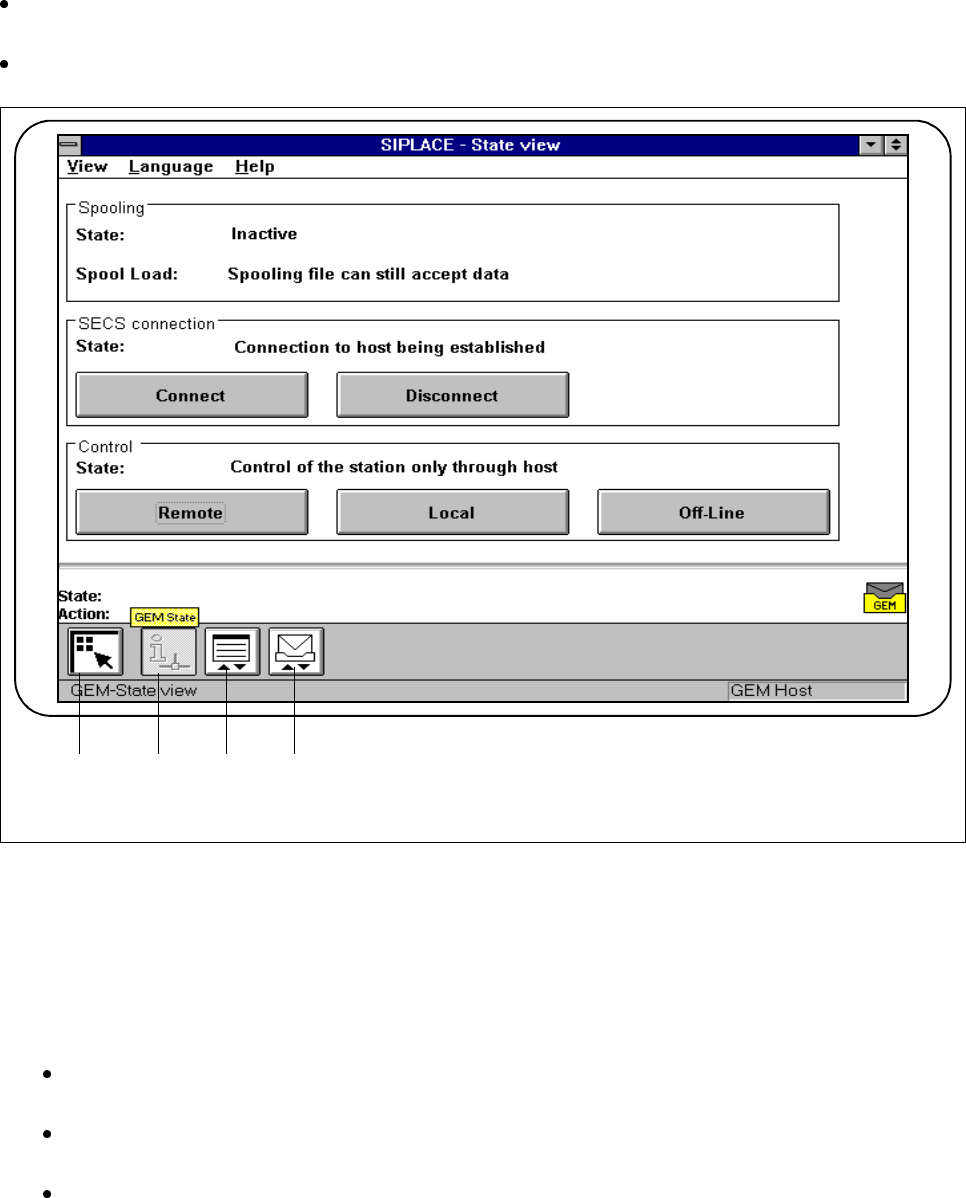
11.9.2.6 Status Display
In the main view click on the icon for
GEM
(see Fig. 11.9.2). You can pick any one of three different menus
(see Fig. 11.9.7).
Click on the
State display
icon.
Fig. 11.9.7 Menu selection, GEM interface
- Key to Fig. 11.9.7
1 Main view 2 Status display
3 Load placement program 4 News
l SECS connection (see also Section 11.9.2.3 "GEM Default Settings")
Click on the Connect button. The connection between the SIPLACE station and the host will be set
up.
Click on the Disconnect button. The connection between the SIPLACE station and the host will be
terminated.
The current state of the action performed is shown in the State field.
1 3 4
F
2
SIPLACE 80S-20/F4/F5 User Manual 11 Station Extensions/Options
05/99 Issue from Software Version SR.405.xx 11.9 GEM Interface
11 - 69
l Control (See also Section 11.9.2.3 "GEM Default Settings")
Click on the
Local
button. Placement programs can be uploaded to the host by the station. No place-
ment programs can be downloaded from the host by the station.
Click on the
Remote
button. Placement programs can be uploaded to the host by the station and
placement programs can be downloaded from the host by the station.
Click on the
Off-line
button. It is not possible to send or receive messages. The connection is
retained.
NOTE
If the host drops the control connection, the connection goes into the status
Off-line
(only the host can
set up the connection). In the SIPLACE station this state can only be quit by pressing the
Off-line
but-
ton. Only then the functions
Remote
and
Local
are available once more.
l Spooling (see also Section 11.9.2.3 "GEM Default Settings")
The spooling states
active
and
inactive
are displayed in the
Status
display field.
- Active:
The connection to the host has been interrupted. Messages are being collected.
- Inactive:
The connection to the host is OK. Messages are being sent to the host.
The
Write
display field indicates whether the allocated storage is full or whether there is still capacity
in the spooling file.
11 Station Extensions/Options SIPLACE 80S-20/F4/F5 User Manual
11.9 GEM Interface 05/99 Issue from Software Version SR.405.xx
11 - 70
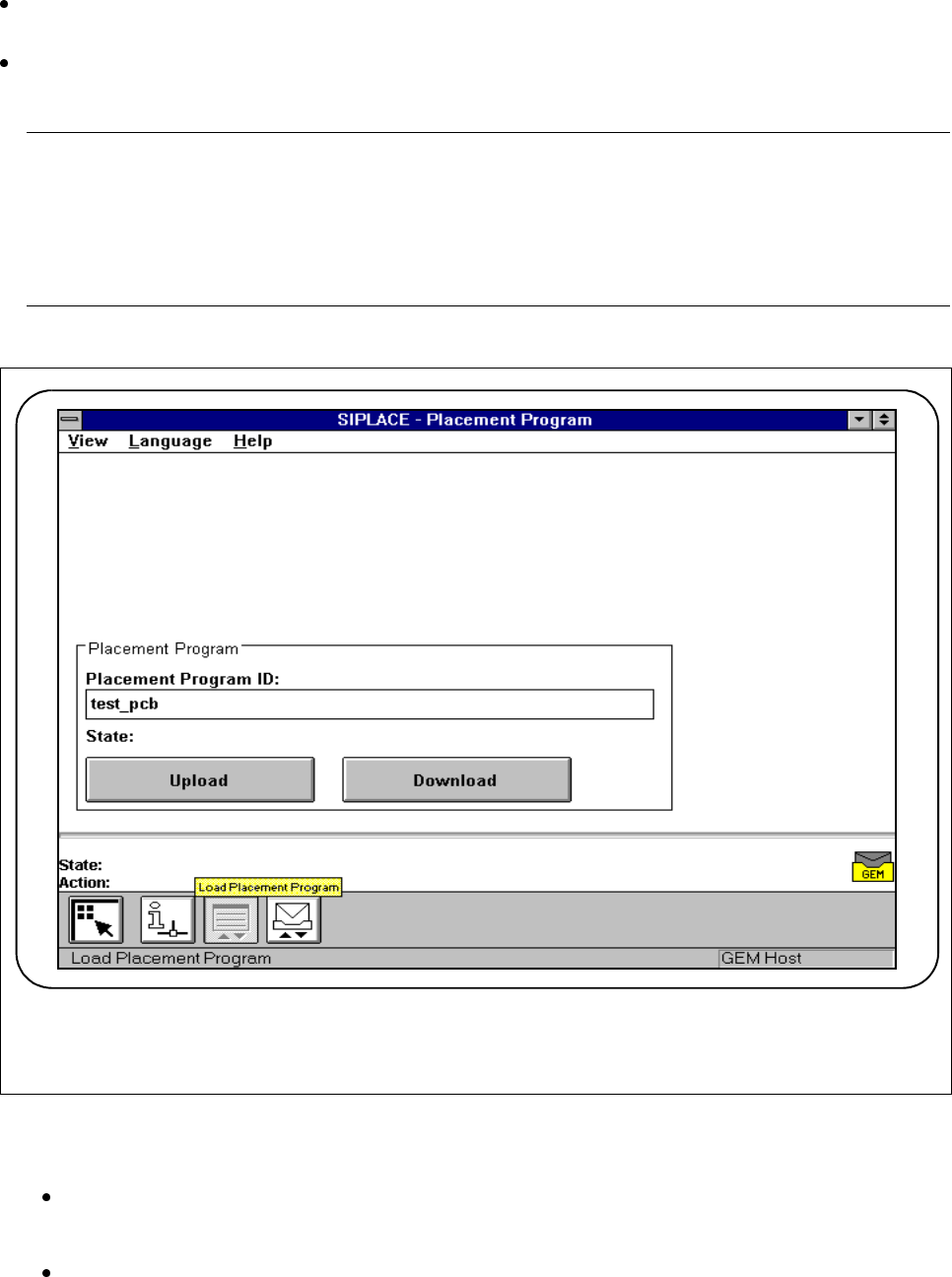
11.9.2.7 Load Placement Program
Click on the icon for
GEM
(see Fig. 11.9.2) in the main view. You can pick any one of three different menus
(see Fig. 11.9.7).
Click on the
Load placement program
icon. You can download placement programs from the host to the
station or upload placement programs from the station to the host.
NOTE
Depending on the action being performed, the corresponding placement program must be available at the
station or at the host.
To download a placement program the
Control mode
submenu in the
Option
menu must be set to GEM
host (in this connection, see Section 11.9.2.2 "Control Mode").
Fig. 11.9.8 Load placement program
l Placement program ID
Type the name of the placement program into this input field and click on the corresponding button.
l State
The current status of the action performed is shown in this display field.
F