SIPLACE Vision Customer_en.pdf - 第10页
Operational Safety Conventions for the Use of Safety Instructions S tudent Guide SIPLACE V ision (Customer) Operational Safety Edition 12/2008 EN 10
Operational Safety
Conventions for the Use of Safety Instructions
Student Guide SIPLACE Vision (Customer)
Edition 12/2008 EN Operational Safety
9
2 Operational Safety
2.1 Conventions for the Use of Safety Instructions
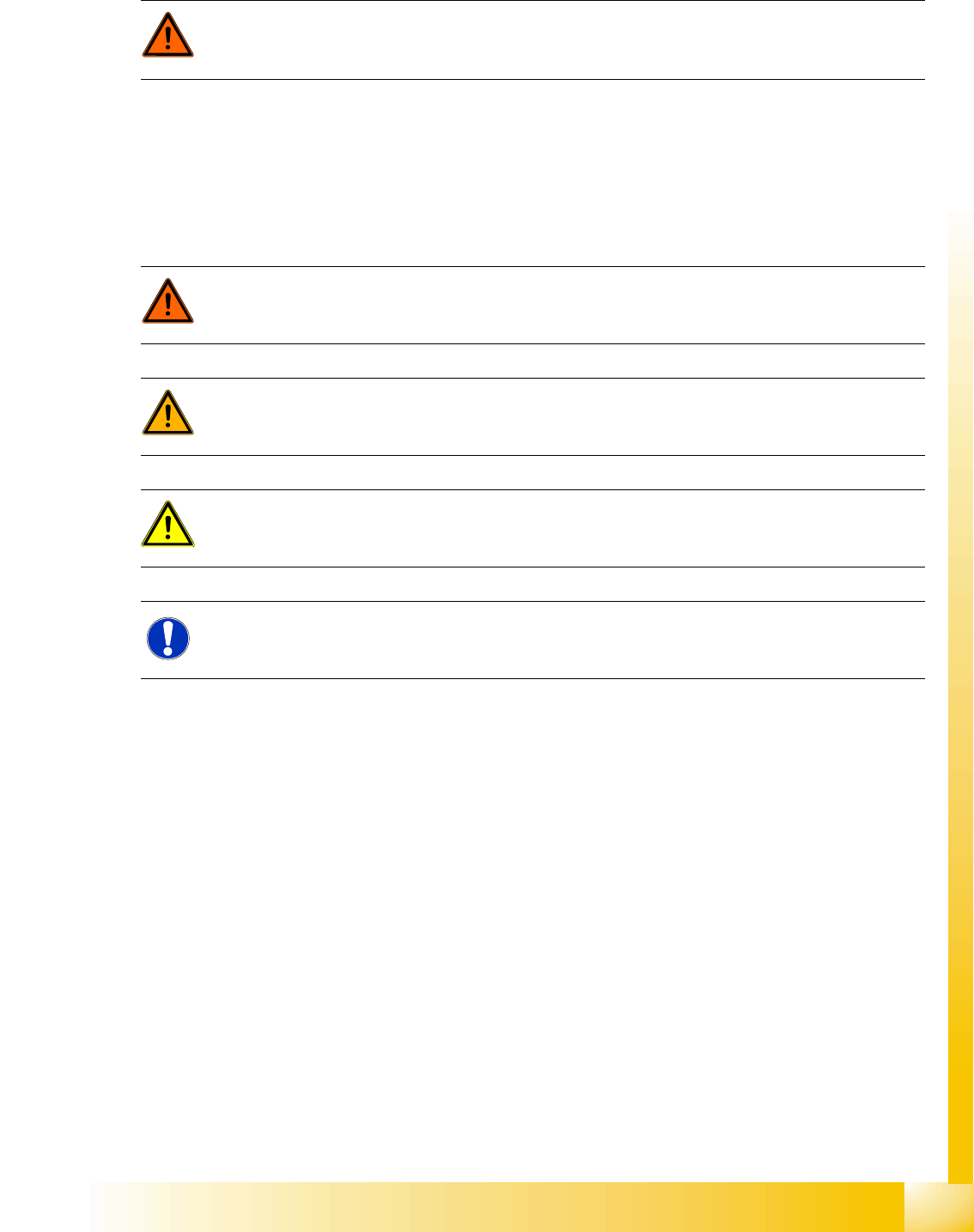
This User Manual contains notes that must be observed to guarantee your personal safety and to avoid
damage to equipment. These notes are highlighted by warning triangles and are indicated as follows
according to the level of risk:
DANGER: Nonobservance increases the risk of injury and/or damage to the machine!
X Please observe the safety instructions in the relevant user manual of the machine for all
service work!
DANGER:
For the purposes of this manual, this indicates that fatal or severe injury or considerable damage
to property will occur if this hazard warning is not observed.
WARNING:
For the purposes of this manual, this indicates that fatal or severe injury or considerable damage
to property may occur if this warning is not observed.
ATTENTION:
For the purposes of this manual, this indicates that minor injury or damage to property may occur
if this caution is not observed.
NOTE:
For the purposes of this manual , this shows information about the product or indicates a part of
the manual that requires particular attention.

Operational Safety
Conventions for the Use of Safety Instructions
Student Guide SIPLACE Vision (Customer)
Operational Safety Edition 12/2008 EN
10

Introduction
Board Centering and Inkspot Recognition
Student Guide SIPLACE Vision (Customer)
Edition 12/2008 EN Introduction
11
3Introduction
SIPLACE Vision is the new image processing system for analyzing optical centering (CO and board
centering, feeder position) and other test (inkspots, nozzle scanning). Machines using the older ICOS
system can also be operated with the same SIPLACE Pro CS database.
3.1 Board Centering and Inkspot Recognition
SIPLACE Vision provides a board centering system with nine synthetic fiducial types. Users will normally
find a suitable fiducial type among these. Simply specify the required fiducial type, contrast and
dimensions (size and tolerances) to begin the teaching procedure at the station. There is then no need
for further fiducial teaching in this case.
A fiducial wizard for simple, guided fiducial teaching has been available since SW version 604.
However, if the fiducial to be used for the board does not correspond with any of the predefined synthetic
fiducial types, users will need to teach the system an additional fiducial template (e.g. triangle or PCB
track structure).
Optical board centering targets
Determination of exact board position and board distortion.
Recognition of boards with bad fiducial quality - these are then sorted out and ignored by the
placement process.
Background: Bad fiducial quality usually results in a poor pad image, since these are produced in the
same production step. The corresponding boards may then show electrical faults.
Inkspot recognition
Inkspot recognition enables users to differentiate between two cases:
Good: Board or panel placement will be performed.
Bad: Board or panel placement will not be performed.
For rapid inkspot recognition, users need to define a synthetic good inkspot.
Alternatively, users could teach one good inkspot and one bad inkspot.