SIPLACE Vision Customer_en.pdf - 第104页
Component Shapes New SIPLACE Vision Functions for 605 and 701 St ation SW SIPLACE Vision Robustness Display S tudent Guide SIPLACE V ision (Customer) Component Shapes Edition 12/2008 EN 104 5.4.2.3 Brightness Modificatio…
Component Shapes
SIPLACE Vision Robustness Display New SIPLACE Vision Functions for 605 and 701 Station SW
Student Guide SIPLACE Vision (Customer)
Edition 12/2008 EN Component Shapes
103
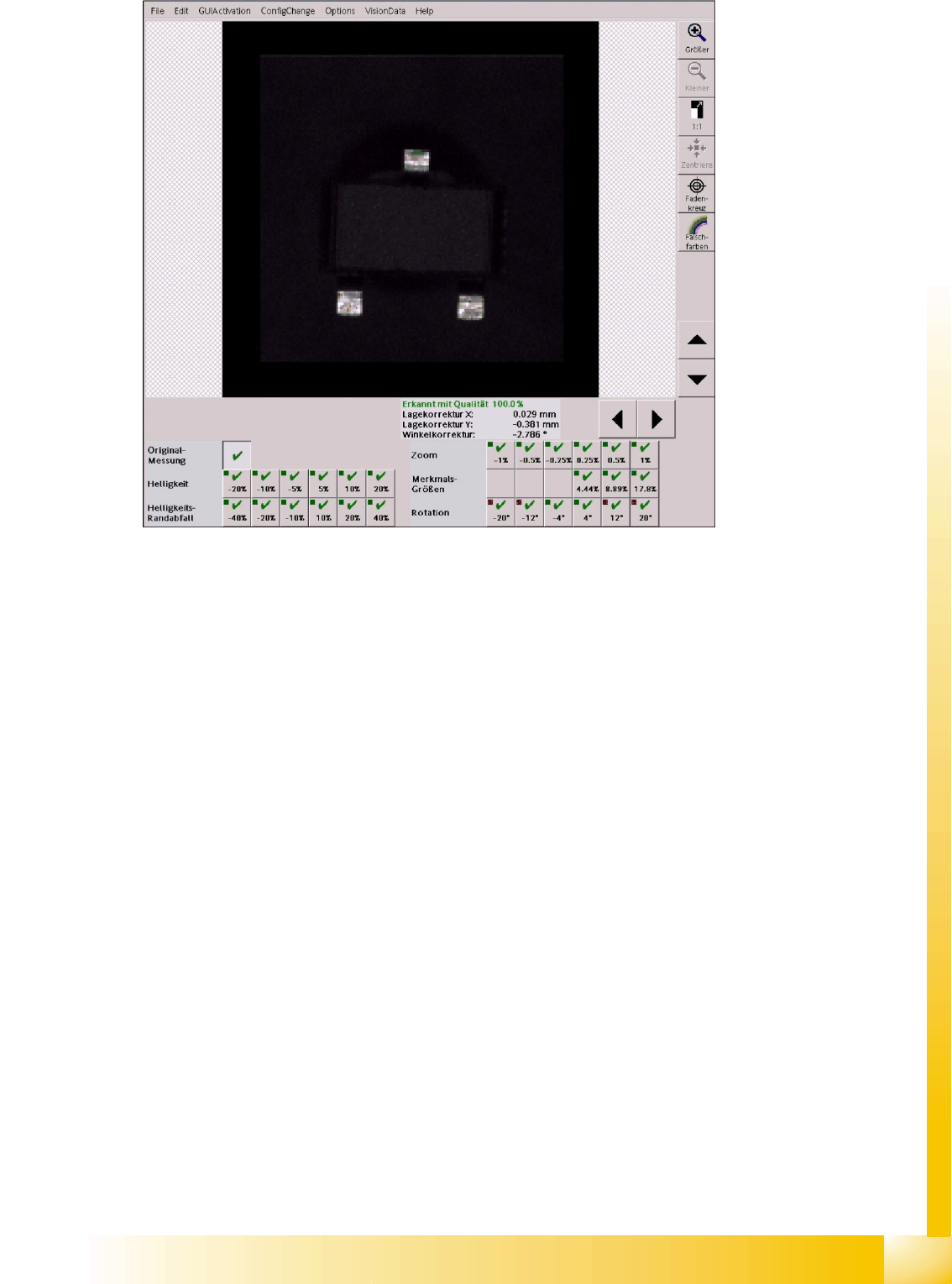
5-3: Robustness display after a "successful" modification
Here, the fields for
+/-20°-
und
+/-12°Rotation
show that this measurement is correct with respect to
the previous one.
5.4.2.2 Measurements in the Robustness Display
Based on the original measurement the following factors are modified:
Brightness is used to test deviations in brightness of individual components in another area.
Shading is used to test the uniformity of the image illumination for big components especially in
critical border areas of the camera field of view.
Scale is used to test deviations in size and the resulting measurement value.
FeatureSize is used to recognize increased or decreased features with the programmed
dimensions.
Rotation is used to recognize the filter positions for the features in different angle positions.
Component Shapes
New SIPLACE Vision Functions for 605 and 701 Station SW SIPLACE Vision Robustness Display
Student Guide SIPLACE Vision (Customer)
Component Shapes Edition 12/2008 EN
104
5.4.2.3 Brightness Modification
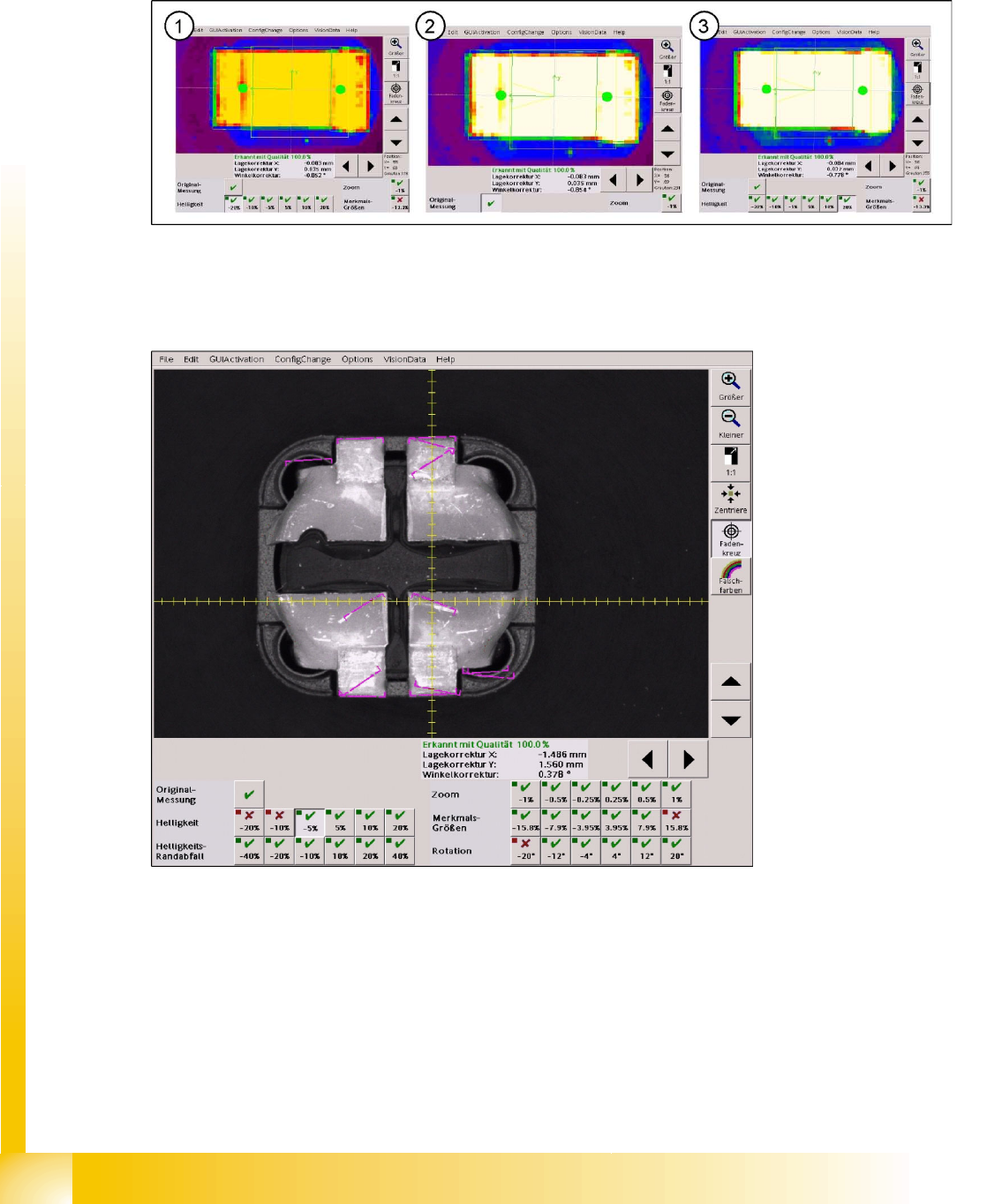
To allow a comparison between the original brightness and the maximum possible modification, at which
it is still possible to recognize the CHIP component example, the cursor is placed on the same shadow
point at the end of the left lead in the camera picture of the C&P20 camera (SST 23).
The most extreme illumination conditions are compared with the corresponding original image.
5-4: (1) Brightness value -20% at 178 – (2) Original illiumination at 230 – (3) Overexposed at +20% … at 255
The illumination values of the original image were set to default values in all 5 illumination levels (80/80/
80/120/180). If the illumination is too low, a brightness problem occurs in the robustness tests with
reduced illumination.
5-5: Brightness value reduced by 5%
At this brightness value, which is reduced by 5% with respect to the original picture, the leads can still
be found without rotation at the lead ends. All other measurement steps including the inspection succeed
despite the reduced brightness and the very matt lead surface.
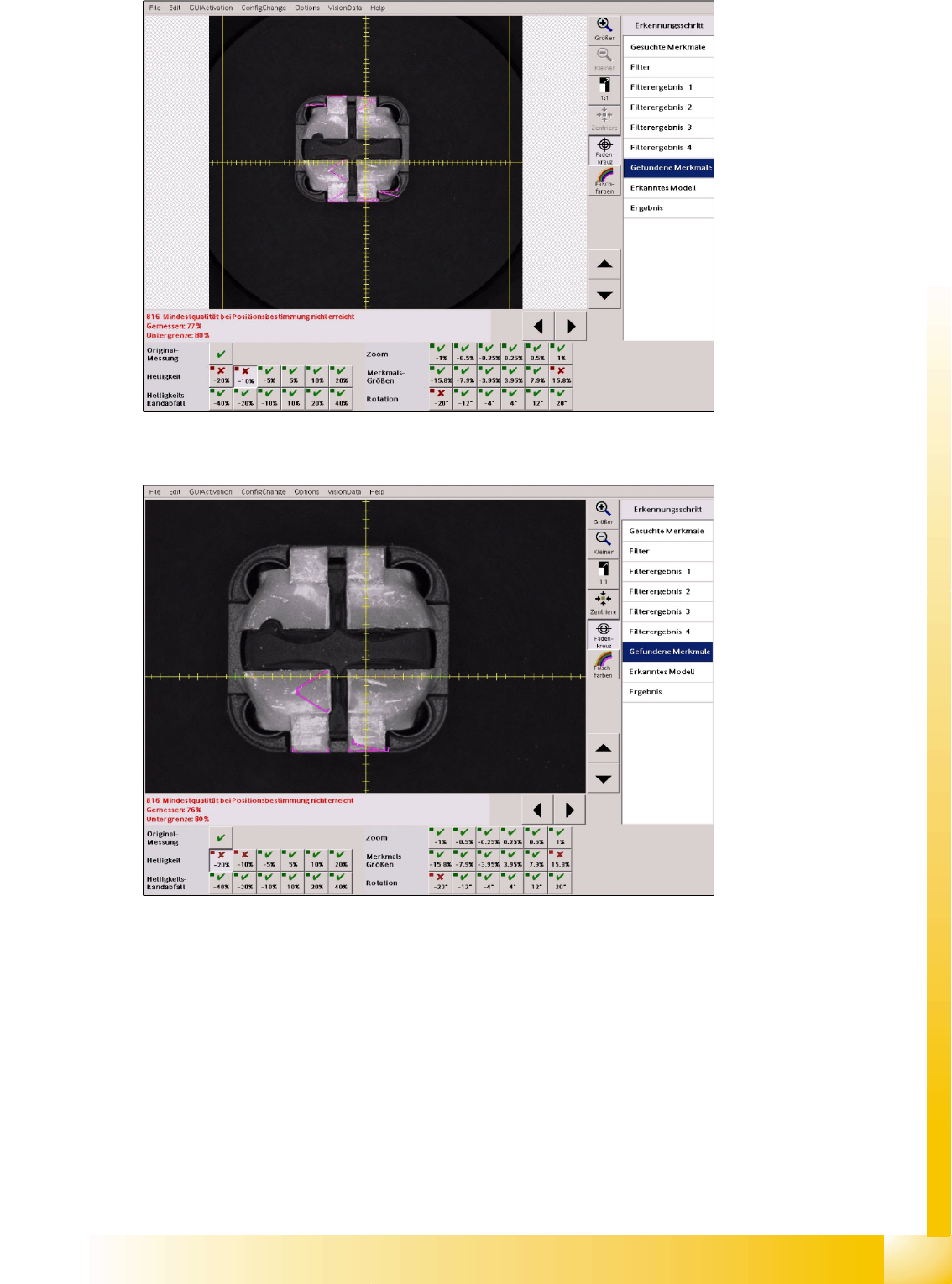
Below, all measurement steps of the brightness values, for which the measurement fails, are shown:
Component Shapes
SIPLACE Vision Robustness Display New SIPLACE Vision Functions for 605 and 701 Station SW
Student Guide SIPLACE Vision (Customer)
Edition 12/2008 EN Component Shapes
105
5-6: Brightness tests
With the brightness reduced by 10% the leads only produce a gray value of 130 (red green) at the edges.
5-7: Brightness tests
With the brightness reduced by 20% the leads at other edge surfaces only produce gray values between
100 and 120 (green).
For this reason the filter edges of the leads are not found in a horizontal position as in the programmed
geometry. No model will be recognized at the position concerned, none of the inspection steps will be
performed or shown accordingly in the menu window.
5.4.2.4 Shading at the Image Border
This function was carried out with component of 5.6 x 5.1 mm (2220) in size at a C&P20 camera. Thus
a component border with almost the specified borders of the camera with an FoV of 8.4 x 8.4 mm results.
(The reticle shows a graduation of 0.1 mm.)