SIPLACE Vision Customer_en.pdf - 第160页
SIPLACE Pro 3.0 Programming Interface for Componen t Shapes Converting the Component Shape with LC Import fr om a UNIX/LINUX Line Computer Adopting the Standard Component Shape from the S tudent Guide SIPLACE V ision (Cu…
SIPLACE Pro 3.0 Programming Interface for Component Shapes
Adopting the Standard Component Shape from the SIPLACE Pro Installation in the Customer's Component Shape Database Converting the
Student Guide SIPLACE Vision (Customer)
Edition 12/2008 EN SIPLACE Pro 3.0 Programming Interface for Component Shapes
159
7.2.2 Adopting the Standard Component Shape from the SIPLACE Pro Installation in
the Customer's Component Shape Database
The installation of SIPLACE Pro software also installs a revised version of the Standard Siemens CS
Database. These component shapes can then be imported into the customer's CS database.
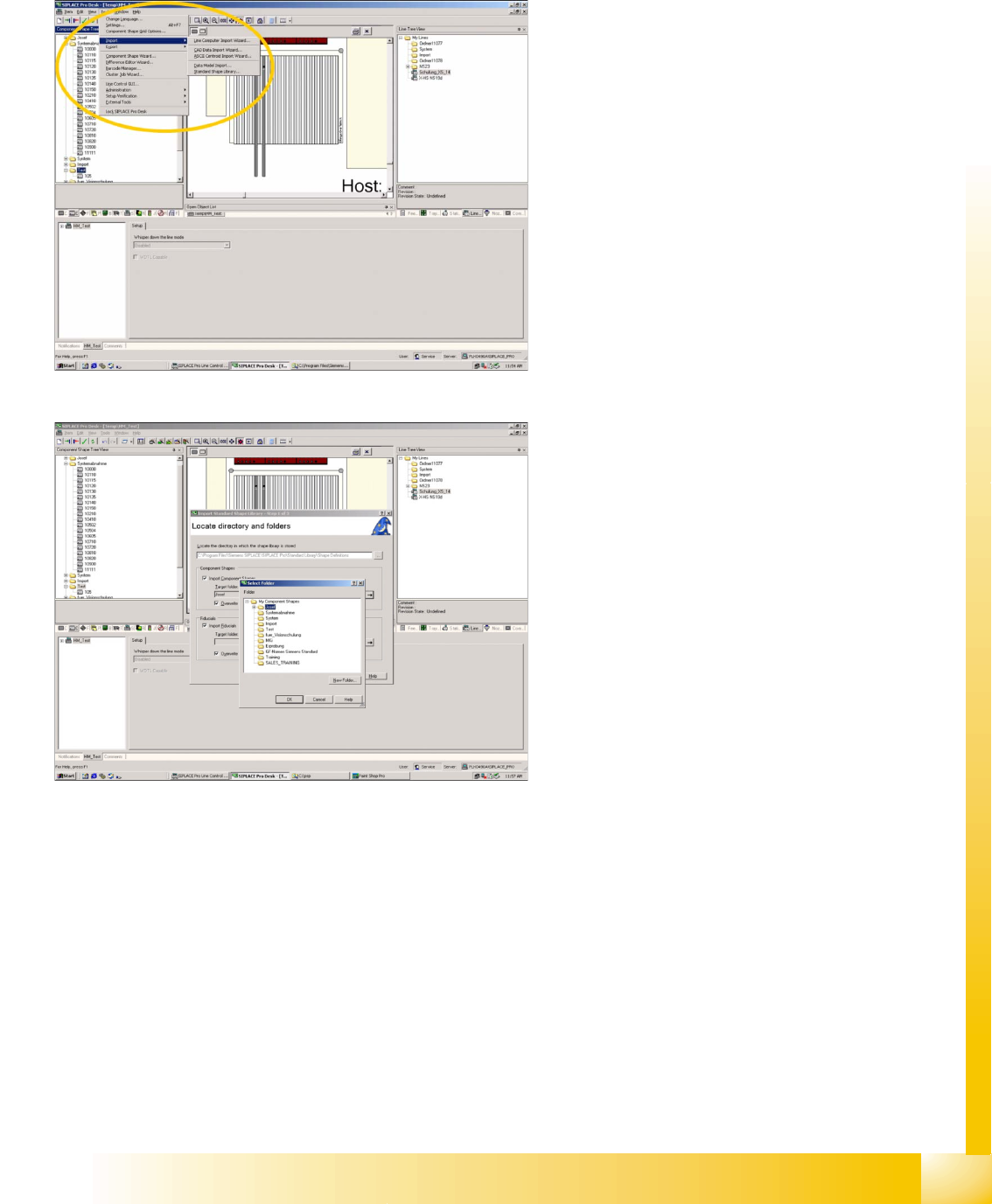
Program Start
Pull down menu
->Tools
-> Import
-> Standard Shape Library
This opens the first window of three steps, for
adoption of new standard CS descriptions.
Selecting the standard CS source directory
and target directory
Set source directory in the
… Browser menu
->at C:\Program files\Siemens Siplace\Siplace
Pro\Standard Library\ Shape Definitions
.
Set target directory in the
… Browser menu
-> at component shape subdirectory .
SIPLACE Pro 3.0 Programming Interface for Component Shapes
Converting the Component Shape with LC Import from a UNIX/LINUX Line Computer Adopting the Standard Component Shape from the
Student Guide SIPLACE Vision (Customer)
SIPLACE Pro 3.0 Programming Interface for Component Shapes Edition 12/2008 EN
160
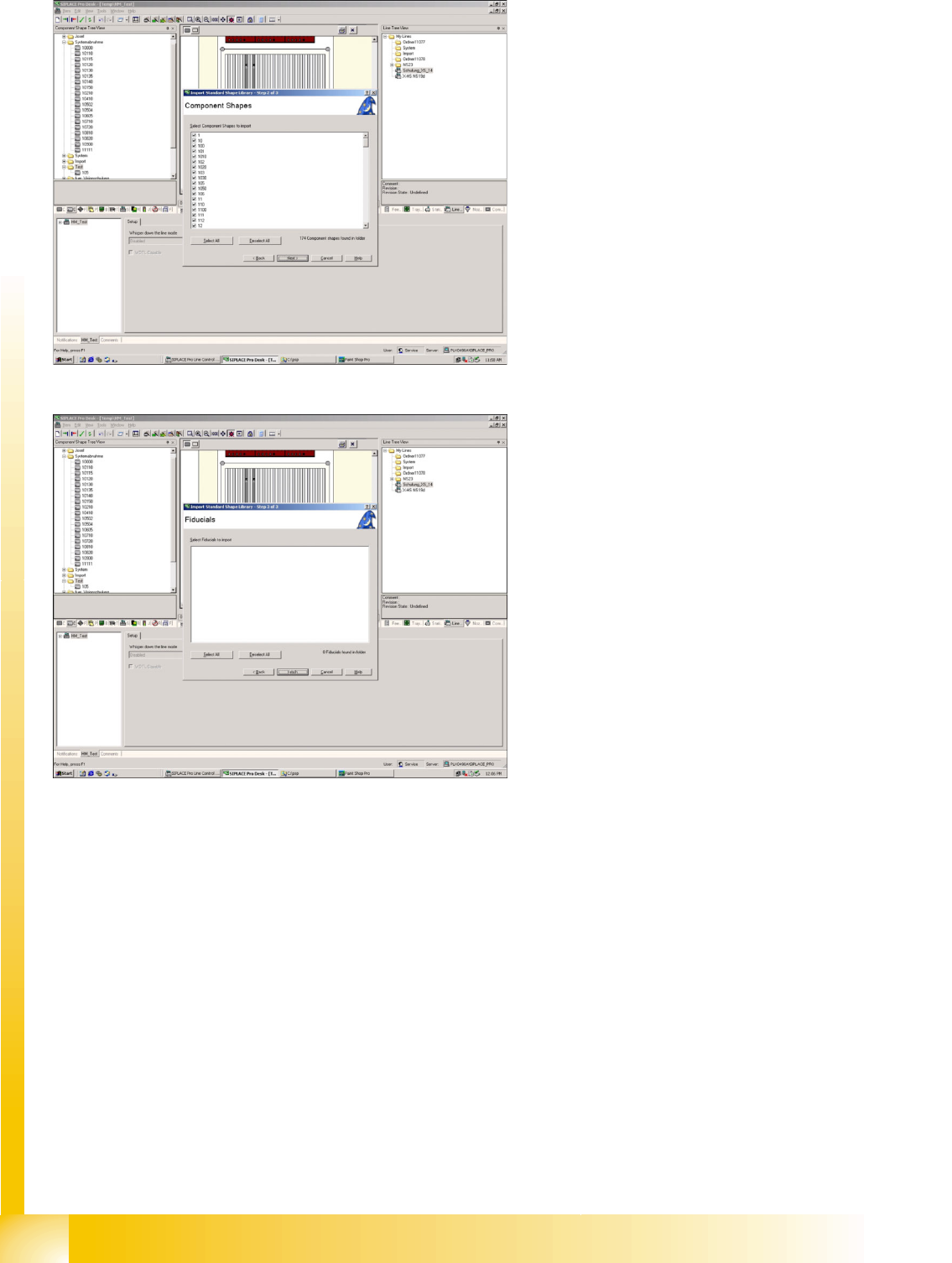
Selecting the standard component shapes to
be imported
Selection menu
-> for CS.
Fiducials will not be imported!
Completing the import
After importing the standard component shape,
you need to add nozzles and camera for the X
machine. This sequence of programming events is
designed to allow you to still compile data without
X machines.
SIPLACE Pro 3.0 Programming Interface for Component Shapes
SIPLACE Pro Reports for LC Import and Conversion Procedure Converting the Component Shape with LC Import from a UNIX/LINUX Line
Student Guide SIPLACE Vision (Customer)
Edition 12/2008 EN SIPLACE Pro 3.0 Programming Interface for Component Shapes
161
7.2.3 SIPLACE Pro Reports for LC Import and Conversion Procedure
Notification message and error reports
LC import report
Any messages and errors from the LC import procedure are displayed in the CS programming window.
Right-click with the mouse (as always in SIPLACE Pro) to save these reports as files.
Example.: C:\log file\notification_LRU_imp_030305.xml (we recommend adding the task and date to the
file name).
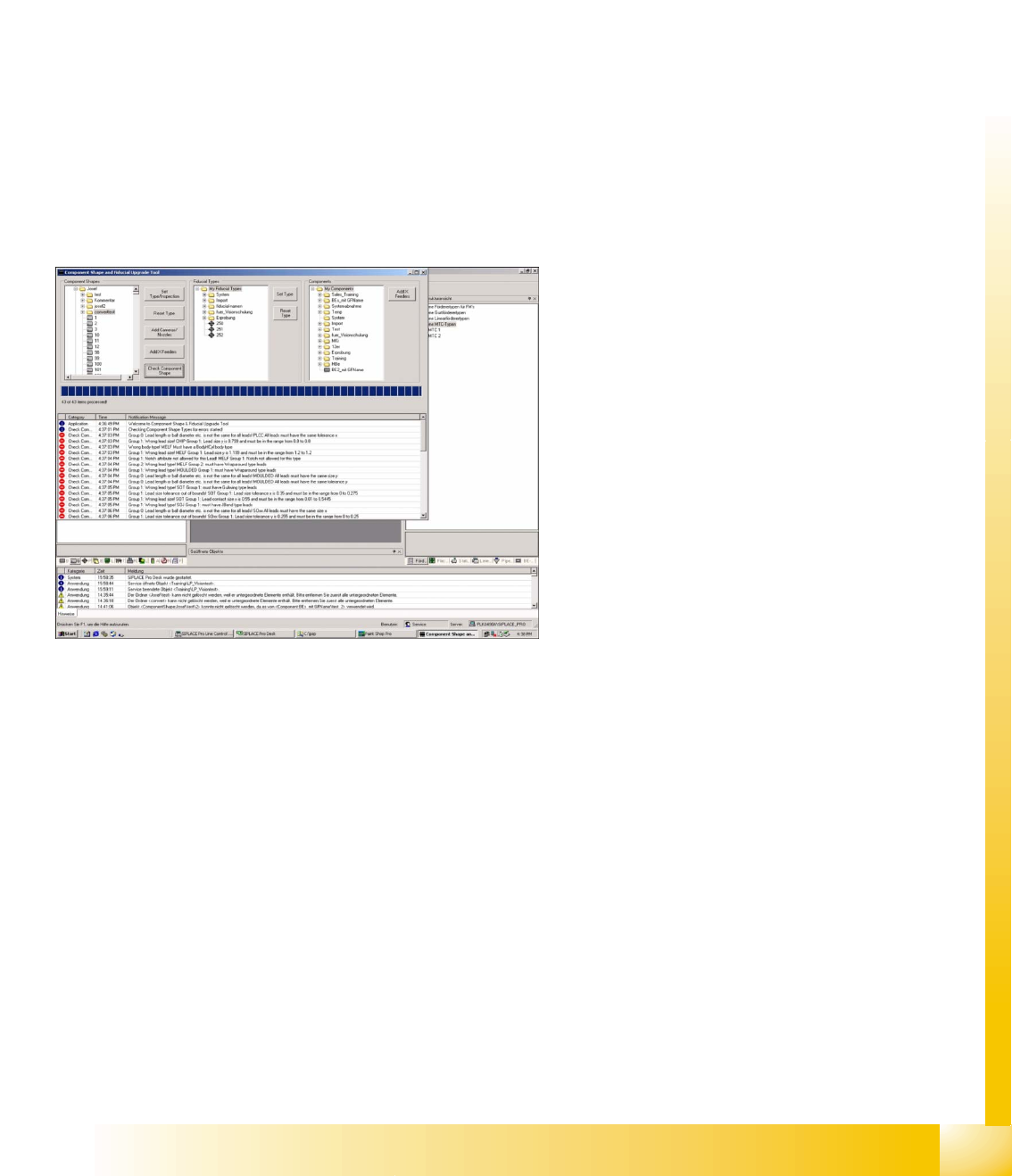
Inspection and type conversion report
This function shows where the automatic CS interpretation function (for recognition in SIPLACE Vision)
achieved unclear results. By correcting the original data, you can usually find a common data basis for
both Vision systems (ICOS description rules are flexible). However, should this fail, separate group and
lead descriptions can be set up for the component shape. In extreme cases, a totally new component
description can be created for SIPLACE Vision.
Component shape check (plausibility test) report
This tool allows SIPLACE Pro to follow the same procedure as SIPLACE Vision and check that a
component adheres to the description rules.
Excerpt from error list file
……
Error! Hyperlink reference invalid.
<NotificationElement>
<Category>Component Shape Type</Category>
<Text>Josef\10704 was recognized as Plcc</
Text>
<Type>3</Type>
<TimeStamp>3:58:34 PM</TimeStamp>
</NotificationElement>
Error! Hyperlink reference invalid.
<NotificationElement> error converting CS
<Category>Component Shape Type</Category>
<Text>Josef\3159: Component Shape Type was
recognized as 'Soxx' but reset to 'Undefined'
because of compatibility problems to SIPLACE
Vision, error code:...</Text>
<Type>1</Type>
<TimeStamp>3:58:34 PM</TimeStamp>
</NotificationElement>
……