SIPLACE Vision Customer_en.pdf - 第61页
Component Shapes Optical Recognition and Evaluation of Un leaded COs Specific Component Shapes S tudent Guide SIPLACE Vision (Customer) Edition 12/2008 EN Component Shapes 61 Results diagram: Fine position recognition st…
Component Shapes
Specific Component Shapes Optical Recognition and Evaluation of Unleaded COs
Student Guide SIPLACE Vision (Customer)
Component Shapes Edition 12/2008 EN
60
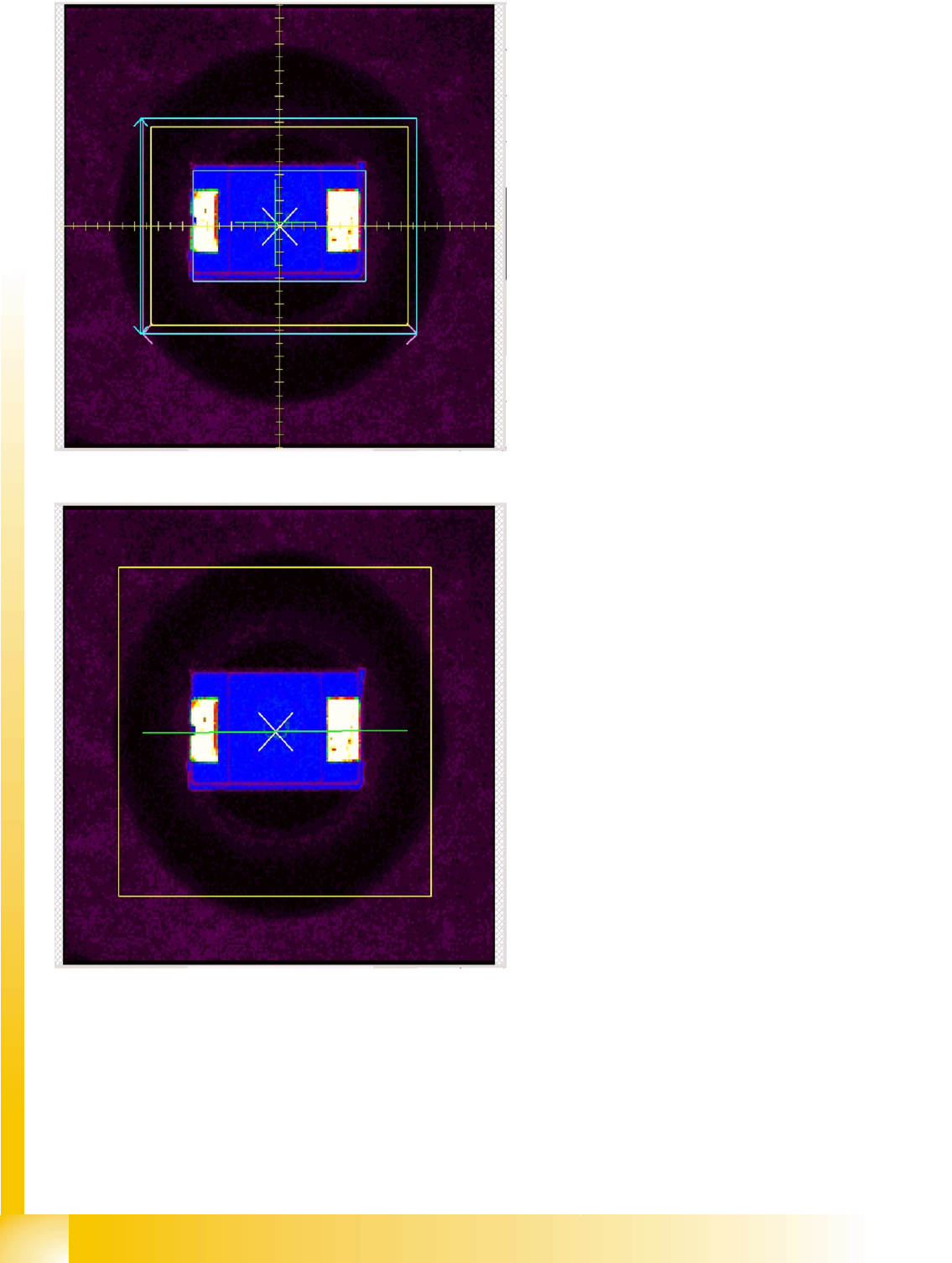
Results diagram: Coarse position
recognition step
The yellow rectangle shows the search field
for CO features.
The light blue rectangle shows the
measurement window for the Y gradient
measurement.
The small, light blue rectangle shows the
CO size in the determined CO coarse position.
The green cross shows the segment center
(around which the CO would be rotated, when
required).
The white 45° cross shows the determined
CO coarse position.
This CO coarse position is used as the basis
for alignment of the measurement window in
the next measurement step Coarse angle.
Results diagram: Coarse angle
recognition step
The yellow rectangle shows the Region of
Interest (ROI).
After determining the coarse position
(previous measurement step), the system now
determines the angle of the component.
The result is shown as a green line. The
coarse position and coarse angle then form
the basis for alignment of the fine position
measurement window.
Component Shapes
Optical Recognition and Evaluation of Unleaded COs Specific Component Shapes
Student Guide SIPLACE Vision (Customer)
Edition 12/2008 EN Component Shapes
61
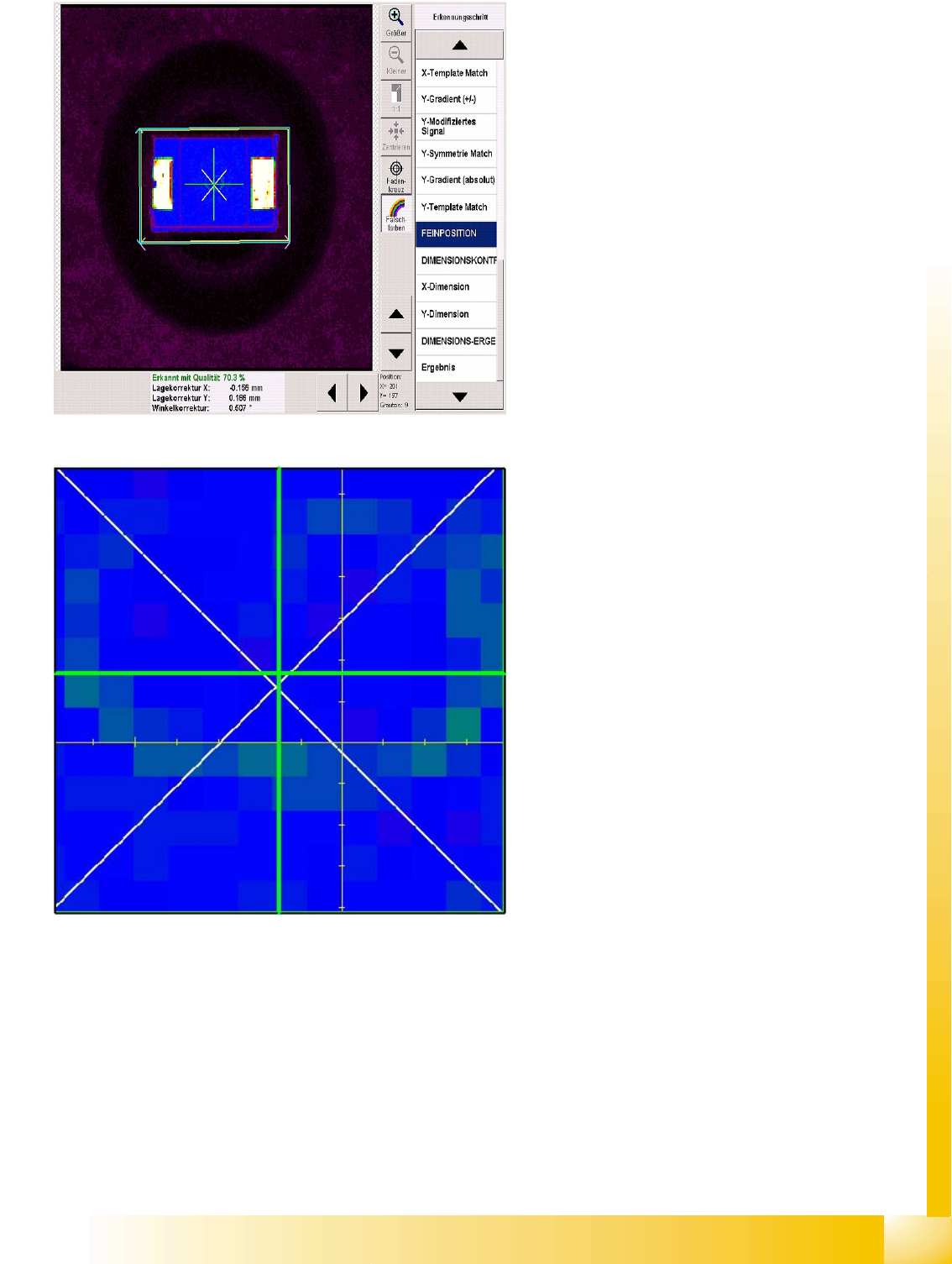
Results diagram: Fine position
recognition step
Determination of the fine position is performed in
several steps. These include calculating the fine
angle and determining various gradients.
Purple frame: X gradient measurement window,
identical with the light-blue Y gradient
measurement window.
Since the coarse position has already been
determined, these windows are smaller.
The green cross shows the segment center.
The white cross shows the determined CO fine
position in the CO fine angle.
The crosshairs shown indicate the center of the
CO camera.
You can zoom in on and out of this diagram
section.
Component Shapes
Specific Component Shapes Optical Recognition and Evaluation of Unleaded COs
Student Guide SIPLACE Vision (Customer)
Component Shapes Edition 12/2008 EN
62
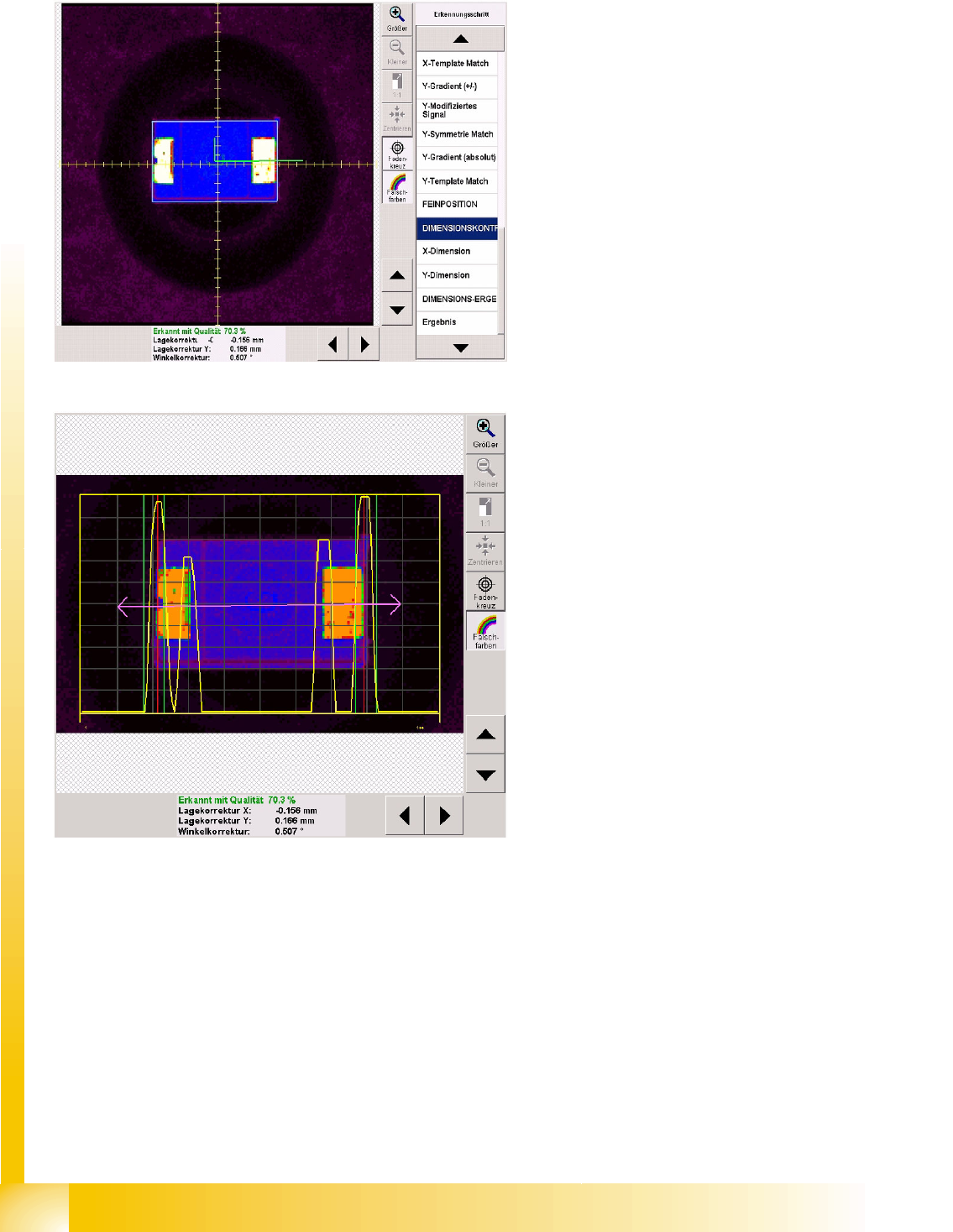
5.3.6.2 Dimension Check for Unleaded Components
Dimension check recognition step
A CO dimension check is always performed on the
fine position determined for unleaded COs.
Firstly, the green angle is used to indicate the CO
center of the fine position.
The light blue frame shows the programmed CO
dimension.
X dimension measurement step
The brightness gradients are determined for the X
direction.
The purple double arrow shows the CO length
with length tolerance, for which the yellow
gradient signal has been defined.
High gradients are interpreted as the beginning of
the CO and lower gradients as the lead end.
The vertical green lines on each side of the CO
show the tolerance field which the CO edge must
be within.
The vertical red lines show the detected CO
outer edge.
The dimension tolerance values should be set as
low as possible, to avoid upright placement.