00198764-01_IM_SIPLACE_Pro_17.0_R19-2_EN - 第45页
SIPLACE Pro 17.0 (R19-2) / Installation Manual 11/2019 Edition 45 6.3.1 Compatibility of SIPLACE Language Packs Before installing the Langu age Pack, SIPLACE Pro check s if the language pack version and t he SIPLACE Pro …
SIPLACE Pro 17.0 (R19-2) / Installation Manual 11/2019 Edition
44
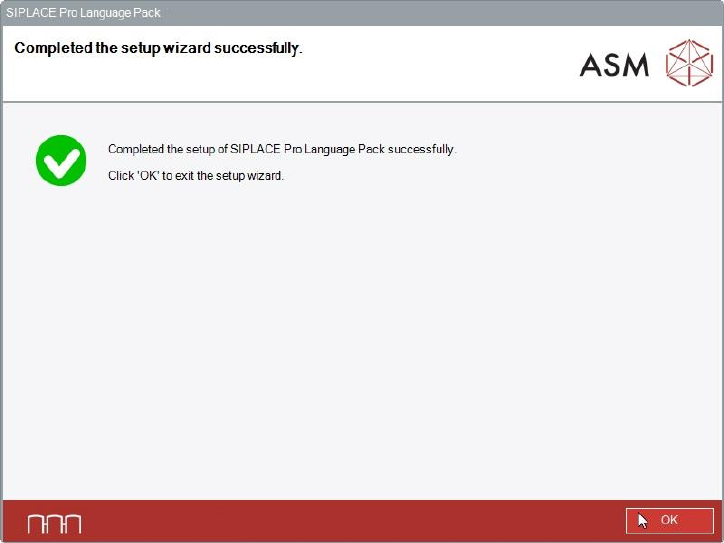
After successful installation, the following dialog is displayed.
Figure 6-42: Installation completed
► Click the OK button to exit the setup wizard.
When the installation has been completed, the language(s) you selected will be available in the
SIPLACE Pro applications.
You can switch to the other language(s) as follows:
► Open the SIPLACE Pro Desk.
► Select Tools – Change language.
Or
► Open the Line Control GUI.
► Select Options – Languages.
SIPLACE Pro 17.0 (R19-2) / Installation Manual 11/2019 Edition
45
6.3.1 Compatibility of SIPLACE Language Packs
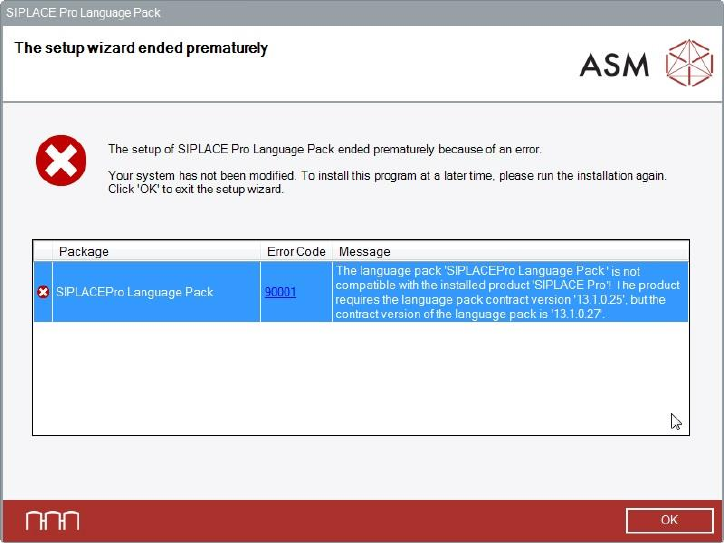
Before installing the Language Pack, SIPLACE Pro checks if the language pack version and the
SIPLACE Pro basic version are compatible. If not, the following dialog is displayed.
Figure 6-43: Language pack not compatible
The following use cases are possible.
Language Pack version is not compatible to the basic SIPLACE Pro installation
► Make sure that you have installed the compatible basic SIPLACE Pro version or that you install
the language pack version that is compatible to the basic product version.
No SIPLACE Pro installed at all
► Make sure that you have installed the compatible basic SIPLACE Pro version or that you install
the language pack version that is compatible to the basic product version.
During an SIPLACE Pro upgrade - the newly upgraded SIPLACE Pro basic version is not
compatible with the already installed Language Pack version
► Perform the SIPLACE Pro upgrade as usual.
The incompatible language pack will be automatically uninstalled. After the upgrade only the
standard languages English, German and Simplified Chinese are available.
► Install the language pack that is compatible to the new SIPLACE Pro version (if available).
SIPLACE Pro 17.0 (R19-2) / Installation Manual 11/2019 Edition
46
SIPLACE Pro Upgrade is compatible with the installed language pack
The SIPLACE Pro version that has been currently installed is compatible with the already installed
language pack.
► Perform the SIPLACE Pro upgrade as usual without changing the language pack.
After the upgrade all languages installed with the language pack are available.