00198764-01_IM_SIPLACE_Pro_17.0_R19-2_EN - 第62页
SIPLACE Pro 17.0 (R19-2) / Installation Manual 11/2019 Edition 62 9 Uninstalling the SIPLACE Pro Software Uninstalling SIPLACE Pro delete s all SIPLACE Pro software components from the s ystem except for the SIPLACE Pro …
SIPLACE Pro 17.0 (R19-2) / Installation Manual 11/2019 Edition
61
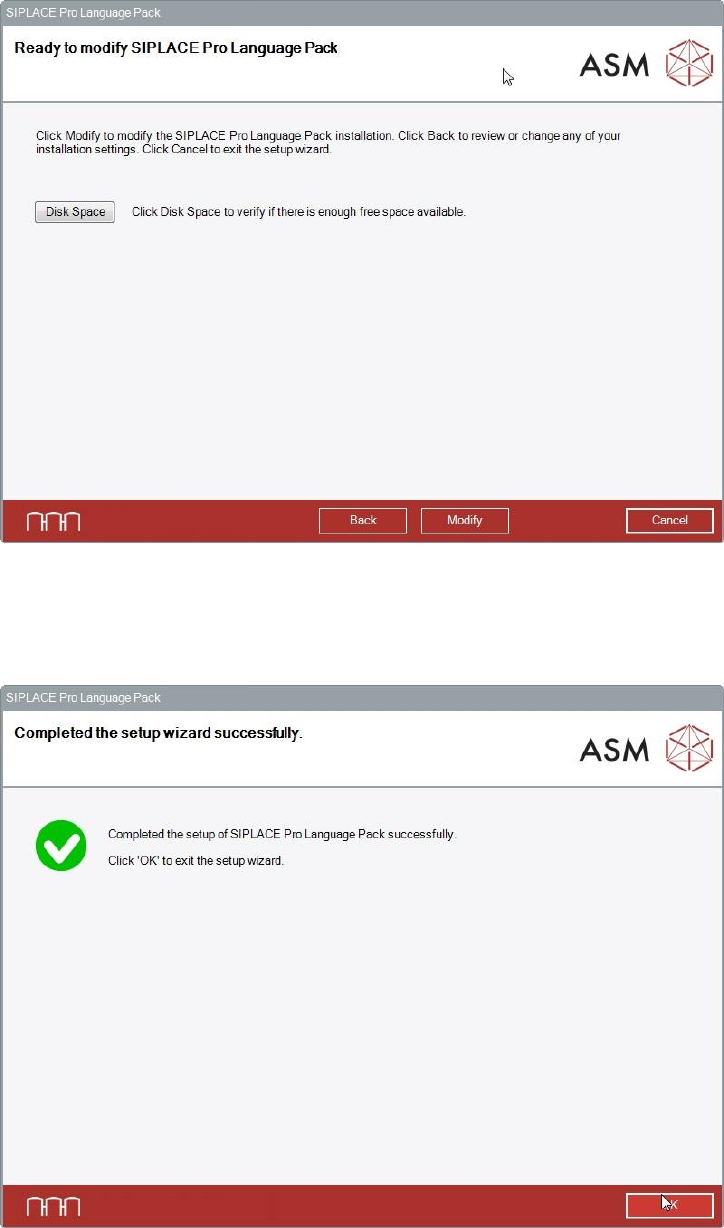
SIPLACE Pro Language Pack is now ready to be modified. The following dialog is displayed.
Figure 8-11: Ready for modification
► Click the Modify button to start modifying the installation.
During modifying, the setup status is displayed. After successful modification, the following dialog is
displayed.
Figure 8-12: Setup successfully completed
► Click the OK button to exit the setup wizard.
The line computer has to be restarted for the changes to take effect.
SIPLACE Pro 17.0 (R19-2) / Installation Manual 11/2019 Edition
62
9 Uninstalling the SIPLACE Pro Software
Uninstalling SIPLACE Pro deletes all SIPLACE Pro software components from the system except
for the SIPLACE Pro Database.
The SIPLACE Pro Database is not automatically uninstalled in order to prevent possible data loss.
NOTICE
You must be logged in as Administrator to uninstall the software.
9.1 Uninstalling the SIPLACE Pro Software
► Log in using an administrative account on the computer.
► Open the Start menu and select Control Panel.
► Select Uninstall a program.
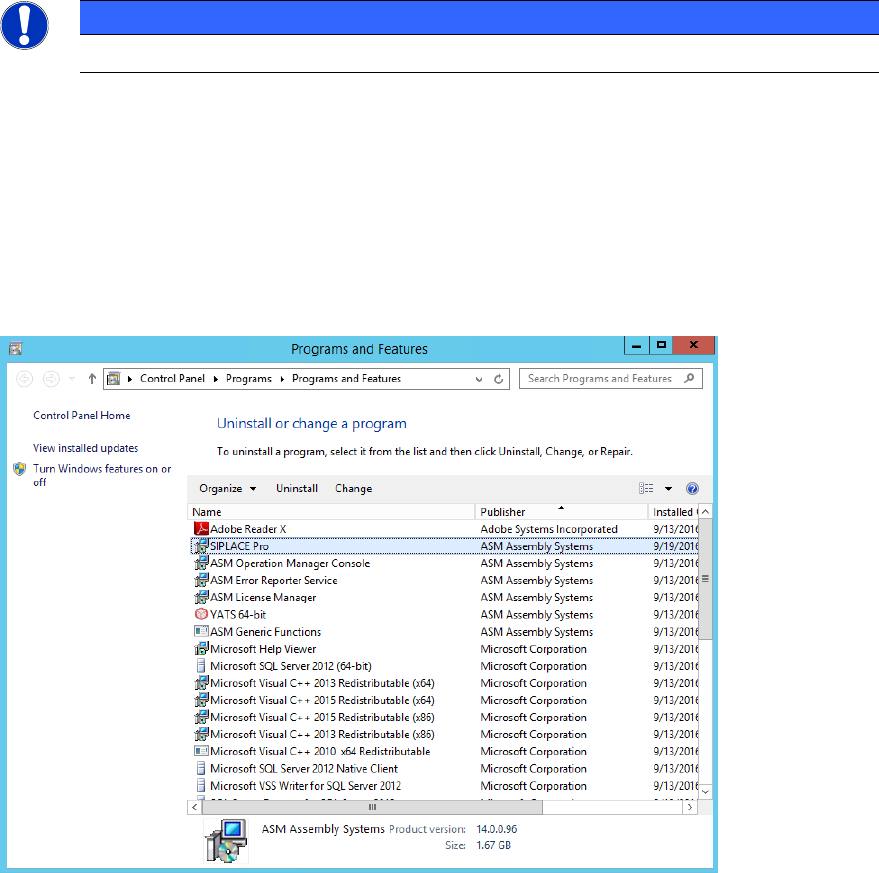
A list with the names of the software packages installed on the computer is displayed.
Figure 9-1: Selecting SIPLACE Pro
► Click with the right mouse key on the SIPLACE Pro entry in the list of installed programs.
SIPLACE Pro 17.0 (R19-2) / Installation Manual 11/2019 Edition
63
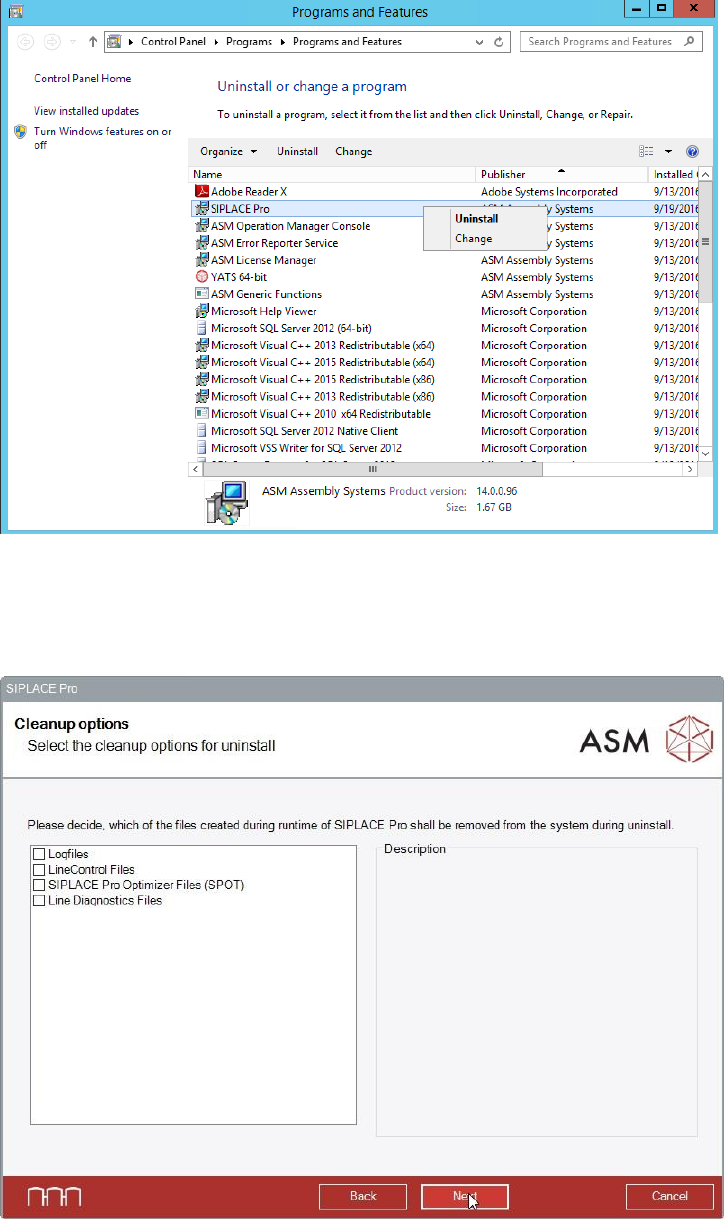
The context menu for SIPLACE Pro is displayed.
Figure 9-2: Selecting Uninstall
► Select Uninstall from the context menu.
In the Cleanup options dialog, a list with the files created during runtime of SIPLACE Pro is
displayed.
Figure 9-3: Selecting files created during runtime
► Select the files you want to uninstall additionally to the files installed by the setup.
► Click the Next button to continue.