3OM-1343-008_w.pdf - 第136页
3-51 AKFEDT -ID [5] [All] Button When pressed, this button displays all registered models in the "List of Model Names" pane. [6] [Search] Button When pressed, this button helps you fi nd a model from the "L…
3-50
AKFEDT-ID
0601-002
2. Editing of Pattern Program
2. Editing of Pattern Program
2.1 "Pattern Program" Window
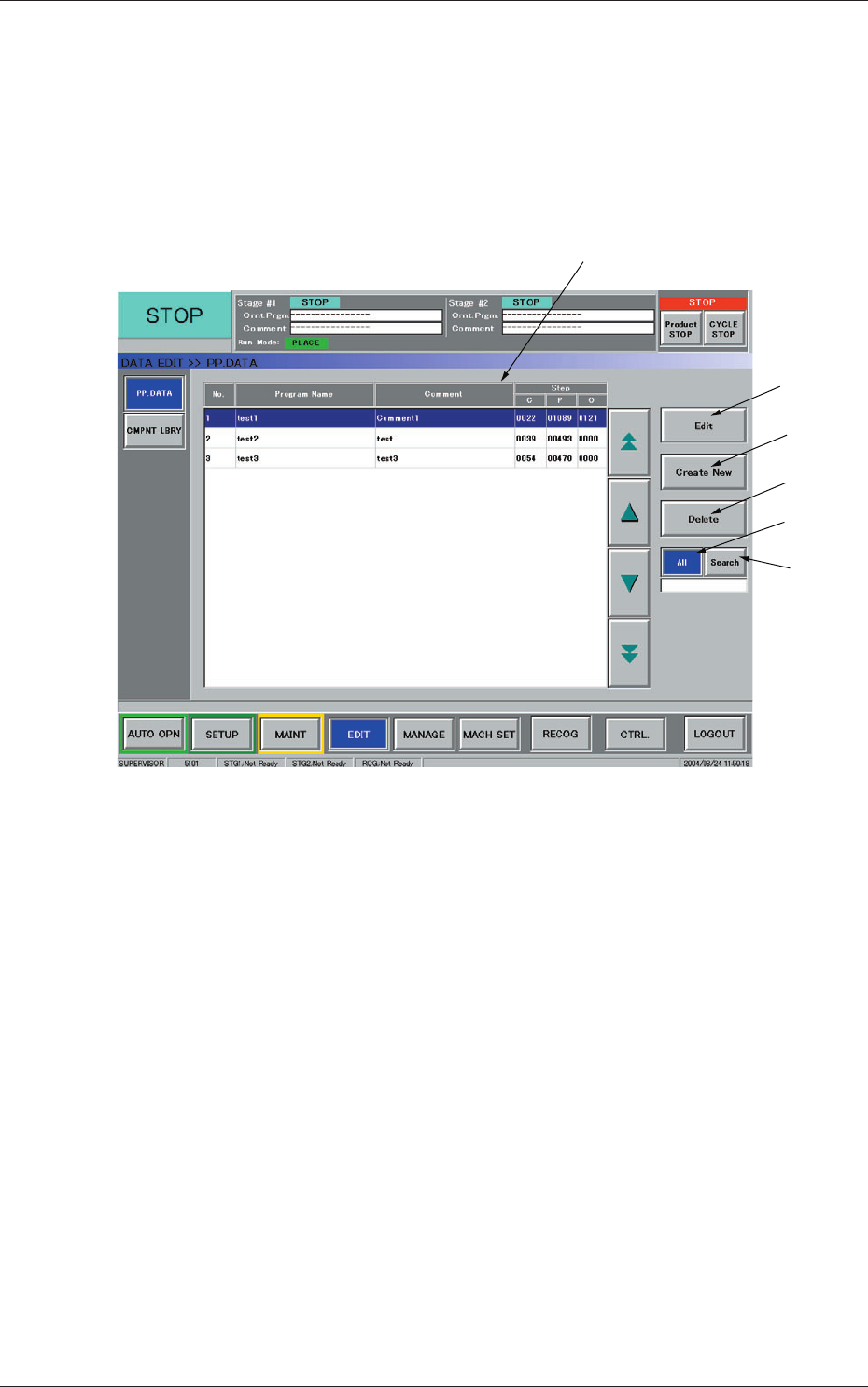
When the [EDIT] button on the main menu bar is pressed, the "PP. DATA"
window opens together with a submenu bar.
[1]
[2]
[3]
[4]
[5]
[6]
Fig. 3C36 "PP.DATA" Window
[1] List of Model Names
Listed are the registered model names (pattern program names).
[2] [Edit] Button
When pressed, this button opens an edit window for the selected model
(pattern program).
[3] [Create New] Button
When pressed, this button opens the edit window for a new pattern
program.
[4] [Delete] Button
When pressed, this button deletes the selected model (pattern program).
3-51
AKFEDT-ID
[5] [All] Button
When pressed, this button displays all registered models in the "List of
Model Names" pane.
[6] [Search] Button
When pressed, this button helps you fi nd a model from the "List of
Model Names" pane.
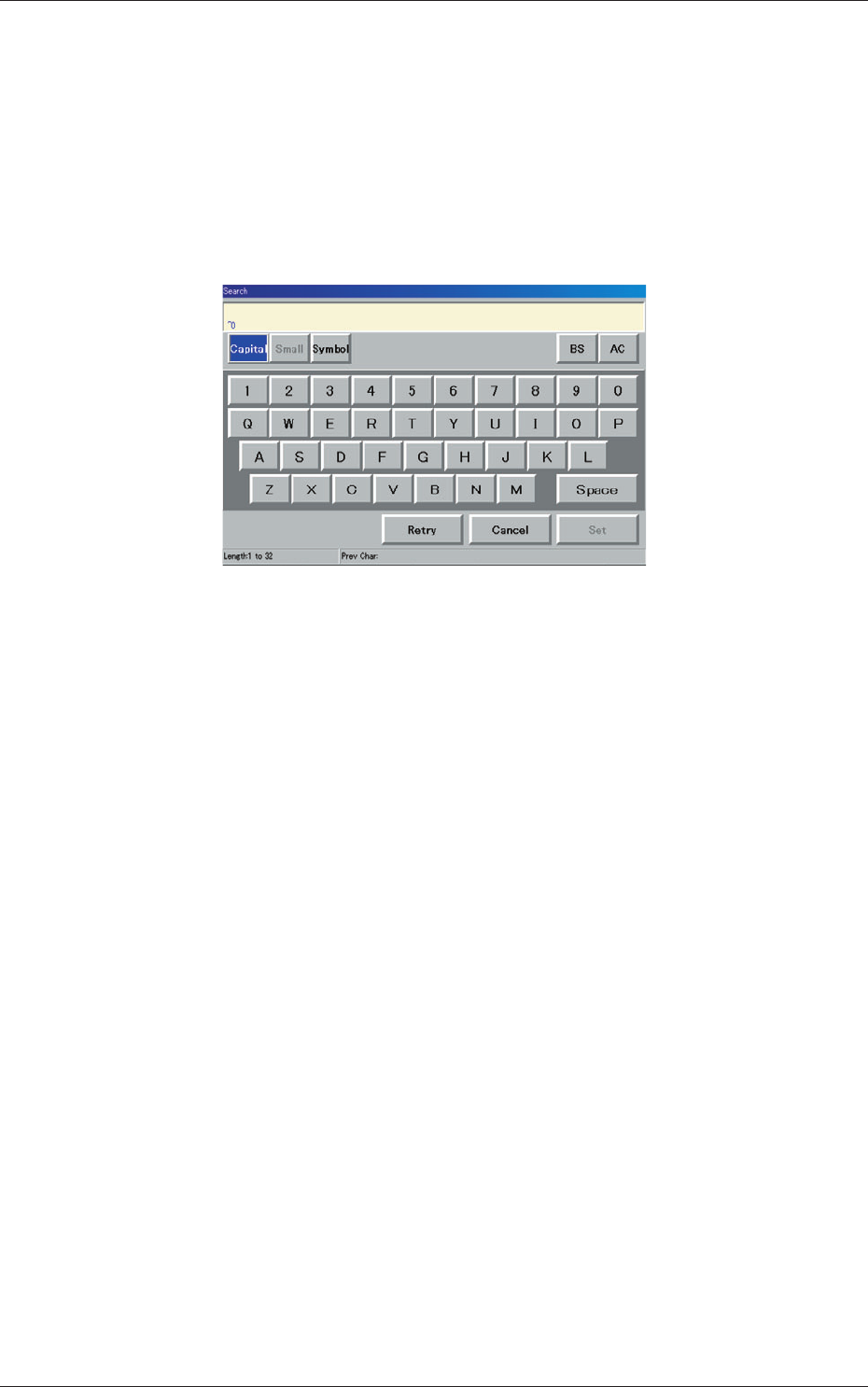
When this button is pressed, the "Search" window opens.
Fig. 3C37 "Search" Window
When the desired model name is entered in the entry box and the [Set]
button is pressed, the search function starts working and the result
appears in the "List of Model Names" pane.
"*" (asterisk) and "?" (question mark) can be used as wild cards.
abc* : The search function retrieves the program names which start
with "abc".
a?c : The search function retrieves the program names which start
with "a" and contain "c" as the third character.
0601-002
2.1 "Pattern Program" Window
3-52
AKFEDT-ID
2.2 "Pattern Program" Edit Window
•
New Creation
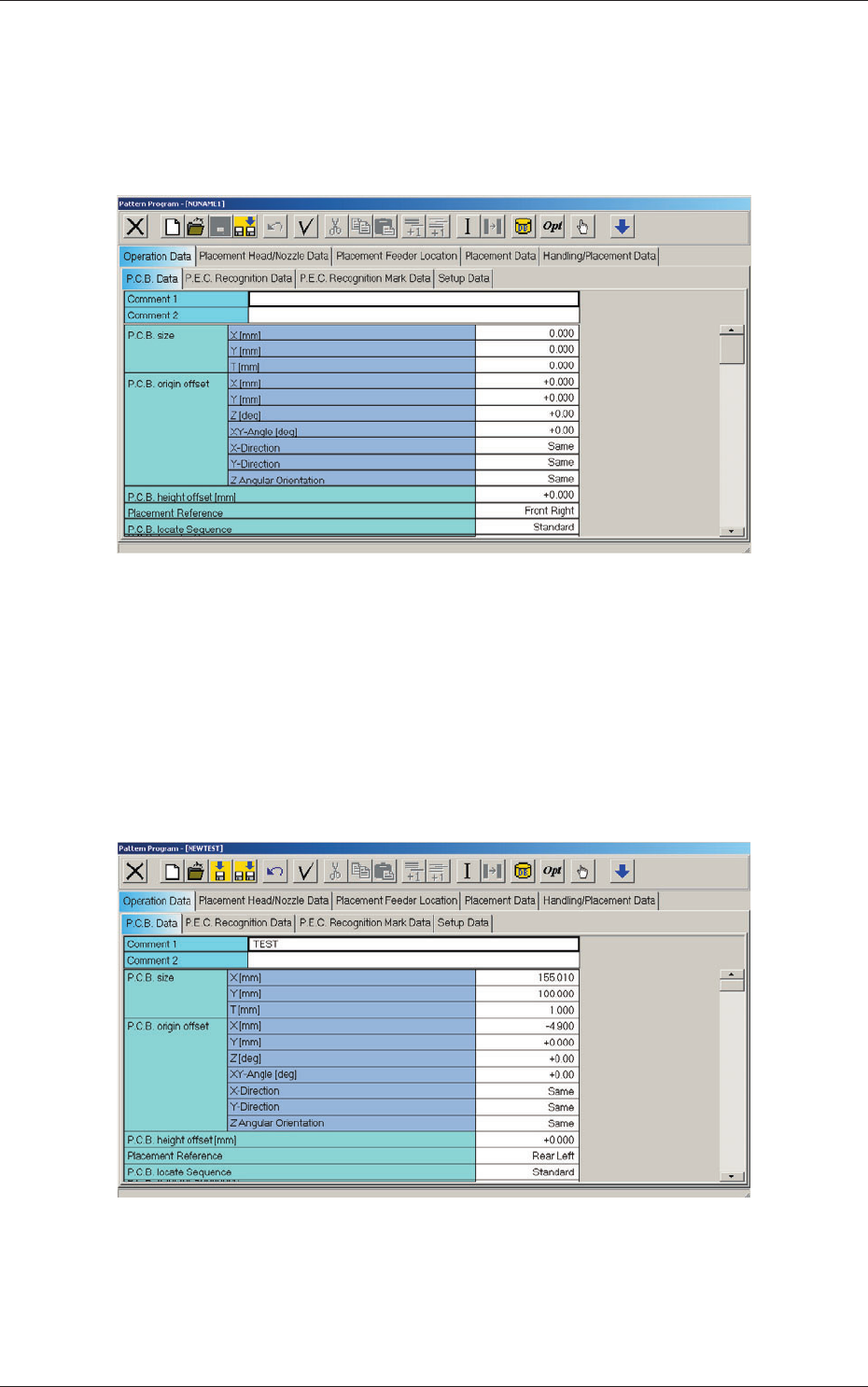
Press the [Create New] button in the "PP. DATA" window.
The "Pattern Program" edit window opens.
Fig. 3C38 "Pattern Program" Edit Window
•
To edit the existing pattern program
When a pattern program is selected and the [Edit] button is pressed, the
corresponding "Pattern Program" edit window opens.
Edit the pattern program data in the "Operation Data", "Placement Head/
Nozzle Data", "Placement Feeder Location" and "Placement Data" tab
sheets.
Fig. 3C39 "Operation Data" Tab Sheet
0601-002
2.2 "Pattern Program" Edit Window