3OM-1343-008_w.pdf - 第175页
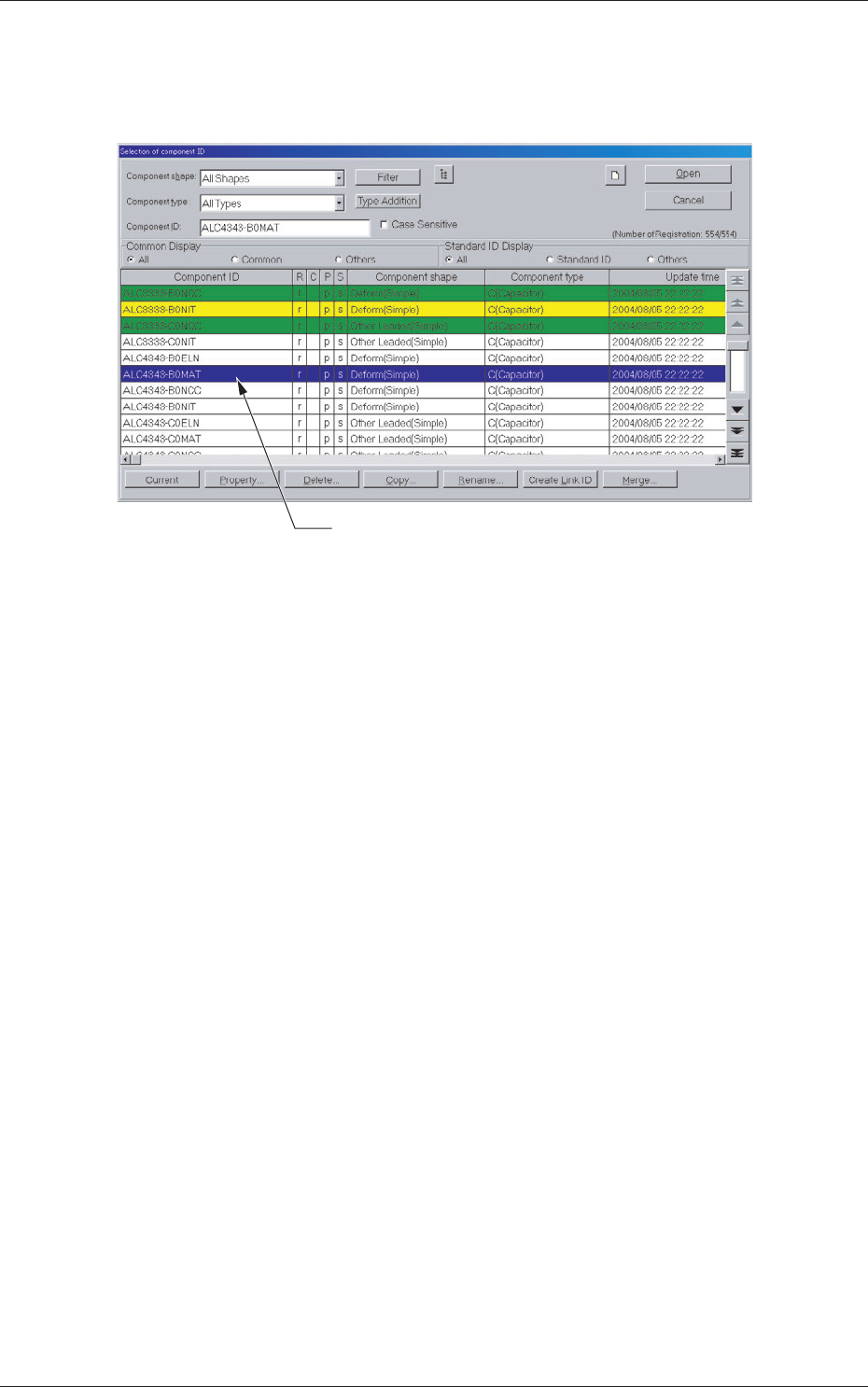
4-8 AKFEDT -ID 1.2.3 Copying the Component ID (1) Select the component ID to be copied. The selected component ID turns blue, indicating that it is selected. (2) Press the [Copy ...] button. The "Copy Component ID&q…
4-7
AKFEDT-ID
1.2.2 Deleting the Component ID
(1) Select the component ID to be deleted.
The selected component ID turns blue, indicating that it is selected.
Selected Component ID
Fig. 3D3
(2) Press the [Delete...] button.
The "Confi rmation" dialog box opens. When the [YES] button is
pressed, the component ID is deleted.
Pressing the [NO] button cancels the deletion of the component ID.
0601-002
1.2 Basic Operations in "Selection of component ID" Window
4-8
AKFEDT-ID
1.2.3 Copying the Component ID
(1) Select the component ID to be copied.
The selected component ID turns blue, indicating that it is selected.
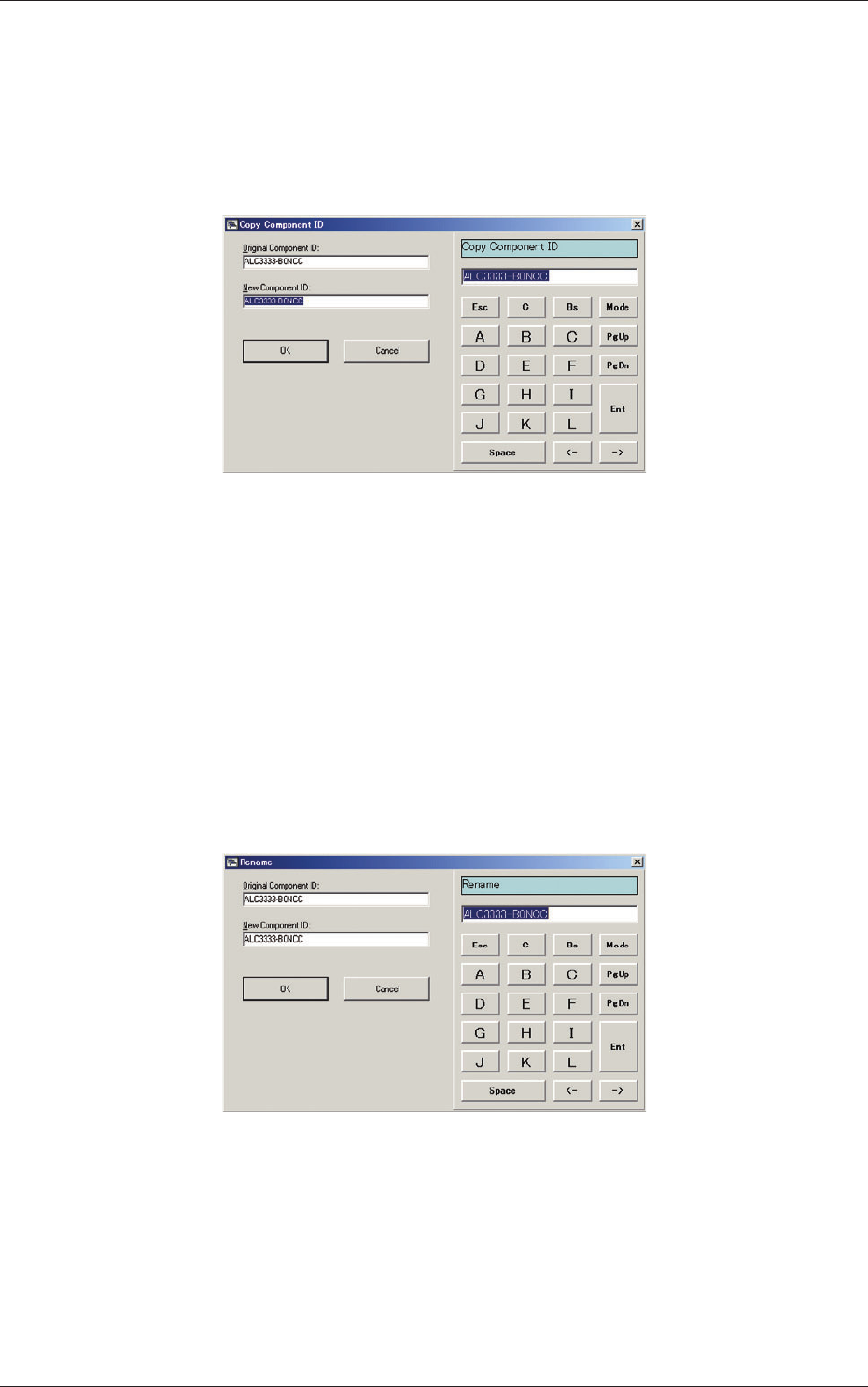
(2) Press the [Copy...] button.
The "Copy Component ID" dialog box opens.
Fig. 3D4
(3) Enter a new component ID name in the "New Component ID" text box
and press the [OK] button.
A new component ID is created.
1.2.4 Renaming the Component ID
(1) Select the component ID to be renamed.
The selected component ID turns blue, indicating that it is selected.
(2) Press the [Rename...] button.
The "Rename" dialog box opens.
Fig. 3D5
(3) Enter a new component ID name in the "New Component ID" text box
and press the [OK] button.
The name of the original component ID is changed to the new one.
0601-002
1.2 Basic Operations in "Selection of component ID" Window
4-9
AKFEDT-ID
1.2.5 Creating the Link ID
(1) Select the component ID as an original component ID before linking.
The selected component ID turns blue, indicating that it is selected.
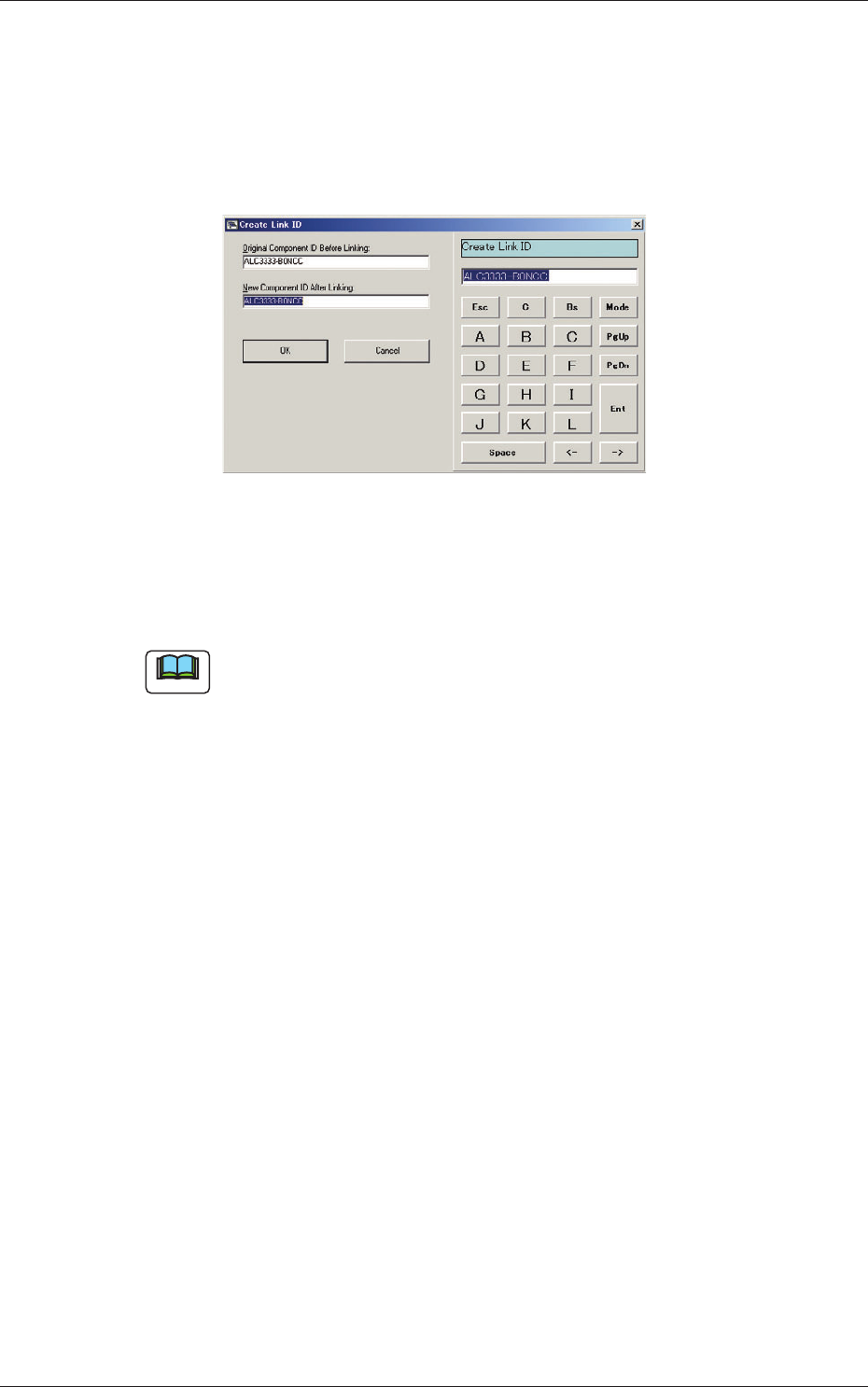
(2) Press the [Create Link ID] button.
The "Create Link ID" dialog box opens.
Fig. 3D6
(3) Enter a new link ID name in the "New Component ID After Linking"
text box and press the [OK] button.
A new link ID is created.
Note
Creating Link ID means giving a new name to the original component ID
before linking while keeping the data of the original component ID as it is.
For application, it can be used for a capacitor of the same shape as other
one but of different capacity.
0601-002
1.2 Basic Operations in "Selection of component ID" Window