3OM-1343-008_w.pdf - 第232页
6-1 AKFEDT -ID 0601-002 1. Menus for System Setting 1. Menus for System Setting When the [MACH SET] button on the main menu bar is pressed, the "MACH SET" menu bar appears together with the "MACH SETUP&quo…

6-B
AKFEDT-ID
0601-002
6-1
AKFEDT-ID
0601-002
1. Menus for System Setting
1. Menus for System Setting
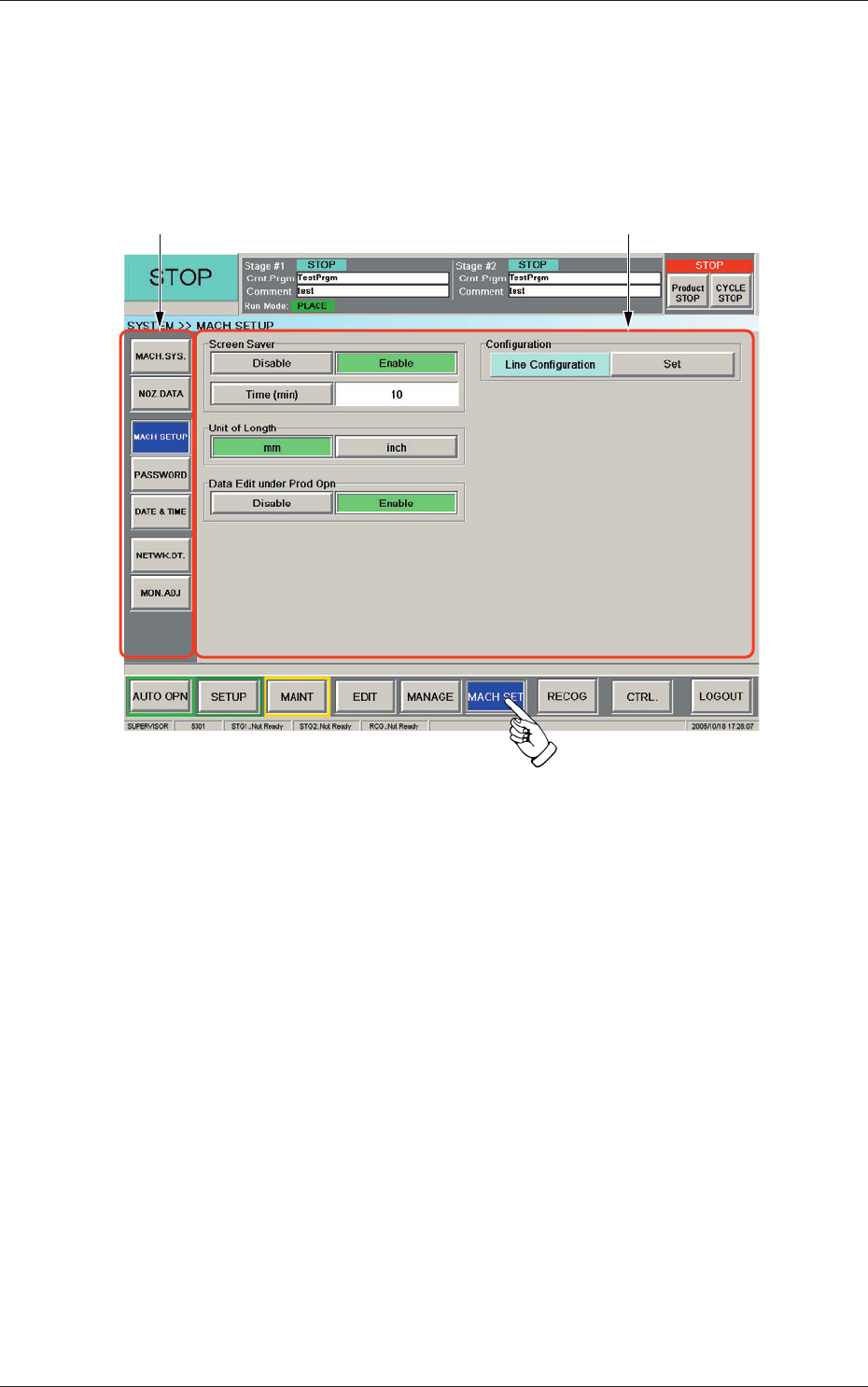
When the [MACH SET] button on the main menu bar is pressed, the
"MACH SET" menu bar appears together with the "MACH SETUP" window
as an initial one.
"MACH SET" Menu Bar "MACH SETUP" Window
Fig. 3F1 "SYSTEM" Window
6-2
AKFEDT-ID
"MACH SET" Menu Bar
The following buttons are arranged and used to open the operation
windows and set up the system environment.
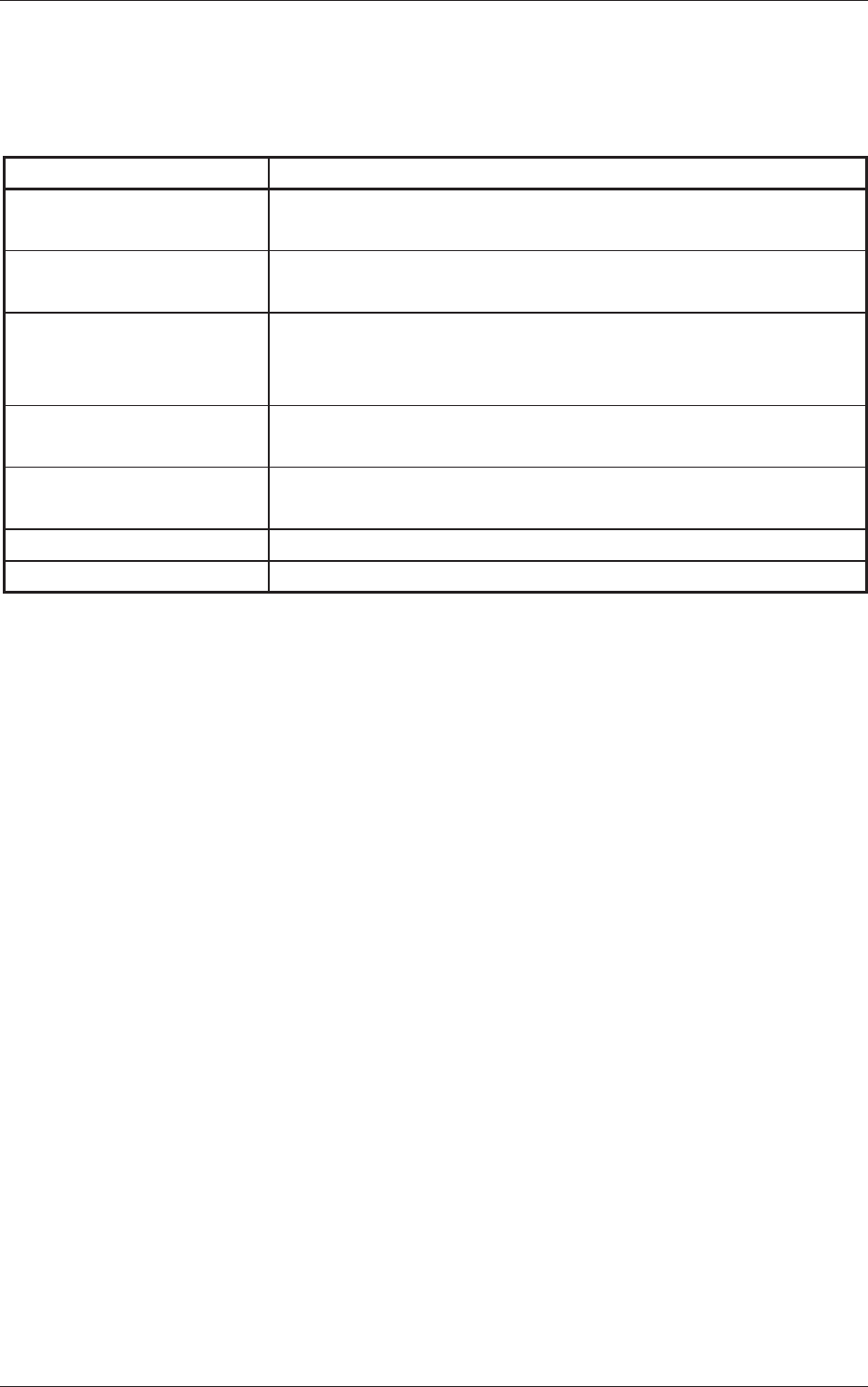
Table 3F1
Menu Buttons Description
MACH. SYS.
This enables the operator to set the offset data, the automatic operation
data, the light tower, and the alarm system.
NOZ. DATA
This enables the operator to set the placement head/nozzle data and
the nozzle data.
MACH SETUP
This enables the operator to set the screen saver function, specify the
unit of length, and enable or disable the data editing under production
operation.
PASSWORD
This enables the operator to set a password and the scope of authority
according to the given authority.
DATE & TIME
This enables the operator to set the system clock (year, month, day,
hours, minutes, and seconds) of the machine.
NETWK. DT.
This enables the operator to set up the network environment.
MON. ADJ
This enables the operator to adjust the monitor.
0601-002
1. Menus for System Setting