3OM-1343-008_w.pdf - 第305页
6-74 AKFEDT -ID 3.1.2 Stockers 1 through 4 When the "Stocker 1" subtab is pressed in the "Placement Head/Nozzle Data" tab sheet, the following subtab sheet appears. Note As for the "Stocker 2&quo…
6-73
AKFEDT-ID
0601-002
3.1.1 Placement Head/Nozzle
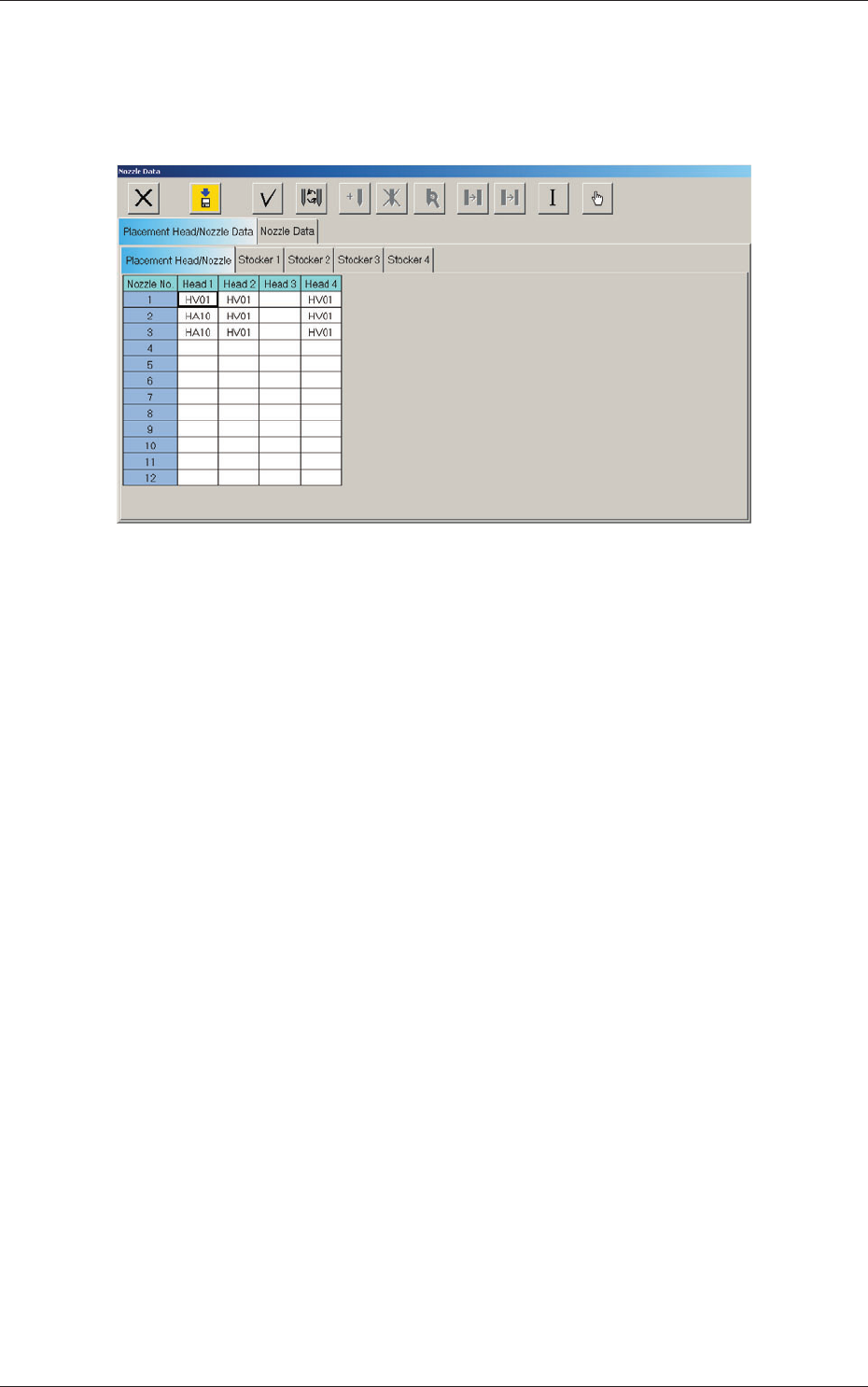
When the "Placement Head/Nozzle" subtab is pressed in the "Placement
Head/Nozzle Data" tab sheet, the following subtab sheet appears.
Fig. 3F62 "Placement Head/Nozzle" Subtab Sheet
Nozzle Nos. 1 through 12
Head 1, Head 2, Head 3, and Head 4
Displayed are the IDs of the nozzles on each individual heads.
3.1 Placement Head/Nozzle Data
6-74
AKFEDT-ID
3.1.2 Stockers 1 through 4
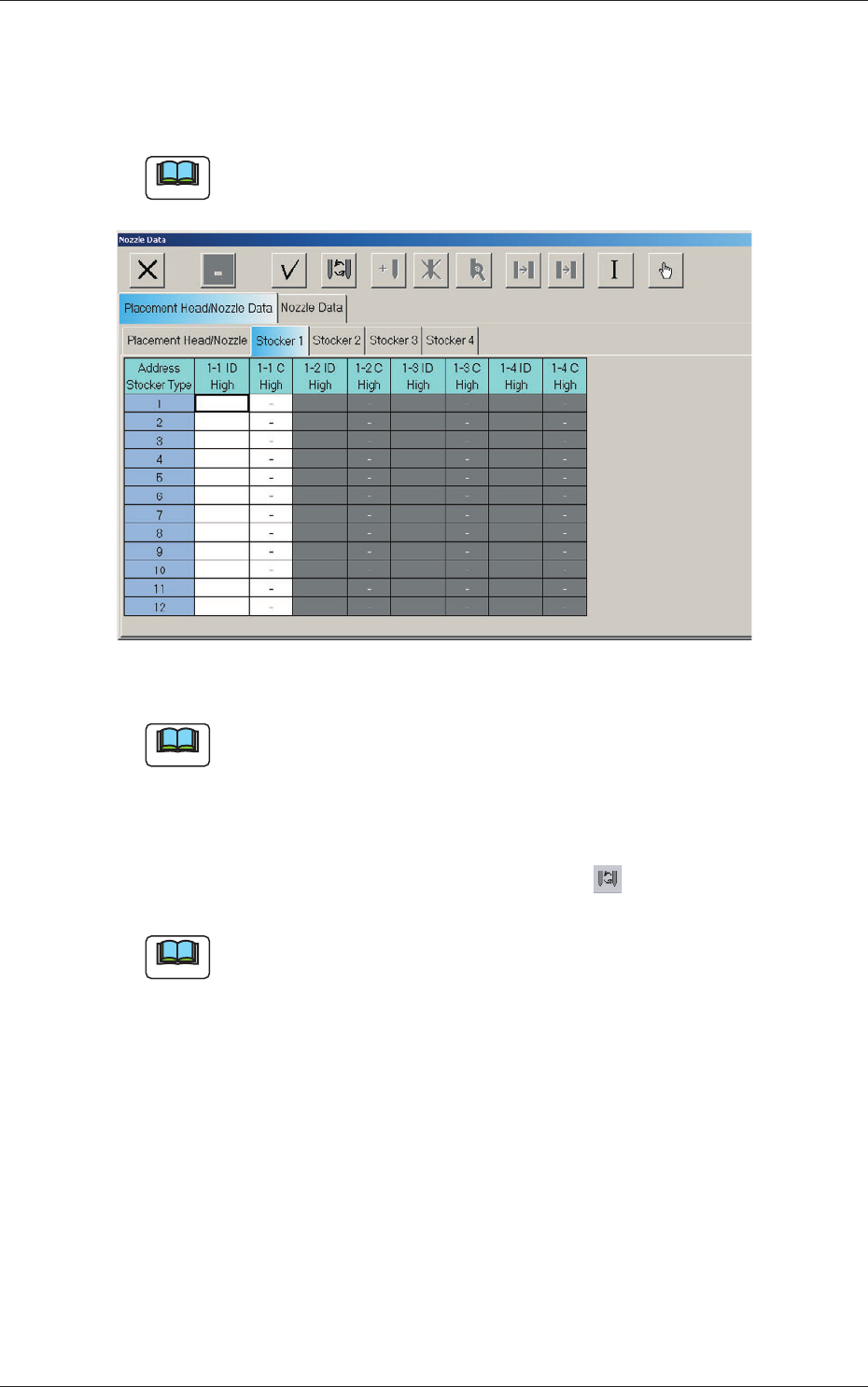
When the "Stocker 1" subtab is pressed in the "Placement Head/Nozzle
Data" tab sheet, the following subtab sheet appears.
Note
As for the "Stocker 2", "Stocker 3", and "Stocker 4" subtab sheets, the
same contents as the "Stocker 1" subtab sheet are displayed.
Fig. 3F63 "Stocker 1" Subtab Sheet
Note
When "Odd-shape" (option) is arranged, "Odd-shape" is displayed and up
to 8 nozzle can be stocked.
1-1 to 1-4 ID, 2-1 to 2-4 ID, 3-1 to 3-4 ID, 4-1 to 4-4 ID
Set the IDs of the nozzles stored in the nozzle stocker.
When an arbitrary nozzle ID is selected and the " " icon is pressed,
the "Nozzle Type" window opens.
Note
Double-clicking a setting column also opens the "Nozzle Type" list.
1-1 to 1-4 C, 2-1 to 2-4 C, 3-1 to 3-4 C, 4-1 to 4-4 C
These control command text boxes are used to disable (bypass) the
specifi ed nozzle stocker (housing) addresses.
Enter "-" as a control command for normal use. To bypass a spot, enter
"S" in the corresponding text box.
0601-002
3.1 Placement Head/Nozzle Data
6-75
AKFEDT-ID
Nozzle Type Change Operation
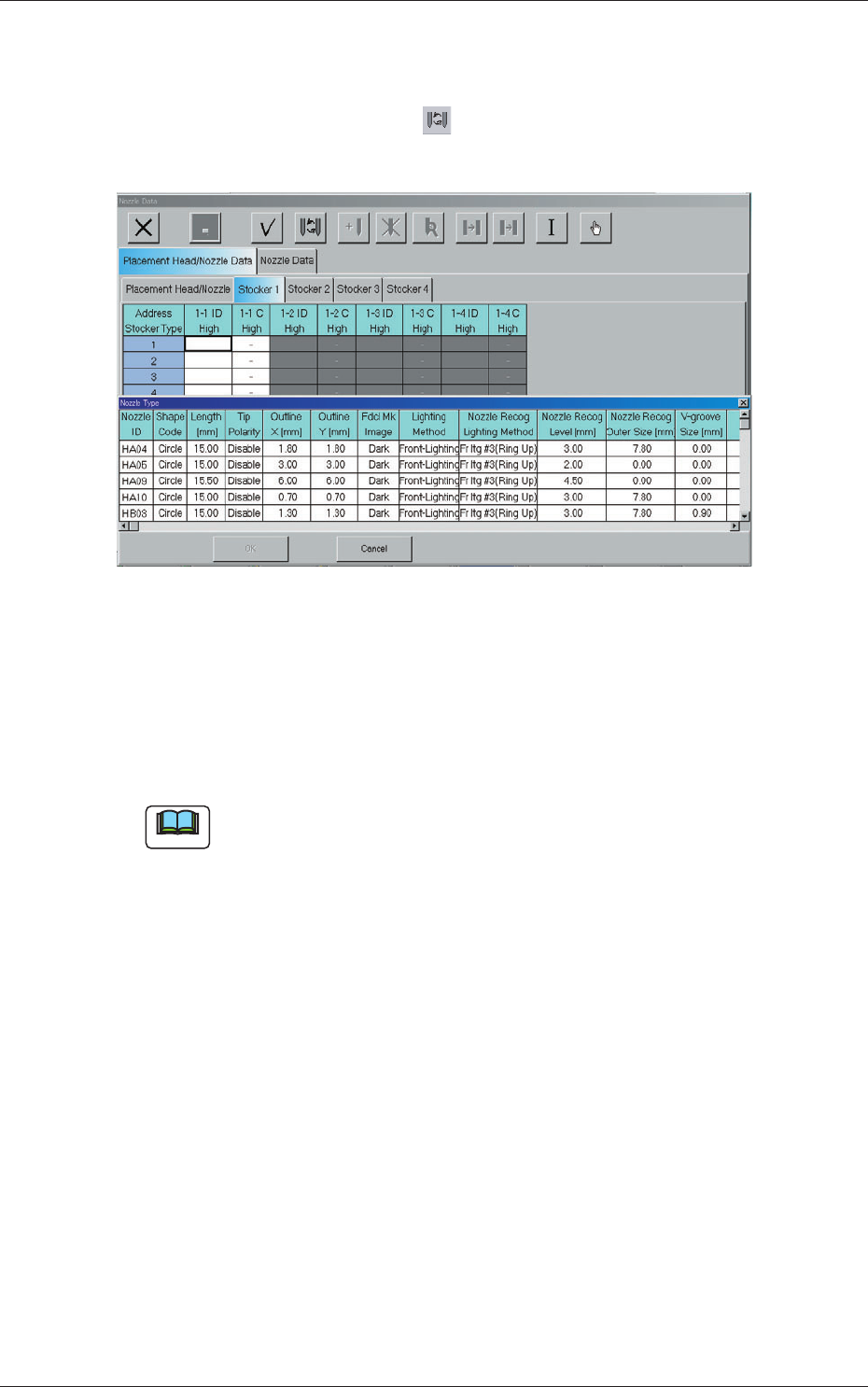
(1) Select the nozzle ID in the address where the nozzle type must be
changed and press the icon ( ).
The "Nozzle Type" window opens.
Fig. 3F64 "Nozzle Type" Window
The line of the nozzle ID selected in (1) is highlighted in the "Nozzle
Type" window.
(2) Select the nozzle type to be allocated and press the [OK] button. The
source nozzle type is changed to the selected one.
Note
When a nozzle should be selected and "Unvisible" is set for "Visible fl ag"
in the "Nozzle Type Property" window, the nozzle will not be displayed in
the "Nozzle Type" list.
0601-002
3.1 Placement Head/Nozzle Data