3OM-1343-008_w.pdf - 第320页
6-89 AKFEDT -ID • How to set or change a password Procedure (1) When the button corresponding to the user ’ s authority is pressed, the "Password Entry" window opens. Fig. 3F81 "Password Entry" Window…
6-88
AKFEDT-ID
5. Password Setting
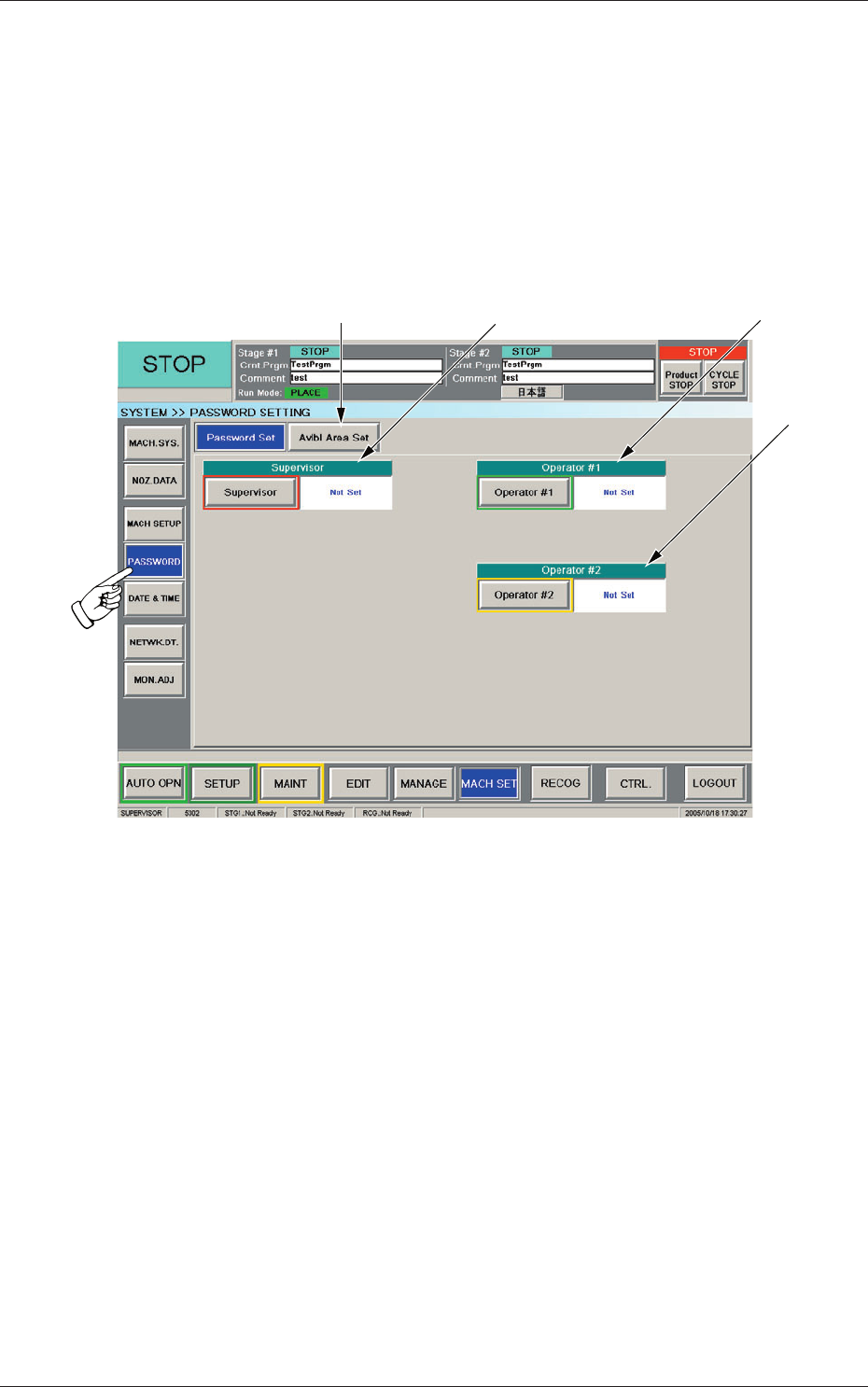
When the [PASSWORD] button on the "MACH SET" menu bar is pressed,
the "PASSWORD SETTING" window appears.
5.1 Password Setting
This window enables the operator to set a password according to the given
authority.
[3][2]
[4]
[1]
Fig. 3F80 "PASSWORD SETTING" Window
[1] [Avlbl Area Set] Button
When pressed, this button opens the "Avlbl Area Set" window, enabling
you to set the scope of authority to be given.
[2] Supervisor
A password can be set in this group box for the user who has the scope
of authority as "Supervisor".
[3] Operator #1
A password can be set in this group box for the user who has the scope
of authority as "Operator #1".
[4] Operator #2
A password can be set in this group box for the user who has the scope
of authority as "Operator #2".
0607-003
5. Password Setting
6-89
AKFEDT-ID
•
How to set or change a password
Procedure
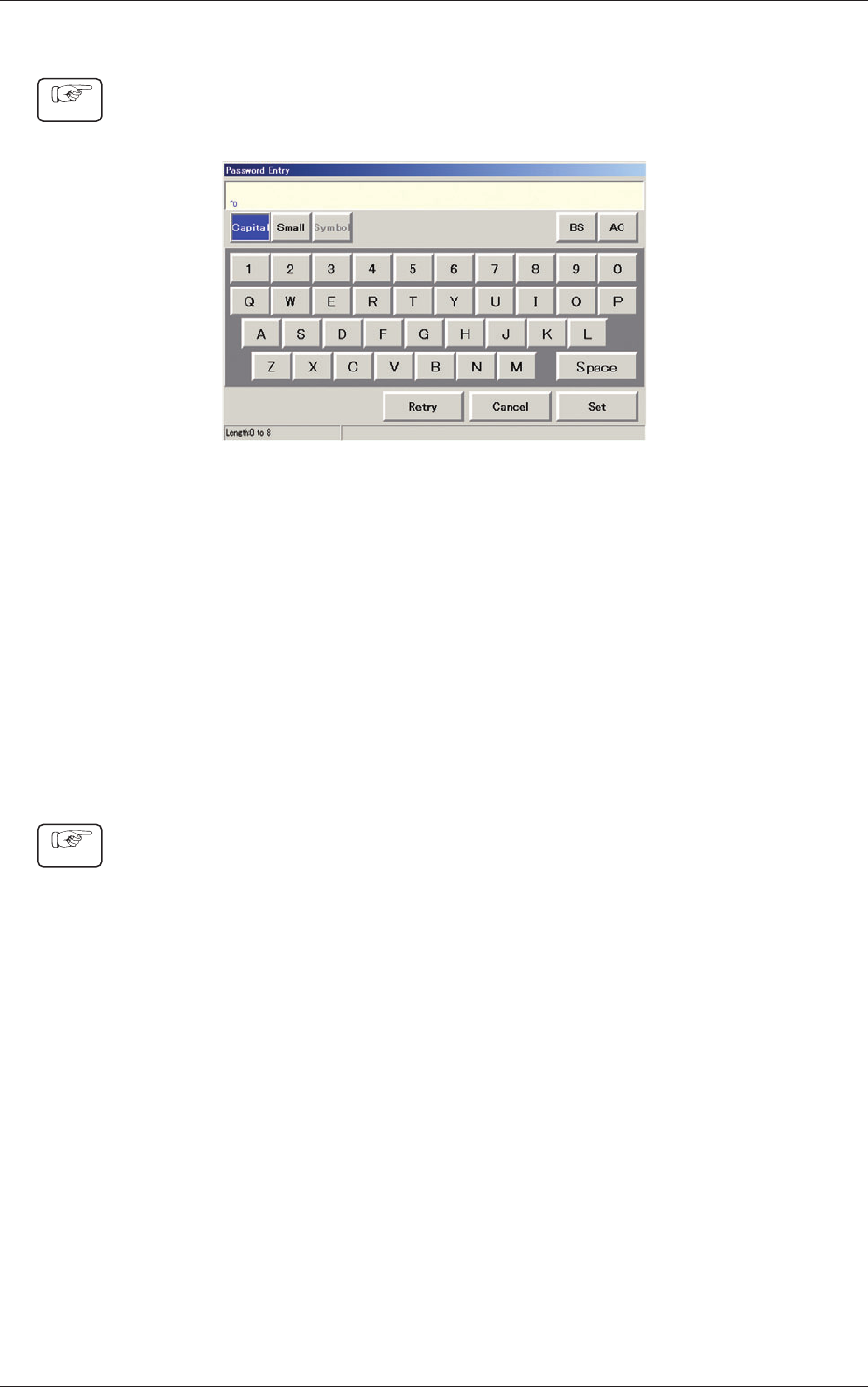
(1) When the button corresponding to the user’s authority is pressed, the
"Password Entry" window opens.
Fig. 3F81 "Password Entry" Window
(2) Enter the desired password.
The entered string of characters are expressed using "*" in the "Password"
entry box.
(3) When the [Set] button is pressed, the "Password Reentry" window opens.
Enter the same password again and press the [Set] button.
The password is set or changed and "Set" appears in red on the right side of
the selected password entry button.
•
How to cancel the set password
Procedure
(1) To cancel the set password, press the password entry according to the user’s
authority. The "Password Entry" window opens.
(2) Press the [Set] button without entering any characters in the entry box. The
"Password Reentry" window opens. Press the [Set] button again without
entering any characters.
The preset password is canceled and "Not Set" appears in blue on the right
side of the selected password entry button.
0601-002
5.1 Password Setting
6-90
AKFEDT-ID
5.2 Setting of Available Range for Passwords
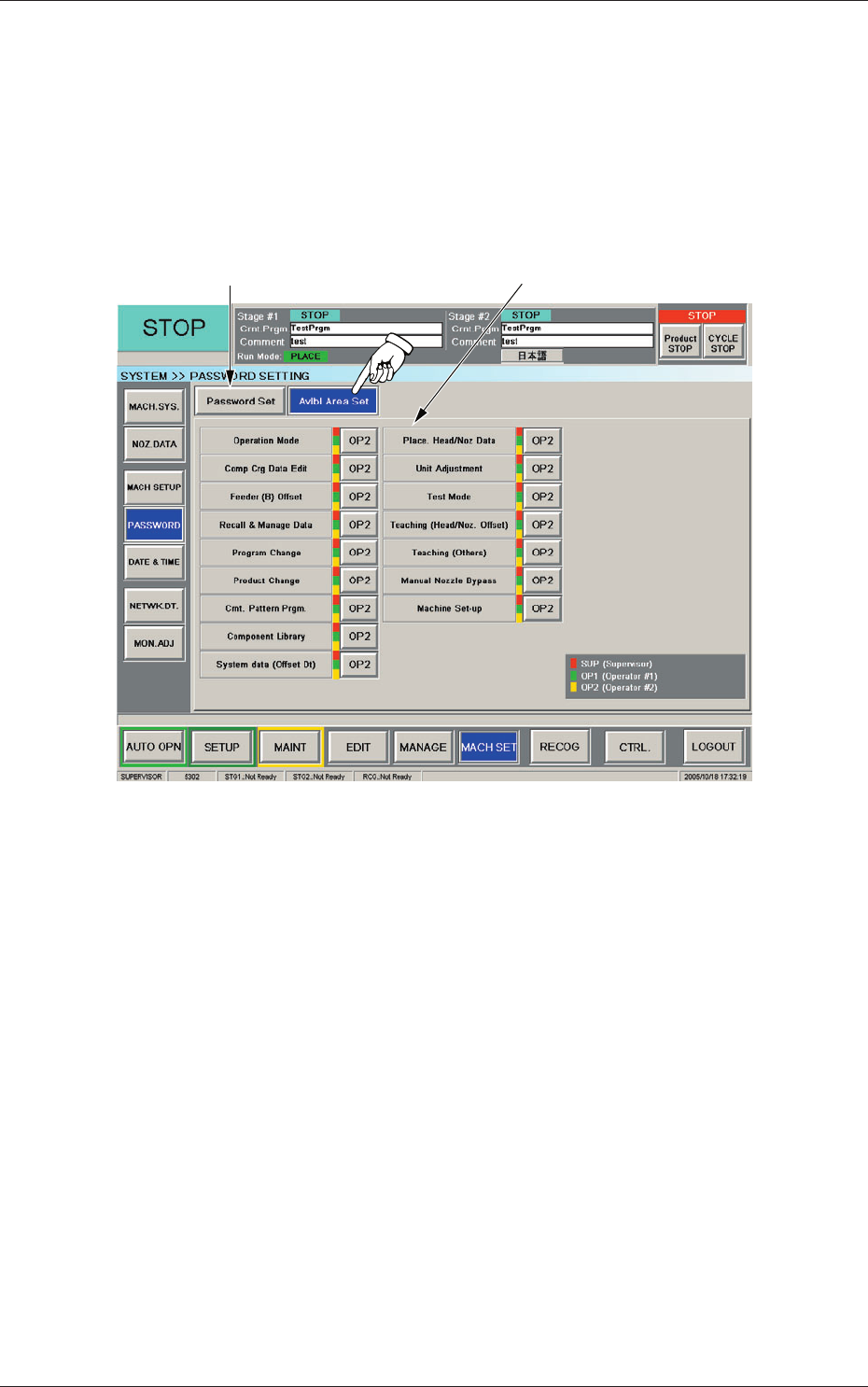
This window can be used to specify the scope (available area) of user’s
authority.
When the [Avlbl Area Set] button is pressed, the "Avlbl Area Set" window
opens.
[2]
[1]
Fig. 3F82 "Avlbl Area Set" Window
0607-003
5.2 Setting of Available Range for Passwords