Dek-265GSX-User-Manual.pdf.pdf - 第136页
SET PREFERENCES MENU 2.2 User Manual Software Version 6 SET PREFERENCES SET PREFERENCES MENU
SET PREFERENCES
INTRODUCTION The Set Preferences function allows for the setting of preferred machine control
options.
To access the set preferences window proceed as follows:
Select the Maint. button.
Maint.
Select the Set Prefs button.
Set
Prefs
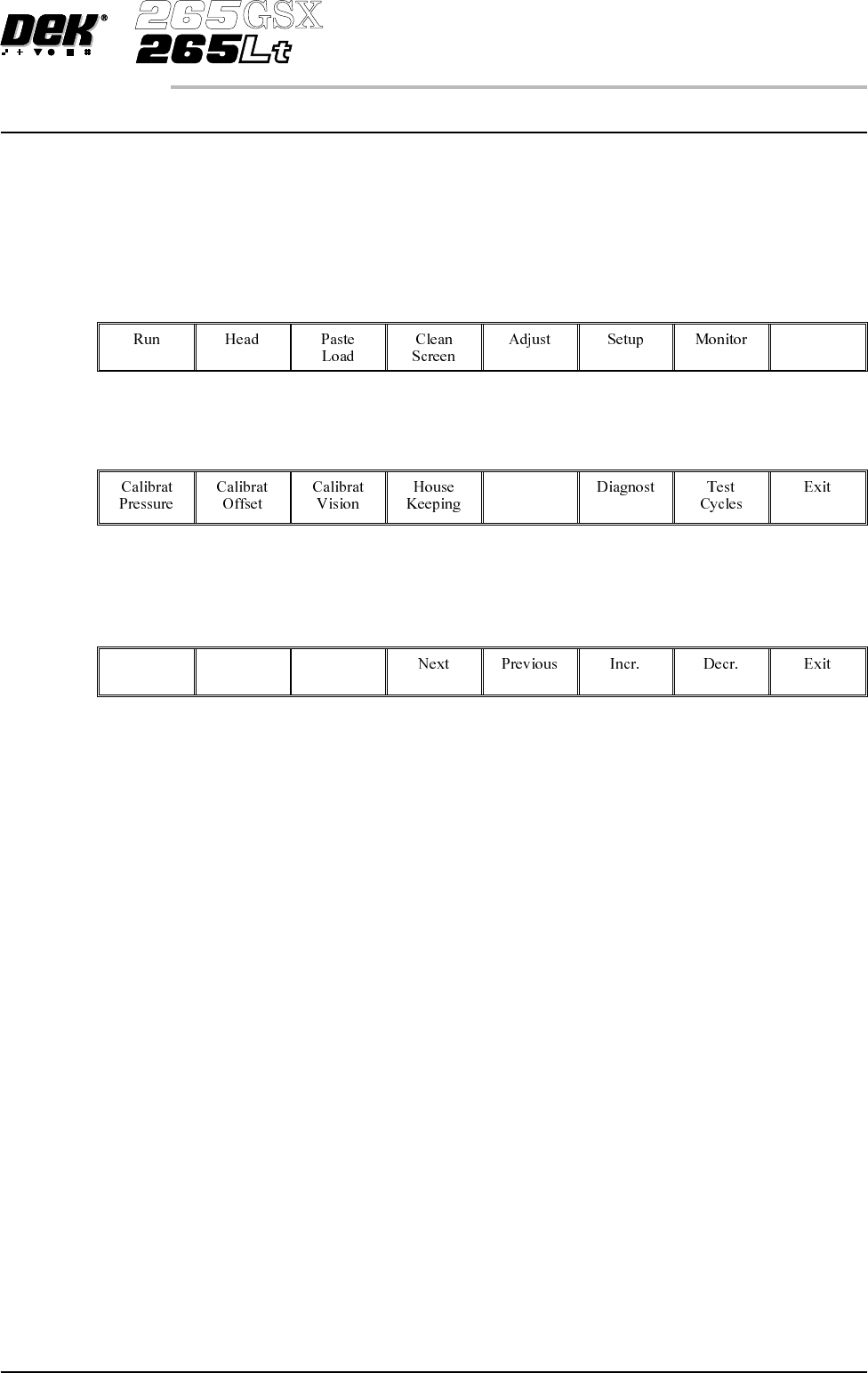
Selection of Set Prefs button displays a pop up window and changes the menu
bar to display the following:
Next and Previous move the highlight between the parameter values. Incr. and
Decr. alter the highlighted parameter value.
Software Version 6 User Manual 2.1
SET PREFERENCES
INTRODUCTION
SET PREFERENCES MENU
2.2 User Manual Software Version 6
SET PREFERENCES
SET PREFERENCES MENU
PREFERENCES
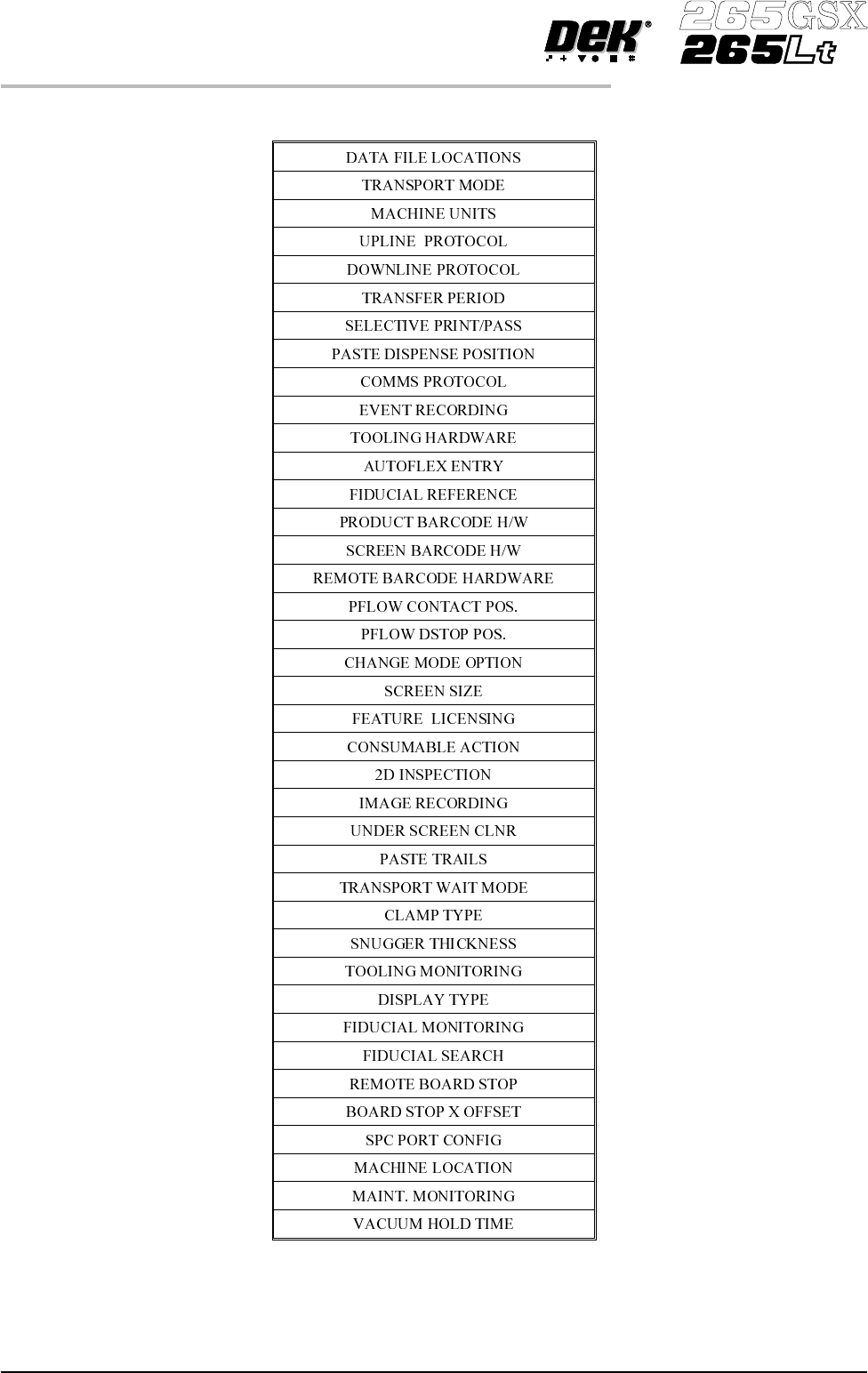
Data File Locations Allows the user to create individual directories for product and data files. Once
created the individual directories become the current locations for all future
product and data files.
Before changing the product anddata filelocations, usethe copydata functionin
House Keeping, to copy any existing product and data files to floppy disk. After
changing the product and data file locations, use the copy data function in House
Keeping, to copy any existing product and data files from the floppy disk to the
new directories.
NOTE
When Load Data is selected from the setup menu only the files in the current
location are displayed.
The default location is:
D:\Program Files\DEK\MachineControl\Printer
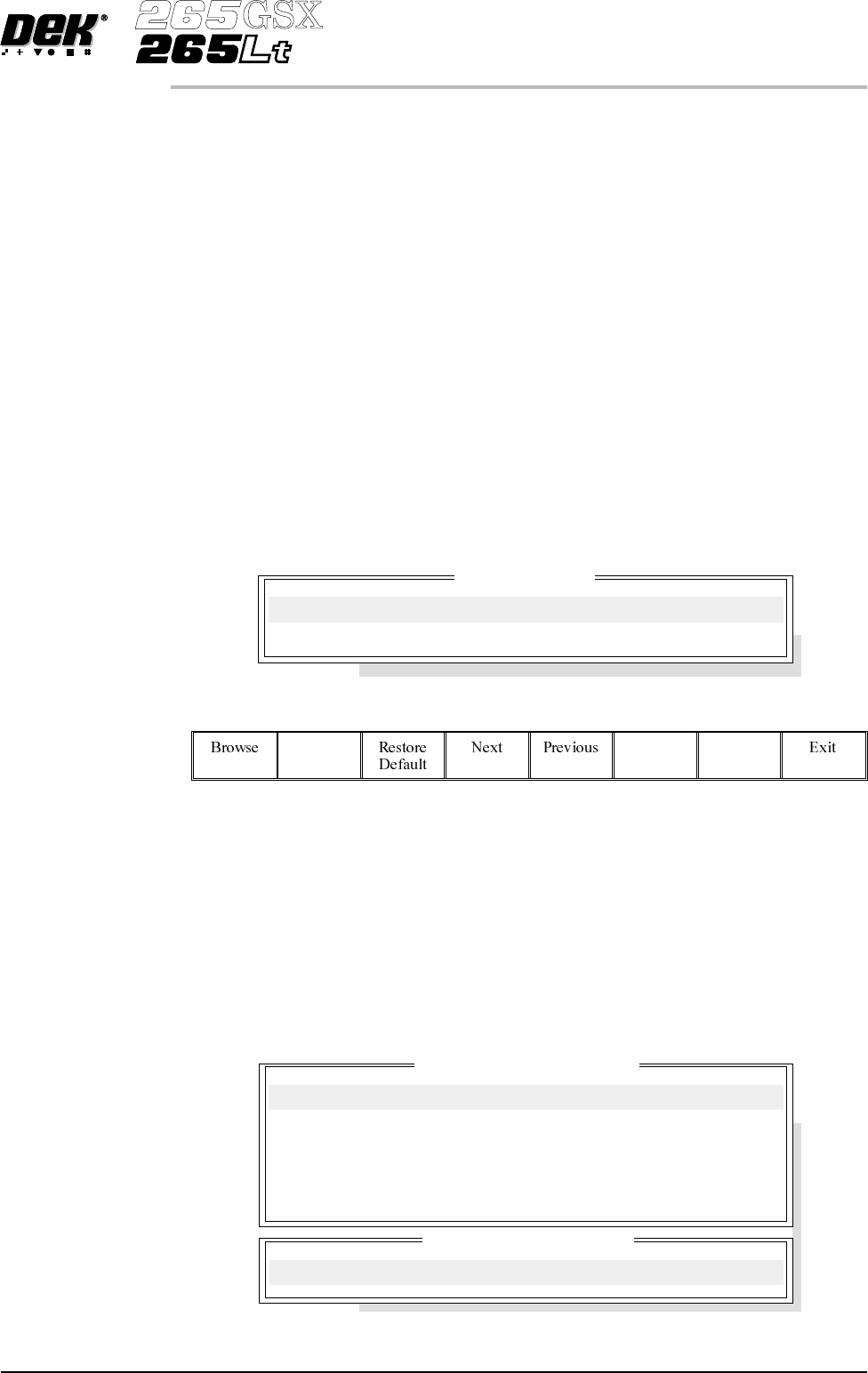
Selecting the Incr. or Decr. key with data file locations highlighted opens the
following window:
The menu bar changes to the following:
NOTE
Restore default is only available while the highlighted directory is not already at
the default location.
Use the Next and Previous keys to move between the different directories.
Use the Exit key to close the File Locations window.
Use the Restore Default key to change the path, for files associated with the
highlighted directory, from the current location to the default location.
Selecting the Browse key opens the following window:
Software Version 6 User Manual 2.3
SET PREFERENCES
PREFERENCES
File Locations
Product Directory:
Data Directory:
Directory Structure On Drive
..
Current Directory Location
D:\Program Files\DEK\MachineControl\Printer