Dek-265GSX-User-Manual.pdf.pdf - 第150页
14. Using Next and Previous (F4 -F5) highlight the required field. Next Previous 15. Select Edit Data (F2). Edit Data 16. Using the keyboard input the required information. On completion of editing the field, press Enter…
11.
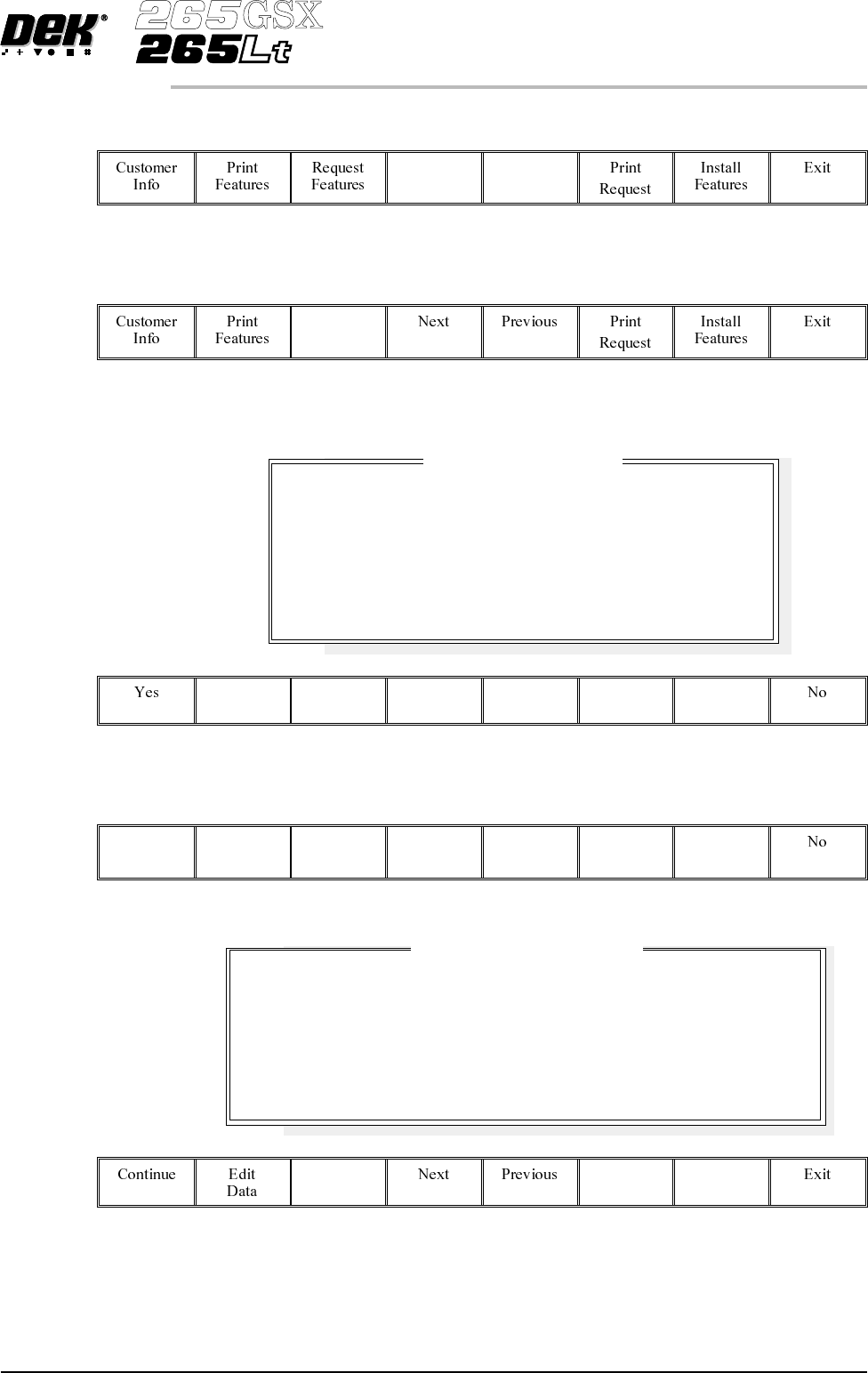
SelectNext and Previous(F4 - F5) to highlightthefeaturetoberequested.
Next Previous
12.
Select Request Features (F3).
Request
Features
The following window and menu bar is displayed:
13.
Select Yes (F1).
Yes
The following window and menu bar is displayed:
Software Version 6 User Manual 2.15
SET PREFERENCES
PREFERENCES
License Acquisition
Do you want to obtain a license to use:
Basic Screen Insp.
On Dongle :
112737
Feature License Request
Request File Path
Request File Name
A:\ GS1
request8.txt
A request to license the feature you have selected will be
written or appended to the above file
in the above directory path.
14.
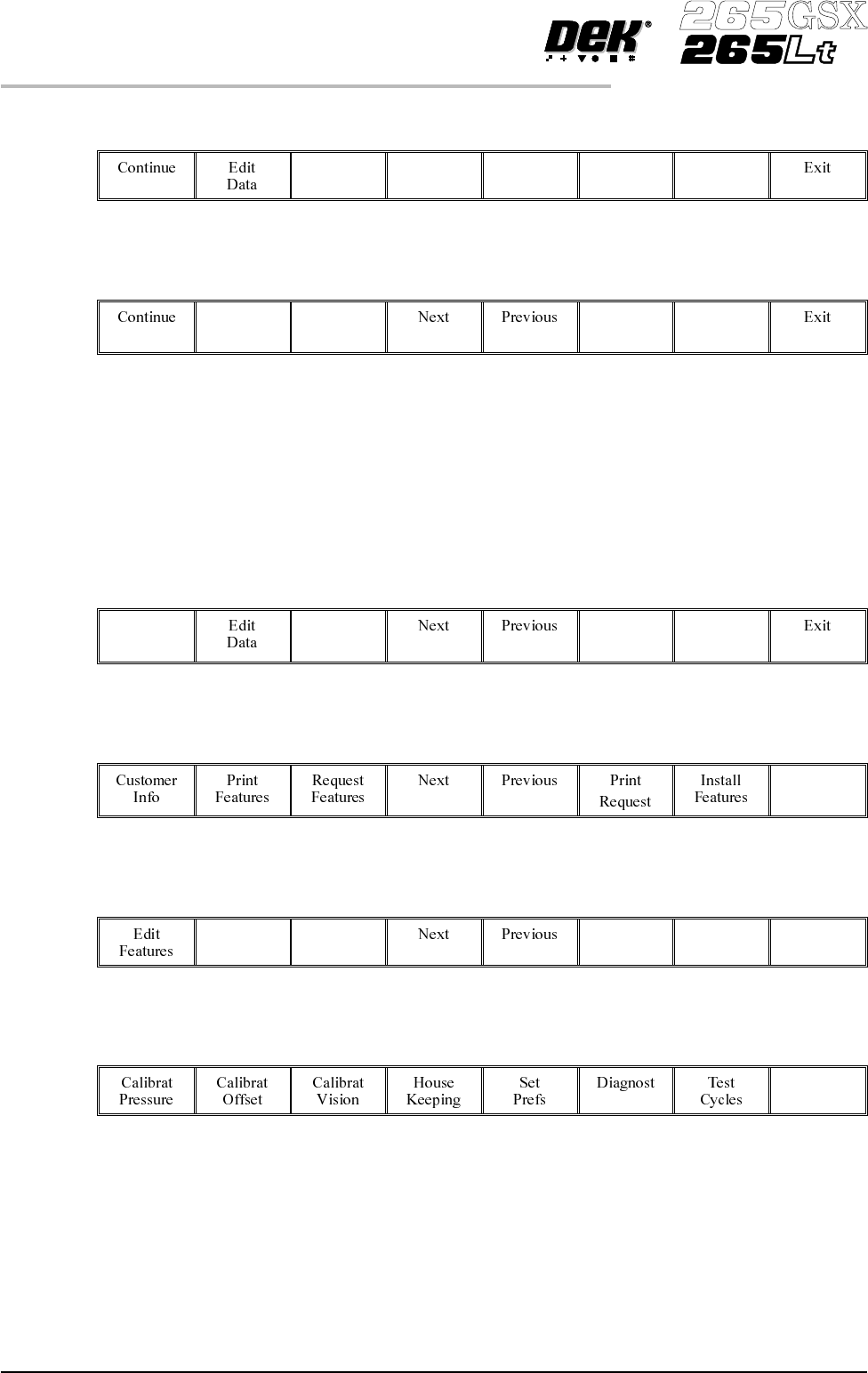
Using Next and Previous (F4 -F5) highlight the required field.
Next Previous
15.
Select Edit Data (F2).
Edit
Data
16. Using the keyboard input the required information. On completion of
editing the field, press Enter on the keyboard.
17. Repeat Steps 14 -16 for the remaining field.
18.
Select Continue (F1).
Continue
19.
Select Exit (F8).
Exit
20.
Select Exit (F8).
Exit
21.
Select Exit (F8).
Exit
22. The licence request.txt file can now be forwarded to your local DEK agent
for processing.
2.16 User Manual Software Version 6
SET PREFERENCES
PREFERENCES
Licence Installation 1.
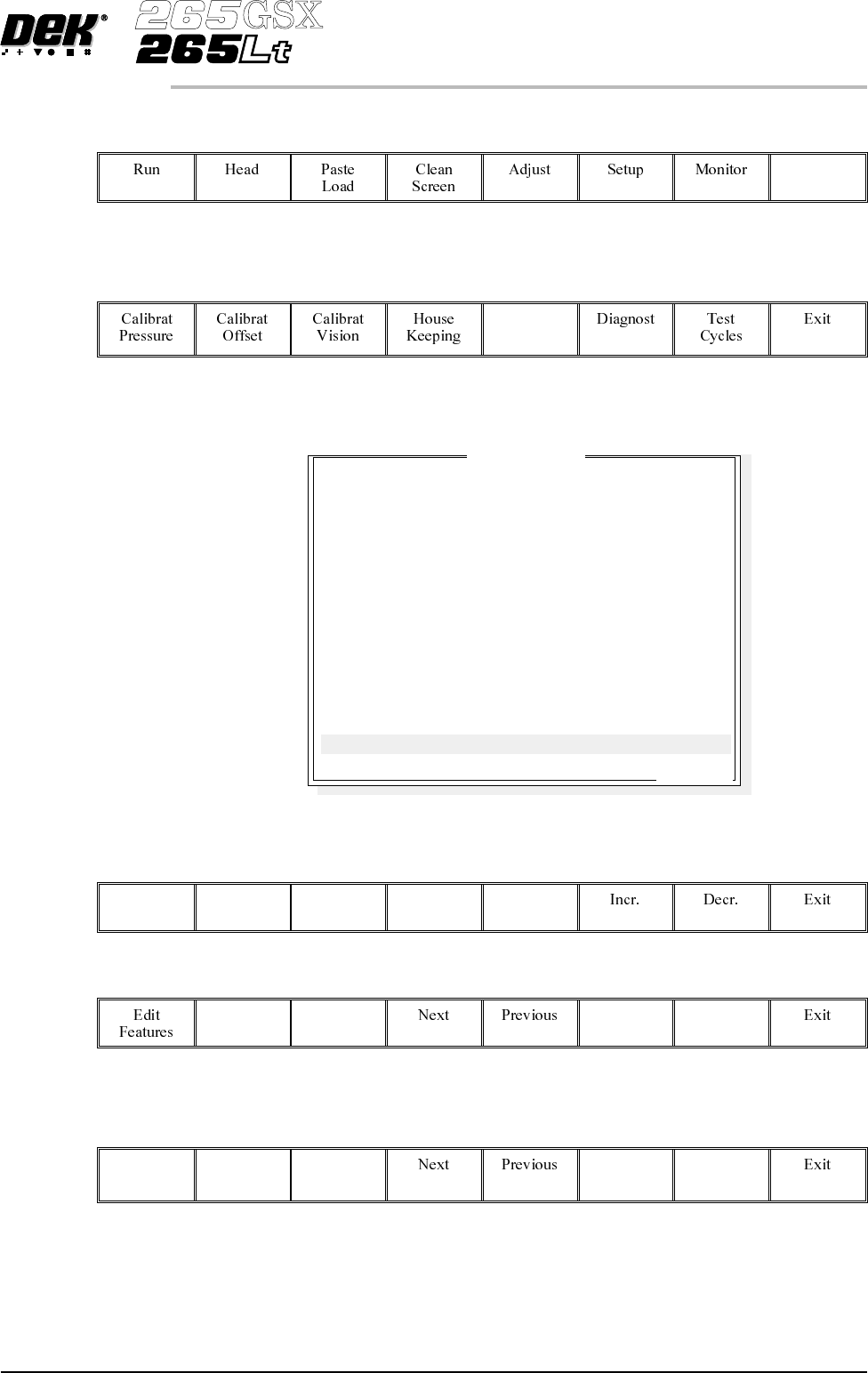
Select Maint. (F8).
Maint.
2.
Select Set Prefs (F5).
Set
Prefs
The following window is displayed:
3.
Using Next and Previous (F4 -F5) highlight Feature Licensing.
Next Previous
The following menu bar is displayed:
4.
Select Edit Features (F1).
Edit
Features
Software Version 6 User Manual 2.17
SET PREFERENCES
PREFERENCES
Set Preferences
..more
TRANSPORT MODE
MACHINE UNITS
UPLINE PROTOCOL
DOWNLINE PROTOCOL
TRANSFER PERIOD
PASTE DISPENSE POS
EVENT RECORDING
TOOLING HARDWARE
FIDUCIAL REFERENCE
REMOTE BARCODE H/W
CHANGE MODE OPTION
SCREEN SIZE
PAPER/SOLV/PASTE LOW
FEATURE LICENSING
LEFT TO RIGHT
METRIC
NO FMI
NO FMI
60 secs
FRONT
CUSTOM
MAGNETIC
LEFT
NOT FITTED
MANUAL
265
WAR N
ENABLED