Dek-265GSX-User-Manual.pdf.pdf - 第265页
2Di INSPECTION MODULE OVERVIEW Introduction The vision system of the screen printing machine is used to both align the screen to each board before it is printed and, when enabled, inspect the screen and board. This modul…
2Di INSPECTION
MODULE OVERVIEW
Introduction The vision system of the screen printing machine is used to both align the screen
to each board before it is printed and, when enabled, inspect the screen and
board. This module describes how this is achieved.
Purpose 2D inspection (2Di) ensures the quality of the print by monitoring the printing
process, to determine when a screen clean or paste dispense is required and if
licensed and selected, to warn for bridging, misalignment and reduced paste
volume. 2Di optimizes the cycle time by eliminating unnecessary screen
cleaning and paste dispensing operations. To achieve this the system inspects
various areas of the board and/or screen (sites) to detect the following:
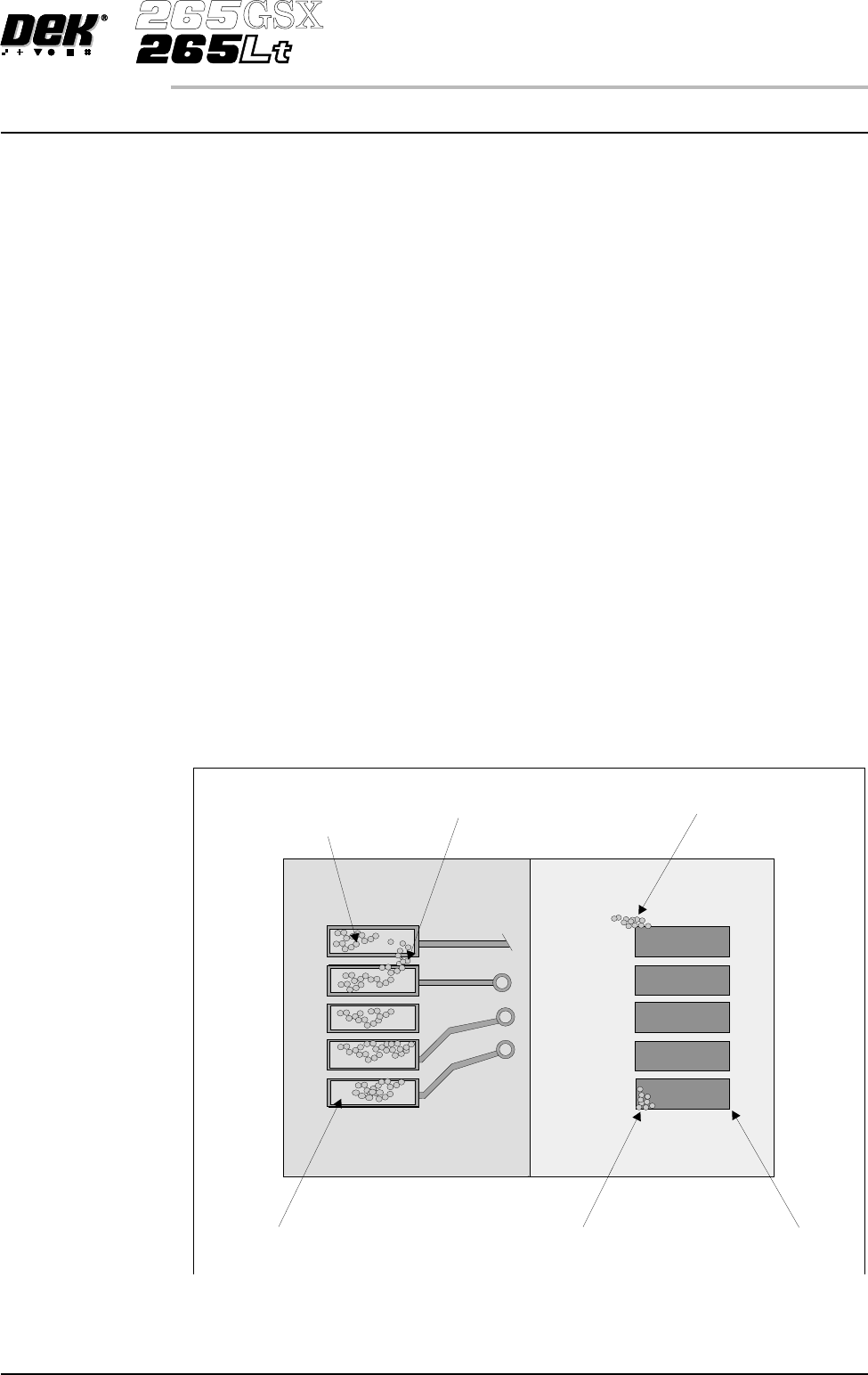
• Screen Blockage - solder paste remaining inside screen apertures.
• Screen Smear - solder paste on the screen.
• Board: Paste Present - amount of the pad covered by solder paste, as a %
of the aperture size.
• Board: Alignment - accuracy of paste positioning compared to the learnt
site image.
• Board: Bridging - distance between adjacent deposits of paste.
Using the screen aperture, blockage and paste present information the system
can calculate the following:
• Board: Paste Volume - volume of paste on the pad.
Software Version 6 User Manual 8.1
2Di INSPECTION
MODULE OVERVIEW
Paste on screen
(smear)
Pa s t e o n b o a r d
(bridging)
Paste Present
and
Paste Volume
Screen apertureBoard pad
Underside of screen
Top of board
Paste in aperture
(blockage)
Figure 8-1 Paste on Board and Screen
Operation A Board Inspection Type and a Screen Inspection Type sets the level of
inspection for the board and screen. The following types of inspection are
available:
• None
• Basic
• Advanced
Inspection of the board and screen is licensed as a separate feature for each, and
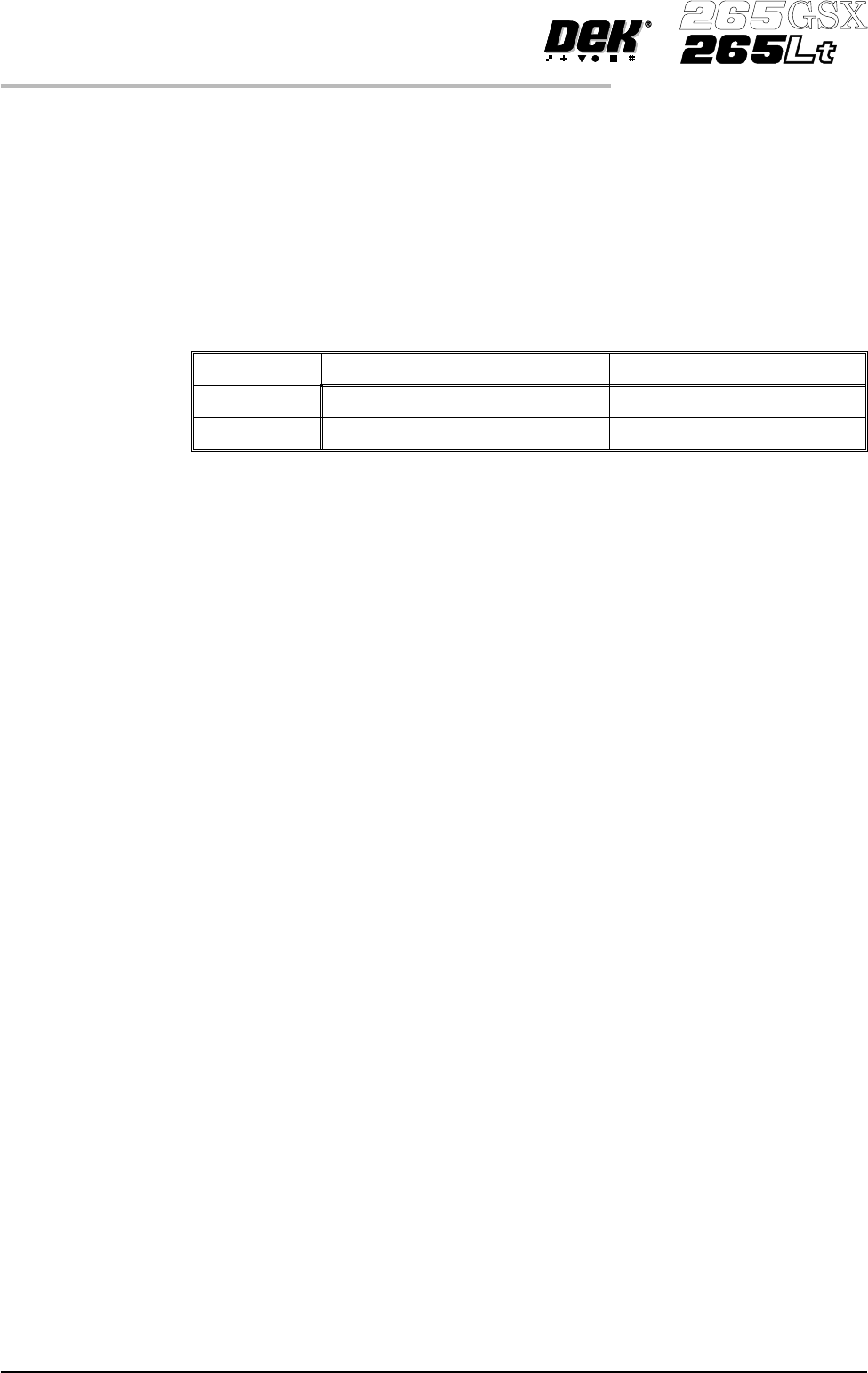
specifies the maximum level of inspection that may be selected, as follows:
None Basic Advanced
Board No Inspection Paste on Pad Basic + Bridging and Alignment
Screen No Inspection Blockage Basic + Smear
An item only appears in a window while it is appropriate to the current level of
inspection. In particular Paste Volume is only calculated and displayed while
the level of inspection is advanced for both the board and the screen.
Inspection is achieved by image comparison. Prior to printing, an inspection of
the various sites is carried out on the board only, and the image is captured.
This captured image, called a Pre-image is always taken as a set, so that each set
comprises a pre-image of the board at every inspection site. The set may be
taken for just the first board in a batch and applied throughout the batch
(Pre-image set to 1), or a fresh set may be taken as each board is received for
printing (Pre-image set to Every).
Regardless of the setting of Pre-image, the set always comprises all the current
inspection sites. No provision is made to enable individual sites to be selected or
excluded.
8.2 User Manual Software Version 6
2Di INSPECTION
MODULE OVERVIEW