Dek-265GSX-User-Manual.pdf.pdf - 第387页
11. Carry out Steps 23-33 of Prior to a Print Run procedure, earlier in this section. 12. Select Continue (F1). The print run resumes. Continue 13. If the set preference is set to suspend, the following window is display…
3.
Select End Run (F1), when the ProFlow unit is at the rear of the image..
End
Run
4. Carry out Steps 23-33 of Prior to a Print Run procedure, earlier in this
section.
5.
Select Run (F1). The print run resumes.
Run
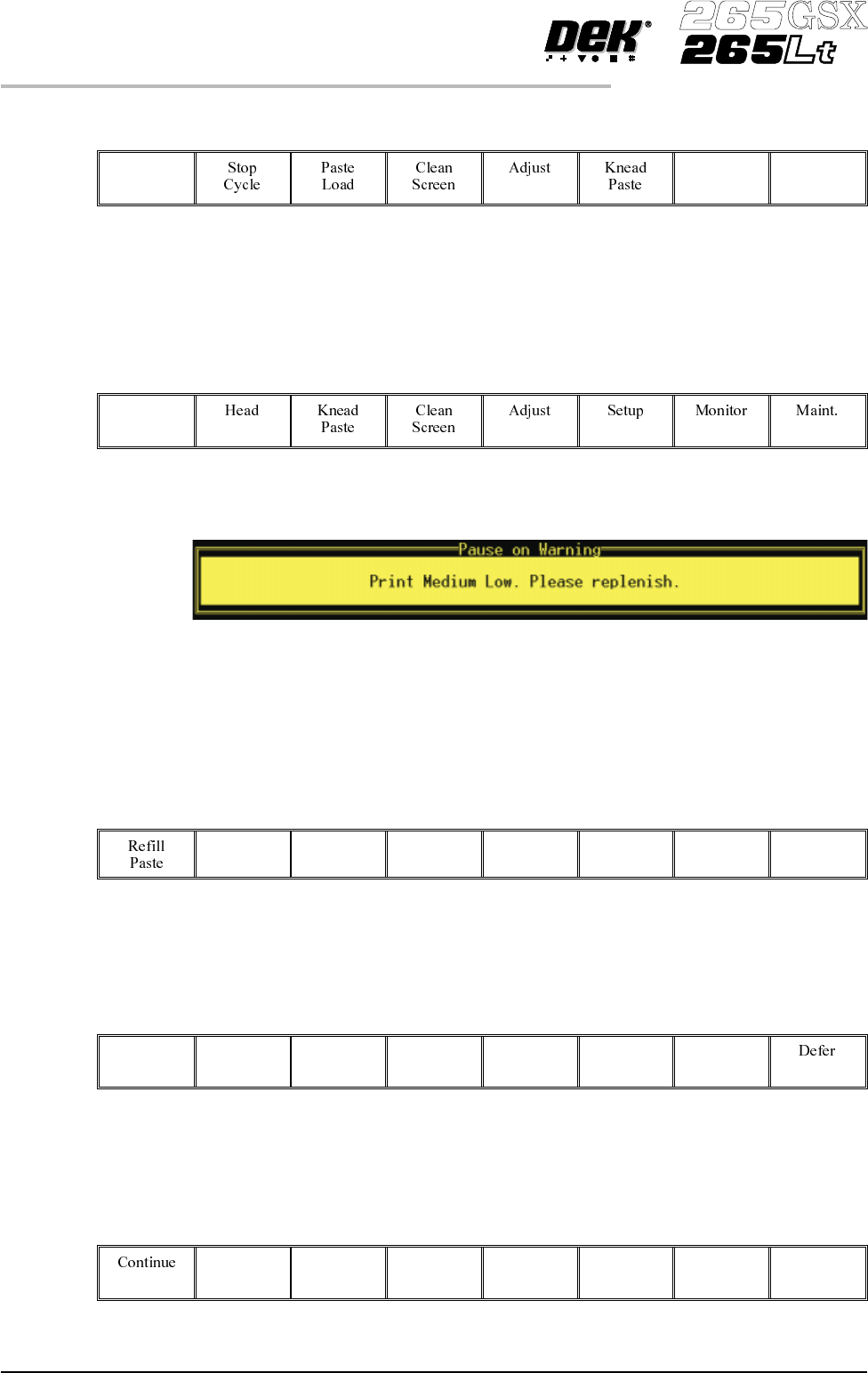
6. If the set preference is set to pause, the following window is displayed:
The tricoloured beacon shows red.
7. If the ProFlow unit is in front of the image continue with Step 8. If the
ProFlow unit is at the rear of the image go to Step 9.
8.
Select Defer (F8).
Defer
The machine carries out a print cycle, the ProFlow unit moves to the rear of
the image and the pause on warning window is re-displayed.
9.
Select Refill Paste (F1).
Refill
Paste
The message ‘Open the cover and change the ProFlow cassette.’ is
displayed.
10.
Select Open Cover (F2).
Open
Cover
9.72 User Manual Software Version 6
CONSUMABLE REPLENISHMENTS
PROFLOW
11. Carry out Steps 23-33 of Prior to a Print Run procedure, earlier in this
section.
12.
Select Continue (F1). The print run resumes.
Continue
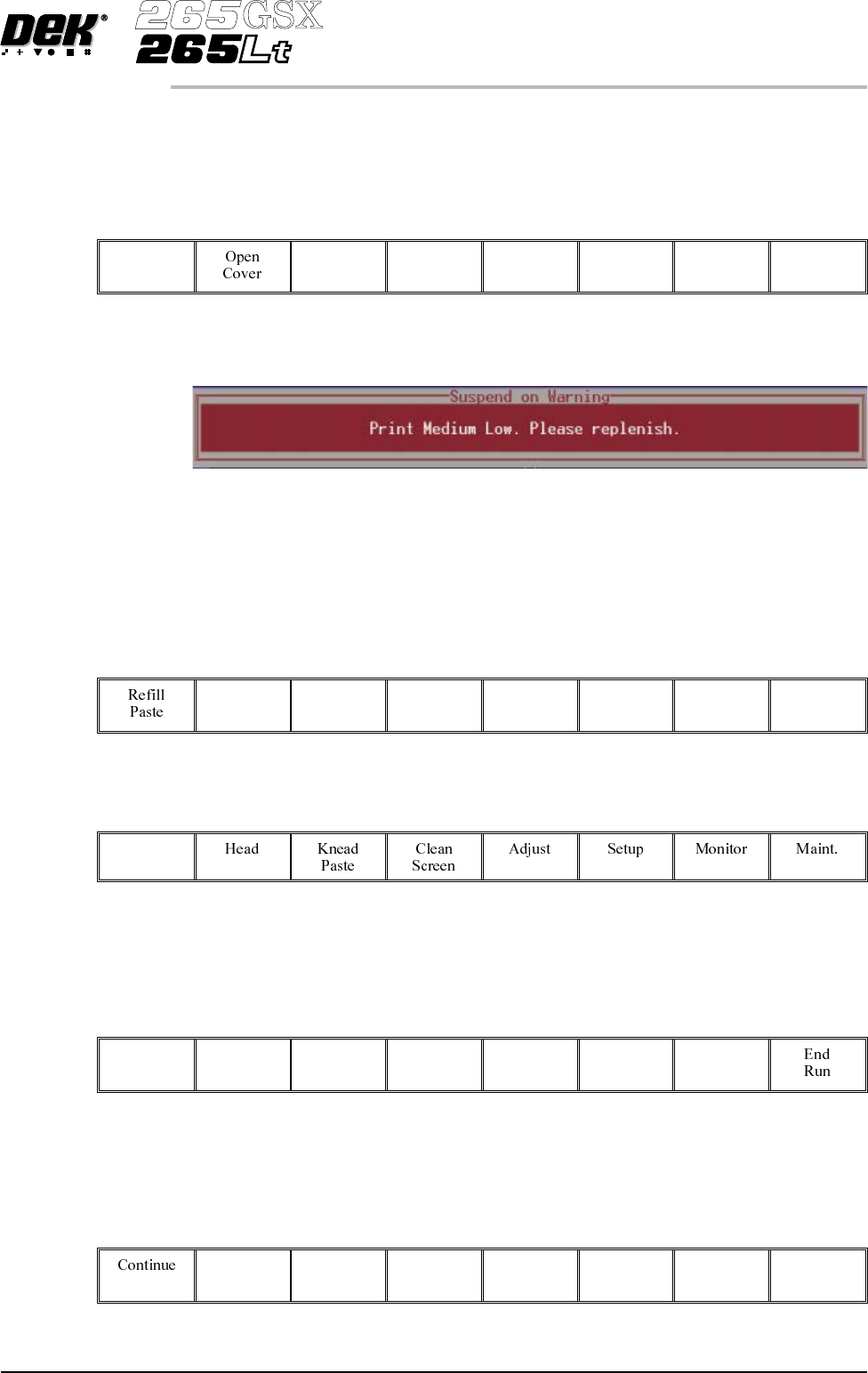
13. If the set preference is set to suspend, the following window is displayed:
The tricoloured beacon shows red.
14. If the ProFlow unit is in front of the image continue with Step 15. If the
ProFlow unit is at the rear of the image go to Step 17.
15.
Select End Run (F8).
End
Run
16.
Select Run (F1). The print run resumes.
Run
The machine carries out a print cycle, the ProFlow unit moves to the rear of
the image and the suspend on warning window is re-displayed.
17.
Select Refill Paste (F1).
Refill
Paste
The message ‘Open the cover and change the ProFlow cassette.’ is
displayed.
18.
Select Open Cover (F2).
Open
Cover
Software Version 6 User Manual 9.73
CONSUMABLE REPLENISHMENTS
PROFLOW

19. Carry out Steps 23-33 of Prior to a Print Run procedure, earlier in this
section.
20.
Select Continue (F1). The print run resumes.
Continue
9.74 User Manual Software Version 6
CONSUMABLE REPLENISHMENTS
PROFLOW