Dek-265GSX-User-Manual.pdf.pdf - 第53页
STAGE 6C Tooling Setup - Dedicated Tooling System CAUTION BOARD CLAMPS. Care must be taken to ensure that the board clamps are not damaged when removing or replacing tooling. 1. Select Change Tooling (F6). Change Tooling…
34.
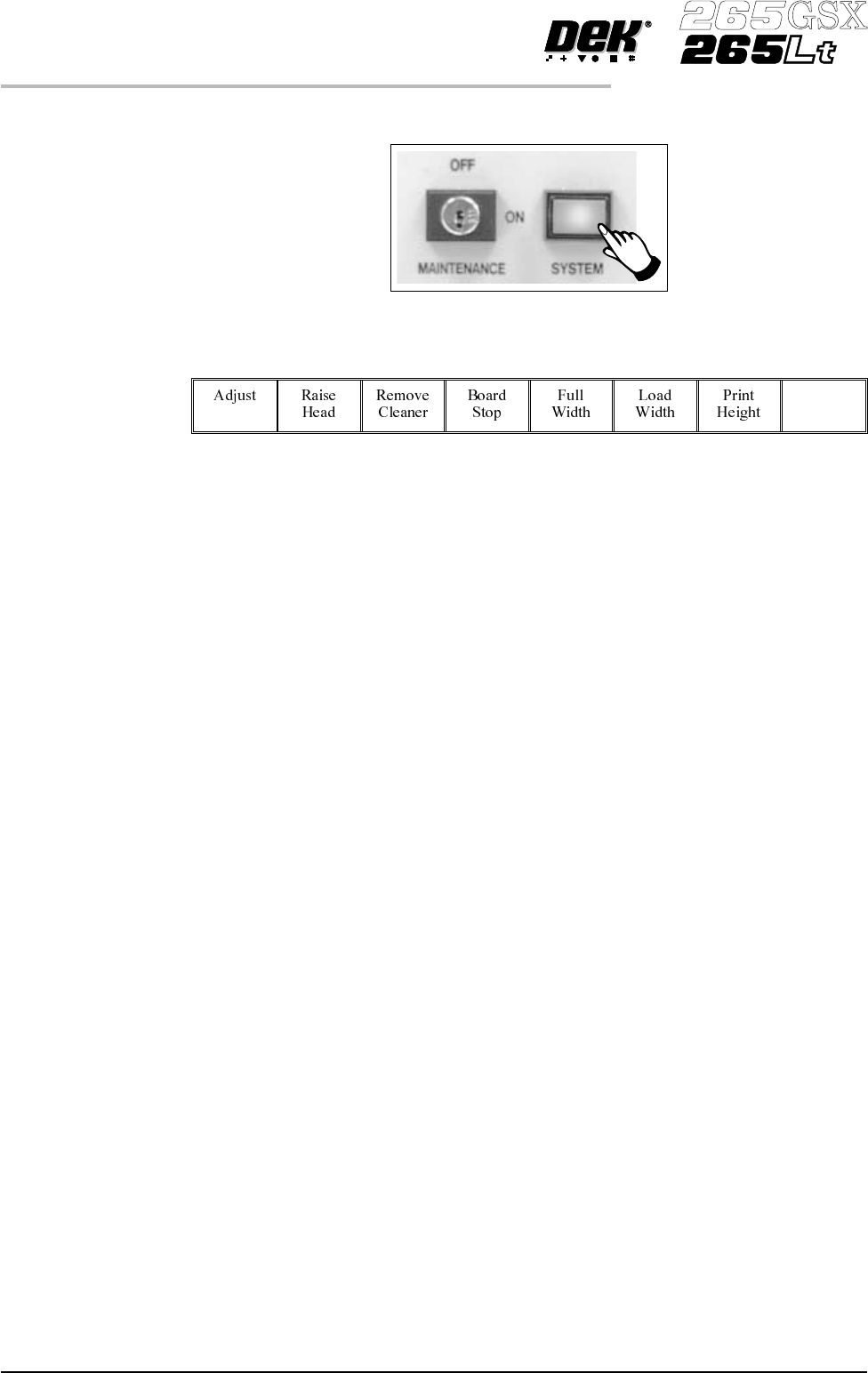
Press the System button.
35.
Select Exit (F8).
Exit
36. Go to Stage 7.
1.36 User Manual Software Version 6
MACHINE PROGRAMMING
STAGE 6B
STAGE 6C
Tooling Setup - Dedicated Tooling System
CAUTION
BOARD CLAMPS. Care must be taken to ensure that the board clamps
are not damaged when removing or replacing tooling.
1.
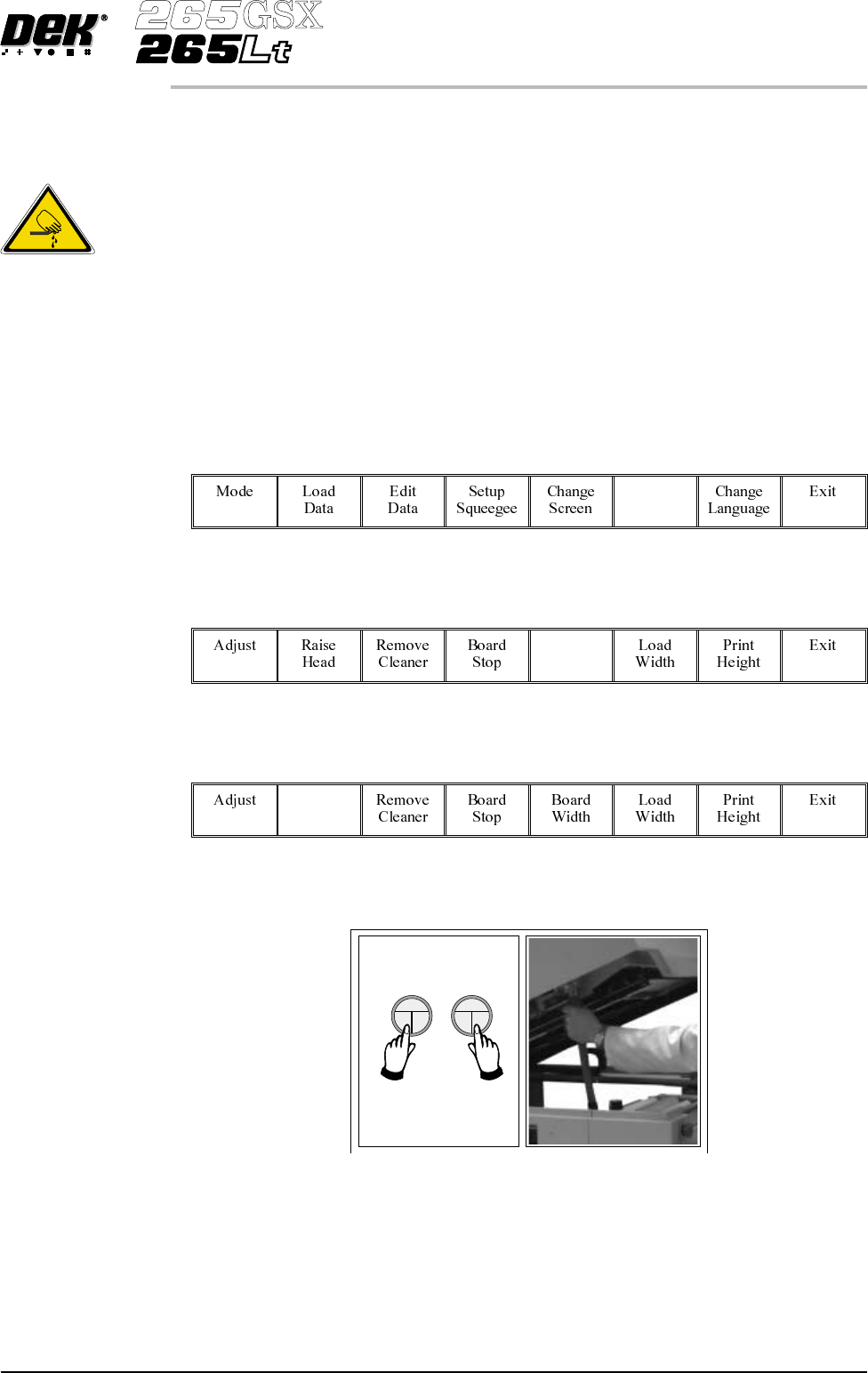
Select Change Tooling (F6).
Change
Tooling
2.
Select Full Width (F5).
Full
Width
3.
Select Raise Head (F2).
Raise
Head
4. Raise the printhead using two button control. Fit the head prop.
Software Version 6 User Manual 1.37
MACHINE PROGRAMMING
STAGE 6C
WARNING
BOARD CLAMPS. EXTREME CARE MUST BE EXERCISED WHEN
WORKING IN THE TOOLING AREA OF THE MACHINE TO AVOID
INJURY. THE FOILS ON THE FRONTAND REAR BOARD CLAMPS
AREVERYSHARP.
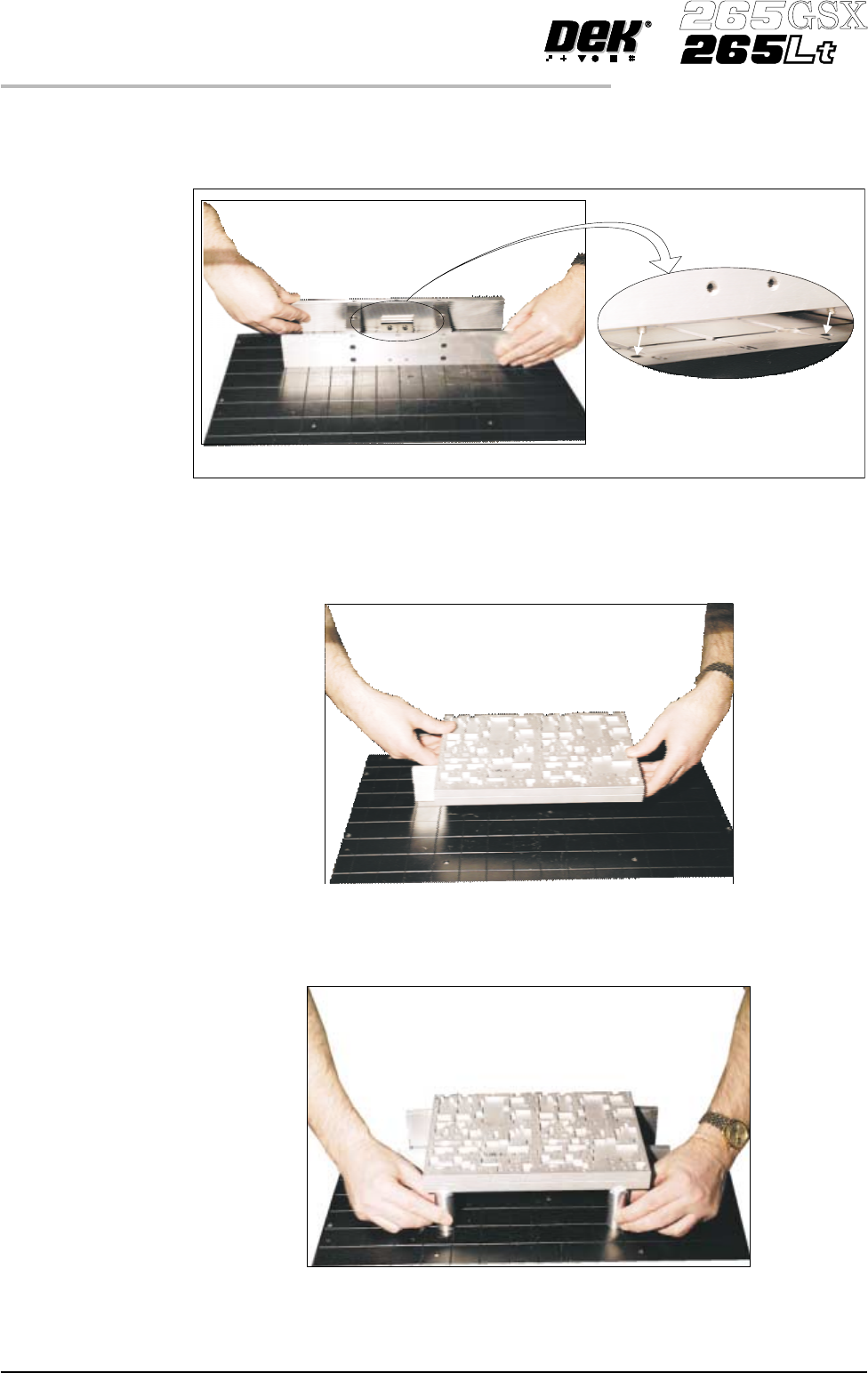
5. Fit the tooling tower to the manual tooling plate. Ensure the dowels on the
front edge of the tooling tower base are correctly seated in the holes in the
front edge of the manual tooling plate.
6. Verify the plate assembly orientation and fit the assembly to the tooling
tower. Ensure the dowels of the plate assembly are correctly seated in the
holes in the tooling tower.
7. If required, slide the additional magnetic pins beneath the plate assembly to
fully support it when printing wide boards.
1.38 User Manual Software Version 6
MACHINE PROGRAMMING
STAGE 6C
View on Rear of Tooling Plate