YG12F_Ope_E.pdf - 第58页
Chapter 2 Basic operation Contents 1 1.1 Canceling emergency stop 2- 1 1.2 Clearing an error 2- 2 1.3 Typical err ors and troubleshooting 2- 3 8 …
1-23
1
Part names and functions
7.2 QFP dump station
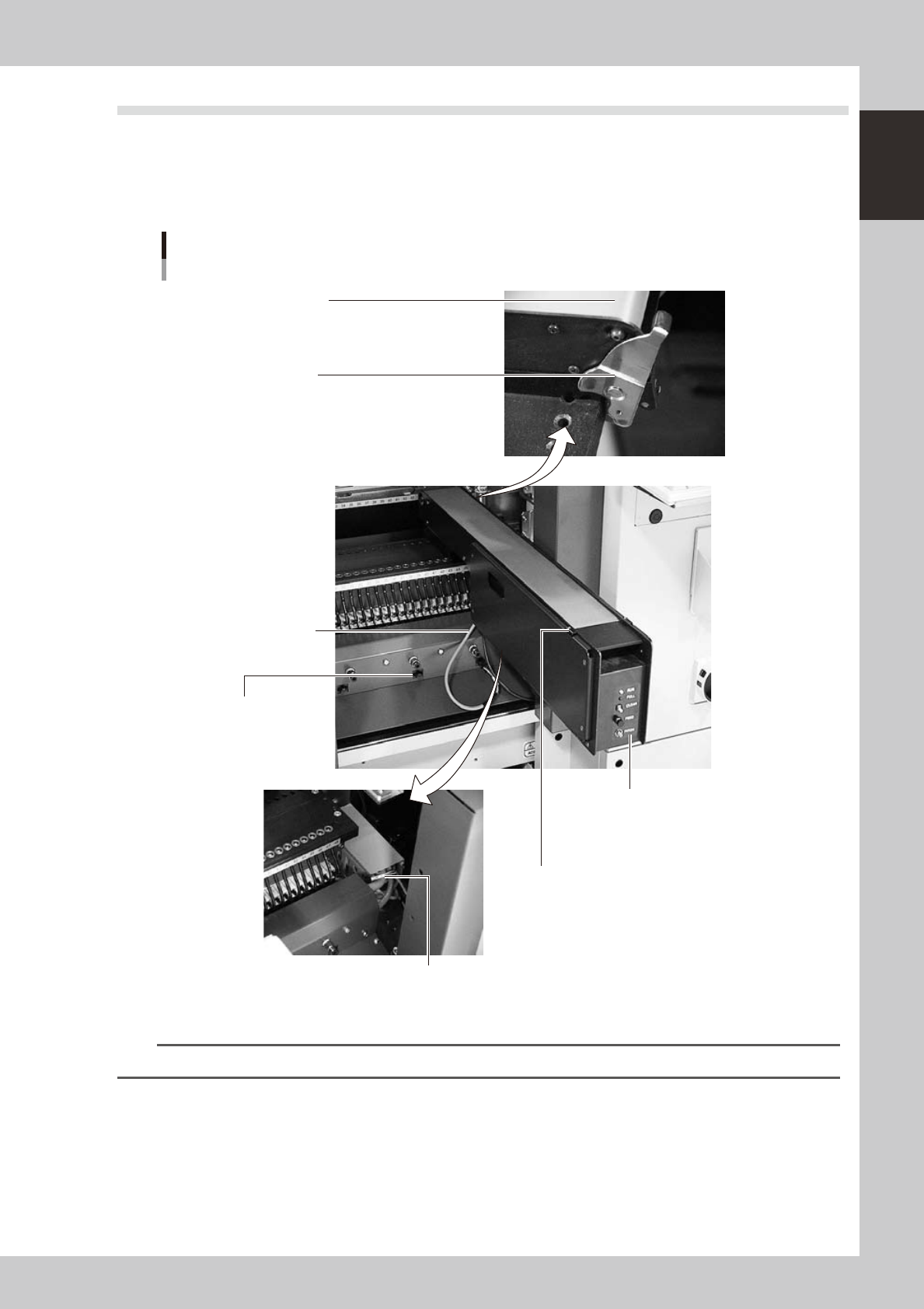
If a QFP is judged defective by vision camera recognition, that QFP is temporarily placed on this dump station
without being damaged. The QFP placed on the dump station is then conveyed back at a specified feed pitch.
When the dump station becomes full, the memory counter or overflow sensor detects it and displays an error
message before the next defective QFP is returned to the dump station.
Photographs below show major parts and functions of the dump station.
Conveyor belt
The belt is used to transfer dumped components.
Clamp lever
Secures the machine to the feeder plate.
Dump harness (signal cable)
Harness for signal of dump station.
Feeder connector
(power supply cable)
Connector for power supply of
dump station.
Manual operation panel
Sets up status indication, pitch feed,
count clear feed pitch.
Overflow sensor (option)
Detects a dumped component transferred
with a transfer belt to this position to show
an error message.
Dump connector
Connector for connecting the dump harness.
Part names and functions
23117-M7-00
n
NOTE
Refer to option manual for details of how to use a QFP dump station.

Chapter 2 Basic operation
Contents
1
1.1 Canceling emergency stop 2-1
1.2 Clearing an error 2-2
1.3 Typical errors and troubleshooting 2-3
8
8
2.2 Setup screen 2-11
2.3 Unit screen 2-12
3. Starting and stopping the machine 2-17
3.1 Pre-operation check 2-18
3.2 Starting the machine 2-19
3.3 Warming up the machine 2-21
3
3.4.1 Conveyor unit setup flow 2-24
4. Preparing the component supply unit 2-26
4.1 Tape feeder 2-26
4.2 Setting the tray components 2-32
4.2.1 Setting the component trays in the pallet 2-32
4.2.2 Setting a pallet in the ATS15 2-33
5. Settings on the mounter side 2-34
5.1 Setting the "Package" parameter. 2-34
7
2-1
2
asic operation
1. Before operation
The following explains how to cancel emergency stop and clear errors. Read before operating the machine.
n
Cautions during machine operation
• Do not turn off the compressed air during operation. The machine may malfunction, as pneumatic devices are not
correctly controlled.
• Before beginning maintenance work, always make sure that no air pressure remains in air cylinders.
n
Cautions during power outages
If a power outage (blackout) occurs during automatic machine operation, always turn the main power switch off to
prevent faulty operation or machine damage after power has been restored. Also remove the boards that remain in the
machine.
1.1 Canceling emergency stop
Follow these steps to cancel emergency stop.
1
Release the emergency stop button.
When the emergency stop button is pressed, turn it clockwise to release it.
2
Check safety.
Before continuing the procedure, check the surrounding area for safety.
3
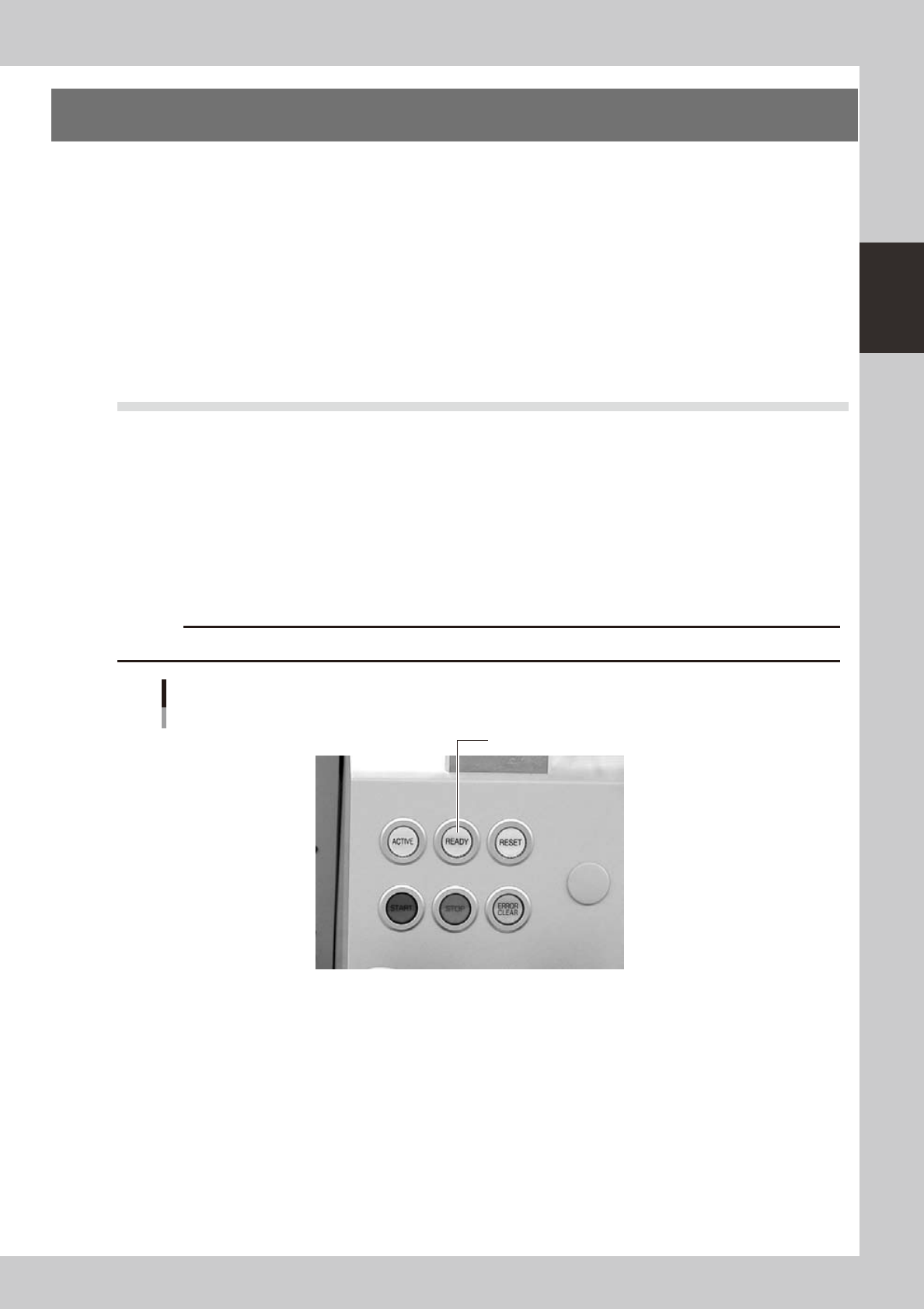
Press the [READY] button.
Pressing the [READY] button on the operation panel turns on the servomotors.
c
[READY] button
Press the [READY] button to turn on the servo.
23200-M7-00
4
Check the signal light and screen display.
Check that the red lamp of the signal light is off and the emergency stop sign on the top left (status
area) of the operation screen is now off.