YG12F_Ope_E.pdf - 第72页
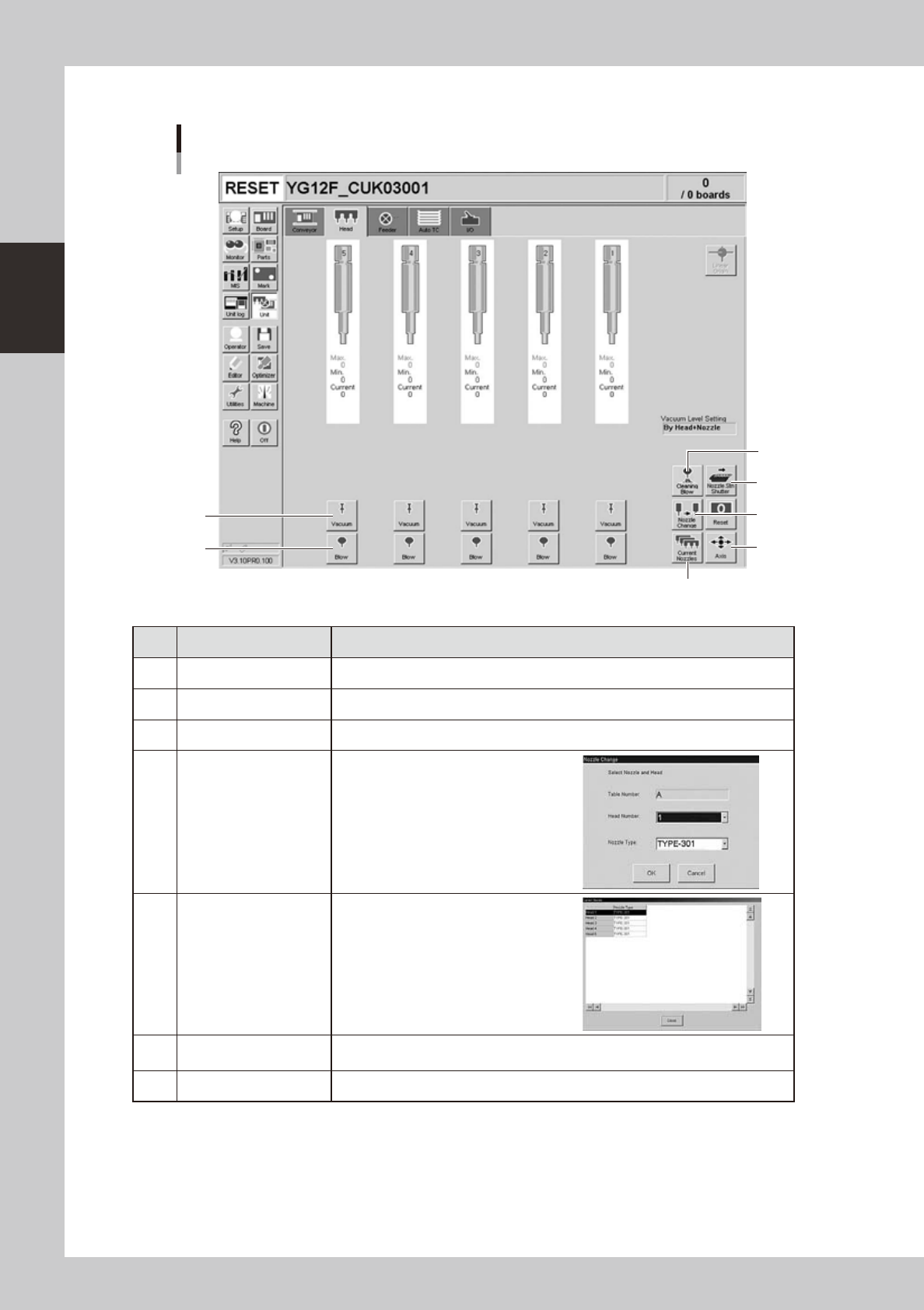
2-14 2 asic operation n Manual head operation [Unit] – [Head] screen 1 2 3 4 5 6 7 24207-M7-00 Button name Function 1 V acuum T urns the vacuum of each head on or off. 2 Blow T urns the air blow in each head on or off.…
2-13
2
asic operation
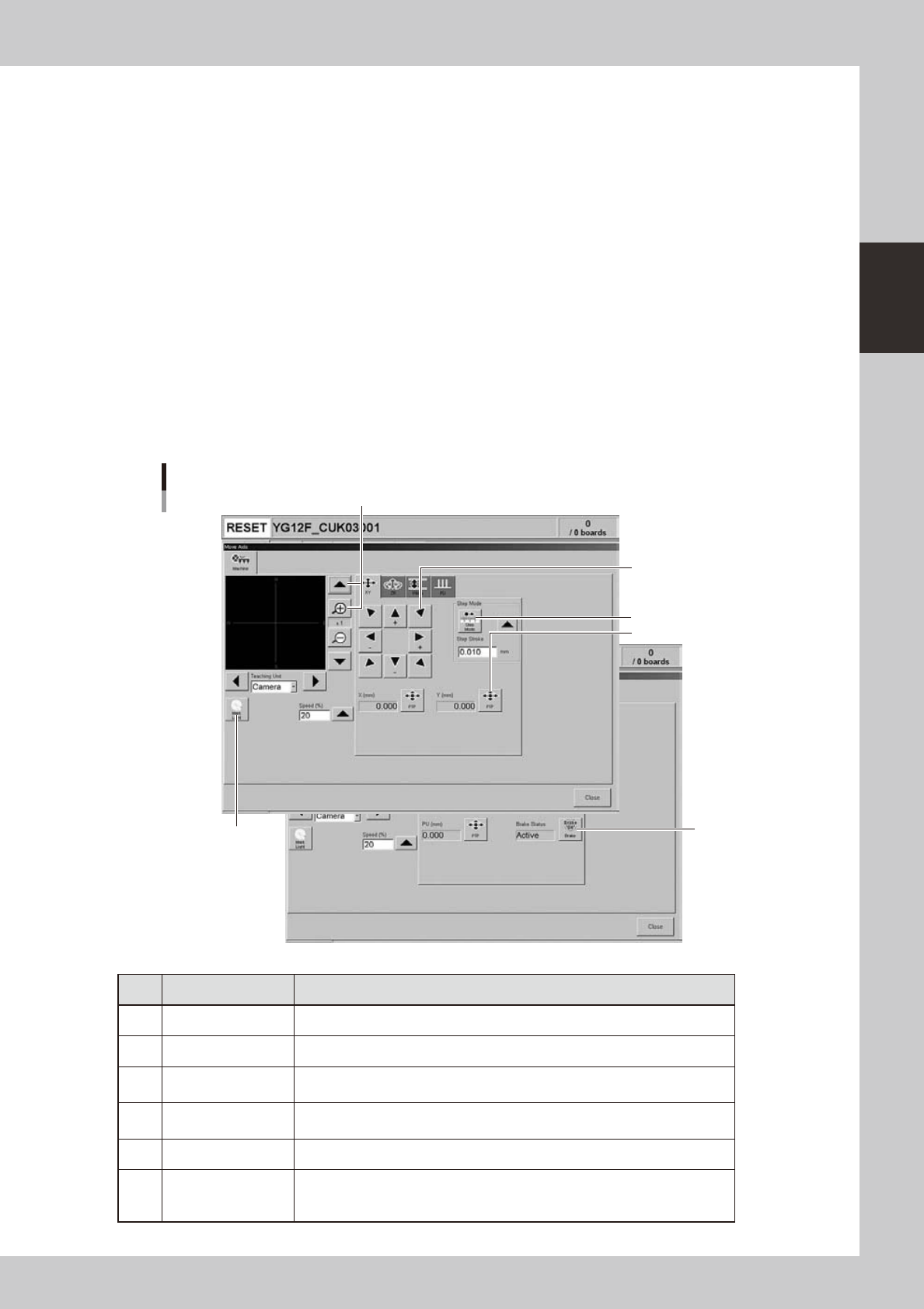
4. [Axis] button
Pressing this button opens the "Move Axis" screen as shown below. You can manually move each axis at a specified step
stroke with the arrow buttons or to a specified position with the [PTP] button.
5. [Left] button, [Right] button
Rotates the conveyor motor in the left or right direction at high speeds.
6. [Low Left] button, [Low Right] button
Rotates the conveyor motor in the left or right direction at low speeds.
7. [Exit Stopper] button
Raises or lowers the exit stopper that stops a board at the conveyor exit.
8. [Push Up] button
Pressing this button opens a dialog box for entering board thickness. Check or enter the board thickness to clamp the
board by pushing it up from the bottom (underside).
9. [Board Clamp] button
Clamps the board by pushing up its edges from the bottom (underside).
10. [Main Stopper] button
Raises or lowers the main stopper that stops a board in the clamp position on the conveyor.
11. [Entrance Stopper] button
Raises or lowers the entrance stopper that stops a board at the standby position.
"Move Axis" screen
1
2
3
4
5
6
24206-M7-00
Button name Function
1 Zoom in/out (+, -) Zooms in or out the image. (16 times to 1/16 times)
2 Mark Light Allows changing mark lighting manually. Using this button does not affect data.
3 PTP
Displays the "PTP" dialog box that allows directly specifying the position where
you want to move the selected axis.
4 Step Mode
When this button is pushed in, the selected axis can be moved in "step mode
(inching mode)" with the arrow buttons at a specified step stroke (inching stroke).
5 Arrow Use these buttons to move the selected axis in the desired direction.
6 Brake
Use this button when you want to release the brake during emergency stop.
(W-axis and PU axis only)
The brake is automatically released when the servo is turned on.
2-14
2
asic operation
n
Manual head operation
[Unit] – [Head] screen
1
2
3
4
5
6
7
24207-M7-00
Button name Function
1 Vacuum Turns the vacuum of each head on or off.
2 Blow Turns the air blow in each head on or off.
3 Nozzle STN Shutter Opens or closes the nozzle station shutter.
4 Nozzle Change
Opens the "Nozzle Change" dialog box.
Specify the head and nozzle type to
perform nozzle change.
5 Current Nozzles
Shows a list of nozzle types currently
attached to each head.
6 Axis
Opens the "Move Axis" screen. This is the same as the [Axis] button on the [Unit]-
[Conveyor] screen.
7 Cleaning Blow Not currently used.
2-15
2
asic operation
n
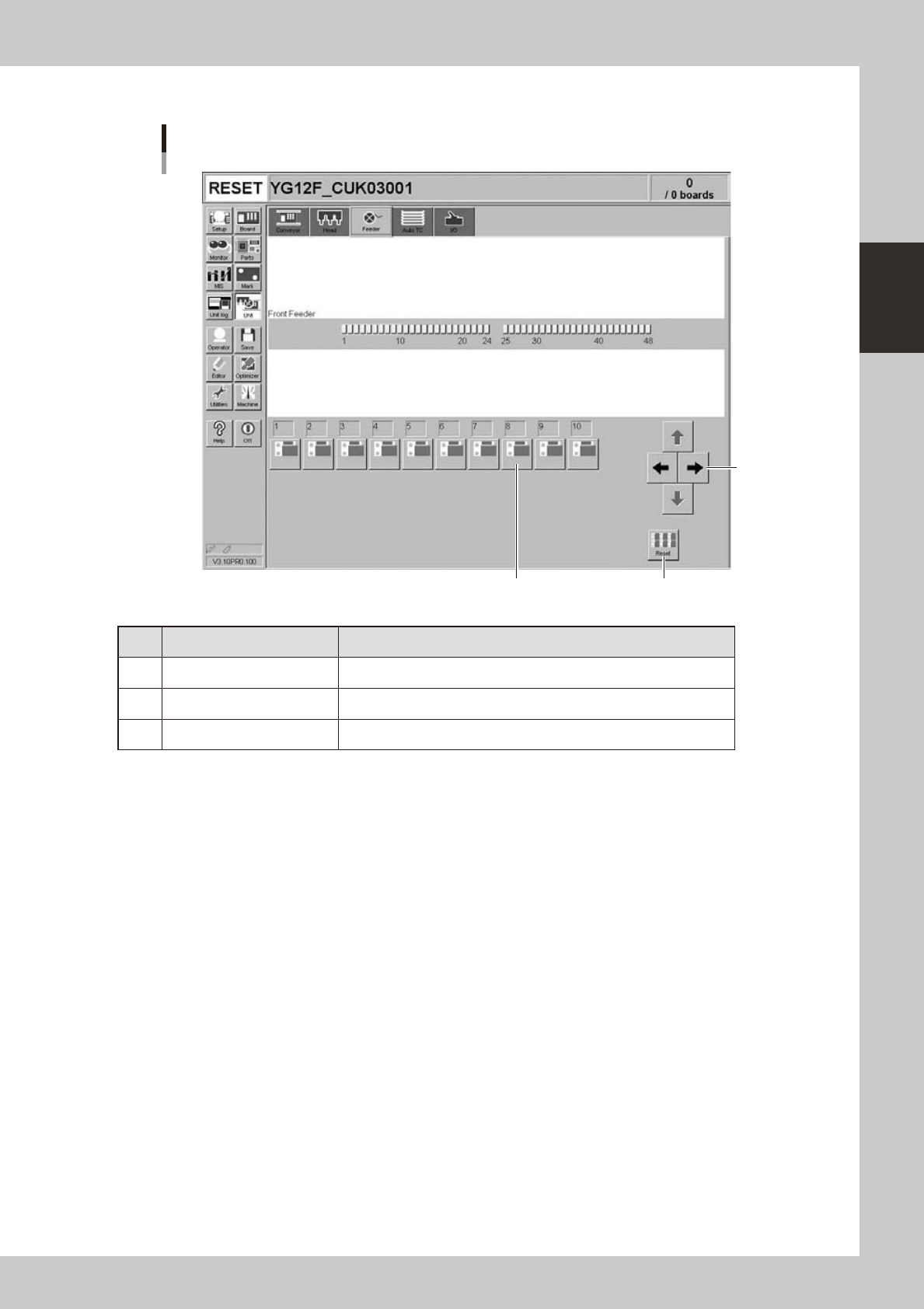
Manual feeder operation
[Unit] – [Feeder] screen
1
3
3
24210-M7-00
Button name Function
1 Right/left arrows Scrolls through the drive valve number display.
2 Drive valve Turns the feeder shutter drive valve on or off.
3 Reset Turns off all drive valves at a time.