YG12F_Ope_E.pdf - 第92页
2-34 2 asic operation 5. Settings on the mounter side After installing the tape feeders in the surface mounter , you must make settings for the mounter . 5.1 Setting the "Package" parameter . On the [P arts] …
2-33
2
asic operation
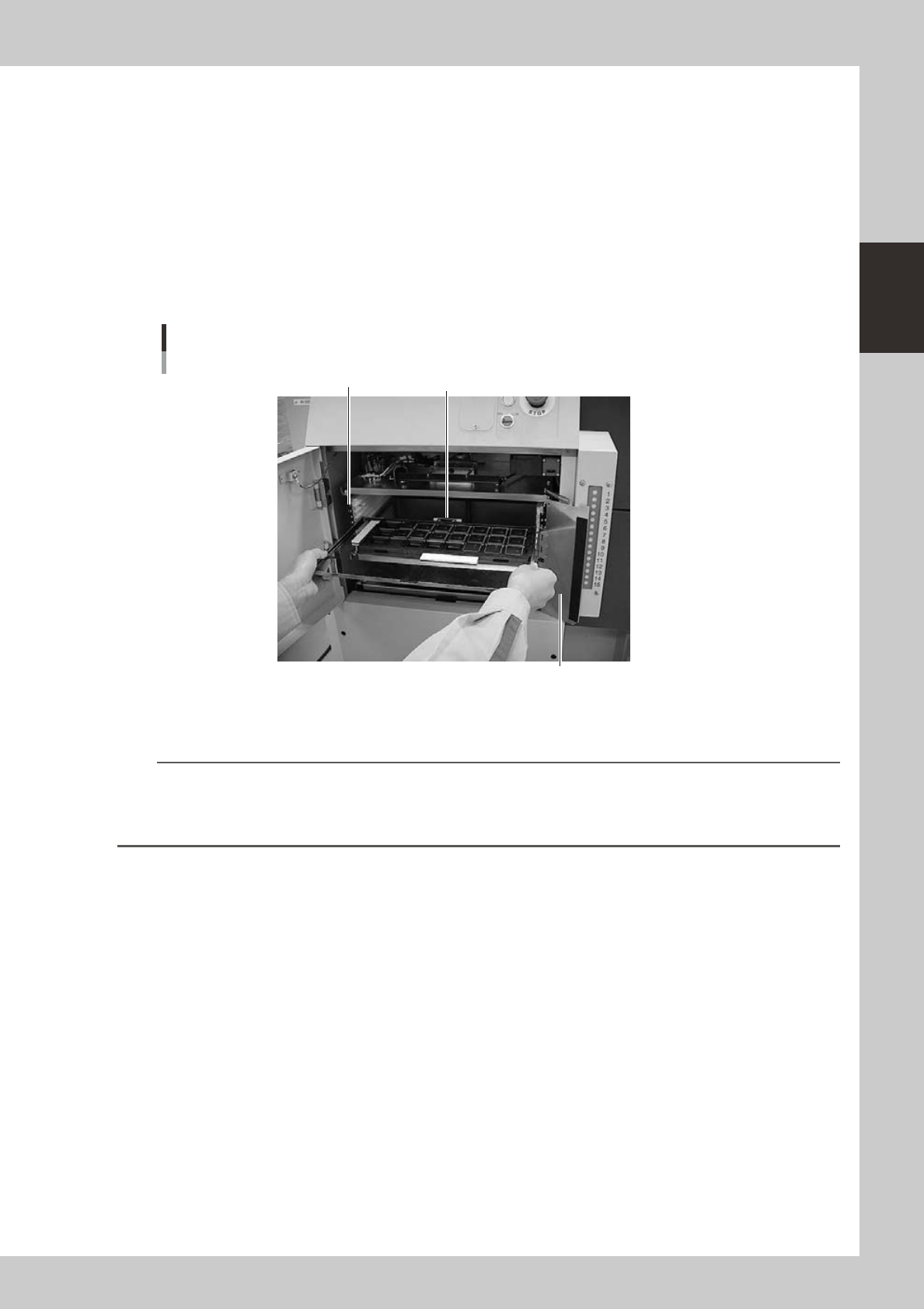
4.2.2 Setting a pallet in the ATS15
1
Open the ATS15 door.
Set the door switch to "OPEN" to unlock the door. Check the door switch lamp is off and then open the
door.
2
Open the pallet retainer door.
Open the pallet retainer door on the right side.
3
Insert the pallet.
While keeping the pallet level, insert it into the correct magazine shelf, with the pallet pullout piece
facing inward.
Inserting the pallet
Pullout piece
Pallet retainer door
Pallet insertion shelf number
23215-M7-00
4
Insert all the required pallets into the correct magazine shelf.
n
NOTE
• Labelwithblackandsilvernumbersareafxedtobothsidesofthemagazinetoshowtheshelfnumberand
prevent inserting a pallet into the wrong position.
• Insertthepalletintotheshelfthatwassetinthe"PalletNo.Start"and"PalletNo.End"parameterinthe[Parts]-[Tray]
information.
5
Close the pallet retainer door.
After closing the pallet retainer door, close the ATS15 door.
6
Set the door switch to "CLOSE".
This locks the door, and the door switch lamps turn on indicating that the pallets are set.
2-34
2
asic operation
5. Settings on the mounter side
After installing the tape feeders in the surface mounter, you must make settings for the mounter.
5.1 Setting the "Package" parameter.
On the [Parts] – [Basic] tab screen, you must set the "Package" and "Tape Type" parameters.
1
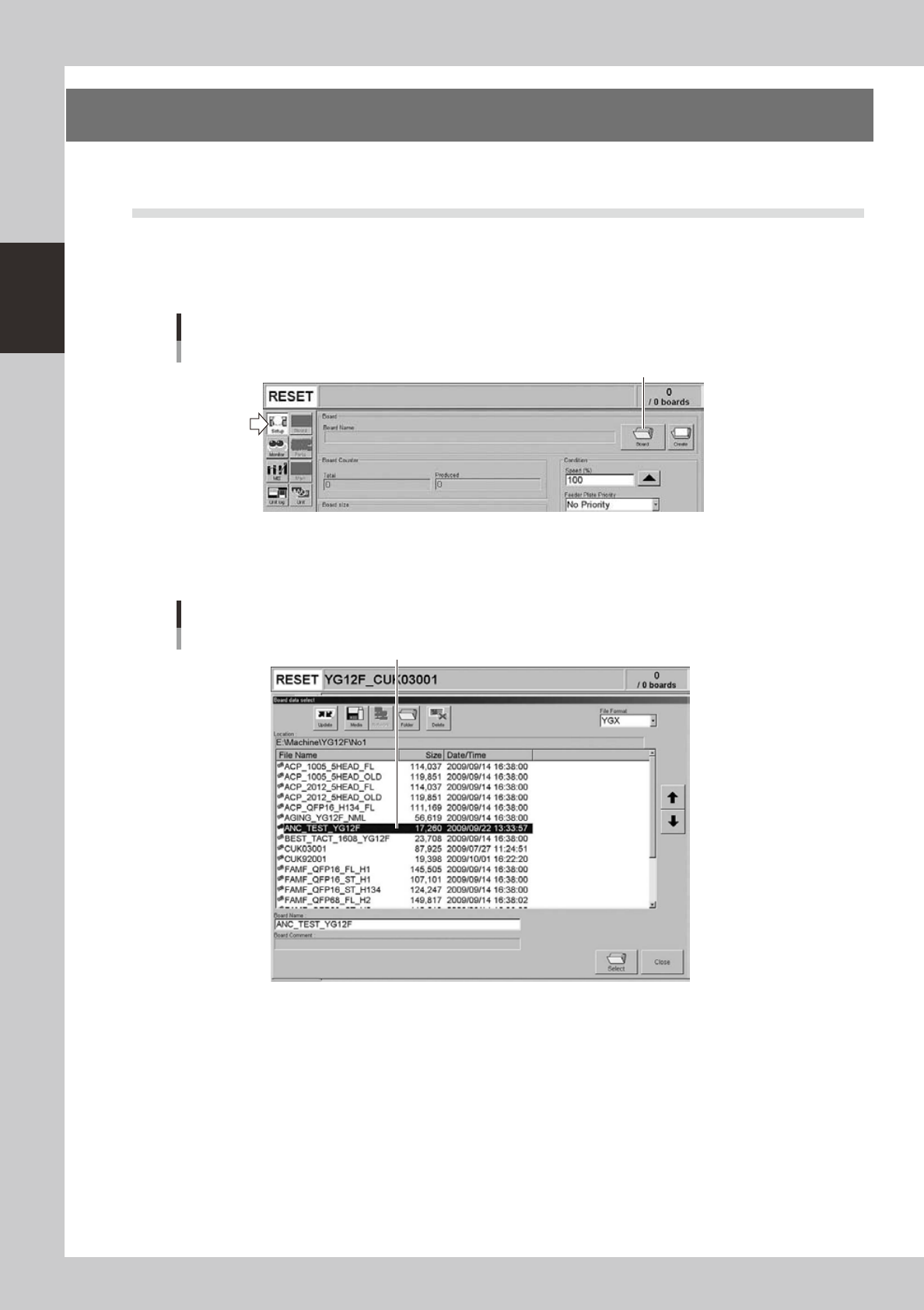
Open the "Board data select" screen.
On the Setup screen, press the [Board] to open the "Board data select" screen.
Setup screen
[Board] button
[Board] button
24219-M7-00
2
Select the board data.
Select the board data in the list and press the [Select] button.
"Board data select" screen
Select the board data.
24220-M7-00
2-35
2
asic operation
3
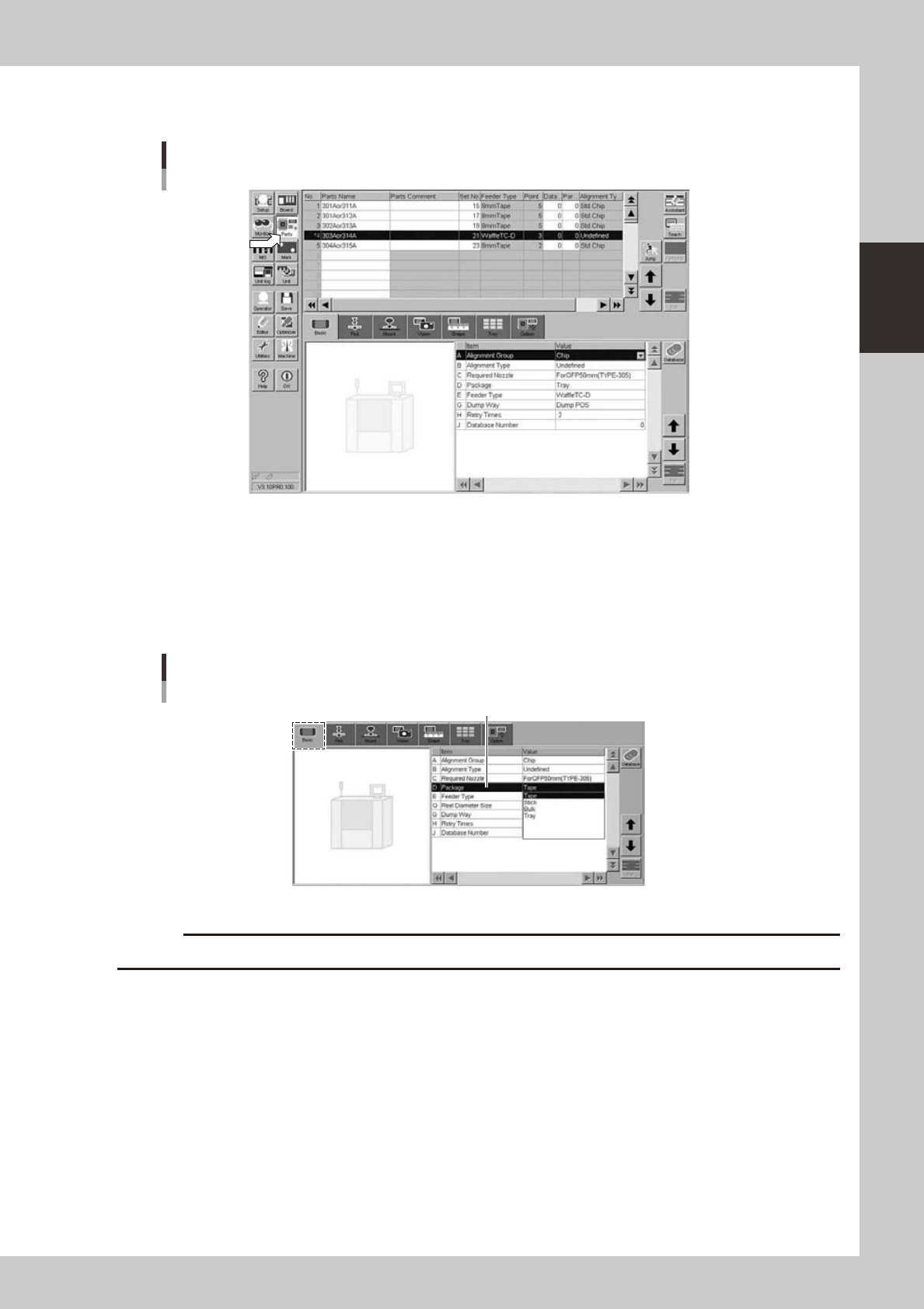
Open the Parts screen.
Press the [Parts] button to open the Parts screen and select the component from the upper list.
Parts screen
24221-M7-00
4
Display the basic parameters.
Select the [Basic] tab to display the basic parameters.
5
Set the "Package" parameter.
Double-click the "Package" parameter field and select "Tape" or "Tray" from the drop-down list according
to the component supply unit to be used.
[Parts]-[Basic] screen
"Package" parameter
"Package"
24222-M7-00
c