YG12F_Ope_E.pdf - 第95页
2-37 2 asic operation 5.2 Operation check n Checking the tape feeder operation Check if operation is correct after setting the tape feeder on the mounter . 1 Open the feeder screen. Press the [Unit] button and then sel…
2-36
2
asic operation
n
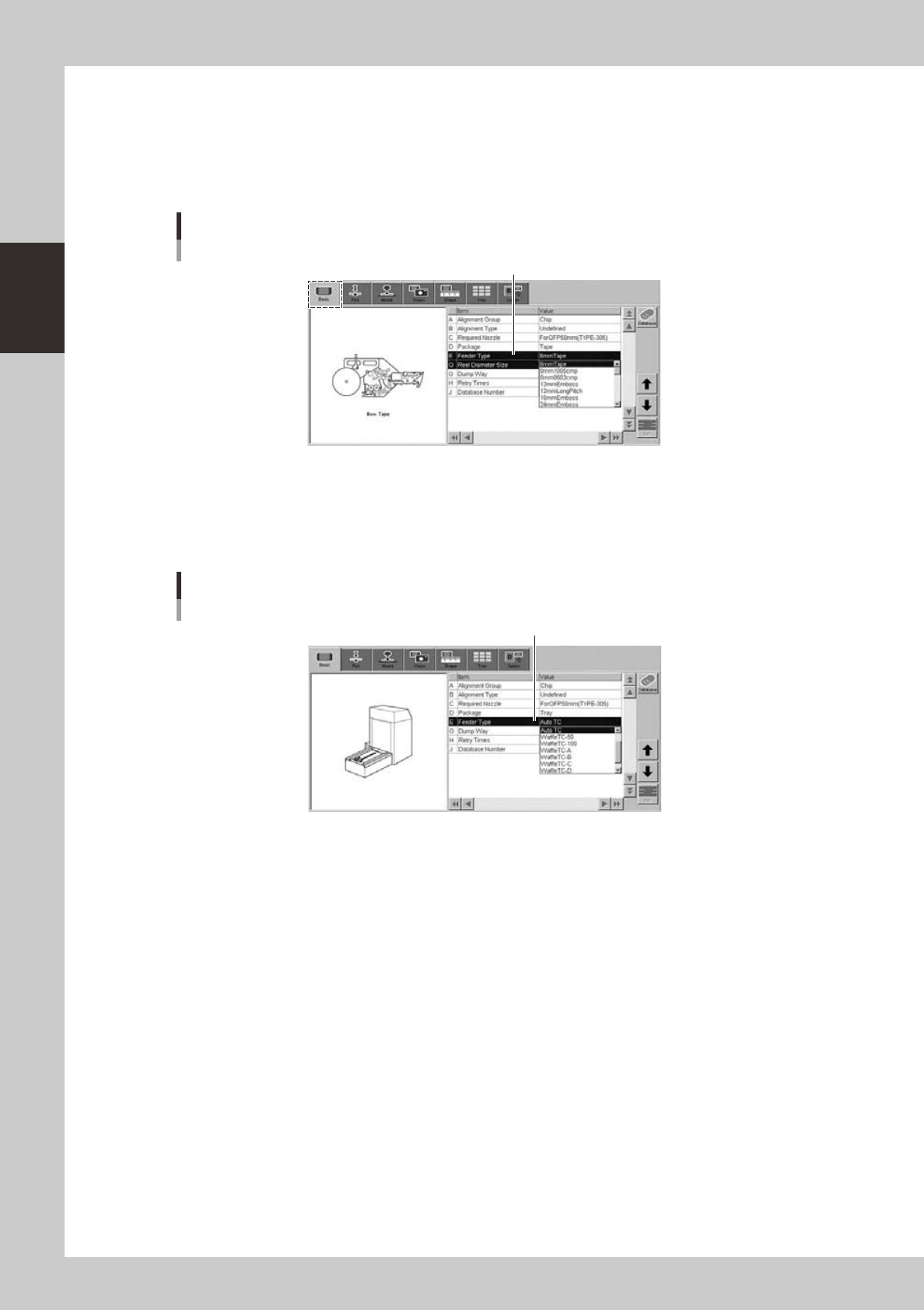
When using tape components
6
Set the "Feeder Type".
Double-click the "E: Feeder Type" entry field to open the pull-down menu and select the feeder type to
use (from among 8mm tape, 8mm 0603, 8mm 1005, 12mm long pitch and 16mm Emboss).
Changing the package type will also change the feeder type, so reassign the settings.
[Parts]-[Basic] screen
Feeder type
Feeder Type
24223-M7-00
n
When using tray components
6
Set the "Feeder Type" parameter.
Select "Auto TC" from the drop-down list.
[Parts]-[Basic] screen
Feeder Type
Feeder Type
24224-M7-00
2-37
2
asic operation
5.2 Operation check
n
Checking the tape feeder operation
Check if operation is correct after setting the tape feeder on the mounter.
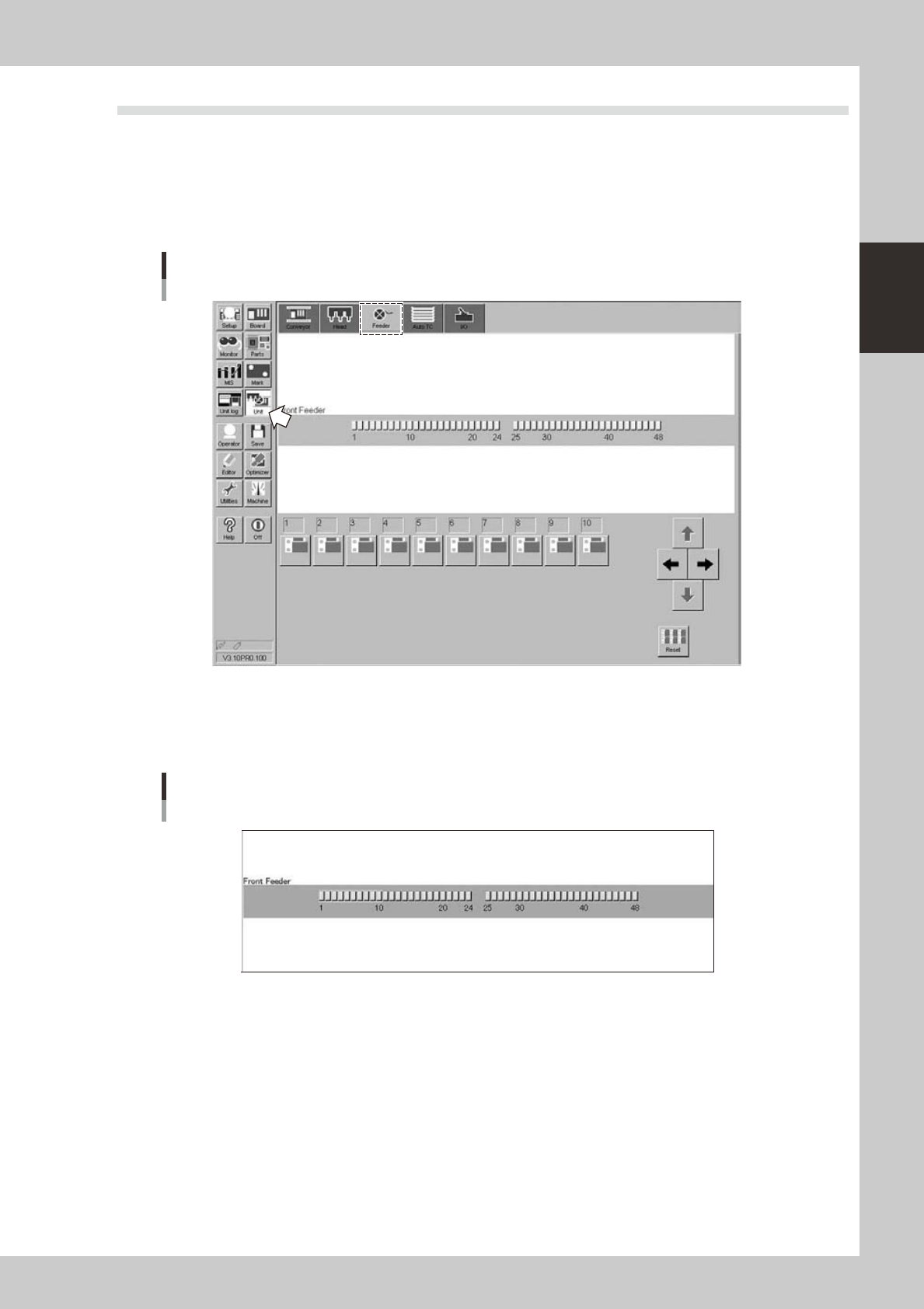
1
Open the feeder screen.
Press the [Unit] button and then select the [Feeder] tab to open the feeder screen.
Feeder screen
24225-M7-00
2
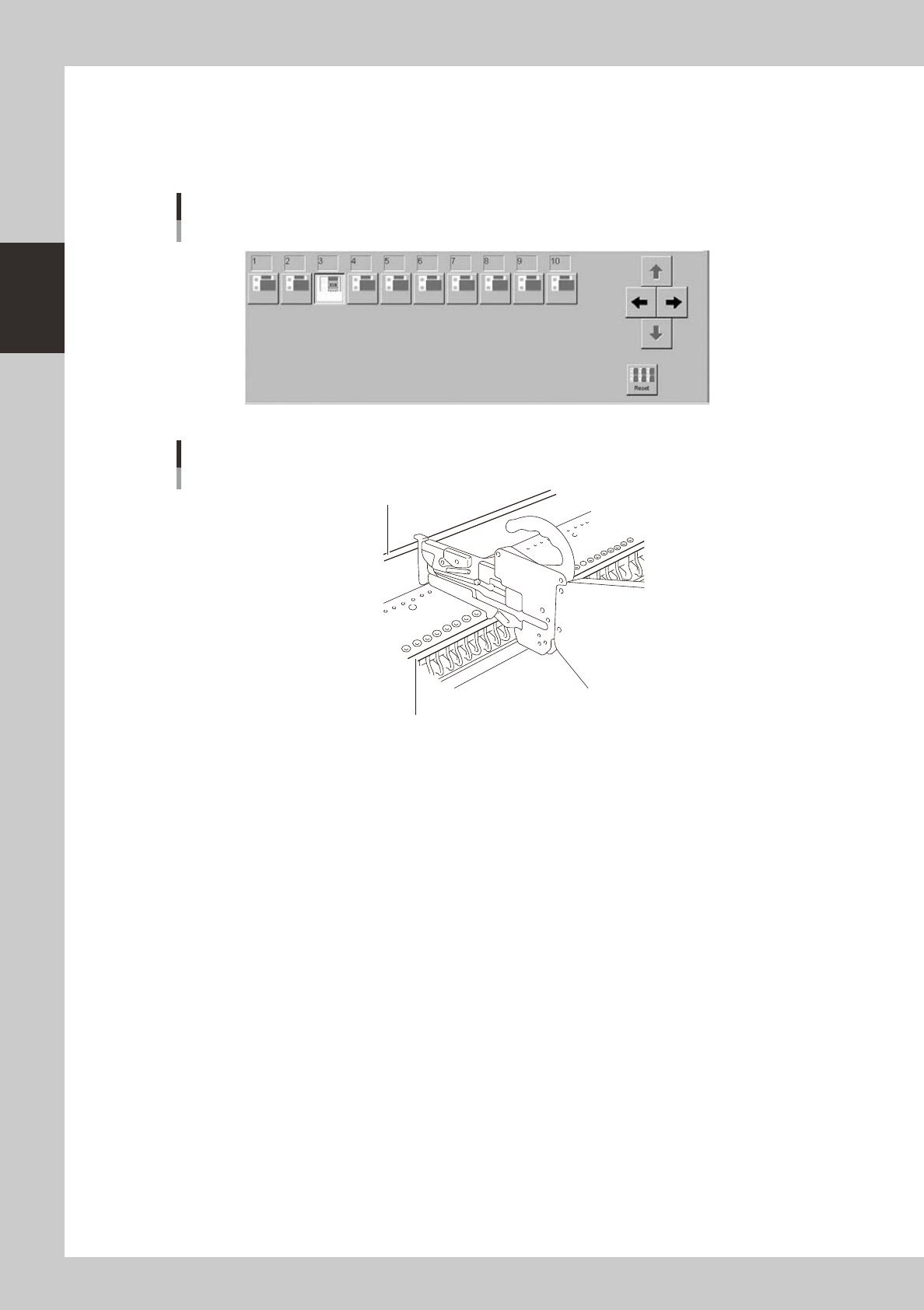
Select the feeder.
Click the feeder plate number section or use cursor buttons in upper part of the screen to select a
number of the feeder plate where the tape feeder you want to operate is installed.
Feeder screen
Selecting the feeder
24226-M7-00
2-38
2
asic operation
3
Click the icon of the feeder you want to operate.
Click the icon of the feeder plate number, at which the tape feeder you want to operate is installed, in
the feeder list in lower part of the screen. The air supply is switched on or off each time you click this
button.
Click several times to operate the feeder and check for any malfunctions.
Feeder screen
Selecting the feeder
24227-M7-00
26
27
28
29
35
32
33
32
34
40
36
37
38
39
41
42
43
44
23
24
25
26
27
28
29
30
31
42
43
45
46
47
48
49
Plate numbers
Feeder plate number
Feeder plate number
23216-M7-00