CP-6-series Mechanical Reference.pdf - 第157页
Part 4 Chapter 4 Checking the Transformer Connections Edition 1.0 4-4-1 CP-6-series Mechanical Reference 4. Checking the T ransformer Connections Point Set the transformer inside of the CP-6 corresponding to the supply v…

Part 4 Chapter 3 Air Supply
Edition 1.1 4-3-2 CP-6-series Mechanical Reference
Notes:
Part 4 Chapter 4 Checking the Transformer Connections
Edition 1.0 4-4-1 CP-6-series Mechanical Reference
4. Checking the Transformer Connections
Point
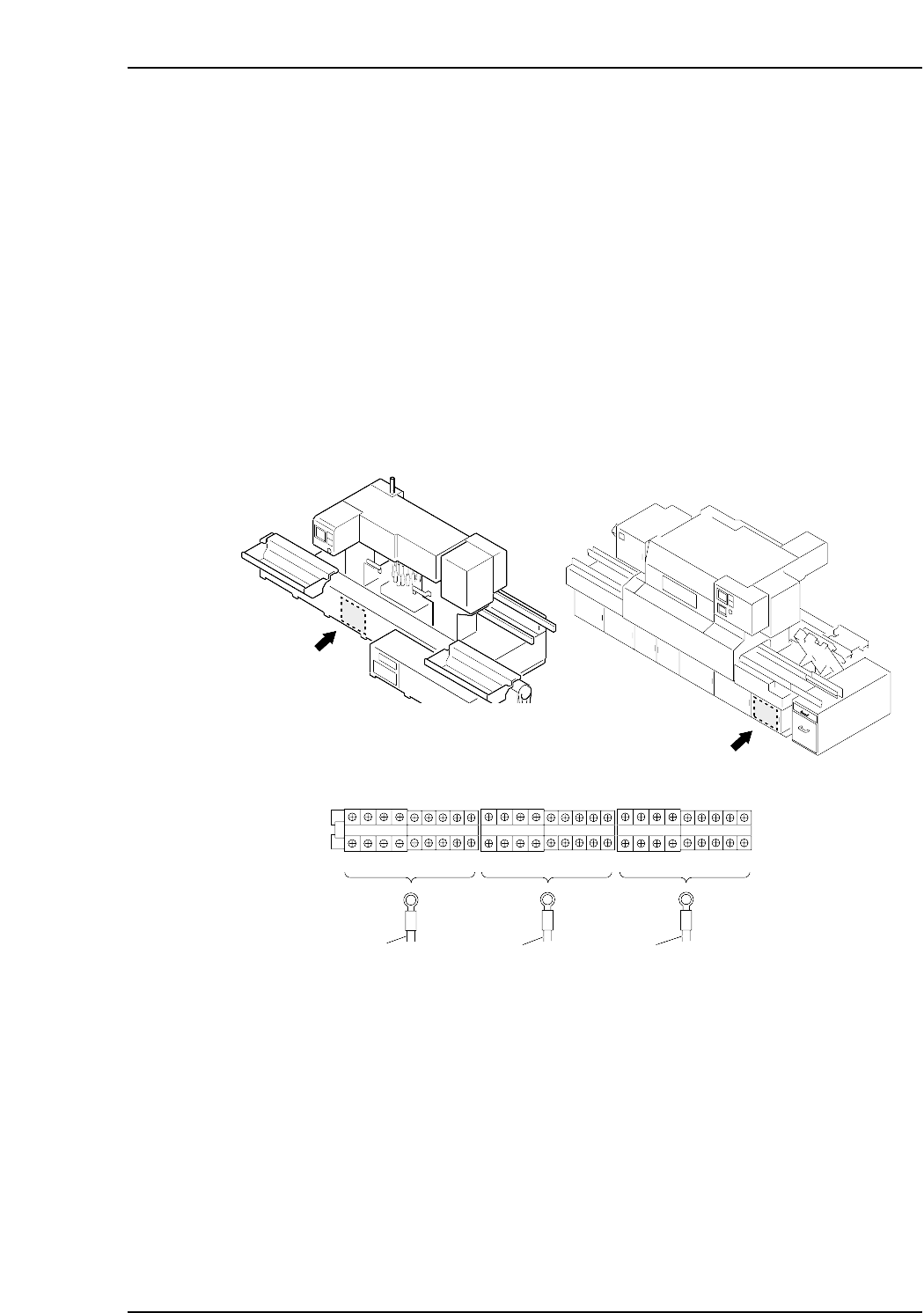
Set the transformer inside of the CP-6 corresponding to the supply voltage. If the
transformer is set an incorrect input voltage, electrical parts may be damaged.
Procedure
<CP-6, CP-6M, CP-642, CP-642M, CP-643E, CP-643ME, CP-65>
Remove the screws on the cover and take the cover off. Check that the main transformer
is set to the specified input voltage.
<CP-652C>
Open the box cover, and check that the main transformer is set to the specified input
voltage.
R 1
S 1
U200V
U210V
U220V
U230V
U380V
U400V
U415V
U460V
U480V
V200V
V210V
V220V
V230V
V380V
V400V
V415V
V460V
V480V
W200V
W210V
W220V
W230V
W380V
W400V
W415V
W460V
W480V
T 1
R1 Red
S1 White
T1 Black
CP-652C
CP6M4020
CP-6, CP-6M, CP-642, CP-642M, CP-643E, CP-643ME, CP-65

Part 4 Chapter 4 Checking the Transformer Connections
Edition 1.0 4-4-2 CP-6-series Mechanical Reference
Notes: