CP-6-series Mechanical Reference.pdf - 第185页
4. Move the area for the removed axis to station 1, then operate the lever by switching I/O (Y020 PICK UP SOL) to ON. 5. Set the cam angle within the range shown below, and position the dial gauge as shown in the figure …
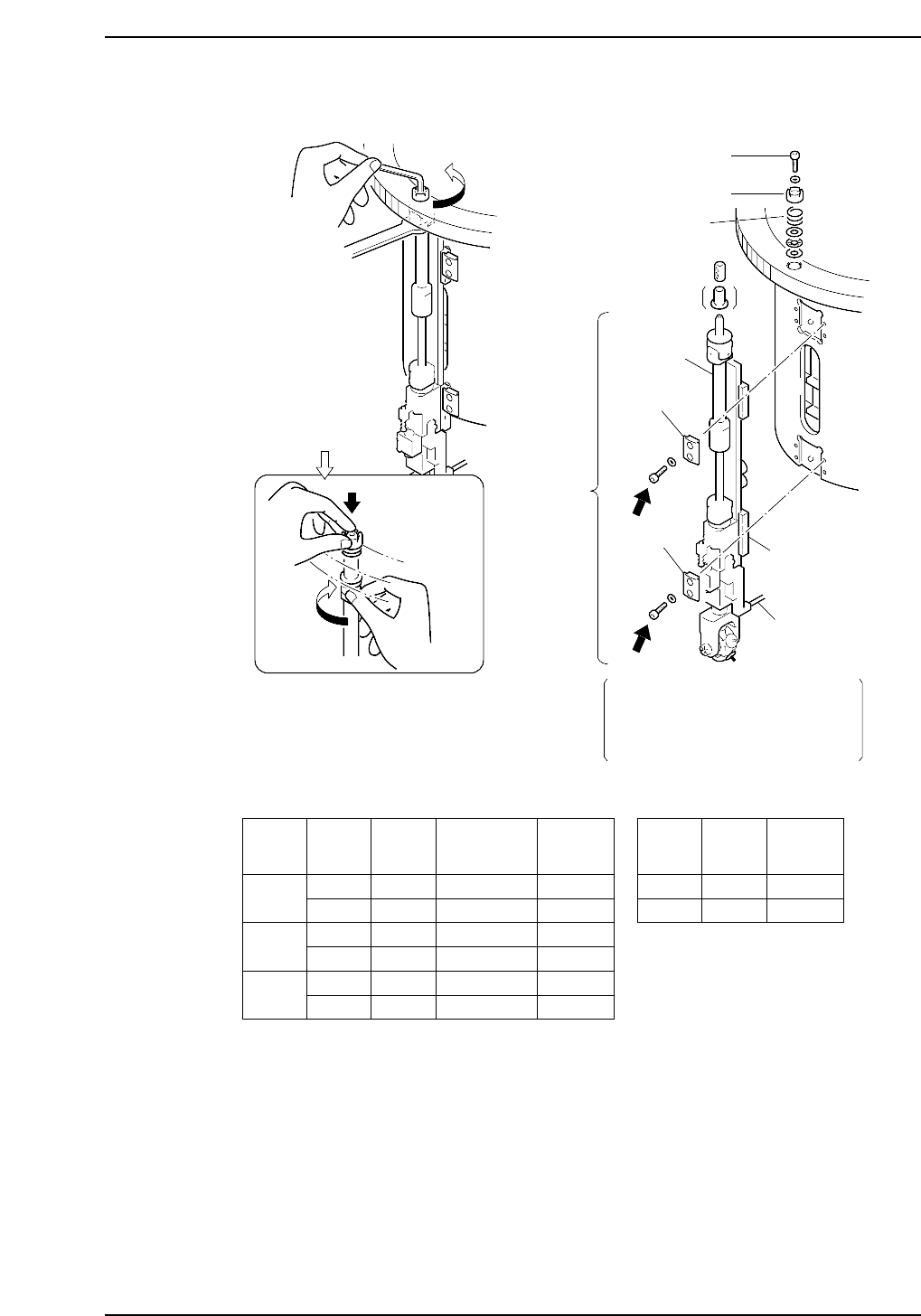
Caution: Do not disassemble the nozzle shaft assembly carelessly. Special equipment and skills
are required to perform the reassembly of the nozzle shaft. Such procedures should be
attempted only by users who have attended training at Fuji and are equipped with
the necessary tools, or whilst under the direct guidance of a serviceman.
Bracket
Linear guide
Outer shaft
Clutch
Bolt
Caution : Washers may jump when the bolt
is loosened because of the spring
under the clutch.
Spring
Use a torque wrench to apply
20 kgf.cm to the screws (A and B)
when attaching the nozzle axis.
Refer to the table below.
Rotate the nozzle shaft
while holding the bolt
with your finger
A
B
X No. Part
Bolt
size
Bracket
No.
Torque
Kgf/cm
~ 166
167 ~
260
261
A
B
A
B
A
B
M4
M4
M4
M5
M4
M5
WPH0331
WPH0331
WPH0331
WPH1031
WPH0331
WPH1020
20
33
20
40
20
40
A
B
M4
M4
20
20
(4000 TYPE) (5000 TYPE)
Bracket
Vacuum hose
Part
Bolt
size
Torque
Kgf/cm
CP6M5025
Nozzle
shaft
assembly
Part 5 Chapter 3 Station Adjustments
Edition 1.0 5-3-9 CP-6-series Mechanical Reference
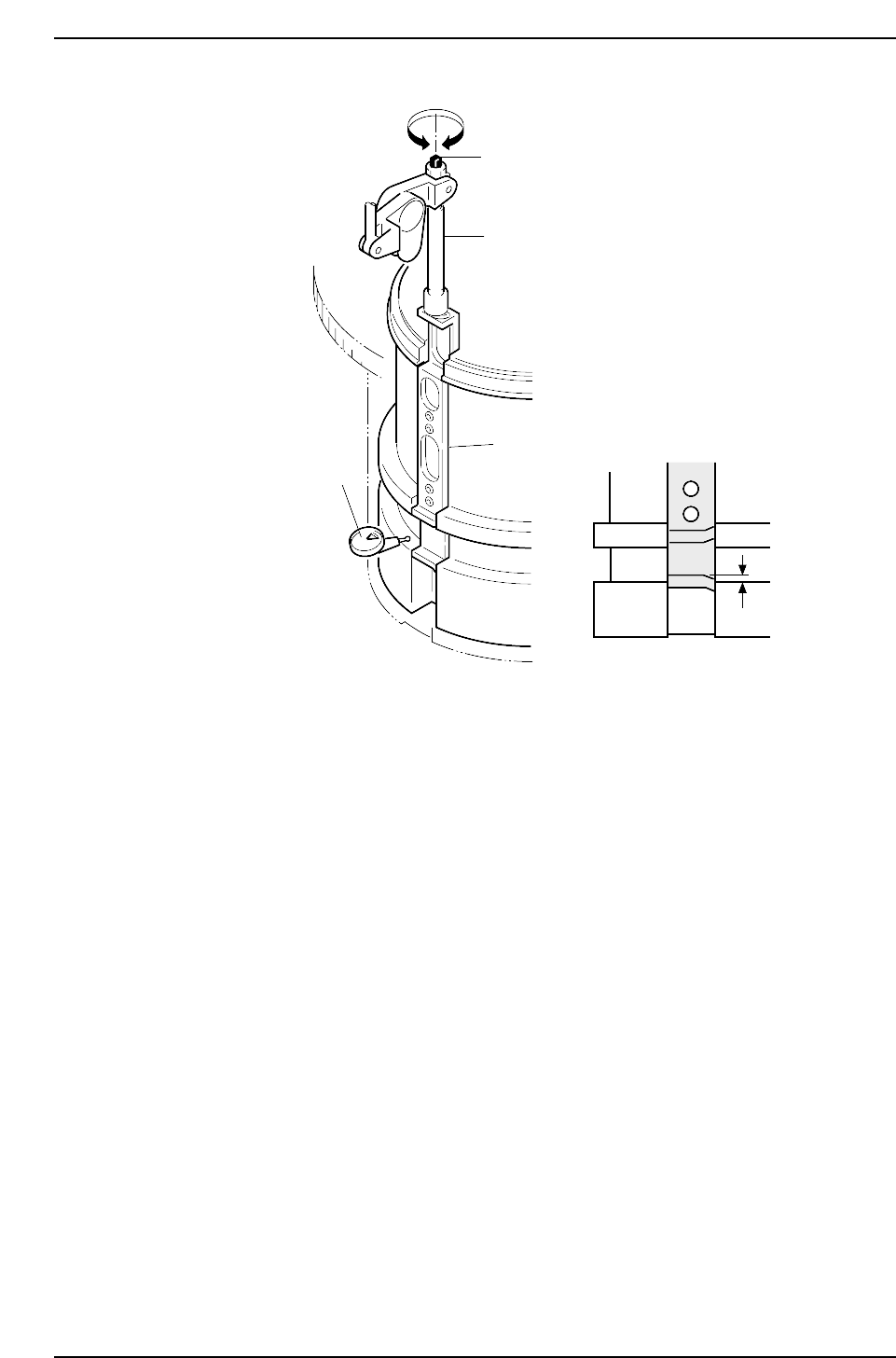
4. Move the area for the removed axis to station 1, then operate the lever by
switching I/O (Y020 PICK UP SOL) to ON.
5. Set the cam angle within the range shown below, and position the dial gauge as
shown in the figure above.
• 4000 Type = 313° ~ 43°• 5000 Type = 294° ~ 66°
6. Adjust the rod so that there is 0 ±0.03 difference between the slider groove and the
fixed groove in the cam.
7. Reattach the nozzle shaft assembly in the original location. Use the clutch
alignment jig and reverse the removal procedures to attach the shaft.
CP6M5026
0 ± 0.03 mm
Adjustment bolt
Rod
Slider
Dial gauge
Part 5 Chapter 3 Station Adjustments
Edition 1.0 5-3-10 CP-6-series Mechanical Reference
Pick-Up Height Adjustment
Ensure that the nozzle descends low enough to pick up a part set in the feeder. Confirm
that the mechanical valve movement creates a vacuum for part pick-up.
1. Set the 8 x 4 paper tape feeder (tape leaf removed) into the D1 location.
2. Move the feeder to station 1 with [SET] - [D Axis] - [1] - [CR].
3. Select [SET] - [MANUAL] - [I/O] and then press the EMERGENCY STOP button
to take the 200 V down to 100 V.
WARNING
• Turn off the 200 V servo power before carrying out this work.
• Exercise extreme caution when working on the machine if the cam is
not at its origin (0 deg.). Recoil of the cam axis can endanger the
operator.
4. Set the cam angle to 0°, then turn on the solenoid (Y020 PICK UP SOL ON) to
work the lever.
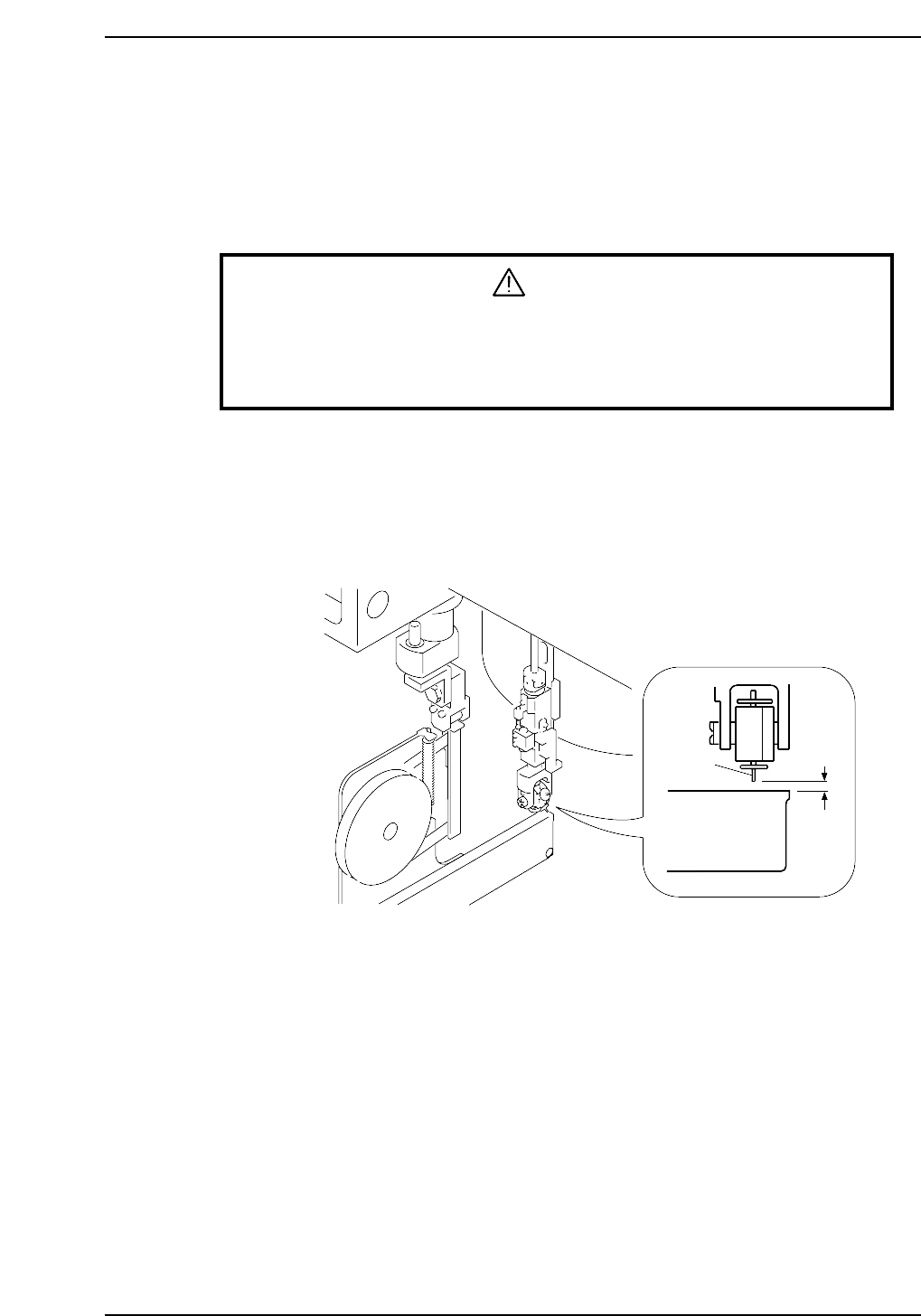
5. Use the cam handle to rotate the cam to 175°.
6. Use a feeder gauge to ensure a space of 0.65 mm between the tip of the nozzle and
the feeder (pick-up height).
0.65mm
Feeder
Nozzle
CP6M5027
Part 5 Chapter 3 Station Adjustments
Edition 1.0 5-3-11 CP-6-series Mechanical Reference