CP-6-series Mechanical Reference.pdf - 第209页
6. Ensure that the spool and the lever are not in physical contact. Note: Take care when touching the speed regulator. (The speed regulator should be set four or five rotations away from the completely closed position.) …
3.5.3 Nozzle Vacuum Off
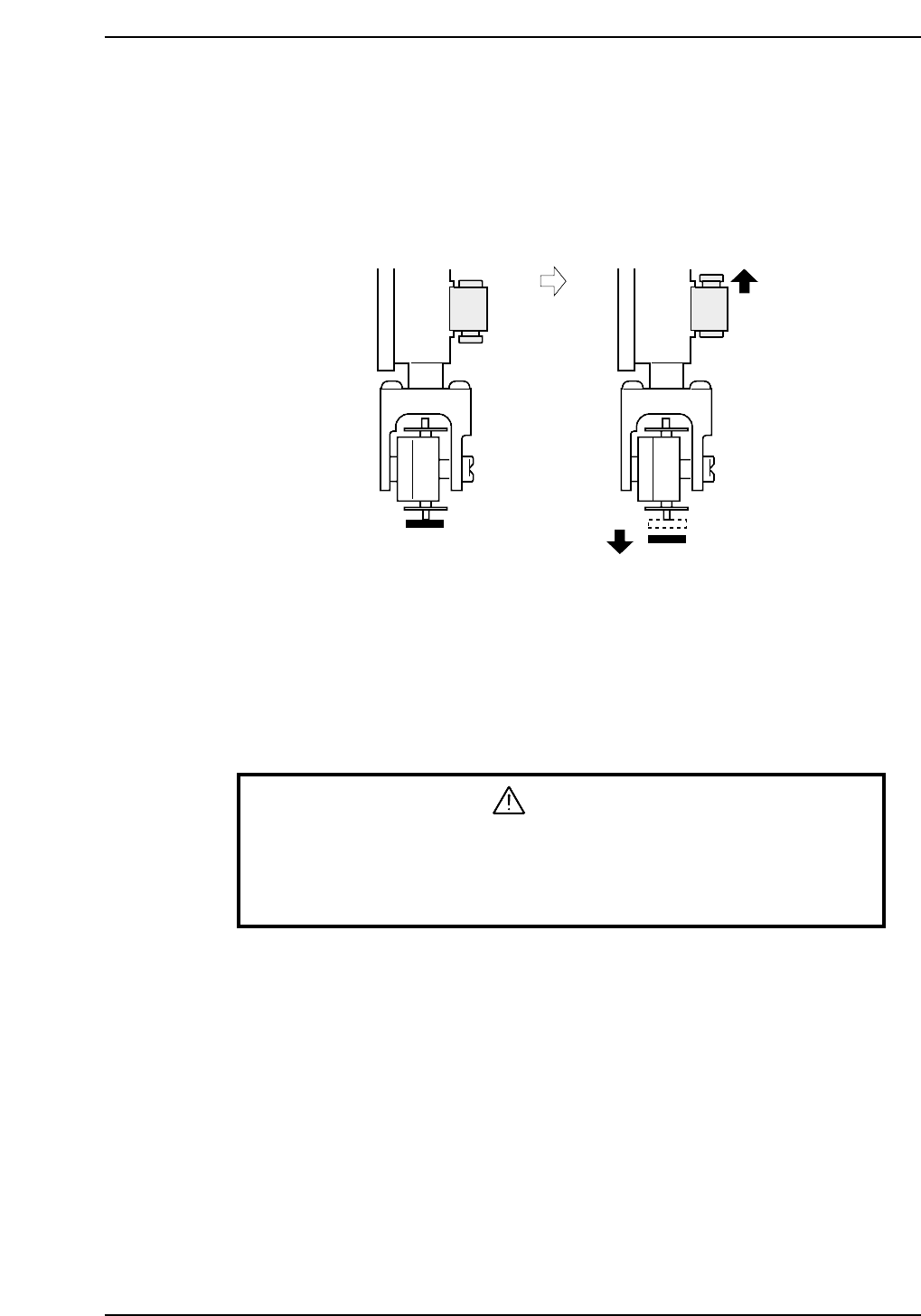
The nozzle vacuum goes from ON to OFF with the movement of the mechanical valve at
station 11. Vacuum pressure inside the nozzle releases for part placement when the
valve closes. Ensure the part is placed on the production board.
Nozzle Vacuum Lever Adjustment
1. Adjust the valve ON/OFF operation at the reference head.
The reference head is ascertained by raising each spool as shown in the figure
above and measuring its height. The lowest head is used as the reference.
2. Select [SET] - [MANUAL] - [I/O] and then press the EMERGENCY STOP button
to take the 200V down to 100V.
WARNING
• Turn off the 200 V servo power before carrying out this work.
• Exercise extreme caution when working on the machine if the cam is
not at its origin (0 deg.). Recoil of the cam axis can endanger the
operator.
3. Set the cam angle to 0°, then turn on the nozzle vertical movement solenoid (Y028
PLACE SOL ON) for the nozzle at station 11 to work the lever.
4. Use the cam handle to rotate the cam to 200°.
5. Adjust the height of the bracket so that the distance between the spool and the
lever is 0.05 ~ 0.1 mm (This measurement can be made with a feeler gauge).
Vacuum ON Vacuum OFF
CP6M5054
Part 5 Chapter 3 Station Adjustments
Edition 1.0 5-3-33 CP-6-series Mechanical Reference
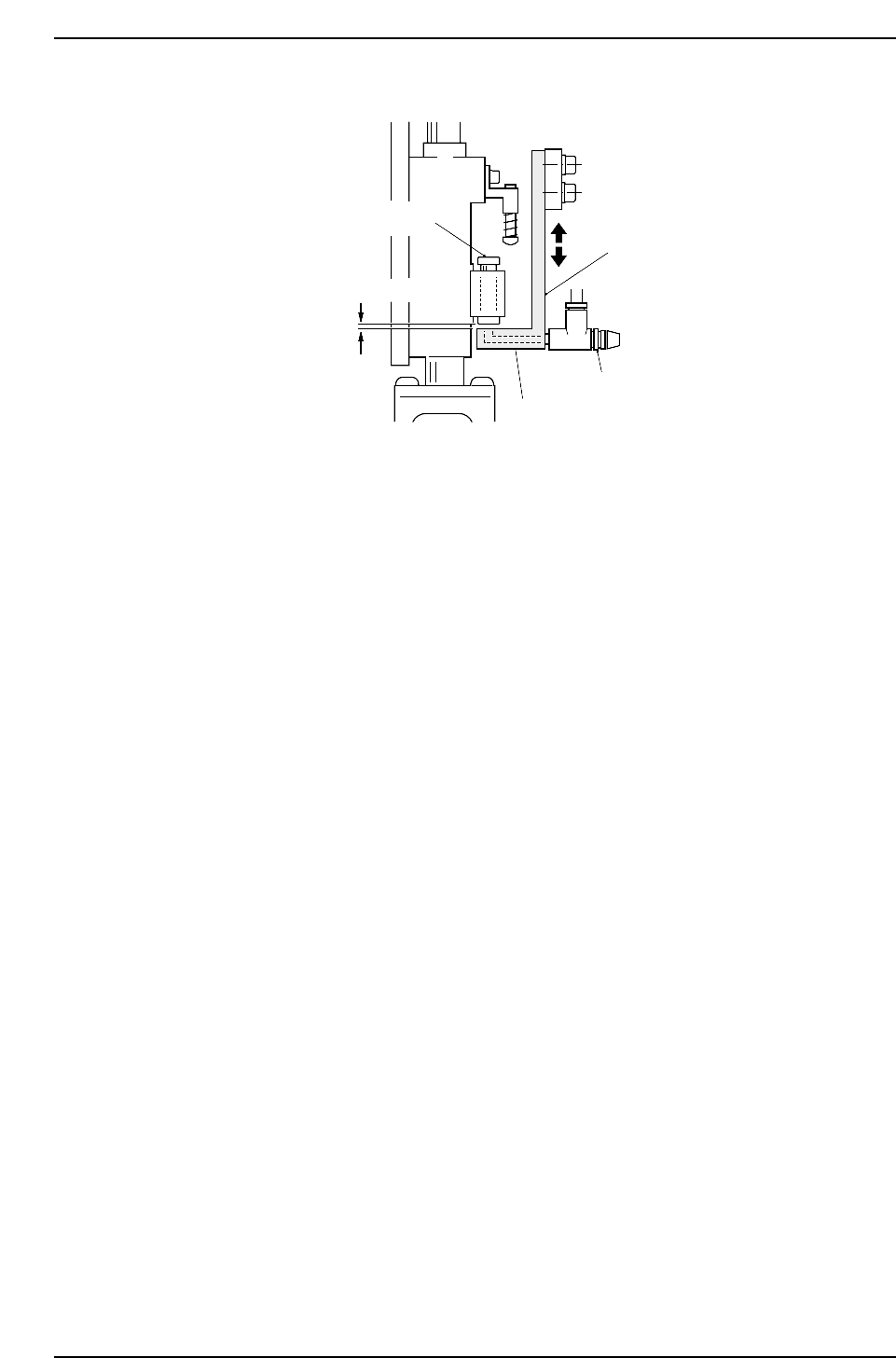
6. Ensure that the spool and the lever are not in physical contact.
Note: Take care when touching the speed regulator.
(The speed regulator should be set four or five rotations away from the completely closed
position.)
0.05 ~ 0.1 mm
Bracket
Speed regulator
Lever
Spool
CP6M5055
Part 5 Chapter 3 Station Adjustments
Edition 1.0 5-3-34 CP-6-series Mechanical Reference
3.6 Station 12
Fine-reverse Mechanism
This mechanism reverses the nozzle rotation performed at station 10 for part placement.
3.6.1 Clutch Meshing Check
WARNING
• Turn off the 200 V servo power before carrying out this work.
• Exercise extreme caution when working on the machine if the cam is
not at its origin (0 deg.). Recoil of the cam axis can endanger the
operator.
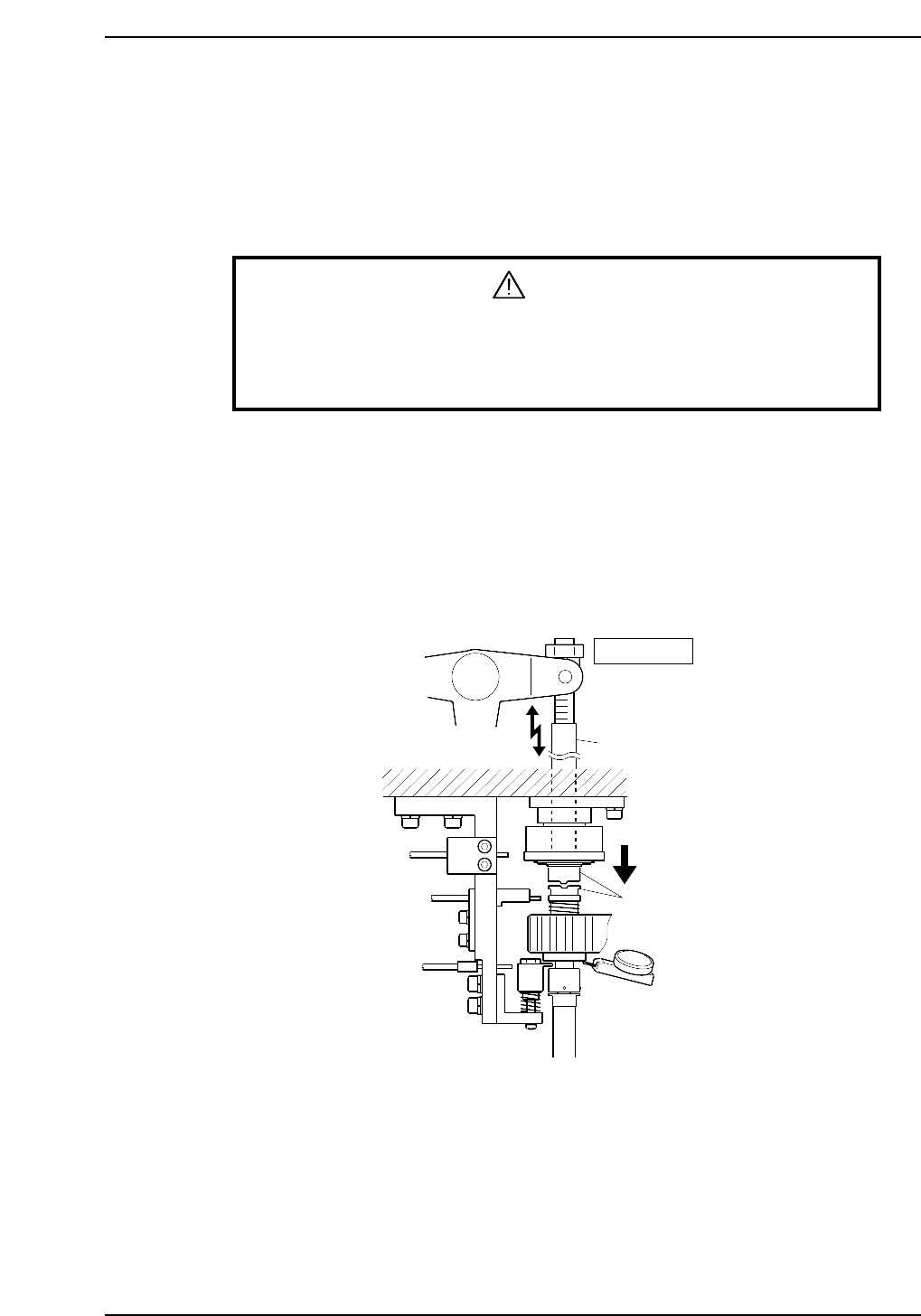
Perform this check on the low-pressure nozzle.
1. Set a dial gauge to the lower surface of the slide stopper.
2. Use the cam handle to rotate the cam to 200°.
3. Ensure that the clutches mesh properly and the pressure applied is 0.3 ~ 0.35 mm.
Note: The low-pressure nozzle refers to the nozzle axis (out of the 20) that receives the weakest
pushing pressure. Use the low-pressure nozzle for meshing checks at stations 3, 5, 10, 12
and 13.
Station 12
Rod
Clutches
0.30 ~ 0.35 mm
CP6M5056
Part 5 Chapter 3 Station Adjustments
Edition 1.0 5-3-35 CP-6-series Mechanical Reference