CP-6-series Mechanical Reference.pdf - 第232页
1.5 MX 250 I/O Configuration This is the arrangement of the LEDs that display in control box 1 for MX 250 I/O boards. 0 1 2 3 4 5 6 7 8 9 A B C D E F 2A. Fuse 2A. Fuse 2A. Fuse I/O-1 I/O-2 I/O-3 I/O-4 INPUT OUTPUT SW.# S…
1.4 Reading the I/O Map List
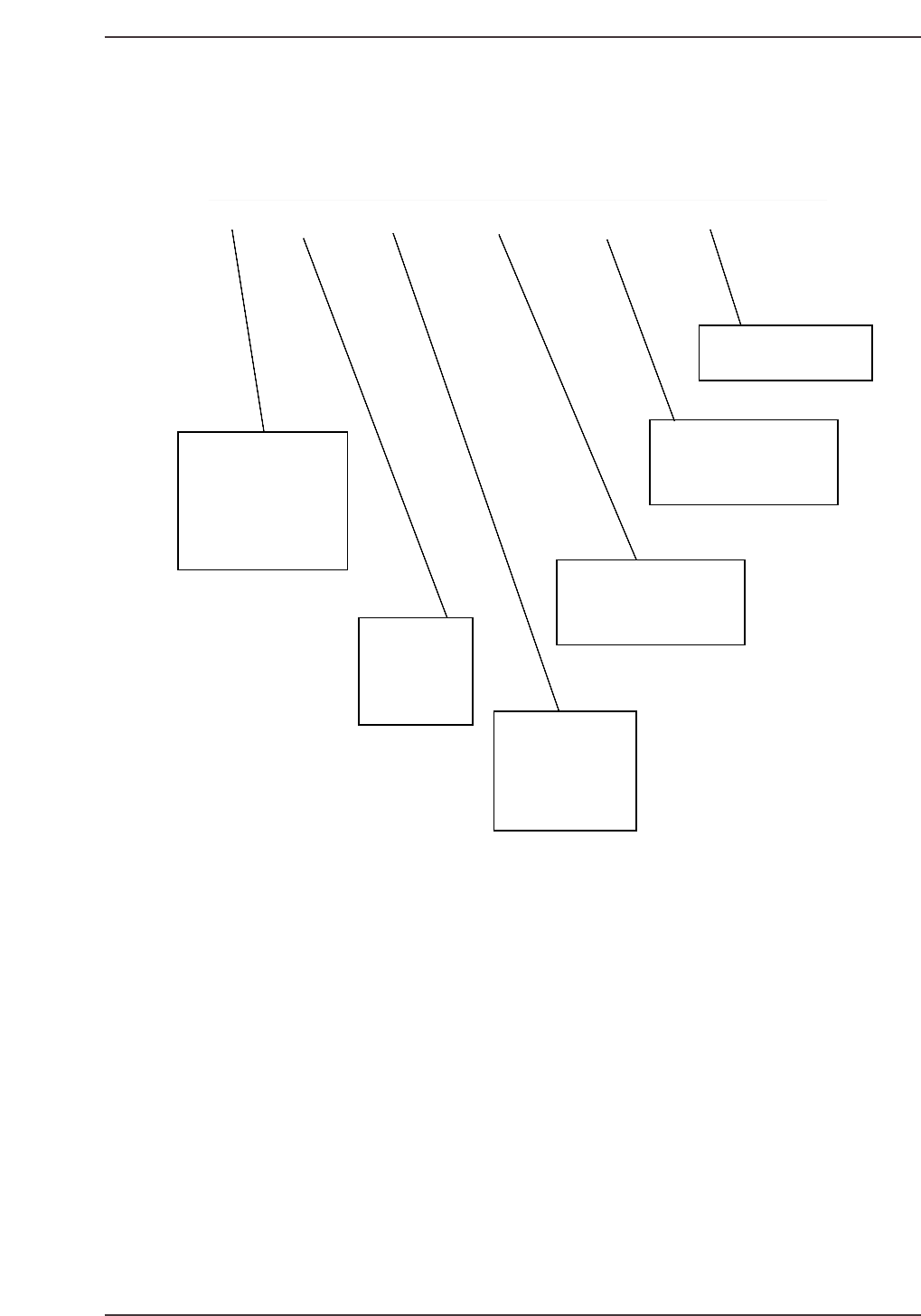
A description of the I/O map fields is given below:
LED # PORT# STATE DISPLAY PAGE DESCRIPTION
LED #
Refers to the LED #
on the various I/O
modules of the PLC's.
It is also the Terminal
number that the wire
carrying the input
signal is connected to.
A00 X000 EMERGENCY SW Emergency Stop button016
Port #
The I/O Port ad-
dress. It is also
the wire number
of the wire carry-
ing the input signal.
State
The state of the I/O
signal after power-
ing on the machine,
Zero-setting the machine
and pressing AUTO
and no alarms indicated.
Display
Refers to what is displayed by
the machine as the formal
name of the port.
Page
Refers to what page
the port can be located at in the
electrical schematic.
Description
A more detailed description
of the port
Figure: I/O Map List Description
CP6M6003
Part 6 Chapter 1 The Machine I/O
Edition 1.0 6-1-5 CP-6-series Mechanical Reference
1.5 MX 250 I/O Configuration
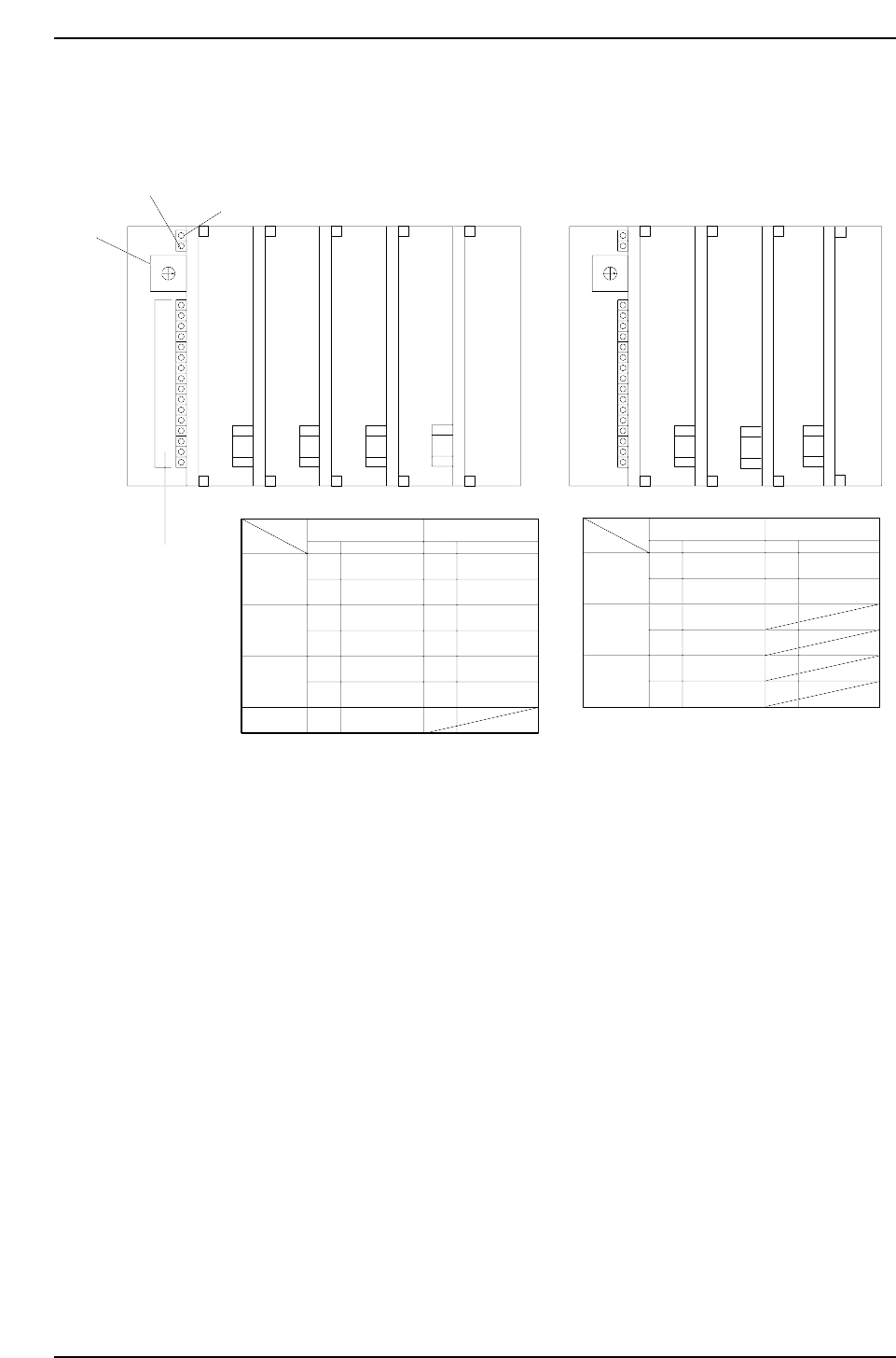
This is the arrangement of the LEDs that display in control box 1 for MX 250 I/O boards.
0
1
2
3
4
5
6
7
8
9
A
B
C
D
E
F
2A. Fuse
2A. Fuse
2A. Fuse
I/O-1 I/O-2 I/O-3 I/O-4
INPUT OUTPUT
SW.# SW.#
Address Address
I/O-1
I/O-2
I/O-3
0
1
2
3
4
5
6
8
9
A
B
C
D
A00 ~ A0F
B00 ~ B0F
A00 ~ A0F
B00 ~ B0F
A00 ~ A0F
B00 ~ B0F
A00 ~ A0F
A00 ~ A0F
B00 ~ B0F
A00 ~ A0F
B00 ~ B0F
A00 ~ A0F
B00 ~ B0F
0
1
2
3
4
5
6
7
8
9
A
B
C
D
E
F
2A. Fuse
LI/O-1 LI/O-2
INPUT OUTPUT
SW.# SW.#
Address Address
LI/O-1
LI/O-2
0
1
2
3
4
5
8
9
A00 ~ A0F
B00 ~ B0F
A00 ~ A0F
B00 ~ B0F
A00 ~ A0F
B00 ~ B0F
A00 ~ A0F
B00 ~ B0F
Power ON
Transmission Error
Rotary Selector
Switch
I/O Function
Indicators
2A. Fuse
2A. Fuse
LI/O-3
LI/O-3
2A. Fuse
I/O-4
To monitor the I/O, simply select the proper inport or outport. Each I/O port controls 32 inputs and
outputs address number (listed in the System Reference Manual) and set the rotary selector switch as
indicated in the chart above.
Direct I/O
Loader I/O
CP6M6004
Part 6 Chapter 1 The Machine I/O
Edition 1.0 6-1-6 CP-6-series Mechanical Reference

Part 7
Proper Data
Measurements