CP-6-series Mechanical Reference.pdf - 第257页
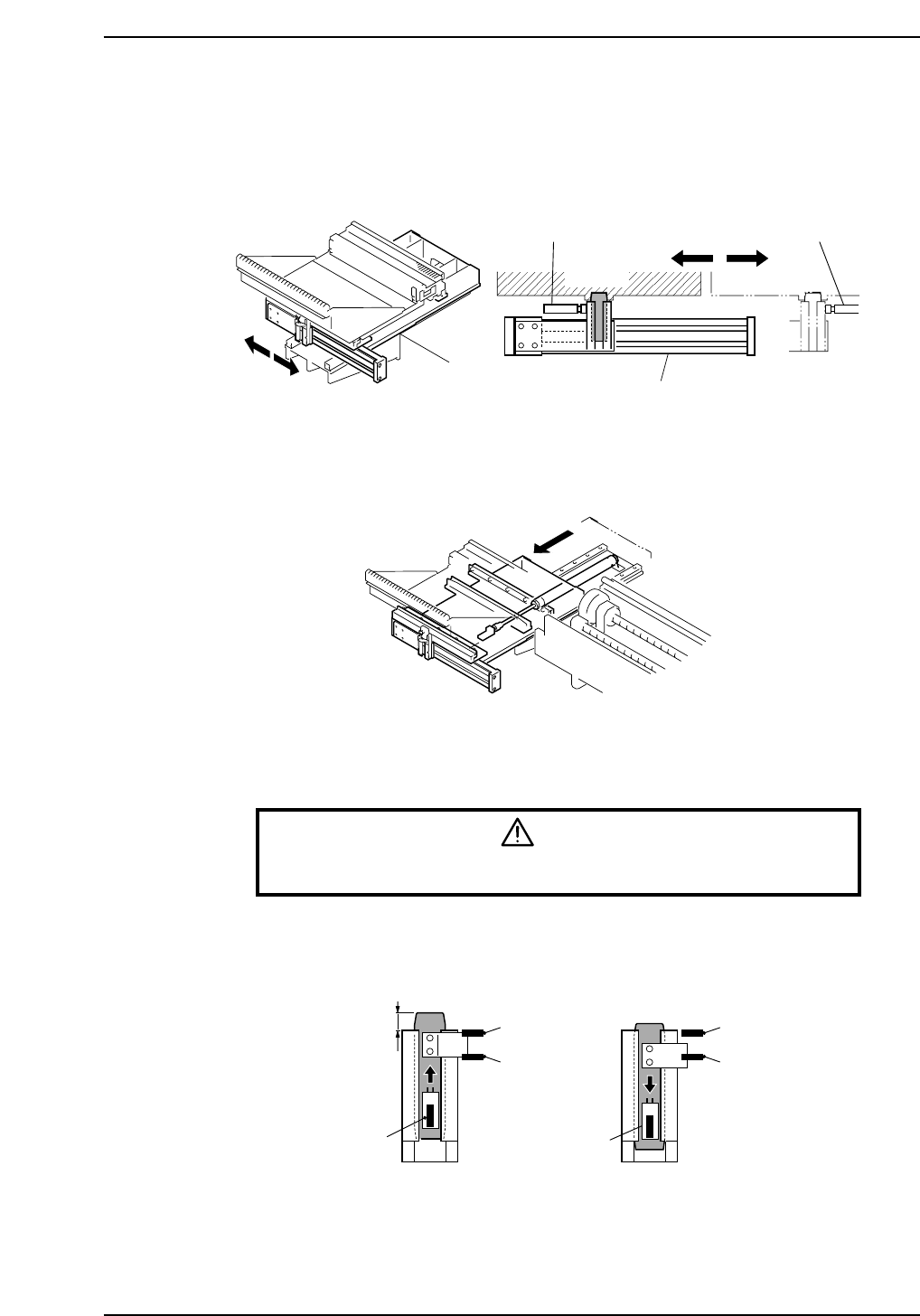
3. Setup Station There are a IN setup station and a OUT setup station. Each is driven by a pneumatic cylinder to transport pallets. In addition, a setup station carrying a pallet slides toward the rear of the machine, wh…

Notes:
Part 8 Chapter 2 D-Axis Carrier
Edition 1.0 8-2-4 CP-6-series Mechanical Reference
3. Setup Station
There are a IN setup station and a OUT setup station. Each is driven by a pneumatic
cylinder to transport pallets.
In addition, a setup station carrying a pallet slides toward the rear of the machine, where
feeders can be loaded or removed more easily.
3.1 Adjustment of the Clamp-Area Sensors
Warning
Turn off the 200 V servo power before carrying out this work.
This adjustment is carried out in the same way as for the clamp area of the D-axis carrier.
Refer to Chapter 2 “D-Axis Carrier" of this part.
(ON)
(ON)
(OFF)
(OFF)
(ON)
(ON)
21.0 mm±1.0
Lowest position of the slider
CP6M9008
CP6M9007
Shock absorber Shock absorber
Pallet
Pneumatic cylinder
CP6M9006
Part 8 Chapter 3 Setup Station
Edition 1.0 8-3-1 CP-6-series Mechanical Reference
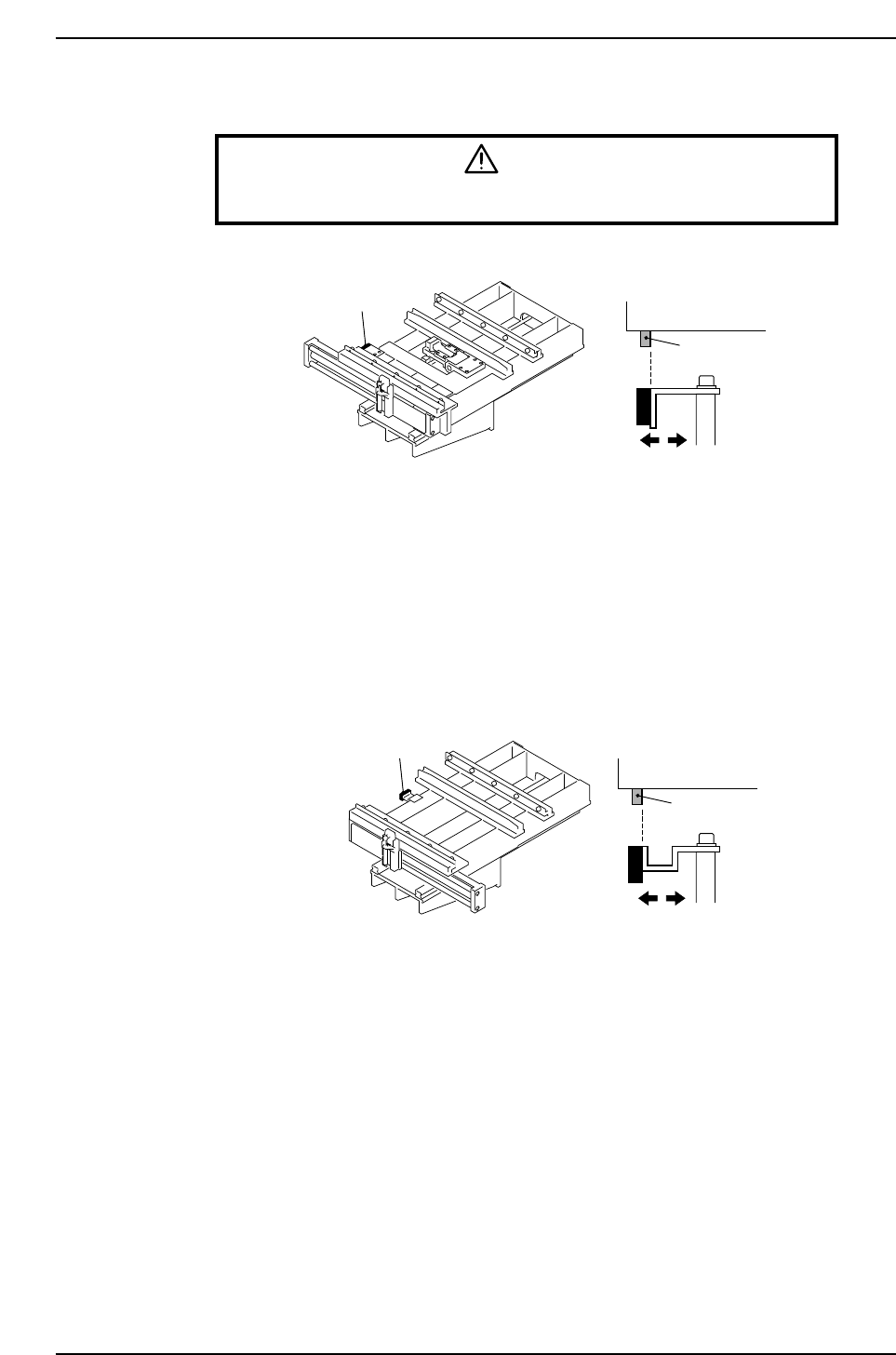
3.2 Adjustment of the Pallet Confirmation Sensors
Warning
Turn off the 200 V servo power before carrying out this work.
1. Adjust the sensor amp dial to "MIN."
2. Clamp a pallet on the IN-side setup station.
At this time, adjust the position of the sensor so that the side surface of the dog
coincides with the side surface of the sensor.
Adjust the pallet confirmation sensor for the OUT-side setup station in the same way as
for the IN pallet confirmation sensor.
Pallet
Pallet confirmation sensor
Dog
CP6M9010
Dog
Pallet confirmation sensor
Pallet
CP6M9009
Part 8 Chapter 3 Setup Station
Edition 1.0 8-3-2 CP-6-series Mechanical Reference