CP-6-series Mechanical Reference.pdf - 第29页
5. The EMERGENCY ST OP Buttons In the event of an emergency, press any of the red EMERGENCY STOP buttons located on the machine at the positions indicated in the figures below. The EMERGENCY STOP buttons turn off the 200…
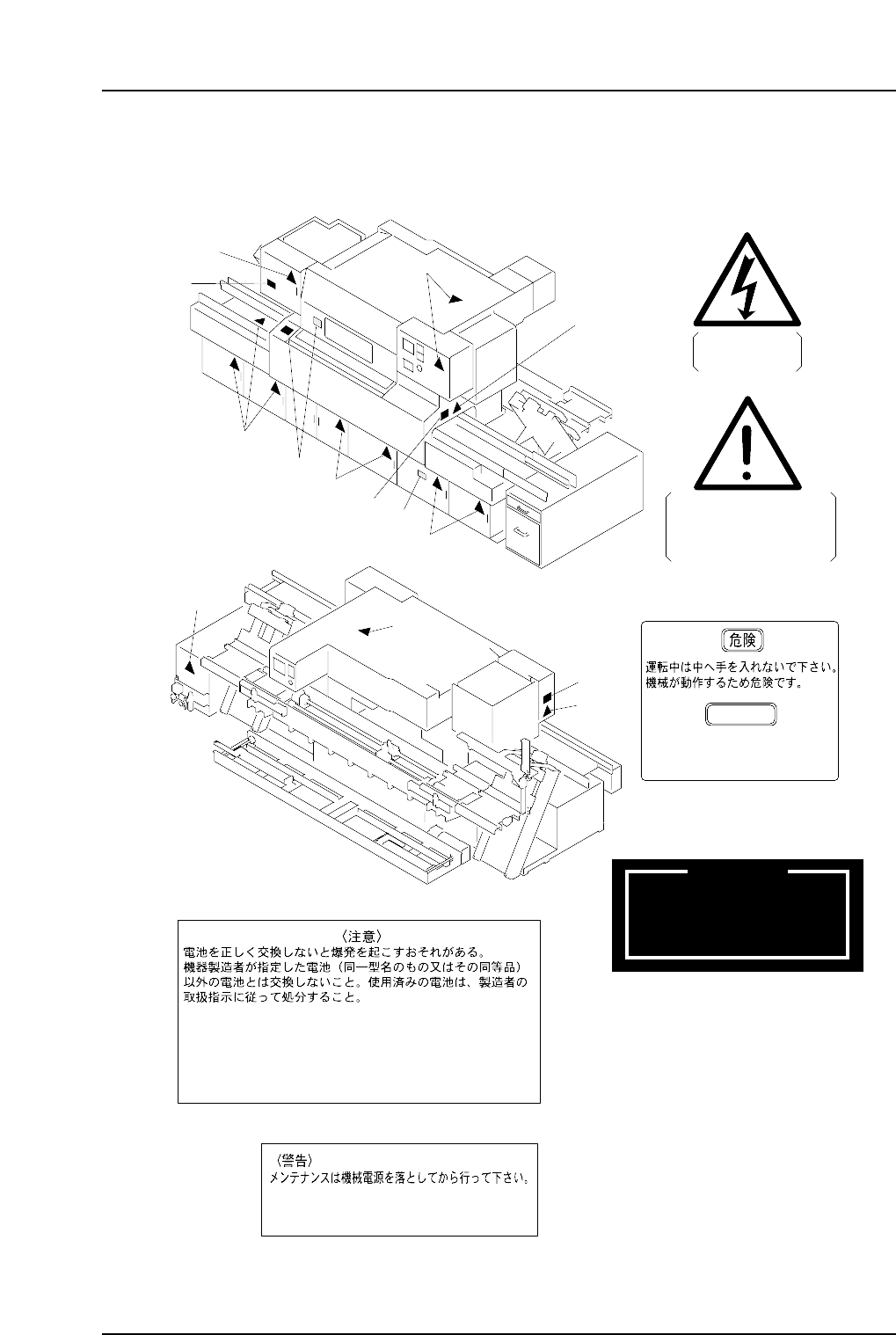
<CP-652C>
1
Never insert your hand
inside an operating machine.
Moving parts may cause injury.
DANGER
Keep hands and
clothing well clear
of the moving conveyor
2
3
WARNING
THE BYPASS KEY OVERRIDES
SAFETY DOOR INTERLOCKS.
EXERCISE EXTREME CAUTION
DURING USE
1
1
1
4
1
5
2
3
1
1
3
2
1
High Voltage
<WARNING>
DISCONNECT POWER PRIOR TO SERVICING.
<CAUTION>
AN EXPLOSION MAY OCCUR IF THE BATTERY IS NOT REPLACED
PROPERLY. USE THE BATTERY TYPE SPECIFIED BY FUJI (OR
EQUIVALENT BATTERY TYPE).USED BATTERIES MUST BE
DISCARDED FOLLOWING THE MANUFACTURER'S INSTRUCTIONS.
5
6
6
m-061
Front side of the Machine
Rear side of the Machine
4
Safety Guidelines
Edition 1.5 14 CP-6-series Mechanical Reference
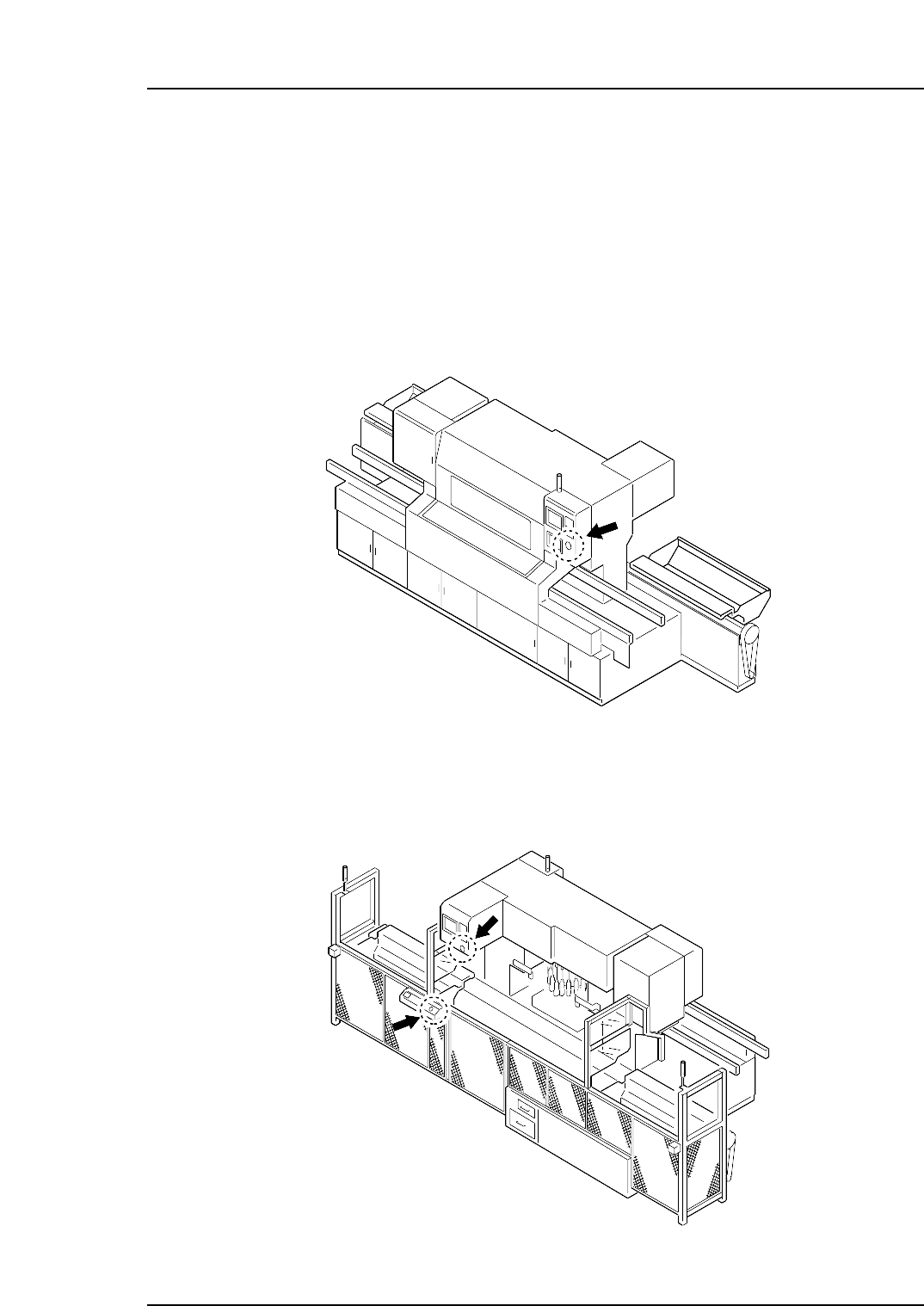
5. The EMERGENCY STOP Buttons
In the event of an emergency, press any of the red EMERGENCY STOP buttons located
on the machine at the positions indicated in the figures below.
The EMERGENCY STOP buttons turn off the 200 V power supply.
Note: The EMERGENCY STOP and CYCLE STOP buttons are always enabled regardless of the
front/rear panel operation selection key setting.
EMERGENCY STOP button on the Front of the Machine
EMERGENCY STOP buttons on the Rear of the Machine
<Models other than CP-652C, with Fence>
CP6MF002
CP6MF001
Safety Guidelines
Edition 1.5 15 CP-6-series Mechanical Reference
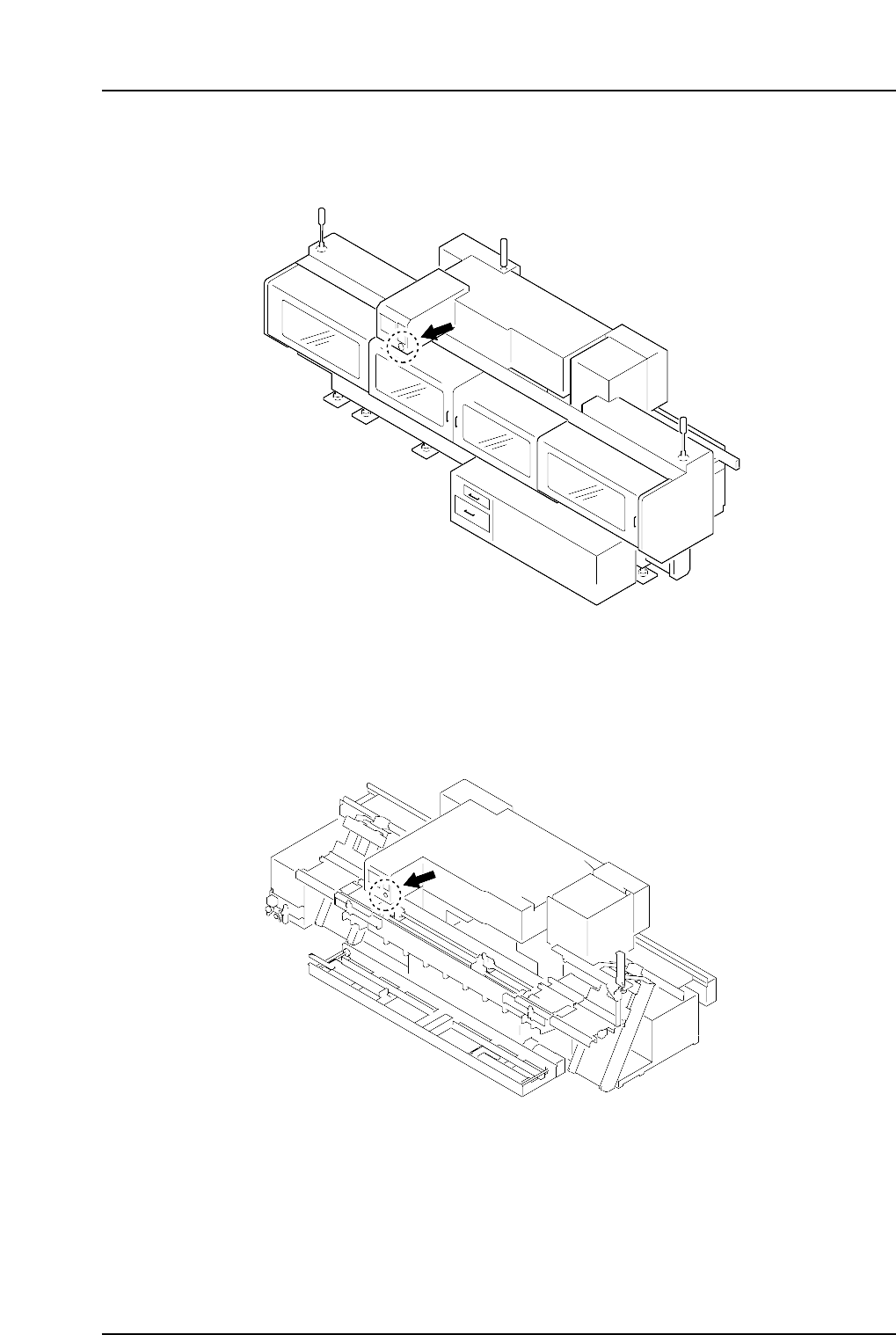
EMERGENCY STOP button on the Rear of the Machine
<CP-642/642M/643E/643ME Models with Rear Cover>
EMERGENCY STOP button on the Rear of the Machine
<CP-652C>
CP6M002
CP6M001
Safety Guidelines
Edition 1.5 16 CP-6-series Mechanical Reference