CP-6-series Mechanical Reference.pdf - 第303页
4.2 Adjustment of the Clamper Open/Close Limit Sensors Adjustment W ARNING • Turn off the 200 V servo power before carrying out this work. • The CP-643E/643ME conveyor is equipped with laser sensors. In areas where there…
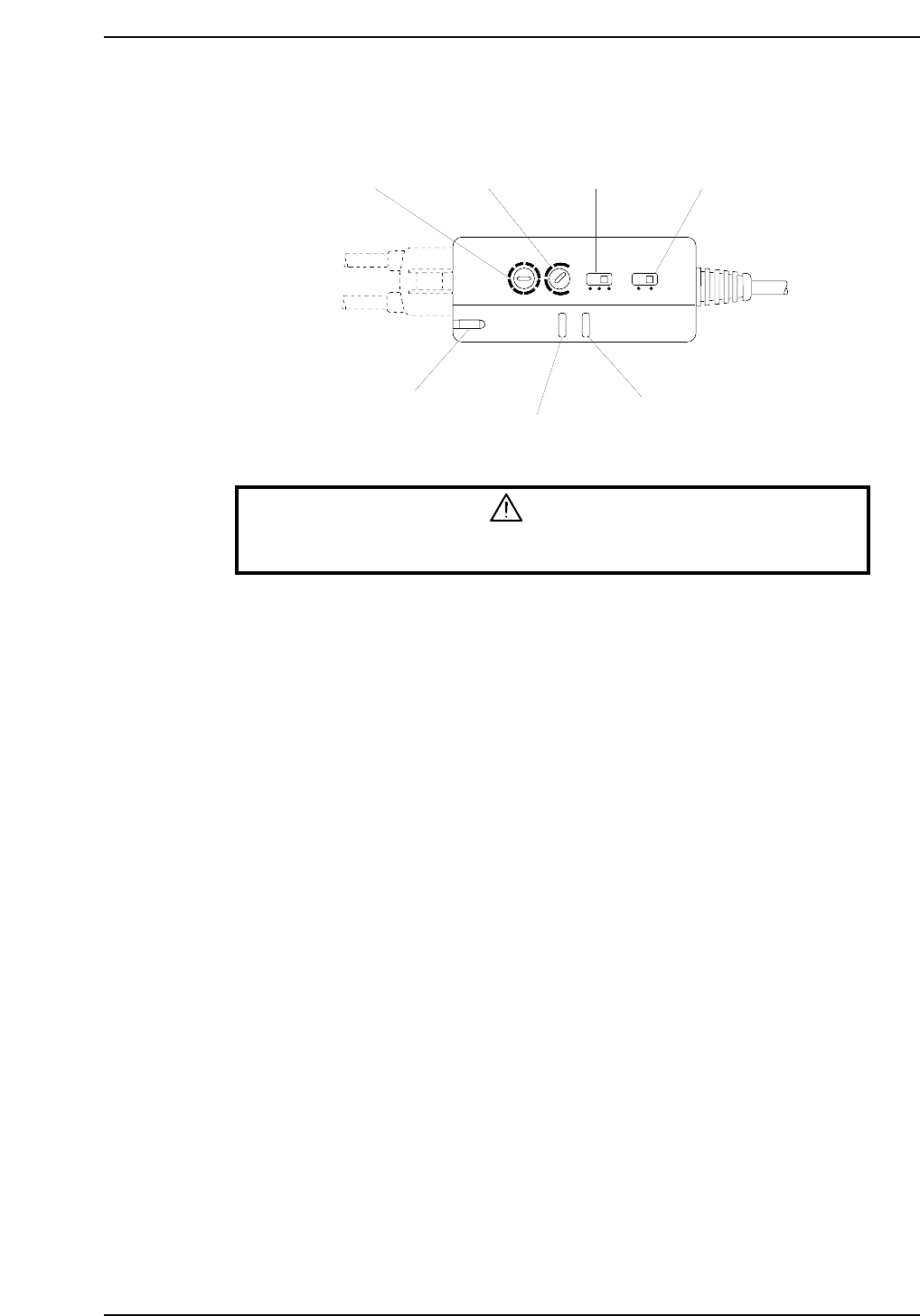
4.1.3 Adjusting the Sensor Sensitivity (Amplifier Unit)
WARNING
Never look directly into the laser beam as this can damage the eyes.
1. Set the timer setting trimmer to 40 ms, the timer mode selector switch to OFF, and
the operation mode selector switch to the “L ON” mode.
2. Adjust the sensitivity adjusting trimmer (SENS) until the following conditions are
obtained:
When the laser beam is striking the seal’s silver area at the adjustable rail, the
operation indicator (OUT) (red) and the stable operation indicator (STB) (green)
should be ON.
When the laser beam is striking the seal’s black area, the operation indicator (OUT)
(red) and the stable operation indicator (STB) (green) should be OFF.
3. Check the sensor inputs at the I/O screen using the following command sequence:
[I/O] - [Standard I/O] - [IN].
X034 FLWUP RAIL OUT
X035 FLWUP RAIL IN
Timer mode
selector switch
Operation mode
selector switch
Timer setting
trimmer
Sensitivity adjusting
trimmer
Laser emission indicator
Operation indicator
Stable operation indicator
L ON
D ON
MODE
OFF
ON D
OFF D
5s
TIMER
40ms
SENS
LASER
ON
STB
OUT
CP6M10021
Part 9 Chapter 4 Main Conveyor
Edition 1.0 9-4-5 CP-6-series Mechanical Reference
4.2 Adjustment of the Clamper Open/Close Limit Sensors
Adjustment
WARNING
• Turn off the 200 V servo power before carrying out this work.
• The CP-643E/643ME conveyor is equipped with laser sensors.
In areas where there is a risk of eye damage from the laser beams,
be sure to install a laser beam shield at the laser emission area
before performing this sensor adjustment procedure.
1. Release the air inside the cylinder.
2. Set the cylinder in the contracted status and check the position at which the open
limit sensor comes ON.
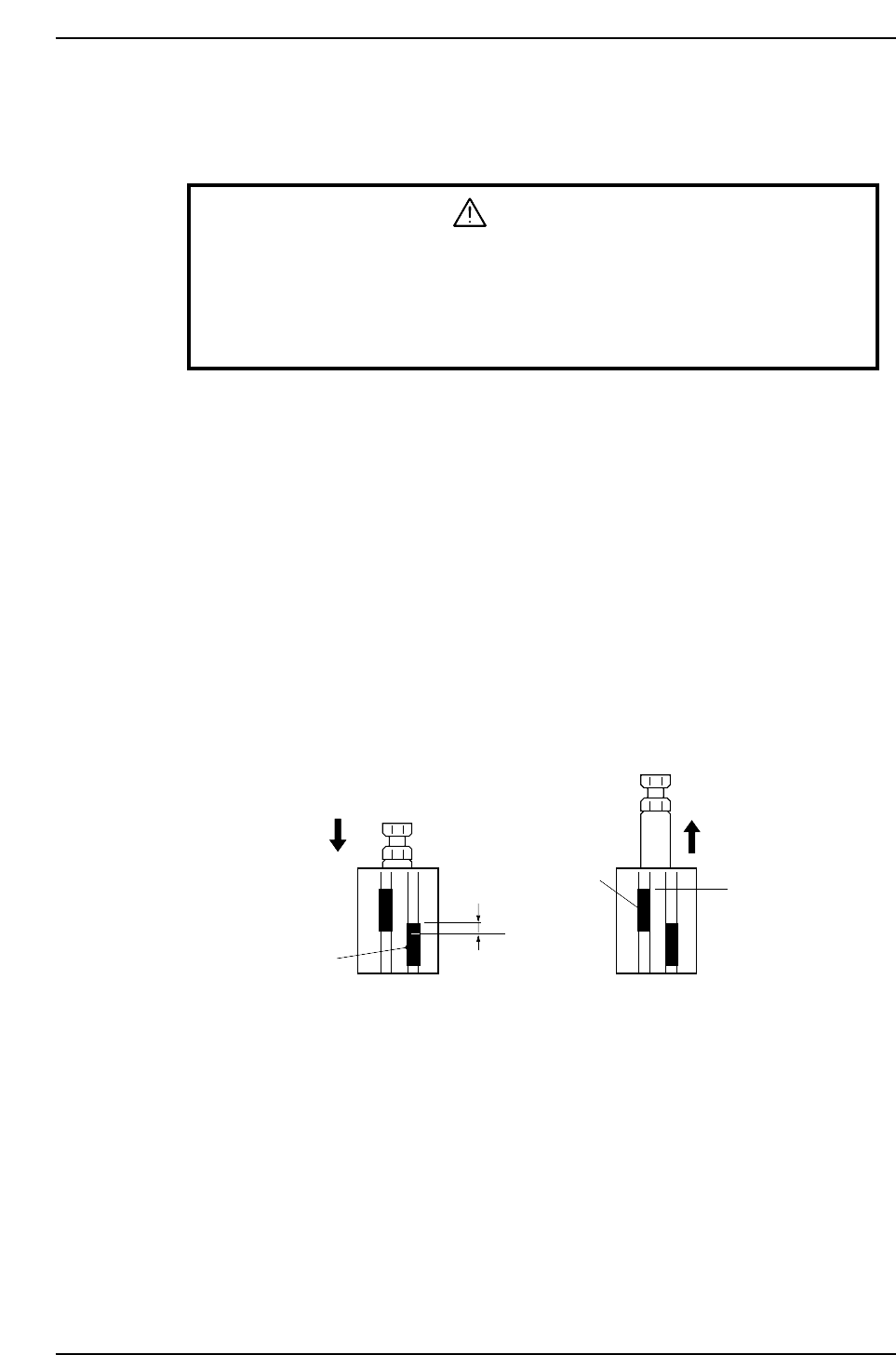
3. Open limit sensor: Move the sensor upward 0.5 mm from the ON position, and
secure it in place.
Close limit sensor: Clamp two boards (in succession) of two different
thicknesses. Secure the close limit sensor at the position
where the following conditions are satisfied.
<On mark reference machines>
• ON when 4.0 mm thickness board is clamped
• OFF when 4.3 mm thickness board is clamped
<On pin reference machines>
• ON when 4.5 mm thickness board is clamped
• OFF when 5.0 mm thickness board is clamped
b
Close limit sensor
a: Position at which the open limit sensor comes ON with the cylinder in the contracted status
b: Position at which the close limit sensor switches ON when 4.0 mm (or 4.5 mm) thickness
board is clamped, and OFF when 4.3 mm (or 5.0 mm) thickness board is clamped.
CP6M10022
a
Open limit sensor
0.5 mm
When unclamped When clamped
Part 9 Chapter 4 Main Conveyor
Edition 1.0 9-4-6 CP-6-series Mechanical Reference
5. Out-Carrier
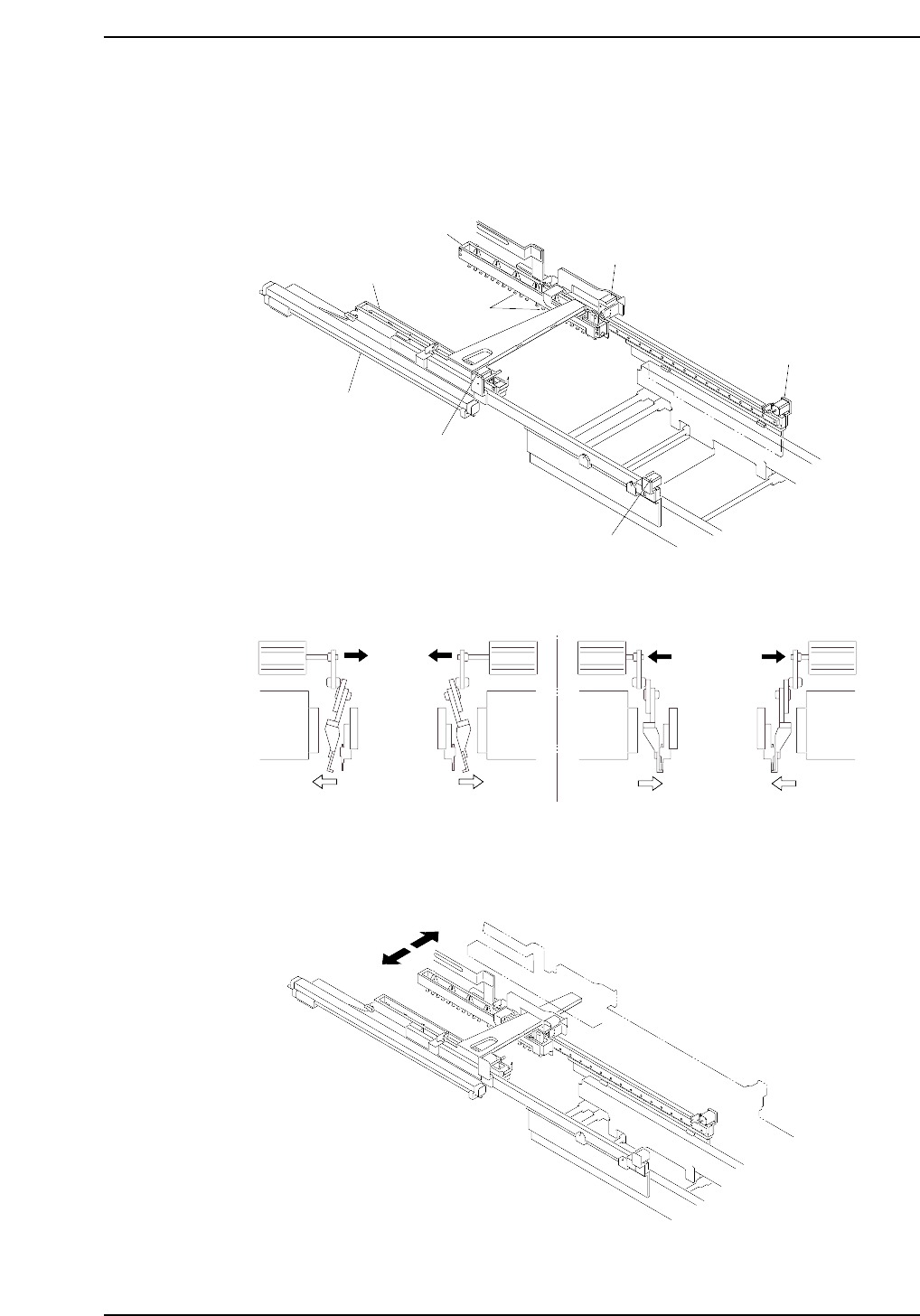
The out-carrier receives boards from the main conveyor, retracts, and transfers boards to
the out-conveyor. The board clamping claws are opened and closed by means of an air
cylinder drive mechanism.
The board clamping claws are opened and closed using an air cylinder drive mechanism.
In addition, the carrier width also changes in accordance with the changes made to the
conveyor width.
CP6M10025
CP6M10024
Carrier open
Carrier closed
CP6M10023
Carrier (fixed rail)
Carrier (adjustable rail)
Claws
Carrier open/close cylinder
Carrier open/close cylinder
Carrier open/close cylinder
Carrier open/close cylinder
Carrier advance/retract cylinder
Part 9 Chapter 3 In-Carrier
Edition 1.4 9-5-1 CP-6-series Mechanical Reference