CP-6-series Mechanical Reference.pdf - 第309页
5. Secure the reverse flow board stopper in a position 3.0 mm from the rear edge of the second board. 6. Check the positions of premounted parts on the lower surface of the board. 7. Set the sensor to avoid premounted pa…
6.2 Mid-Stopper Position Alignment
When a double board production program is executed, the second board must remain
stopped on the out-conveyor until the first board is unloaded from the machine. The
mid-stopper position must be set in order to stop the second board at the correct
position.
WARNING
• Turn off the 200 V servo power before carrying out this work.
• The CP-643E/643ME conveyor is equipped with laser sensors.
In areas where there is a risk of eye damage from the laser beams,
be sure to install a laser beam shield at the laser emission area
before performing this sensor adjustment procedure.
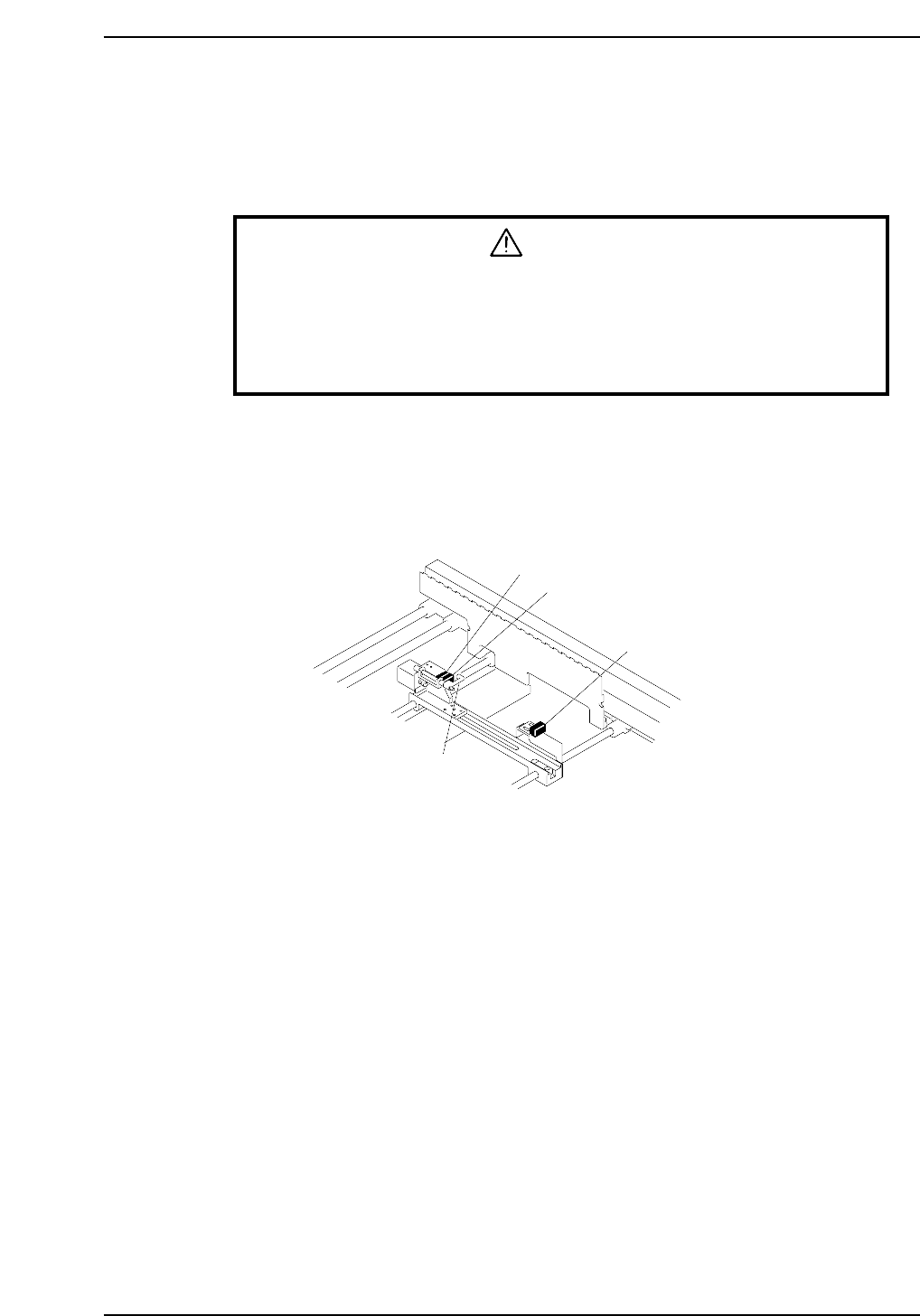
1. When there are no boards on the out-conveyor, confirm that the following
responses are returned from the three sensors listed below.
• First board check sensor OFF
• Second board check sensor OFF
• Gap check sensor ON
2. Put boards on the out-conveyor that are the maximum size for double board
transport (X-direction 220 mm). Confirm that the gap check sensor goes OFF
when a board is over the gap check sensor.
3. Adjust the first board check sensor position such that the following conditions are
satisfied.
• First board check sensor comes on at a position 5.0 mm from the front edge of
the board.
• Gap check sensor is ON (no board over the sensor).
4. Raise the mid-stopper (I/O LY006 ON), and adjust the position of the second
board check sensor mounting bracket such that the distance between the front
edge of the second board on the out-conveyor and the mid-stopper is from 0.2 to
0.3 mm.
CP6M10032
First board check sensor
Second board check sensor
Gap check sensor
Mid-stopper
Part 9 Chapter 6 Out-Conveyor
Edition 1.0 9-6-3 CP-6-series Mechanical Reference
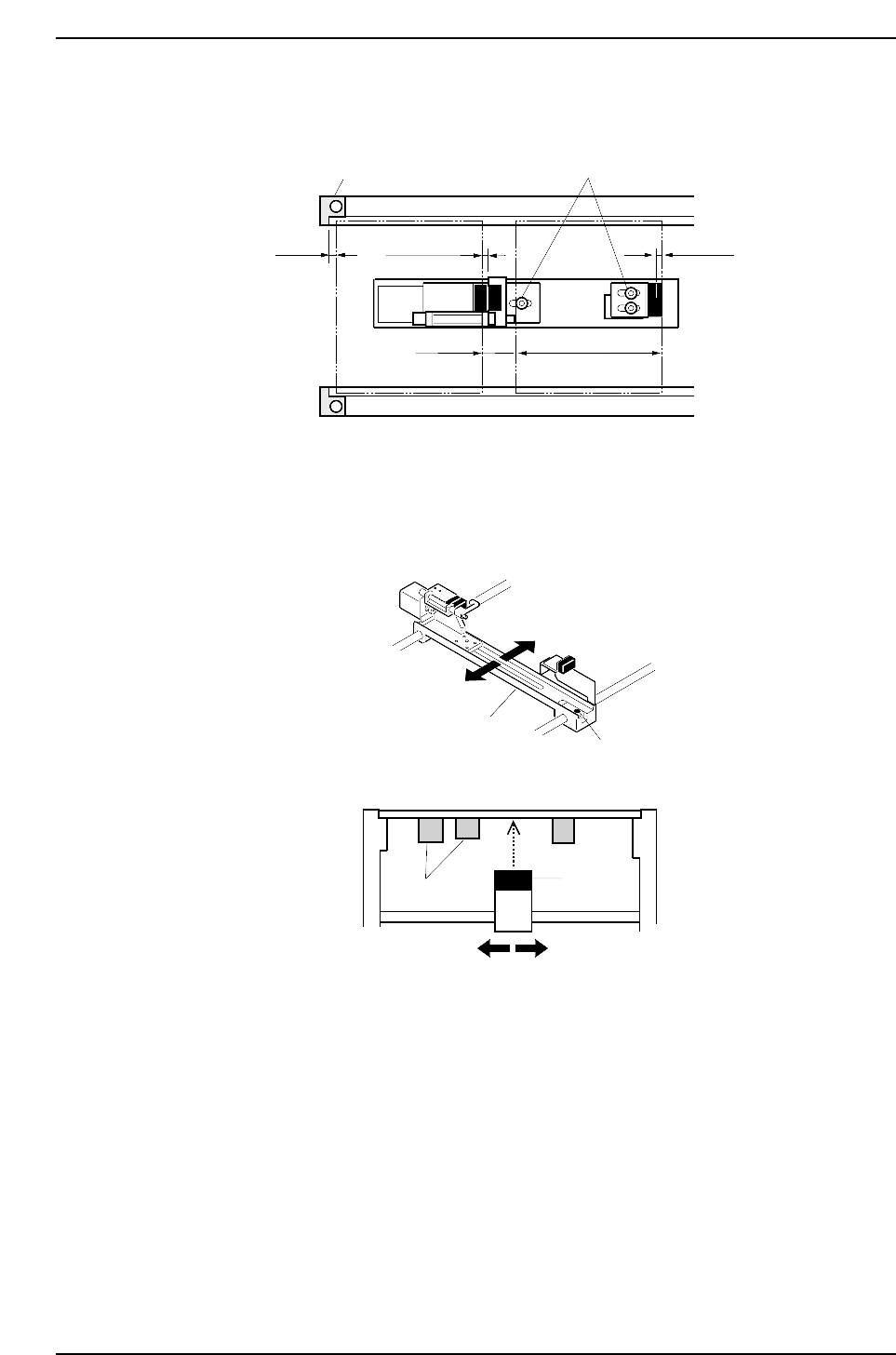
5. Secure the reverse flow board stopper in a position 3.0 mm from the rear edge of
the second board.
6. Check the positions of premounted parts on the lower surface of the board.
7. Set the sensor to avoid premounted parts.
Loosen the bolt shown in the figure below, move the slider in the Y-direction and
adjust the sensor position.
CP6M10034
Lock bolt
Slider
Premounted
parts
Sensor
Y-direction
CP6M10033
Adjustment boltReverse flow board stopper
Second board First board
5.0 mm0.2~0.3 mm
15.0 mm
220.0 mm
3.0 mm
Part 9 Chapter 6 Out-Conveyor
Edition 1.0 9-6-4 CP-6-series Mechanical Reference
7. Setting the Board Positioning Pins
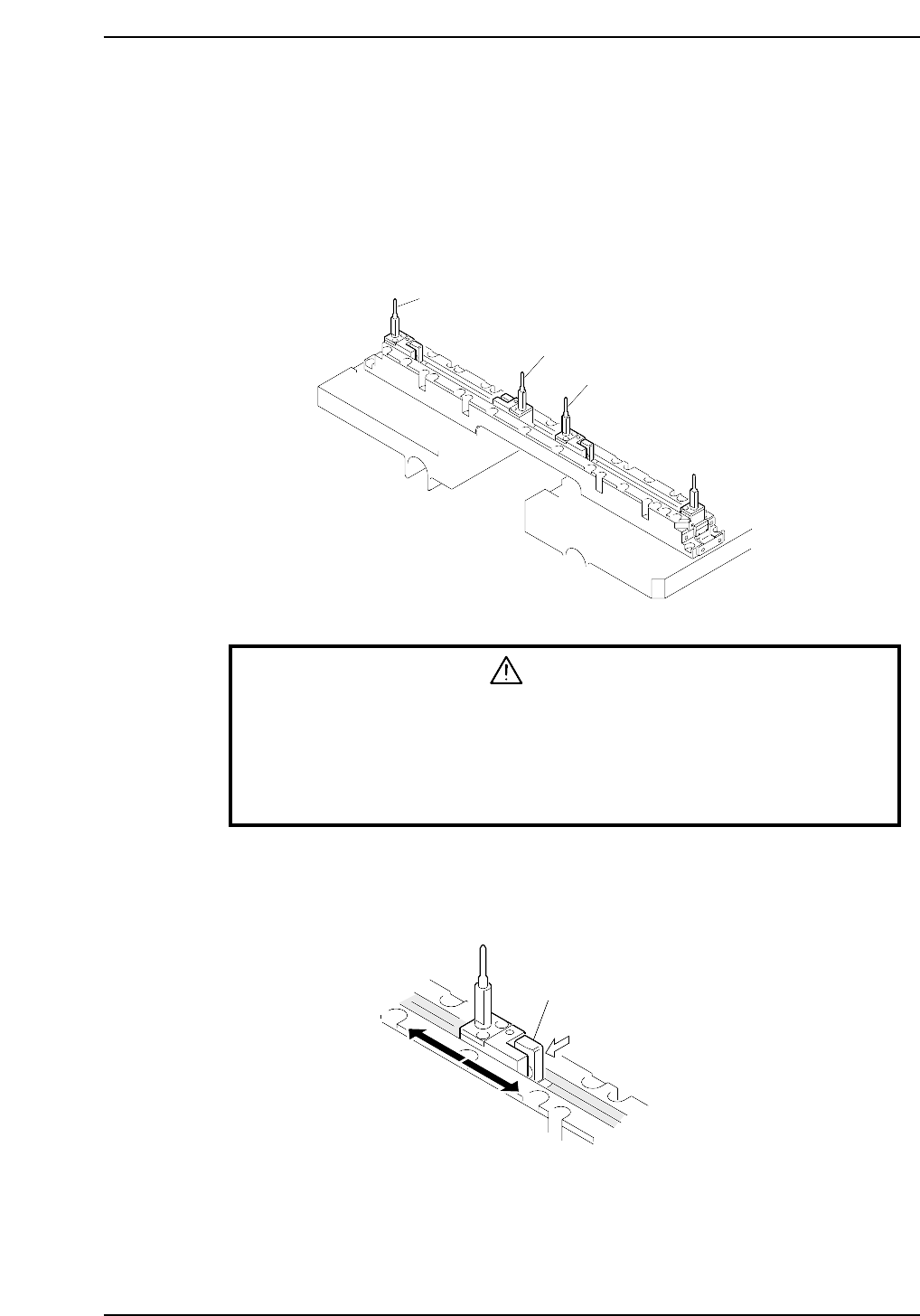
When a reference pin and follow-up pin are used, the positioning pins must be reset each
time the size of boards being transported changes.
The following pin positions must be set.
• First board follow-up pin position
• Second board reference pin position
• Second board follow-up pin position
WARNING
• Turn off the 200 V servo power before carrying out this work.
• The CP-643E/643ME conveyor is equipped with laser sensors.
In areas where there is a risk of eye damage from the laser beams,
be sure to install a laser beam shield at the laser emission area
before performing this sensor adjustment procedure.
Push down on the lock lever to move the pin holder and adjust the pin position to match
the board pin pitch. Also be sure to take the gap between the first and second boards
into account when setting each positioning pin.
CP6M10036
Lever
CP6M10035
First board follow-up pin
Second board reference pin
Second board follow-up pin
Part 9 Chapter 7 Setting the Board Positioning Pins
Edition 1.0 9-7-1 CP-6-series Mechanical Reference