CP-6-series Mechanical Reference.pdf - 第325页
Detail of Electronic T emperature Controller Panel Detail Description of Push-Button Switches 1. POW switch Push to turn ON/OFF the power to the OILMATIC 2. TMR switch Push to set the start timer. Not used. 3. PARA switc…
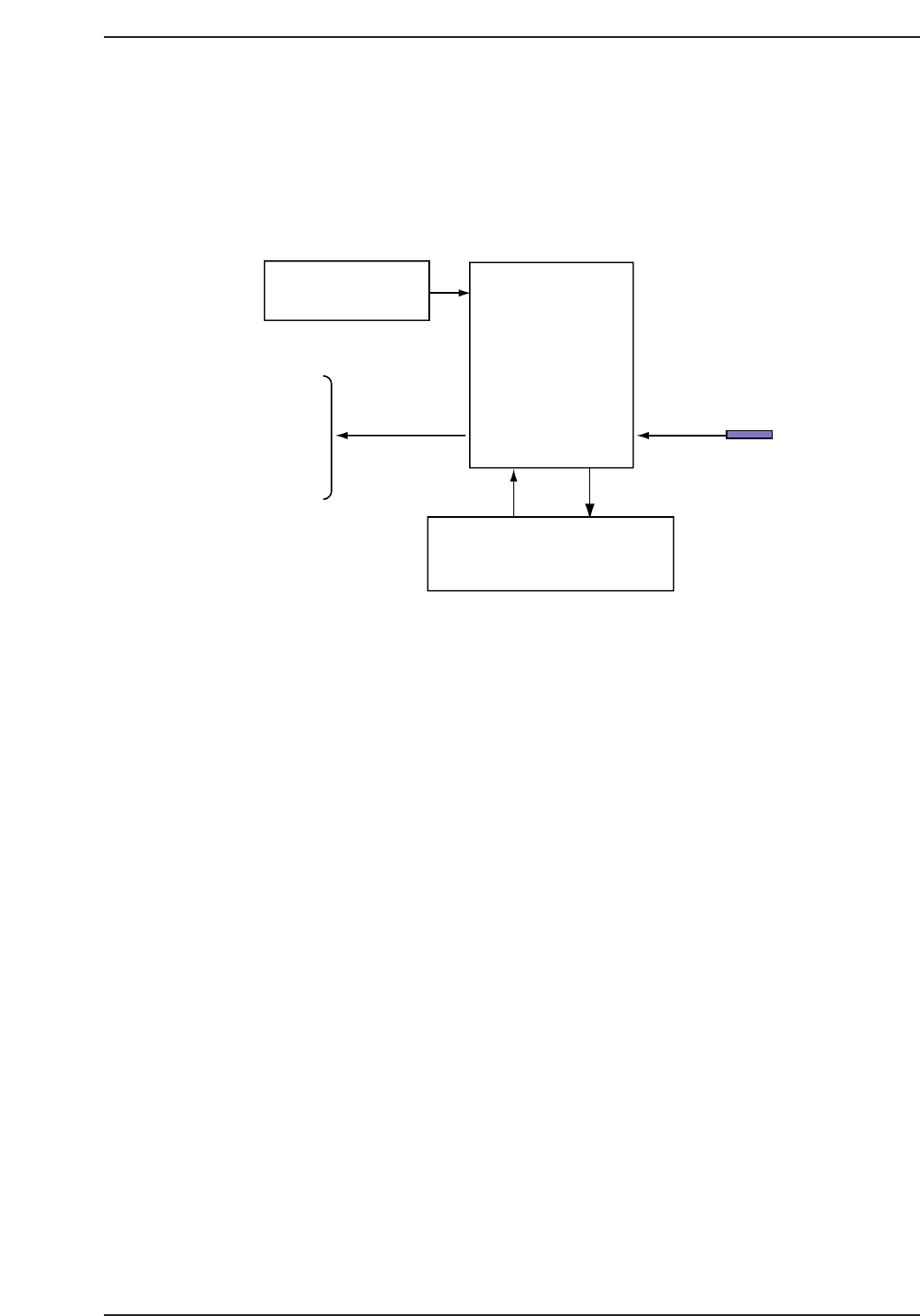
A. Functions of Electronic Temperature Controller
Features
The electronic temperature controller is a digital type ON/OFF controller used to control
fluid temperature.
Structure
The electronic temperature controller is composed of the following components:
1. Control substrate
This is the main CPU device composed of the CPU itself, the power circuit, sensor
input, and relay and display outputs.
2. Transformer
The transformer supplies the 10-V power supply necessary for the power circuit of
the control PCB.
3. Display PCB
This consists of switches required for the display, a 7-segment LED display screen
which displays parameters and other data, and a RUN lamp which indicates the
current operating condition of the controller.
Transformer
Control
PCB
(CPU device)
Control oil
temperature
sensor
Display PCB
(Operation panel)
Relay output
Pump
Refrigeration
compressor,
Heater
etc.
CP6MA001
Appendix A. Functions Of Electronic Temperature Controller
Edition 1.0 A-1 CP-6-series Mechanical Reference
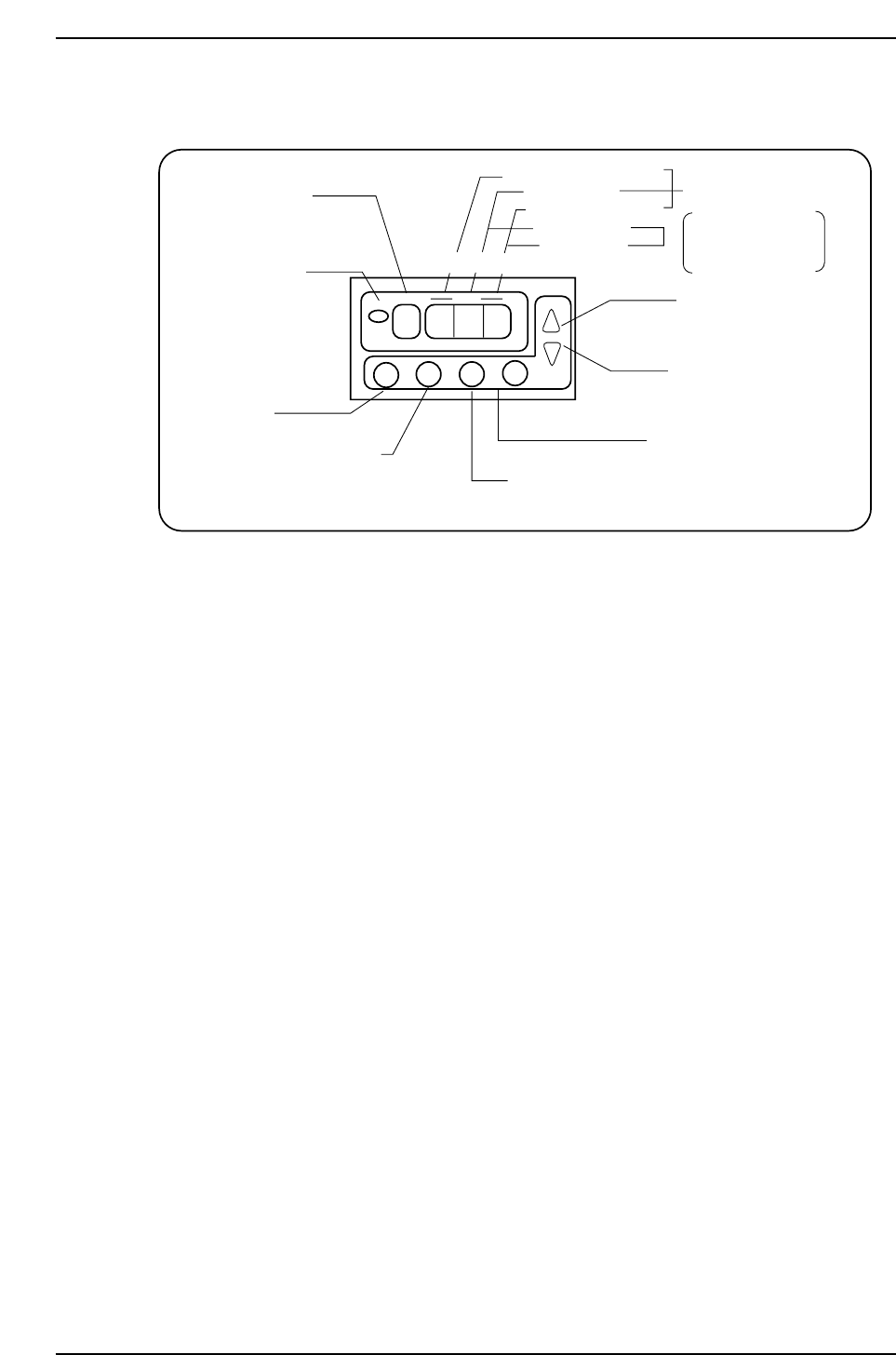
Detail of Electronic Temperature Controller Panel
Detail Description of Push-Button Switches
1. POW switch
Push to turn ON/OFF the power to the OILMATIC
2. TMR switch
Push to set the start timer. Not used.
3. PARA switch
Parameter setting switch. Press each time to display new parameters.
4. PV switch
Push to display the current temperature.
Also used to renew user’s parameter data.
5. UP switch
Push to increase the data setting.
6. DOWN switch
Push to decrease the data setting.
PARA LED
display
RUN lamp
is on during
operation.
( Off at the
time of alarm.)
POW switch
Start/Stop switch of
OILMATIC
TMR Switch
Timer setting
switch
PARA switch
Parameter
setting switch
PV switch
Current temperature
indicating switch
DATA LED display
10th place (or "_")
1st place
1st decimal place
10th place
1st place
Parameter
setting mode
Indication of current
oil temperature
UP switch
Increase data
setting
DOWN switch
Decrease data
setting
POW
TMR
PARA
PV
RUN
PARA
DATA
UP
DN
CP6MA002
Appendix A. Functions Of tElectronic Temperature Controller
Edition 1.0 A-2 CP-6-series Mechanical Reference
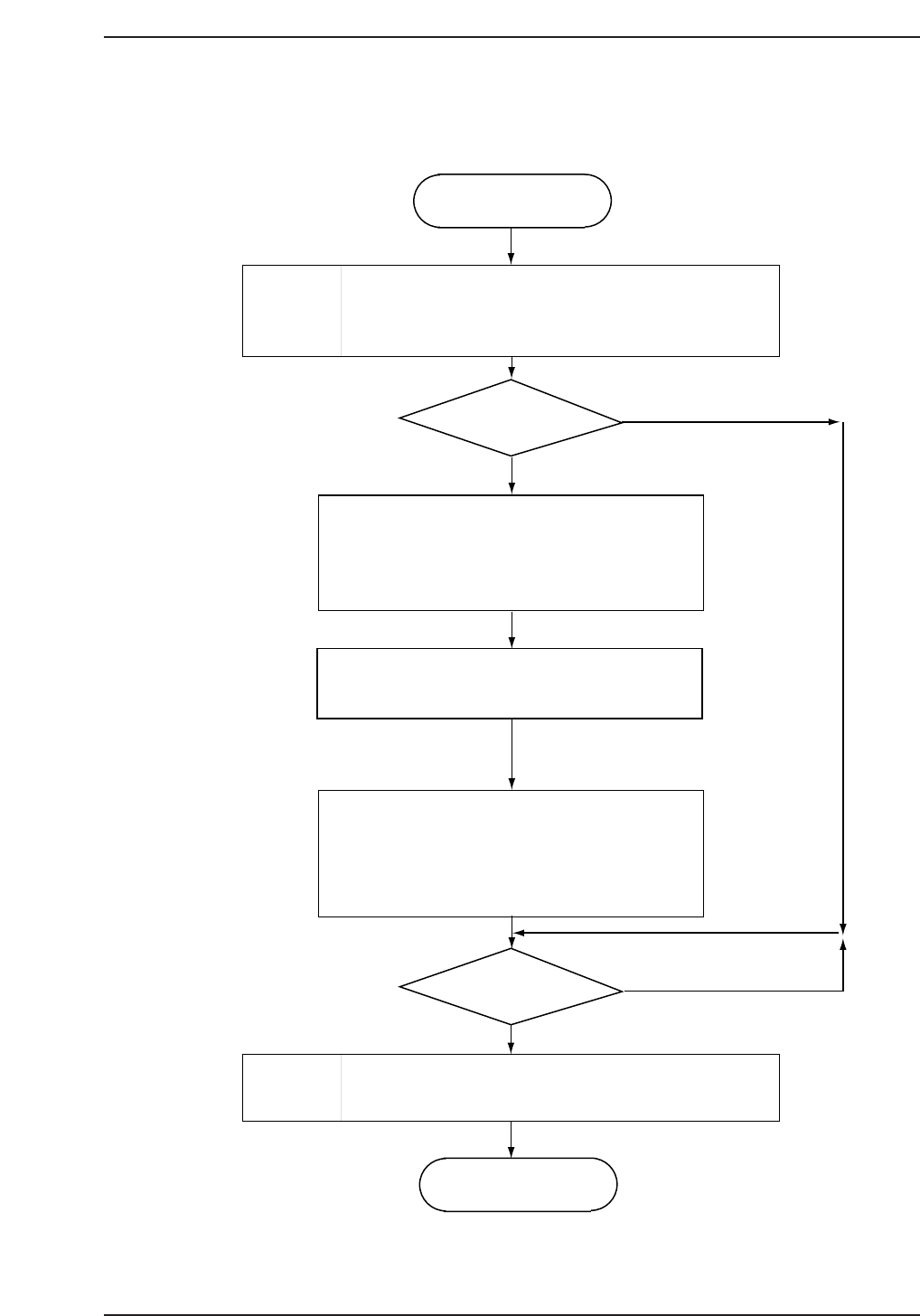
B. Directions for Use
Start
When the supply power to the OILMATIC turns
"ON", the current oil temperature will be indicated,
RUN lamp lights on, and operation starts.
Start-up
Change
set temperature?
When "Para" switch is pressed, "0" will be
indicated on the parameter indicating LED and
current set temperature on the DATA
indicating LED.
Target temperature set by pressing "UP"
switch or "DOWN" switch.
Fluid temperature set range is 5.0 to
40.0 °C in 0.1 °C increments.
Holding down the "PV" switch will display the
current oil temperature.
Fluid temperature control settings may be
changed here.
Stop
operation?
Stop
When the power supply to the OILMATIC is
cut, the OILMATIC stops operating.
Stop
Yes
Yes
No
No
CP6MA003
Appendix B. Directions for Use
Edition 1.0 B-1 CP-6-series Mechanical Reference